
When most people start learning shaders, textures seem straightforward. They are images made up of pixels. But in GLSL, textures are much more than images. They are data containers, and understanding how to access that data efficiently is where swizzling comes into play.
Once this concept clicks, you'll start seeing textures as a way to store positions, velocities, audio data, particle information, and much more.
What Is a Texture?
A texture is essentially a two dimensional array of data. Each individual element inside that texture is called a texel.
When GLSL reads a texel, it typically returns four floating point values packed into a vec4.
vec4 tex = texture(sTD2DInputs[0], uv);
A returned value might look like this:
vec4(0.8, 0.3, 0.1, 1.0)
Traditionally these values represent:
-
Red
-
Green
-
Blue
-
Alpha
However, shaders do not care what those values mean. They are simply four numbers.
Introducing Swizzling
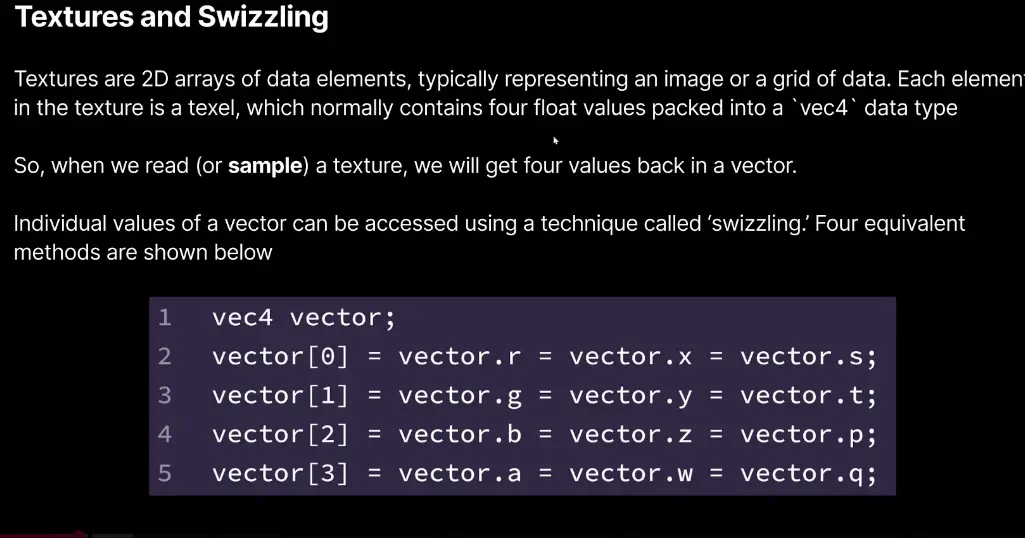
Swizzling is GLSL's method of accessing or rearranging vector components.
For example:
tex.r
tex.g
tex.b
tex.a
These correspond to:
tex[0]
tex[1]
tex[2]
tex[3]
You can also use:
tex.x
tex.y
tex.z
tex.w
or:
tex.s
tex.t
tex.p
tex.q
All of these access the same underlying values.
Rearranging Data
Swizzling becomes powerful when you start combining channels.
vec3 rgb = tex.rgb;
returns:
vec3(red, green, blue)
But you can also reorder values:
vec3 flipped = tex.bgr;
which swaps red and blue.
You can even duplicate values:
vec3 grayscale = tex.rrr;
This takes the red channel and copies it into all three channels.
In modern shader workflows, textures often store information instead of images.
A texture pixel might represent:
vec4(
    positionX,
    positionY,
    positionZ,
    life
);
Then extracting data becomes simple:
vec3 position = data.rgb;
float life = data.a;
This is why swizzling is everywhere in particle simulations, feedback systems, compute shaders, and GPU based workflows.
Swizzling is not just a convenience feature. It is one of the fundamental tools that allows shader programmers to manipulate data efficiently.
Once you stop thinking of textures as images and start thinking of them as containers for data, a huge range of creative possibilities opens up.






