
In this article I will deal with some tricky things about classes in JAVA.
1.Rectangle class
We create a new Java Project named Rectangle, to which we add the following Rectangle class:

Our Rectangle class contains:
- a public attribute, representing the length of the rectangle
- a public attribute, representing the width of the rectangle
- a constructor to instantiate our rectangle
- a public method returning the area of the rectangle
- a public method returning the perimeter of the rectangle
We generate the documentation note:

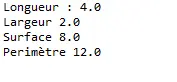
We test our Rectangle class with the creation of the TestRectangle class, by creating an instance Rectangle and displaying its length, width, area, and perimeter on standard output.

We have the following display:
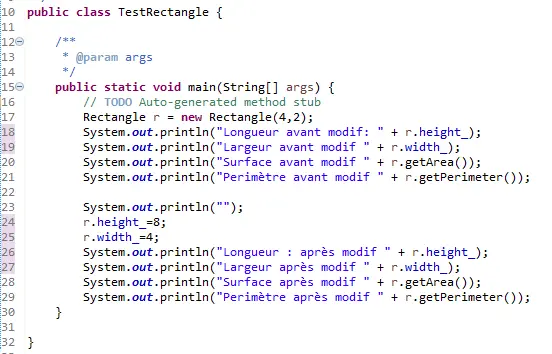
We now modify our TestRectangle class to be able to change the length and width of our Rectangle:
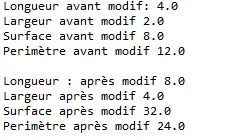
We have the following display:
We now create the new RectangleWithFinalKW class, by modifying our Rectangle class, adding the final keyword to the height_ and width_ attributes.
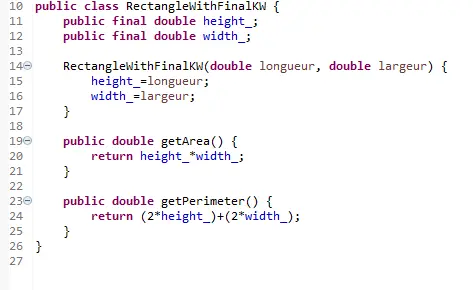
After testing we have the following error:

We can only modify our attributes once, here at creation on line 17, inducing a error on lines 24 and 25.
We now create the new RectangleWithPrivateKW class, by modifying our class Rectangle, making the height_ and width_ attributes private. By doing just that, we have the following errors:
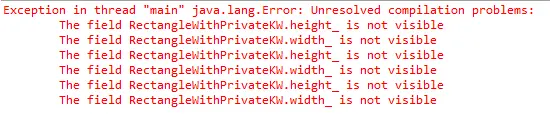
Indeed, the attributes being private, we cannot access them here.
To overcome this problem, we complete our RectangleWithPrivateKW class as next :
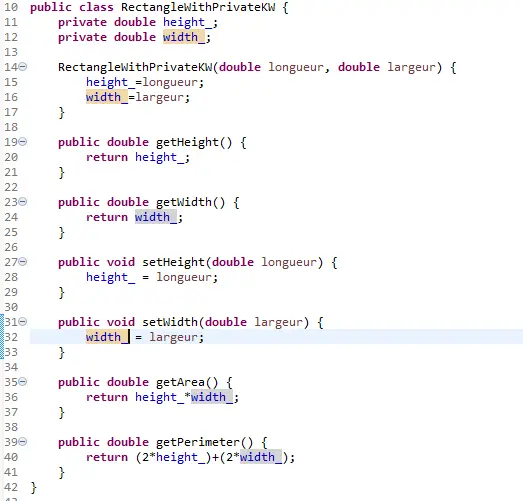
We modify our TestRetcangle class to adapt it to our private attributes with the get functions:

We have the following display:

We now create the new RectangleWithNoKW class, by modifying our Rectangle class, to make our height_ and width_ attributes keywordless:
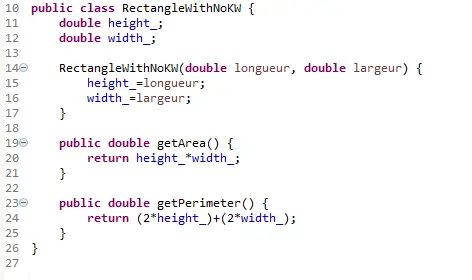
We modify our TestRectangle class to adapt it to our previous class:

We have the following display:
Here without a keyword, it works well because the private package is in the same package, so we can access it here. If we were outside we couldn't have.
2. Rectangle with UID
We want to assign a unique ID for each Rectangle.
To do this, we define:
- the cnt static storyteller, making it variable in our class
- the uid_ attribute
Thus, the following RectangleFull class is created:

In our TestRectangle class, we access the cnt variable by the name of the RectangleFull class directly. Our TestRectangle class looks like this:
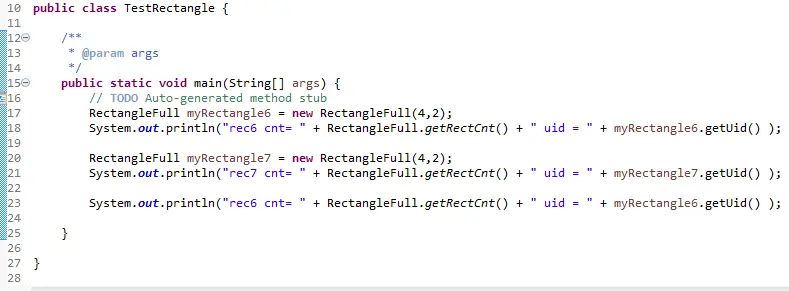
We have the following display:

Note that each Rectangle has a different ID.
3. Circle class
We define the Circle class in the same type as our previous Rectangle class.
This Circle class has:
- the private attribute radius_
- its constructor, initializing the radius of our circle
- the getRadius() function, returning the radius of the circle
- the getArea() function, returning the area of the circle
- the getPerimeter () function, returning the perimeter of the circle
- the constant PI

We create a circle of radius 3.0 and display its characteristics:

We have the following display:

We now define the CircleWithMath class, using the Math methods / constants.
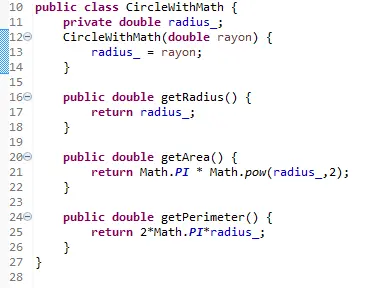
We also create a circle of radius 3.0 and display its characteristics:


In this article, I dealt with some tricky things about classes in JAVA, and showed some classes example.
This article is part of my Electronics posts blog, in which you can find few articles about things i learnt in my post-graduated school :)






