NB: I have full permission to use information from the linked Medium article. Also, in copying some images from Medium, they got weirdly blurry but you can ignore those, you're not missing anything.
While installing Binance Chain on your MetaMask wallet is not all the hard, getting your BNB off Binance.us and onto Metamask requires some finesse.
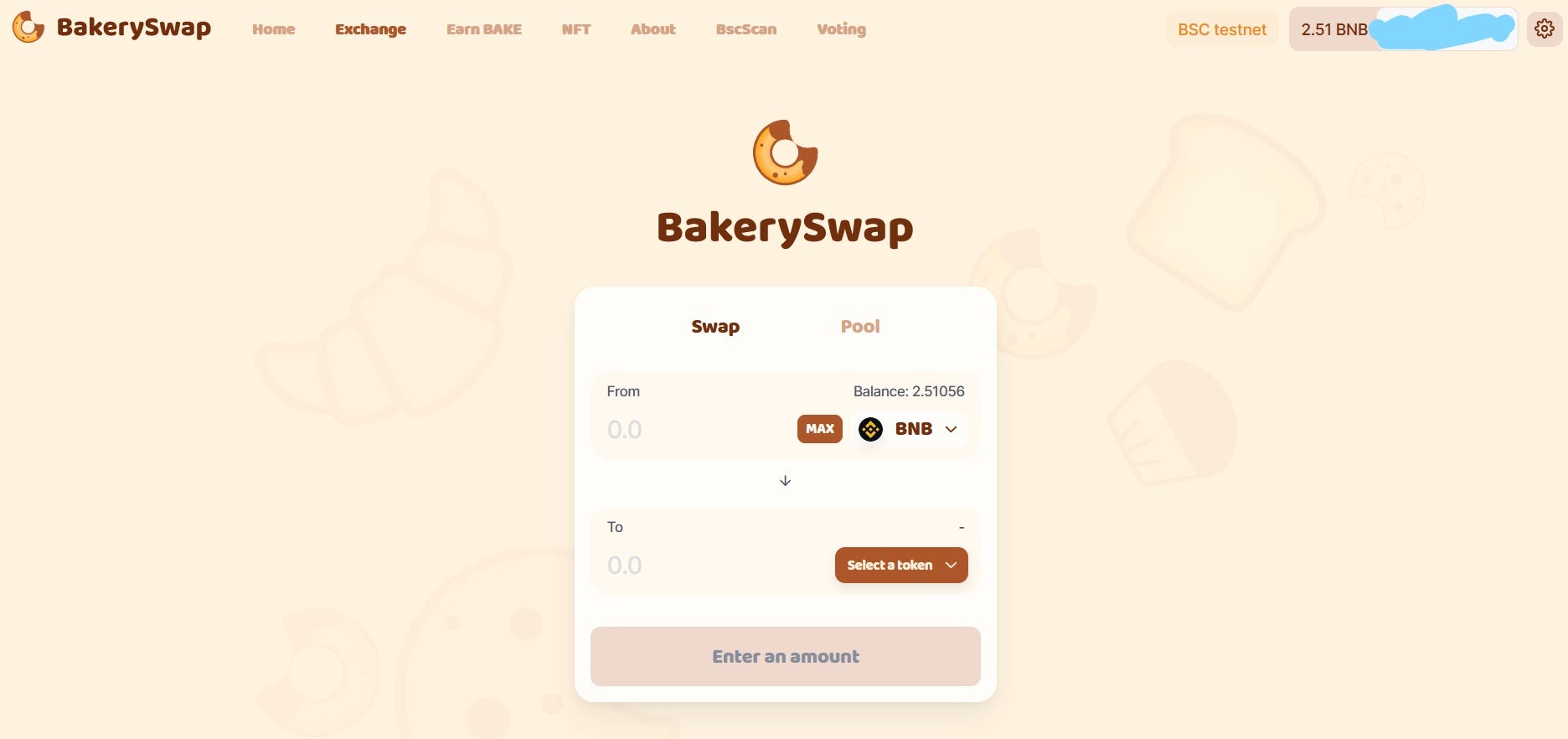
This guide will let you do Bakeryswap on Binance Smart Chain via Metamask.
Binance.com vs. Binance.us BNB Token
There are plenty of regulatory and substantive differences on Binance.com and Binance.us, but perhaps one of the most frustrating is the Binance Chain vs Binance Smart Chain. (I think they use BEP-2 and BEP-20 tokens respectively, but don’t quote me on that. That’s how you get binance-wrapped versions of ERC-20 ETH tokens. I think.).
Binance has in fact released two Binance Chains, one known as Binance Chain (BC) and one known as Binance Smart Chain (BSC).
Binance.com lets you withdraw your BNB tokens in any way you want. (That’s DOT COM). BEP-2 tokens go on the Binance Chain, while BEP-20 go on the Binance Smart Chain (again, I think). You just choose the right one and voila.

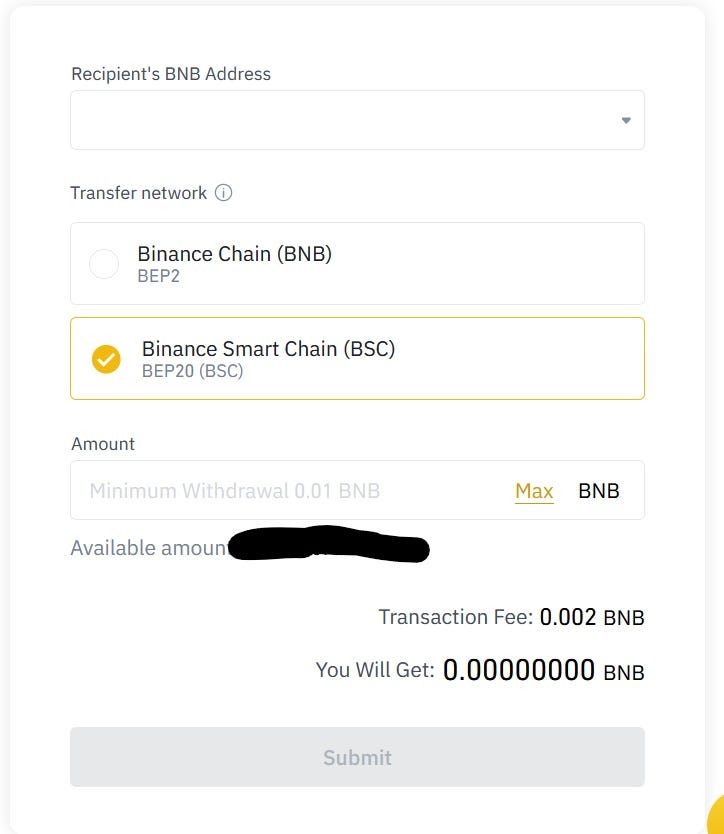 Binance.com lets you choose
Unfortunately, Binance.us has not stepped things up for the new BSC.

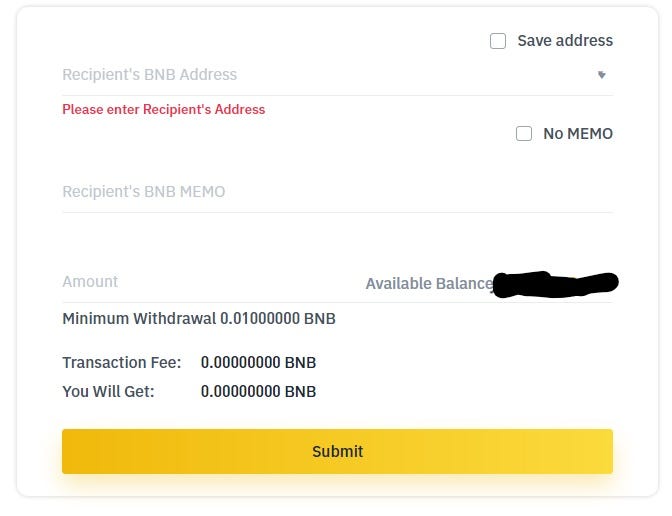 Binance.us has no choice of network The Problem for US Hodlers
The problem is that US-based people are supposta use Binance.us. Despite talk of cross-chain transfers, Binance.us makes it so accounts can only withdraw, for now, onto the Binance Chain.
If someone wants to try out swapping or liquidity farming on BNB-based automatic market makers like Burgerswap or Bakeryswap, they need a wallet like Metamask.
Binance has released a Binance Smart Chain wallet that has both the BC and the BSC. But it is still buggy and it still sucks (I was unable to create a new account or make a new wallet…sigh).
Even so, the AMM exchanges are not compatible with the new BSC wallet, so US people are SOL. Almost.
Setting Up Metamask for the Binance Smart Chain
Luckily, Bakeryswap and Burgerswap do use Metamask. The BSC looks very much like ETH, down to the addresses (in fact, your BSC and ETH address can be the same). Unfortunately, it is not compatible with the BC and attempts to just “send” BNB from the BC to a wallet on Metamask using BSC failed.
So first you need to set up Metamask. This guide from Binance Academy is Excellent.
But the short version.
To add the BSC you need to go to the pulldown menu of networks on your Metamask.

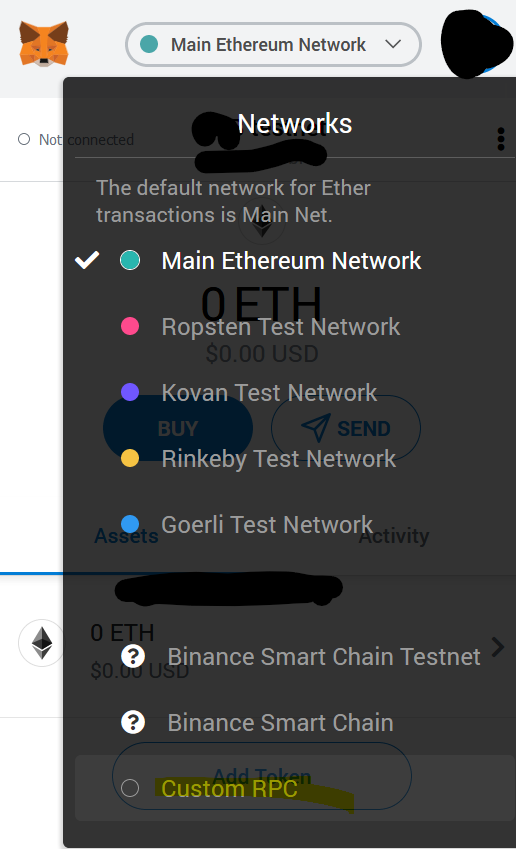
I already added the BSC to my Metamask, you should not see them there. Now, choose Custom RPC. What is RPC? Who cares. You are in it for the money, right?

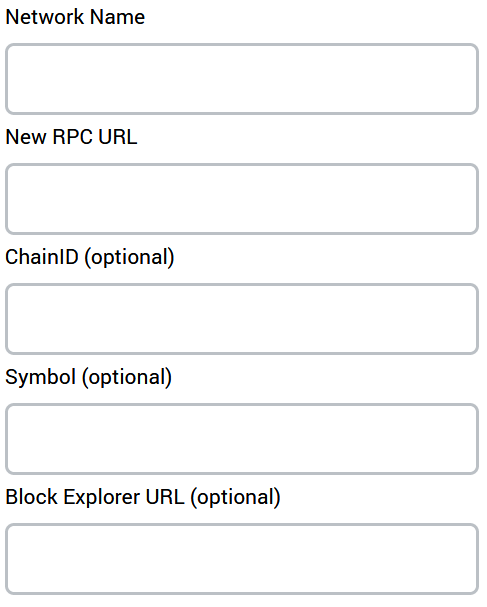
Next, you’ll want to add information from Binance to add the BSC to the blanks. You can add the Testnet or the Maninet. I recommend using the Testnet first to make sure you have everything working.

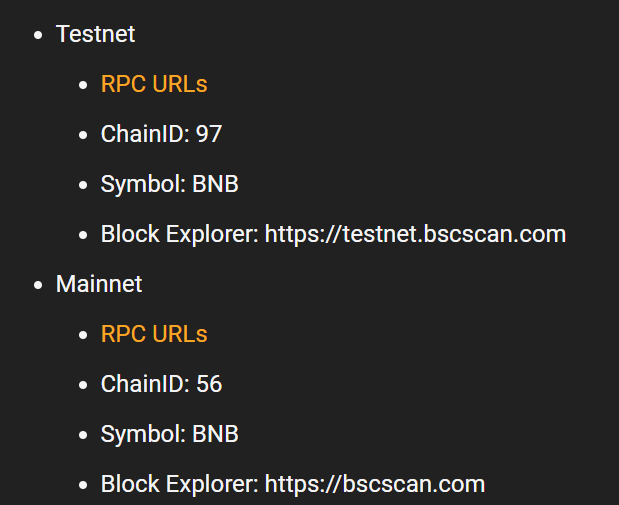
To get to Block Explorer URLs, you need to click those links on Binance’s site, or copy the info from here.
BSC Mainnet URLs

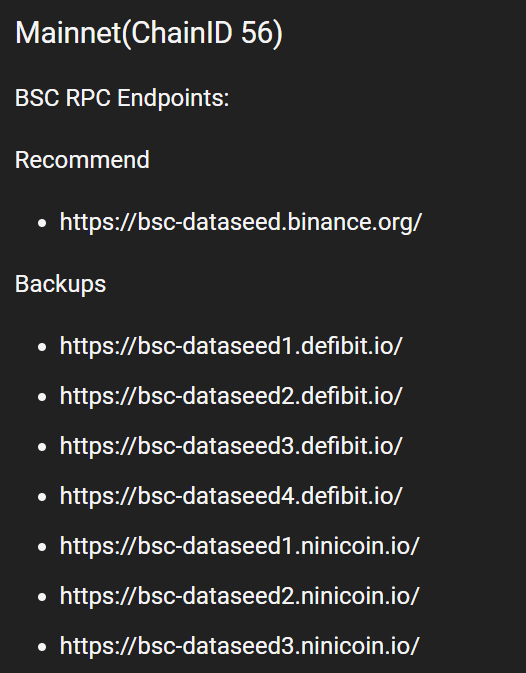
BSC Testnet URLs


Once you’ve done that, use the dropdown menu to switch to the BC or BSC testnet. If you’re using the testnet, you can click here to get free Testnet tokens.
Funny how the tokens are free, but fake, but exactly the same. Makes you wonder about intrinsic value of all this…
The BSC Wallet Extension
Now, you need to withdraw your tokens from Binance.us. To do this right, you’ll need to use the BSC wallet addon. Again, the Binance guide is good.
They recommend you use FireFox for best results. But the addon/extension also works for Chrome or Brave.
Anyway, use Binance.us to withdraw tokens to your regular Binance Chain wallet.
Note: Binance asks you about a MEMO. The Memo is not usually used without a smart contract, so if you are just withdrawing into a regular wallet you can say you have no memo. As should be in this case.
Make sure you have the regular Binance Chain selected when getting your address.

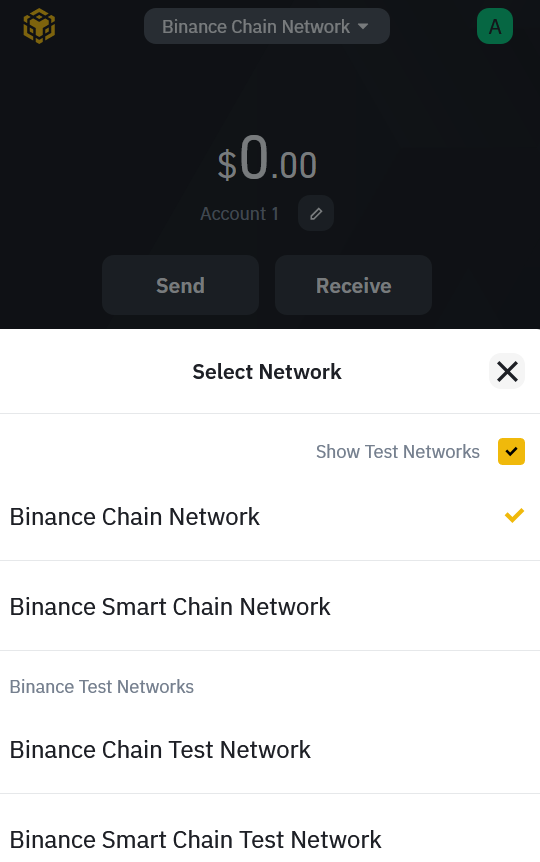 Make sure you have the right chain selected
The address should begin with ‘bnb’.
Once you withdraw to your extension Binance wallet, you’d think you could send to Metamask. Nope. It doesn’t work.
Un-needed Middleman
The final step is to go from the BC to the BSC on your Binance Extension Wallet. It does NOT work directly to MetaMask, not for me anyway.
Your BSC address begins with 0x, like an Ethereum address. While you’re in the same account on your Binance extension wallet, switch over to the BSC, and click receive to copy your BSC address. Return to the regular BC, put in the 0x address and send your Binance Chain assets to your BSC address.
It should tell you it is doing a cross-wallet exchange.

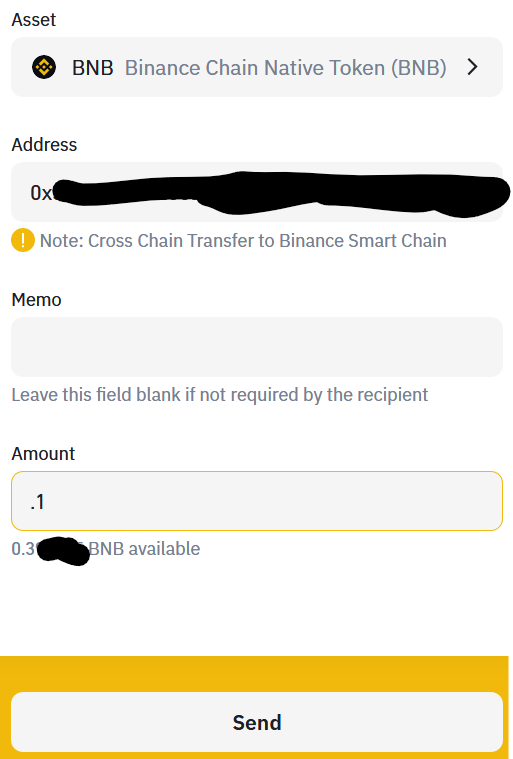
Send it, pay the gas and you’re almost there.
Finally, you’ll need to open your Metamask and switch to the Binance Smart Chain network. Now copy your address, then send BNB tokens to that address from your Binance Extension Wallet over the Binance Smart Chain.
You’ve done it!
Bakeryswap on Binance Smart Chain via Metamask
You can now connect your wallet to Binance Chain AMM Uniswap-like exchanges like Bakeryswap.
They have some pretty insane APYs for staking and liquidity mining right now.

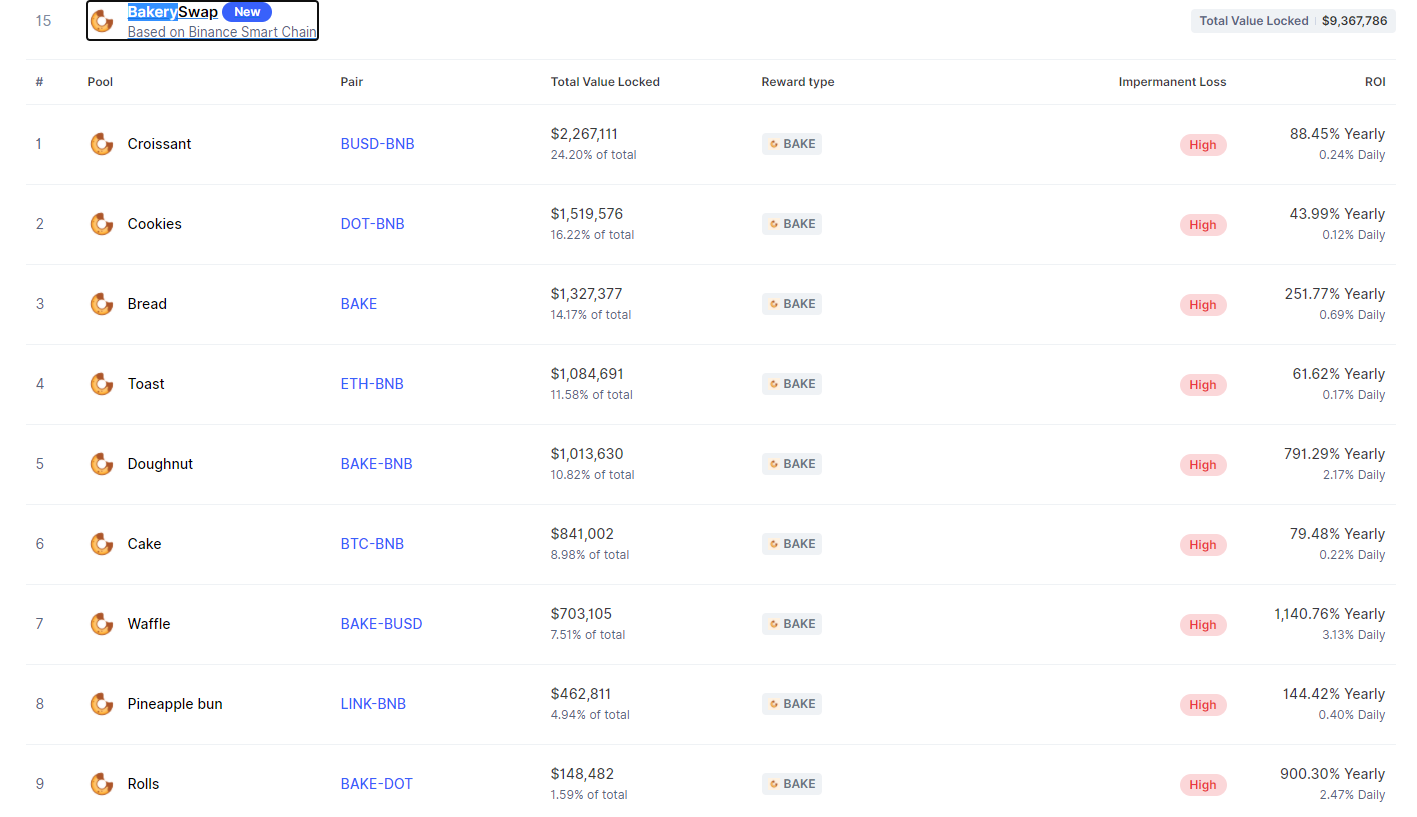
Yep 1140% today. Impermanent loss could make this not so profitable, but… or not. Hey BNB-BUSD is probably not too volatile. Why not? It is a lot cheaper in terms of gas, and a lot faster.