
CYB3R-S3C

Active Directory Fundamentals Part Four: Domain Controller Operations Published by: Pragmat1c_0n3 | Series: AD Fundamentals (4/6) | Category: Classification: [UNCLASSIFIED]

// INITIALIZING DOMAIN CONTROLLER OPERATIONS //
Welcome to the operational backbone of Active Directory infrastructure. Having mastered object management in Part Three, we now dive into the critical systems that keep AD alive, domain controller deployment, backup strategies, and disaster recovery protocols.
This isn't just about spinning up servers and hoping for the best. We're talking about building resilient, scalable, and secure infrastructure that can withstand both operational failures and targeted attacks. Every deployment decision, backup strategy, and recovery procedure impacts your organization's digital survival capabilities.
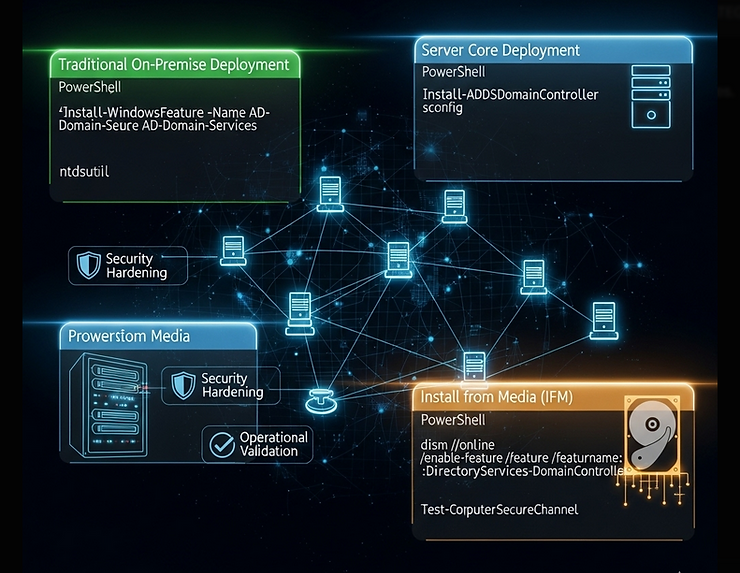
// DOMAIN CONTROLLER DEPLOYMENT STRATEGIES //
Domain controller deployment isn't a one-size-fits-all operation. The method you choose depends on network topology, security requirements, and operational constraints. Each deployment scenario has unique security implications and operational trade-offs.
Traditional On-Premise Deployment
Standard deployment follows a two-phase process that separates installation from configuration, enabling careful security validation at each step:
DC_DEPLOYMENT_PHASES:
├── Phase 1: Role Installation
│   ├── Add-WindowsFeature AD-Domain-Services -IncludeManagementTools
│   ├── DNS Server role installation (if required)
│   ├── File system preparation and security hardening
│   └── Security baseline application
│
├── Phase 2: DC Configuration
│   ├── Domain creation or DC promotion
│   ├── SYSVOL and NTDS.dit placement validation
│   ├── DNS integration and forwarder configuration
│   ├── FSMO role assignment verification
│   └── Replication partner establishment
│
├── Phase 3: Security Hardening
│   ├── Administrative account configuration
│   ├── Audit policy implementation
│   ├── Windows Firewall configuration
│   ├── Anti-malware exclusion setup
│   └── Network security validation
│
└── Phase 4: Operational Validation
    ├── Authentication functionality testing
    ├── Replication health verification
    ├── DNS resolution validation
    ├── Group Policy application testing
    └── Backup system integration
Server Core Deployment: Reduced Attack Surface
Server Core installations provide enhanced security through reduced attack surface and lower maintenance overhead:
PS C:\> # Install AD DS on Server Core
Install-WindowsFeature -Name AD-Domain-Services -IncludeManagementTools
PS C:\> # Promote to Domain Controller
Install-ADDSDomainController -DomainName "corp.local" `
  -Credential (Get-Credential) `
  -InstallDns:$true `
  -DatabasePath "C:\Windows\NTDS" `
  -LogPath "C:\Windows\NTDS" `
  -SysvolPath "C:\Windows\SYSVOL" `
  -SafeModeAdministratorPassword (ConvertTo-SecureString "ComplexP@ssw0rd!" -AsPlainText -Force)
PS C:\> # Verify DC functionality
Test-ComputerSecureChannel -Verbose
Get-ADDomainController -Identity $env:COMPUTERNAME
- SECURITY ADVANTAGE: Server Core reduces the attack surface by approximately 60% compared to full GUI installations. No desktop shell means fewer services, reduced memory footprint, and minimal interactive logon attack vectors.
Install from Media (IFM): Bandwidth Optimization
IFM deployment minimizes WAN impact during branch office deployments while maintaining security integrity:
-
Media Creation Process
- Use ntdsutil to create portable AD database backup for remote deployment. Include both SYSVOL and NTDS components for complete installation media.
-
Security Validation
- IFM media contains sensitive AD data. Implement encryption during transport and secure media handling procedures to prevent data exposure.
-
Network Efficiency
- Reduces initial replication traffic by 90%+ while maintaining full DC functionality. Critical for low-bandwidth or high-latency connections.
-
Operational Benefits
- Faster deployment times, reduced network congestion, and immediate DC availability for authentication services in remote locations.
IFM_CREATION_PROCESS:
# Step 1: Create IFM media on existing DC
ntdsutil "activate instance ntds" "ifm" "create full C:\IFM" quit quit

# Step 2: Secure transport and deployment
# - Encrypt media during transport
# - Validate integrity checksums
# - Implement secure handling procedures

# Step 3: Remote deployment with IFM
Install-ADDSDomainController -DomainName "corp.local" `
  -InstallationMediaPath "C:\IFM" `
  -Credential (Get-Credential) `
  -SiteName "BranchOffice" `
  -SafeModeAdministratorPassword (ConvertTo-SecureString "ComplexP@ssw0rd!" -AsPlainText -Force)
// READ-ONLY DOMAIN CONTROLLERS: BRANCH OFFICE SECURITY //

Read-Only Domain Controllers represent a security-focused approach to branch office deployments, providing authentication services while minimizing the impact of physical security breaches.
RODC Security Architecture
RODC_SECURITY_MODEL:
├── Read-Only AD Database
│   ├── Local authentication capability
│   ├── No inbound replication (except passwords)
│   ├── Prevents unauthorized modifications
│   └── Limits damage from physical compromise
│
├── Password Replication Policy (PRP)
│   ├── Configurable password caching
│   ├── Allow/Deny lists for user accounts
│   ├── Administrative account exclusion by default
│   └── Granular password exposure control
│
├── Unidirectional Replication
│   ├── Receives updates from writable DCs
│   ├── Cannot replicate changes outbound
│   ├── Prevents data corruption propagation
│   └── Maintains forest integrity during compromise
│
├── Administrative Role Separation
│   ├── Local RODC administrators without domain rights
│   ├── Delegation without privileged domain access
│   ├── Principle of least privilege enforcement
│   └── Reduced blast radius from admin compromise
│
└── Enhanced Auditing
    ├── Detailed authentication logging
    ├── Password replication event tracking
    ├── Failed authentication analysis
    └── Compromise detection capabilities
RODC Deployment Security Configuration
PS C:\> # Create RODC with security-focused configuration
Install-ADDSReadOnlyDomainController -DomainName "corp.local" `
  -SiteName "BranchOffice" `
  -DelegatedAdministratorAccountName "CORP\BranchAdmins" `
  -AllowPasswordReplicationAccountName @("CORP\BranchUsers") `
  -DenyPasswordReplicationAccountName @("CORP\Domain Admins", "CORP\Enterprise Admins") `
  -InstallDns:$true `
  -SafeModeAdministratorPassword (ConvertTo-SecureString "ComplexP@ssw0rd!" -AsPlainText -Force)
PS C:\> # Configure Password Replication Policy
Add-ADDomainControllerPasswordReplicationPolicy -Identity "RODC01" `
  -AllowedList "BranchUsers" -DeniedList "AdminAccounts"
PS C:\> # Monitor RODC security status
Get-ADDomainControllerPasswordReplicationPolicy -Identity "RODC01"
Get-ADDomainControllerPasswordReplicationPolicyUsage -Identity "RODC01"
- RODC COMPROMISE RESPONSE: If an RODC is compromised, initiate immediate password reset for all cached accounts, review authentication logs for unauthorized access, and perform forensic analysis before rebuilding the DC.
// AZURE ACTIVE DIRECTORY DOMAIN SERVICES DEPLOYMENT //

Azure AD DS deployment extends on-premises Active Directory capabilities into the cloud while introducing unique security and operational considerations that differ significantly from traditional deployments.
Azure Deployment Architecture
Component Configuration Requirement Security Consideration Operational Impact Virtual Network Dedicated subnet for AD DS VMs Network segmentation and NSG rules Isolated network traffic, controlled routing Static IP Assignment Reserved IP addresses for all DCs Prevents IP conflicts and DNS issues Consistent connectivity, simplified management DNS Configuration Custom DNS servers, not Azure default AD-integrated DNS zones and secure updates Required for proper AD functionality Storage Configuration Premium SSD for NTDS and SYSVOL Separate data disks with no caching Optimal performance and data integrity Hybrid Connectivity VPN or ExpressRoute to on-premises Encrypted site-to-site communication Seamless user experience and replication
Azure DC Security Hardening
AZURE_DC_SECURITY:
├── Network Security Groups (NSG)
│   ├── Restrict RDP access to administrative subnets
│   ├── Allow AD replication traffic (ports 389, 636, 3268, 3269)
│   ├── DNS resolution (port 53)
│   ├── Kerberos authentication (port 88)
│   └── Block unnecessary internet access
│
├── Azure Security Center Integration
│   ├── Advanced threat detection for VMs
│   ├── Security baseline compliance monitoring
│   ├── Vulnerability assessment integration
│   └── Security recommendation implementation
│
├── Backup and Disaster Recovery
│   ├── Azure Backup for system state protection
│   ├── Cross-region replication for DR scenarios
│   ├── Automated backup scheduling and retention
│   └── Point-in-time recovery capabilities
│
├── Identity Protection
│   ├── Azure AD Connect for hybrid identity sync
│   ├── Password hash synchronization security
│   ├── Conditional access policy enforcement
│   └── Multi-factor authentication integration
│
└── Monitoring and Logging
    ├── Azure Monitor for performance metrics
    ├── Log Analytics for security event correlation
    ├── Azure Sentinel for advanced threat hunting
    └── Custom alert rules for AD-specific events
- AZURE SPECIFIC CONSIDERATIONS: Azure VMs require special handling for AD DS deployment. Disable caching on data disks containing NTDS.dit, implement proper backup strategies using Azure Backup, and ensure network connectivity meets AD replication requirements.
// FSMO ROLES: CRITICAL OPERATIONS MANAGEMENT //

Flexible Single Master Operations (FSMO) roles represent single points of critical functionality within AD forests and domains. Understanding their placement, management, and transfer procedures is essential for operational continuity.
FSMO Role Architecture and Security Implications
FSMO_ROLE_MATRIX:
├── Forest-Wide Roles (Unique per Forest)
│   ├── Schema Master
│   │   ├── Function: Controls schema modifications
│   │   ├── Security Impact: Schema poisoning attack vector
│   │   ├── Placement: Secured DC with restricted access
│   │   └── Monitoring: Schema change events (Event ID 1221)
│   │
│   └── Domain Naming Master
│       ├── Function: Manages domain add/remove operations
│       ├── Security Impact: Prevents namespace conflicts
│       ├── Placement: Well-connected, highly available DC
│       └── Monitoring: Domain operation events
│
├── Domain-Specific Roles (One per Domain)
│   ├── PDC Emulator
│   │   ├── Function: Time sync, password changes, legacy auth
│   │   ├── Security Impact: Primary target for time-based attacks
│   │   ├── Placement: High-performance, centrally located DC
│   │   └── Monitoring: Time synchronization, authentication events
│   │
│   ├── RID Master
│   │   ├── Function: Allocates RID pools to DCs
│   │   ├── Security Impact: SID exhaustion and object creation
│   │   ├── Placement: Stable DC with backup procedures
│   │   └── Monitoring: RID pool allocation events (Event ID 16650)
│   │
│   └── Infrastructure Master
│       ├── Function: Cross-domain reference updates
│       ├── Security Impact: Phantom object management
│       ├── Placement: Non-GC DC or forest-wide GC environment
│       └── Monitoring: Cross-reference updates
FSMO Role Management Operations
PS C:\> # Identify current FSMO role holders
Get-ADForest | Select-Object SchemaMaster,DomainNamingMaster
Get-ADDomain | Select-Object PDCEmulator,RIDMaster,InfrastructureMaster
PS C:\> # Transfer FSMO roles (planned maintenance)
Move-ADDirectoryServerOperationMasterRole -Identity "DC02" -OperationMasterRole SchemaMaster,DomainNamingMaster
PS C:\> # Seize FSMO roles (emergency recovery)
Move-ADDirectoryServerOperationMasterRole -Identity "DC03" -OperationMasterRole PDCEmulator -Force
PS C:\> # Validate FSMO role functionality
Test-ComputerSecureChannel -Server (Get-ADDomain).PDCEmulator
w32tm /query /status /verbose
- FSMO SECURITY ALERT: FSMO role seizure should only be performed during emergency scenarios. Improper seizure can cause replication conflicts and data corruption. Always attempt graceful transfer before considering forceful seizure operations.
// BACKUP AND DISASTER RECOVERY ARCHITECTURE //

Enterprise backup strategies must account for AD's unique replication model, the criticality of system state data, and the complexity of authoritative versus non-authoritative recovery scenarios.
Comprehensive Backup Strategy
BACKUP_ARCHITECTURE:
├── System State Backup Requirements
│   ├── Active Directory Database (NTDS.dit)
│   ├── SYSVOL folder structure and contents
│   ├── Registry hives and system configuration
│   ├── Boot files and system recovery data
│   └── Certificate Authority data (if applicable)
│
├── Backup Frequency and Retention
│   ├── Daily incremental system state backups
│   ├── Weekly full system backups
│   ├── Monthly long-term retention archives
│   ├── Pre-change snapshots for maintenance windows
│   └── 180+ day retention for compliance requirements
│
├── Backup Validation and Testing
│   ├── Automated backup completion verification
│   ├── Monthly restore testing in isolated environment
│   ├── Quarterly disaster recovery exercises
│   ├── Annual full forest recovery simulation
│   └── Backup integrity validation procedures
│
├── Geographic Distribution
│   ├── Local backup storage for rapid recovery
│   ├── Offsite backup replication for disaster scenarios
│   ├── Cloud backup integration for additional redundancy
│   ├── Cross-datacenter backup synchronization
│   └── Secure backup transport and storage encryption
│
└── Security and Access Control
    ├── Backup media encryption at rest and in transit
    ├── Administrative access controls for backup systems
    ├── Audit logging for all backup and restore operations
    ├── Backup integrity monitoring and alerting
    └── Secure key management for backup encryption
PowerShell-Based Backup Implementation
PS C:\> # Install Windows Server Backup feature
Install-WindowsFeature Windows-Server-Backup -IncludeManagementTools
PS C:\> # Create system state backup with verification
$BackupLocation = "\\backup-server\ad-backups\$env:COMPUTERNAME"
$BackupPolicy = New-WBPolicy
Add-WBSystemState -Policy $BackupPolicy
$BackupTarget = New-WBBackupTarget -NetworkPath $BackupLocation -Credential (Get-Credential)
Add-WBBackupTarget -Policy $BackupPolicy -Target $BackupTarget
Start-WBBackup -Policy $BackupPolicy
PS C:\> # Automated backup validation script
$LatestBackup = Get-WBBackupSet | Sort-Object BackupTime -Descending | Select-Object -First 1
if ($LatestBackup.BackupCompleted -eq $true) {
    Write-Host "Backup completed successfully: $($LatestBackup.BackupTime)" -ForegroundColor Green
    # Send success notification
} else {
    Write-Error "Backup failed or incomplete"
    # Trigger alert
}
Directory Services Restore Mode (DSRM) Operations
DSRM_RECOVERY_PROCESS:
├── DSRM Boot Configuration
│   ├── Restart DC in Directory Services Restore Mode
│   ├── Authentication using local DSRM administrator account
│   ├── Offline AD database access for restore operations
│   └── Isolated environment preventing replication conflicts
│
├── Non-Authoritative Restore (Default)
│   ├── Restores DC to backup point-in-time state
│   ├── Upon restart, receives updates via normal replication
│   ├── Suitable for single DC corruption or hardware failure
│   └── Maintains data consistency with other DCs
│
├── Authoritative Restore (Selective)
│   ├── Marks specific objects as authoritative
│   ├── Restored objects replicate outbound to other DCs
│   ├── Used for recovering deleted objects or containers
│   ├── Requires careful planning to prevent data conflicts
│   └── Increments USN to ensure replication precedence
│
└── Complete Forest Recovery
    ├── Sequential restoration of all forest DCs
    ├── Schema Master restoration first
    ├── Other FSMO role holders restoration
    ├── Remaining DCs restoration or rebuild
    └── Replication validation and forest health verification
// ACTIVE DIRECTORY RECYCLE BIN: OBJECT RECOVERY //

The Active Directory Recycle Bin provides granular object recovery capabilities without requiring full DC restoration, but its implementation requires careful planning and security considerations.
Recycle Bin Architecture and Security Model
RECYCLE_BIN_SECURITY:
├── Enablement Requirements
│   ├── Forest functional level 2008 R2 or higher
│   ├── Schema Admin permissions required for activation
│   ├── Irreversible operation once enabled
│   └── All DCs must support recycle bin functionality
│
├── Object Lifecycle Management
│   ├── Deleted State: Objects retain all attributes
│   ├── Tombstone Lifetime: Default 180 days
│   ├── Recycled State: Objects lose most attributes
│   ├── Final Deletion: Objects purged from database
│   └── Recovery possible only during deleted state
│
├── Security Implications
│   ├── Deleted objects visible to privileged users
│   ├── Sensitive data may remain accessible longer
│   ├── Forensic analysis opportunities
│   ├── Compliance and data retention considerations
│   └── Potential for unauthorized data recovery
│
├── Operational Benefits
│   ├── No DSRM required for object recovery
│   ├── Preserves all object attributes and relationships
│   ├── Rapid recovery without replication impact
│   ├── Granular recovery of specific objects
│   └── Reduced administrative overhead
│
└── Monitoring and Auditing
    ├── Object deletion event tracking (Event ID 4659)
    ├── Recovery operation logging (Event ID 4662)
    ├── Administrative access monitoring
    ├── Deleted object enumeration detection
    └── Compliance reporting capabilities
Recycle Bin Implementation and Management
PS C:\> # Enable AD Recycle Bin (irreversible operation)
Enable-ADOptionalFeature -Identity "Recycle Bin Feature" `
  -Scope ForestOrConfigurationSet `
  -Target "corp.local" `
  -Confirm:$false
PS C:\> # Verify Recycle Bin status
Get-ADOptionalFeature -Filter "Name -eq 'Recycle Bin Feature'"
PS C:\> # Search for deleted objects
Get-ADObject -Filter {Deleted -eq $true} -IncludeDeletedObjects |
  Select-Object Name,ObjectClass,WhenChanged,Deleted
PS C:\> # Restore deleted user object
$DeletedUser = Get-ADObject -Filter {Name -eq "John.Smith"} -IncludeDeletedObjects
Restore-ADObject -Identity $DeletedUser -Confirm:$false
PS C:\> # Restore deleted OU and all child objects
$DeletedOU = Get-ADObject -Filter {Name -eq "Marketing"} -IncludeDeletedObjects
Restore-ADObject -Identity $DeletedOU -Confirm:$false
- OPERATIONAL ADVANTAGE: AD Recycle Bin eliminates the need for authoritative restores in most object deletion scenarios, reducing recovery time from hours to minutes while maintaining complete object fidelity.
// HIGH AVAILABILITY AND DISASTER RECOVERY PLANNING //

Enterprise AD environments require comprehensive high availability and disaster recovery strategies that account for both planned maintenance and catastrophic failure scenarios.
Multi-Datacenter Deployment Strategy
-
Geographic Distribution
- Minimum two DCs per geographic region with at least one GC server. Ensures local authentication capability and resilience against regional disasters.
-
FSMO Role Distribution
- Distribute FSMO roles across multiple DCs and sites. Avoid single points of failure while maintaining operational efficiency and performance.
-
Site Link Configuration
- Optimize replication topology for network bandwidth and latency. Implement site link costs that reflect actual network performance characteristics.
-
DNS Redundancy
- Deploy multiple DNS servers per site with proper forwarder configuration. Ensure DNS survivability for AD authentication and service location.
Disaster Recovery Testing and Validation
DR_TESTING_FRAMEWORK:
├── Quarterly Recovery Exercises
│   ├── Isolated environment forest recovery simulation
│   ├── FSMO role transfer and seizure procedures
│   ├── Cross-site replication validation
│   ├── Authentication service continuity testing
│   └── Application dependency validation
│
├── Automated Health Monitoring
│   ├── DC service availability monitoring
│   ├── Replication health continuous validation
│   ├── FSMO role availability verification
│   ├── DNS resolution performance tracking
│   └── Authentication latency measurement
│
├── Recovery Time Objectives (RTO)
│   ├── Single DC recovery: < 4 hours
│   ├── Site-level failure recovery: < 8 hours
│   ├── Forest-wide disaster recovery: < 24 hours
│   ├── FSMO role availability: < 1 hour
│   └── Authentication service restoration: < 30 minutes
│
├── Recovery Point Objectives (RPO)
│   ├── Maximum data loss: < 4 hours
│   ├── Critical object changes: < 1 hour
│   ├── Schema modifications: Zero loss
│   ├── Security group changes: < 15 minutes
│   └── Password changes: < 5 minutes
│
└── Communication and Escalation
    ├── Automated alert generation and distribution
    ├── Escalation matrix for different failure scenarios
    ├── Executive briefing and status reporting
    ├── Customer communication templates
    └── Post-incident review and improvement processes
- CRITICAL SUCCESS FACTORS: Successful AD disaster recovery depends on regular testing, comprehensive documentation, trained personnel, and validated backup procedures. Untested recovery plans often fail during actual disaster scenarios.
// MISSION CONCLUSION //
We've constructed a comprehensive operational framework for Active Directory domain controller management, from initial deployment through disaster recovery scenarios. This infrastructure knowledge forms the backbone of enterprise AD resilience and operational continuity.
- Mission Summary: Our deep dive into DC operations covered deployment strategies across on-premises, Server Core, and Azure environments, FSMO role management, comprehensive backup and recovery procedures, and high availability planning. These capabilities ensure AD infrastructure can withstand both planned maintenance and catastrophic failures.
- Key operational takeaways from this mission:
- Deployment method selection impacts security posture and operational efficiency.
- RODC deployment provides enhanced security for branch office scenarios.
- FSMO roles represent critical single points of failure requiring careful management.
- Backup strategies must account for AD's unique replication and recovery requirements.
- AD Recycle Bin significantly improves object recovery capabilities.
- High availability requires geographic distribution and comprehensive testing.
- OPERATIONAL READINESS ACHIEVED: With mastery of these domain controller operations, you possess the knowledge to deploy, manage, and recover Active Directory infrastructure at enterprise scale. These capabilities form the foundation of organizational digital resilience.
- NEXT MISSION BRIEFING: In "Active Directory Fundamentals (Part Five: From Local to Global)" I will be discussing the Global Catalog role, AD DS Operations masters, and how it's managed. The placement considerations for the Global Catalog, as well as the AD operations master roles, their placement considerations, and their management tasks. Lastly, I'll delve into the AD DS operations masters and management tasks that ensure seamless global operations across complex enterprise environments.
While we've covered the foundational aspects of domain controller operations, the next phase explores how AD scales globally through strategic role placement and advanced operational management. Understanding Global Catalog optimization and Operations Master distribution is critical for enterprise-scale deployments that span multiple sites and geographic regions.
Remember, AD infrastructure is only as strong as its weakest component. Regular testing, comprehensive monitoring, and continuous improvement ensure your domain controllers remain the reliable foundation your organization depends upon.
This concludes our Active Directory Fundamentals series. We've journeyed from basic AD components through advanced infrastructure operations, building comprehensive expertise in Microsoft's directory services technology.
The knowledge gained through this series provides the foundation for advanced AD security, hybrid cloud integration, and large-scale enterprise deployments. Continue practicing these concepts in lab environments and stay current with evolving AD technologies.
Deploy with confidence, backup religiously, and always plan for failure scenarios.
/Signing Off
Pragmat1c_0n3
CYB3R-S3C | Keep learning, the only way to improve is to keep learning! | Cyb3r-0verwatch YouTube Channel
[SYSTEM STATUS: OPERATIONAL] [DC DEPLOYMENT: COMPLETE] [BACKUP SYSTEMS: ACTIVE] [DISASTER RECOVERY: VALIDATED] >>> Active Directory Fundamentals Series: MISSION COMPLETE <<<





