
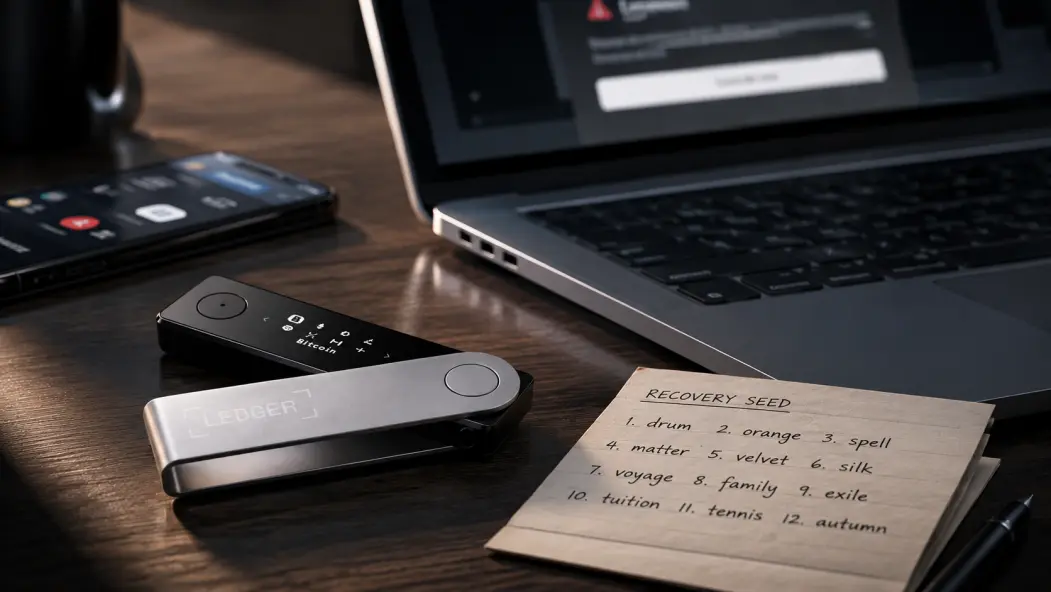
The most dangerous attack on a hardware wallet may never touch the hardware wallet at all.
There is a sentence I see constantly after someone loses crypto:
“But my Ledger was never hacked.”
Sometimes that statement may be completely true.
The Ledger can still be sitting on the desk.
The PIN still works.
The device was never stolen.
Nobody cracked the Secure Element.
And the wallet can still be emptied.
Because a hardware wallet protects one extremely important thing:
your private keys.
But there is another object that can recreate access to those keys:
your recovery phrase.
Ledger calls its wallet backup the Secret Recovery Phrase. Its official documentation describes the phrase as the backup for the private keys associated with the wallet, and warns that anyone who obtains it may be able to restore access elsewhere. Ledger also explicitly advises users not to enter the phrase into a computer or smartphone.
That creates an uncomfortable security reality.
An attacker may never need to defeat your Ledger.
They may only need to defeat you.
The Hardware Wallet Can Be Doing Its Job Perfectly
Imagine this.
Your Ledger generated the recovery phrase offline.
You wrote down all 24 words.
You never stored them on your laptop.
You use a strong PIN.
Everything is fine.
Months later, something goes wrong.
Maybe the balance does not appear correctly.
Maybe you change computers.
Maybe Ledger software seems to require an update.
You search online.
A page appears.
It looks legitimate.
The logo is correct.
The colors are correct.
The interface looks professional.
Then the page tells you:
“Your wallet requires recovery verification.”
It asks for the 24 words.
You type them.
At that moment, the hardware wallet itself has not failed.
The security boundary has simply moved outside it.
Your recovery phrase is no longer an offline secret.
The Most Convincing Scam May Look Like Customer Support
Crypto users have become better at recognizing ridiculous scams.
Someone on Telegram says:
“Hello sir, send me your seed phrase and I will repair your Bitcoin.”
Easy.
Most experienced users delete it.
The harder scams are more polished.
They arrive when something has already gone wrong.
Your wallet is not displaying properly.
A transaction is missing.
The device reset.
You cannot find an account.
You are stressed.
Then someone appears to know exactly what the problem is.
They may say:
- your wallet needs synchronization,
- your firmware needs verification,
- your recovery phrase must be checked,
- your account must be restored,
- or your assets are “at risk.”
The objective is usually the same.
They do not need to extract the secret from the Ledger.
They want you to voluntarily move the secret into an environment they control.
Legitimate troubleshooting does not require giving a stranger the words that can recreate your wallet. Your own security guide makes the same distinction: support can help diagnose a device, but it does not need possession of the recovery phrase.
One Photo Can Undo the Entire Cold-Storage Model
This is probably one of the most ordinary mistakes.
You set up the Ledger.
You write down the recovery phrase.
Then you think:
“What if I lose this paper?”
So you take a photograph.
Just one.
For backup.
It feels harmless because nobody else sees the photo.
But modern phones rarely treat photographs as purely local objects.
Depending on how the device is configured, images can be synchronized, backed up, migrated to new phones, included in shared libraries, or copied onto computers. The same problem applies to putting recovery words into notes, documents, email drafts, spreadsheets, cloud drives, or messaging apps.
This is the paradox.
You bought a hardware wallet partly to keep critical secrets away from an internet-connected computer.
Then you photographed the master recovery secret with an internet-connected computer that happens to fit in your pocket.
The Ledger may still be secure.
Your backup model is not.
Malware Becomes Much More Interesting Once the Seed Becomes Digital
A common misconception goes like this:
“If my laptop has malware, it can steal the seed from my Ledger.”
That is not the most useful way to think about the threat.
The bigger problem begins when you type the recovery phrase into the laptop yourself.
Once a phrase becomes ordinary digital information, it can potentially become exposed to whatever can observe that digital environment:
- keyboard input,
- screenshots,
- clipboard data,
- local documents,
- browser content,
- synchronized folders,
- or device backups.
The important distinction is that malware does not magically need to pull the words out of a correctly operating Ledger.
You may have already placed the words somewhere far easier to steal.
Offline Does Not Mean Invisible
Now consider the opposite strategy.
No photo.
No cloud.
No computer.
The 24 words are written on paper and stored offline.
Much better against remote compromise.
But “offline” does not mean “protected from humans.”
Someone who finds the recovery phrase may not even need to steal it.
A photograph can be enough.
The paper can remain exactly where you left it.
Weeks later, the assets move.
You may have no obvious indication of when the secret was copied.
That means physical security deserves the same kind of thinking as digital security.
Ask:
- Who knows the backup exists?
- Who can reach it?
- Is it stored with the Ledger?
- Can one burglary expose both?
- Can visitors, contractors, roommates, relatives, or household staff access the location?
There is no universally perfect hiding place.
The objective is to avoid creating a single event that compromises every layer.
One of the Worst Devices Is the One That Arrives “Ready to Use”
There is another scam that beginners can easily misunderstand.
Imagine opening a new hardware wallet package and finding:
- recovery words already written down,
- a PIN already supplied,
- instructions telling you which wallet to restore,
- or a specific website telling you how to “activate” it.
That convenience is a red flag.
A recovery phrase is supposed to become your secret during initialization.
Ledger's own documentation warns that a device arriving with a pre-completed recovery phrase or PIN should not be used as though it were a fresh setup.
If someone else chose the seed before you received the wallet, then the wallet may never have been exclusively yours.
You could deposit assets into it for months.
The attacker does not need to remotely hack anything.
They already have the backup.
Recovery Is When Good Security Habits Often Collapse
I think this is the most underestimated moment.
When everything works normally, users are cautious.
Then the hardware wallet resets.
Or disappears.
Or the expected account does not appear after recovery.
Panic changes behavior.
You start searching:
Ledger recovery tool
check my seed phrase
wallet not showing funds
BIP39 verification
And suddenly an online “seed checker” seems reasonable.
It is not.
For a funded production wallet, typing recovery words into an unknown browser tool defeats the reason for keeping those words offline in the first place.
If recovery is actually necessary, use a trusted recovery process designed for the wallet rather than an unknown website offering to “verify” the phrase. Ledger documents recovery as a hardware process and warns users to keep the recovery phrase away from ordinary connected devices.
The Most Important Distinction
There are three completely different incidents that people often describe as:
“My Ledger was hacked.”
But they are not the same.
Device stolen
Someone has the physical hardware wallet.
The PIN and hardware protections still matter.
Recovery phrase stolen
Someone may be able to reconstruct wallet access elsewhere.
The original Ledger may no longer be relevant.
Malicious transaction approved
The recovery phrase may remain perfectly secret.
But the legitimate owner authorized something harmful.
Those are three different threat models.
Using the same word—“hack”—for all three makes it harder to understand what actually failed.
What If You Think the 24 Words Were Exposed?
One mistake I would not make is this:
Buy a new Ledger and restore the same exposed seed onto it.
A new device does not make an old secret secret again.
If someone may already know the recovery phrase, the problem is the phrase.
A safer response is to establish a trusted environment, create a new wallet with a new recovery phrase, verify the new receiving address, make a small test transfer, and then migrate the remaining assets controlled by the potentially exposed wallet. Your original guide lays out this migration sequence explicitly.
The important principle is simple:
Do not continue treating a potentially exposed recovery phrase as trusted.
What About a Passphrase?
A BIP39 passphrase changes the situation.
Accounts derived using a passphrase depend on both:
recovery phrase + exact passphrase
So an attacker who obtains only the 24 recovery words may not automatically have enough information to reconstruct a passphrase-protected wallet.
That sounds attractive.
But it introduces another failure mode.
If the legitimate owner forgets the exact passphrase, they can also lock themselves out.
So a passphrase is not a free security upgrade.
It exchanges one category of risk for a more complex recovery model.
Paper vs Metal Is Not the Real Question
People often turn recovery security into:
Paper or metal?
That is too simplistic.
Paper has obvious weaknesses:
- moisture,
- tearing,
- fading,
- fire,
- accidental disposal.
Metal can improve physical durability.
But a steel backup can still be:
- stolen,
- photographed,
- copied,
- misplaced,
- stored beside the wallet,
- or recorded incorrectly.
Metal solves a durability problem.
It does not automatically solve an access-control problem.
That distinction matters.
I have written a much more detailed breakdown of the seven realistic ways a Ledger recovery phrase can become exposed, including phishing, fake support, digital copies, malware, physical access, supply-chain scams, and unsafe recovery:
Can Your Ledger Seed Phrase Be Stolen? 7 Real Attack Vectors
That guide goes deeper into the technical recovery side.
But the lesson I want to leave here is much simpler.
Your Ledger Is Not the Entire Security System
Buying a hardware wallet changes your security architecture.
It can keep sensitive signing material isolated from an ordinary internet-connected device.
That is valuable.
But your self-custody setup also includes:
- your recovery phrase,
- your recovery procedure,
- your physical storage,
- your transaction-verification habits,
- and your own decisions under pressure.
An attacker looks for the weakest one.
Sometimes that is malware.
Sometimes phishing.
Sometimes physical access.
And sometimes it is simply a convincing page saying:
“Enter your 24 words to continue.”
The hardware wallet does not need to be broken if the owner voluntarily hands over the backup that can recreate it.
That is the uncomfortable part of self-custody:
The device can protect the key.
You still have to protect the recovery path.
One Question for the Comments
Be honest:
Have you ever made a digital copy of a seed phrase—even temporarily—because you thought it would be safer than having only one physical backup?
No need to say where you store anything now.
And obviously, never post recovery words, private keys, PINs, passphrases, addresses, or balances.
I'm interested in how people's recovery habits changed after they had been in crypto for a few years.
Security disclaimer: This article is for educational purposes only. Never enter a recovery phrase, private key, Ledger PIN, or BIP39 passphrase into an unknown website, cloud document, support form, direct message, or remote-access session. Hardware-wallet interfaces and recovery workflows can change, so verify current procedures through the manufacturer's official documentation before changing a funded wallet.






