
Introduction
Hey guys, welcome back to my Blog. In this article I am going to go over how you can earn easy crypto just for running videos in the background.
Welcome to my Blog “Earn Crypto Online” where I show you how to make extra crypto online. So if you are interested in earning extra crypto by playing games, earning from web 3 apps and other great platforms, then please take 1 second to like this article and follow my Blog.
Alternatively, you can check out my YouTube channel for more ways to earn crypto online.
If you find my content helpful, please feel free to like, comment and subscribe. Thank you.
YouTube Channel --> Click HERE
Affiliate Disclosure:
Most of the referral links I include in my articles will give me some sort of commission. I appreciate the use of these and thank you for your continued support as this really helps me and my family.
================================
Video Disclosure:
This is NOT financial advice and I am NOT a financial advisor, This article is for entertainment purposes only. Always do your own research. So sit back, relax and enjoy the reading.
How to Get Set Up
Step 1: Install Metamask
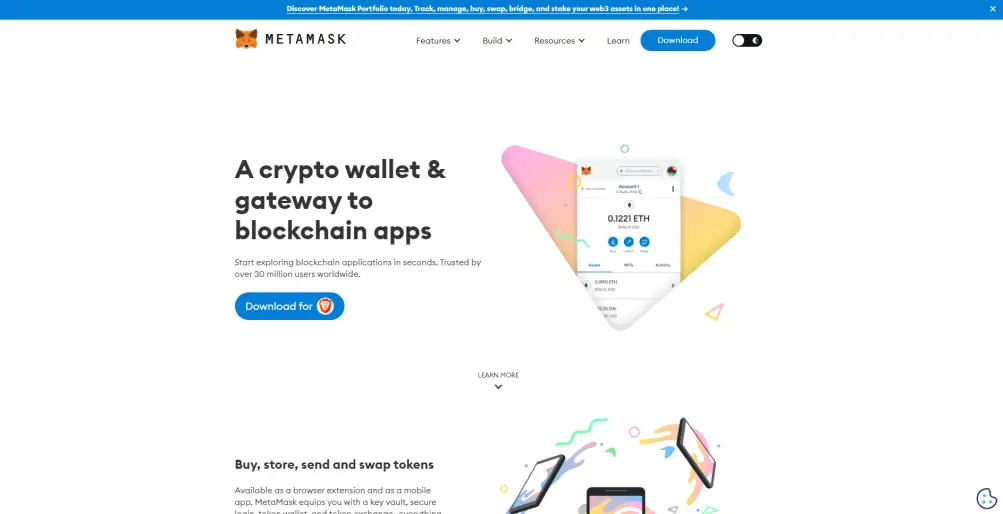
The first thing you will need to do is install Metamask on your computer or mobile device. This is needed if you wish to earn crypto for watching videos. You can find Metamask by going to https://metamask.io/, it is easy to install and set up by following the step by step instructions.
Step 2: Sign Up (link below)
After you have this installed, click this LINK and sign up.
Step 3: Connect Metamask
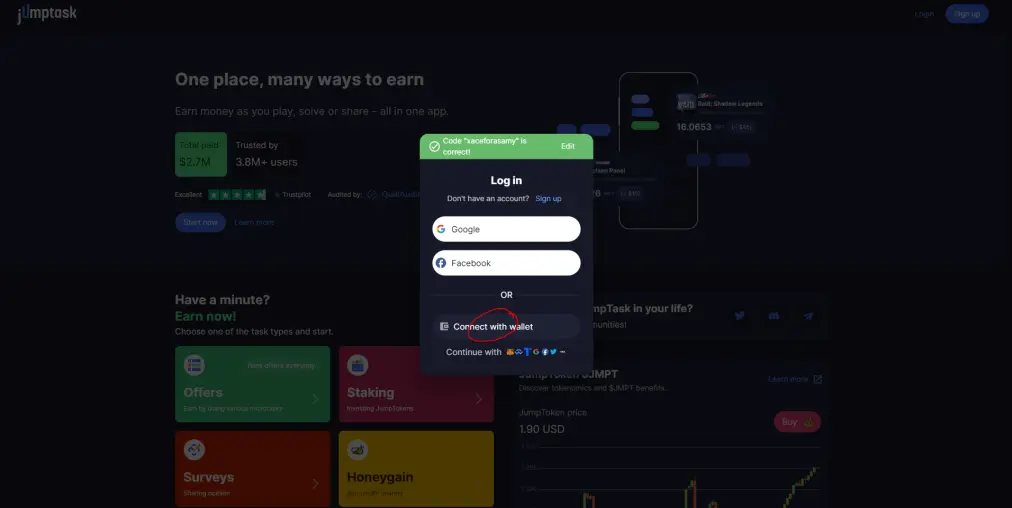
When you click the link, you will be transferred to this screen. Select "Connect with wallet" and select "Metamask" from the list
Step 4: Sign In
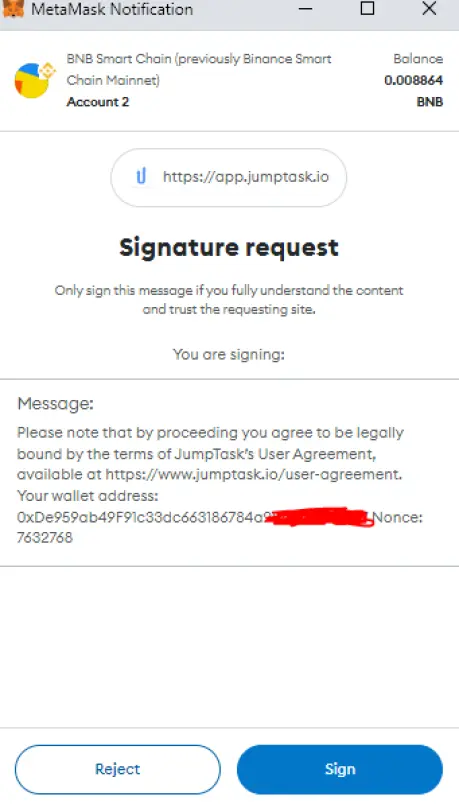
A notification will appear in your Metamask extension, click "Sign" and you your Metamask will connect with your new Jumptask account. Please make sure you have added BSC (binance smart chain) to your Metamask. If you do not know how to do this, please watch this tutorial video --> WATCH
Step 5: Set Up the Video
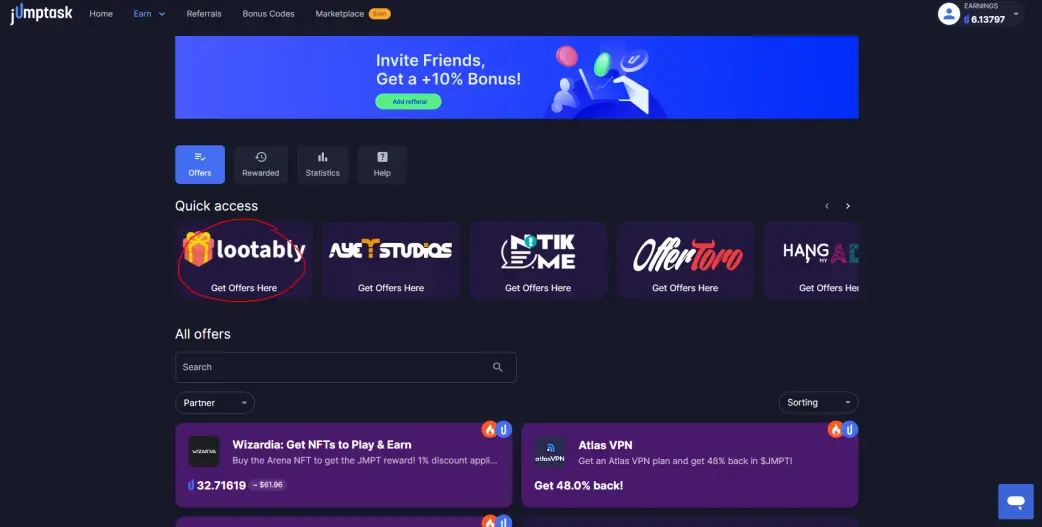
Go to the "Earn" tab and then select "Offers". This will bring up a whole list of different 3rd party offer sites. Click on Lootably (see pic below).
Next, click on the "Videos" tab and the select any of the video channel form the list
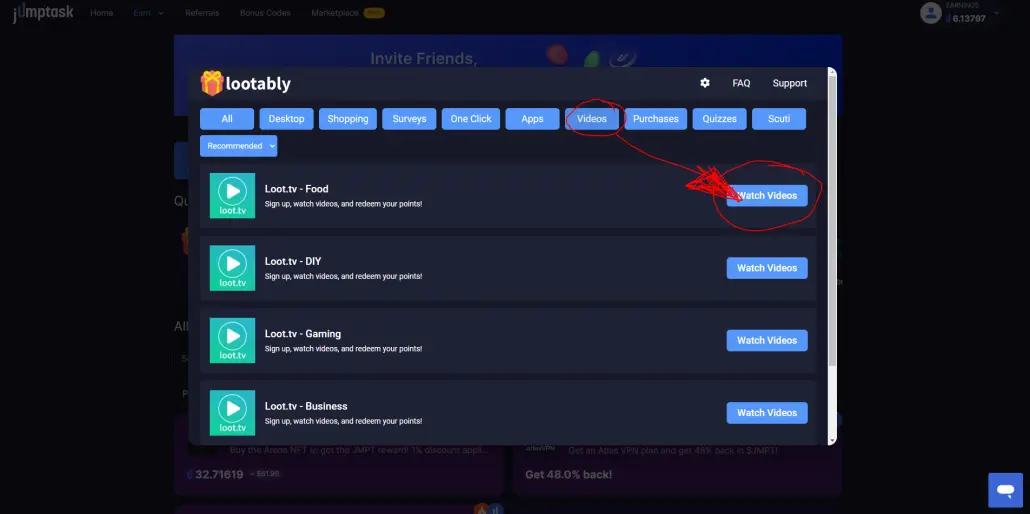
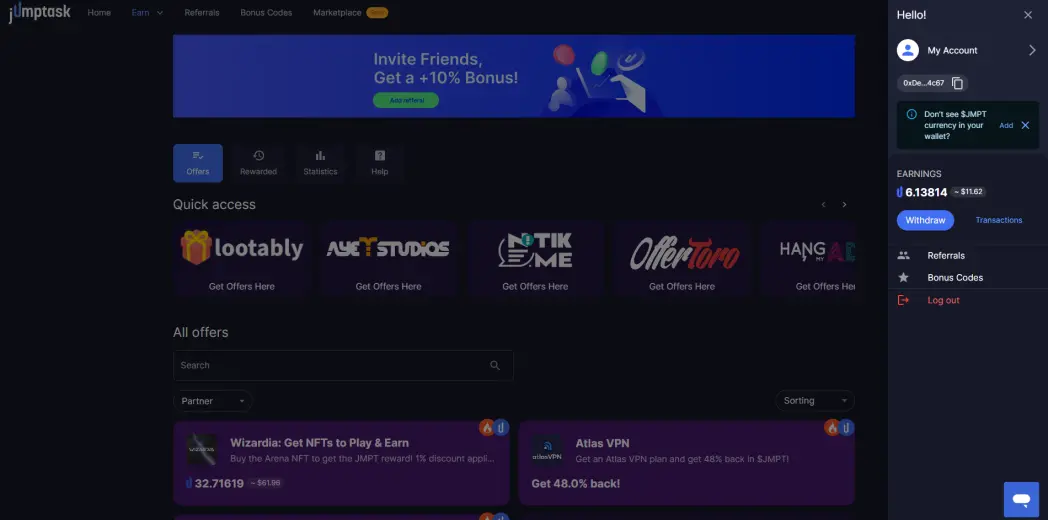
This will open up Loot TV in another tab and it will connect your Jumptask account. Sign up to Loot TV and start watching videos, you get paid for ads between each video along with daily bonus points for running the videos for a certain time. You can redeem your points whenever you want and this will automatically be converted to JMPT and added to your balance which can be found in the top right in your account (see pic).
Step 6: Extra Earnings
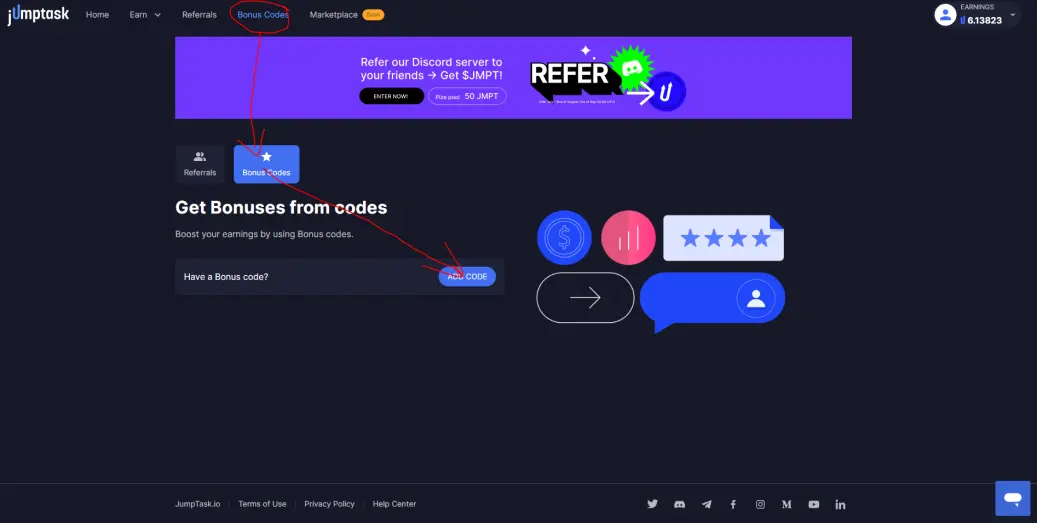
You can get 20% extra boost on your earnings for putting in this code under the referral section and adding this code --> xaceforasamy
I really appreciate any use of my links and your support is greatly appreciated, thank you.
OTHER WAYS TO EARN
Here is a list of apps you can run passively (requires no work) on your PC or mobile phones:
Honeygain (Connect via Jumptask for 10% extra earnings) --> https://r.honeygain.me/RYANG2B0
P2P --> https://t.me/peer2profit_app_bot?start=1628328765610e533dd4ee5
or
go to https://dashboard.peer2profit.app/dashboard and use this referral code 1628328765610e533dd4ee5
Pawns IP --> https://pawns.app/?r=12143
EarnApp --> https://earnapp.com/i/d6t8gee
Get Paid to Play Games
Wombat Tutorial --> Click HERE to watch
Wombat Link --> Click HERE to sign up
Upland Hunting Guide --> Click HERE to watch






