
Hey guys, in this quick article I will talk a little about how to backup or even restore your BAT Wallet that comes within the Brave browser. You may not know that, but that little window is a real crypto wallet wich you can transfer and receive funds, and not just a place where you see your balance and send it to Uphold.
First, you need to go to Brave Settings and click on Brave Rewards. A quicker way is typing "brave:rewards" where you usually type URLs. After that, you will see this:
 You should click at the symbol inside the yellow mark. And I agree, the interface looks great!
You will be led to this next page. When you click on "Backup" it shows this random words that are your recovery key, and they work like a password for you to access your wallet if for some reason you lose it.
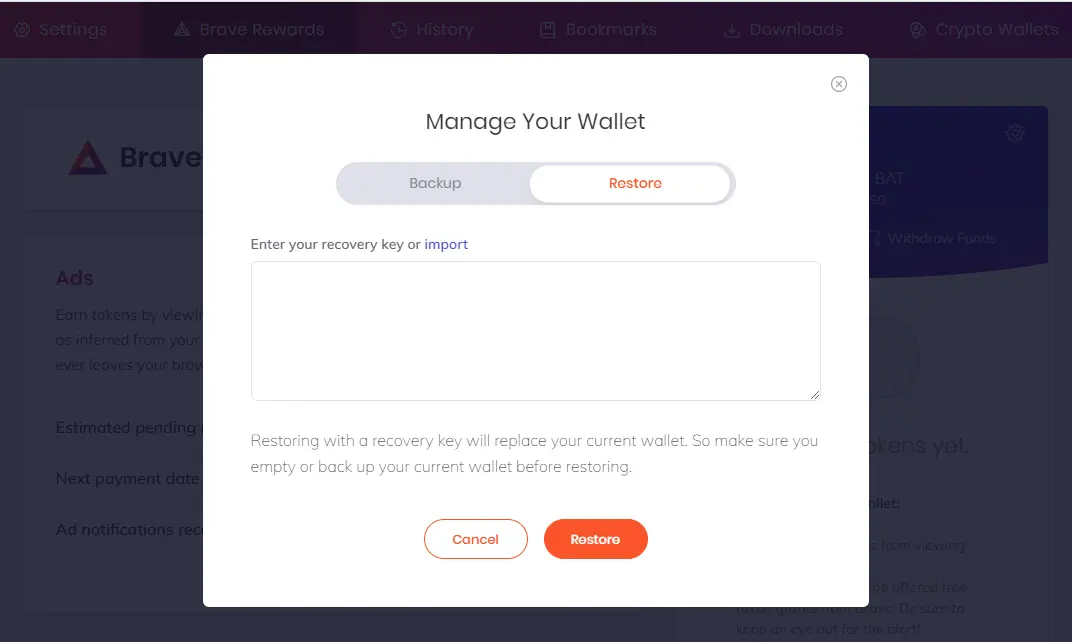
Now pay attention because this is very important: You should not share your recovery key online and even to anyone. They should be stored by you in a safe place and at the exact same order they appear. Some paper or a password manager may work, but honestly anywhere else you think it's safe and that you have easy access to. If you lose computer for some reason, or just replace it, you will need this to recover your beloved BATs earned by Brave.
Hope it was useful. See ya and take care!






