
For those of you who are new to STEEMIT platform, you need to power up your votes on STEEMIT by adding STEEM to your wallet and then converting them to STEEMPOWER. Here I will briefly explain the procedure.
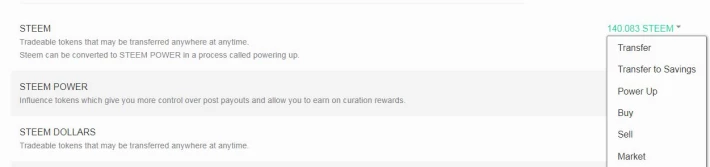
From your STEEMIT account, click on your profile picture and then click on wallet. You will be taken to STEEMWALLET page. Click on Buy or Market and Blocktrades.us exchange page will open up. Register for an account in Blocktrades.
Login to Blocktrades and select your receive address. This should be same as your STEEMIT username.
By using Blocktrades, you can transfer cryptocurrency and change them to STEEM. I will show you how to transfer STEEM from Binance exchange. It works the same for other exchanges also.
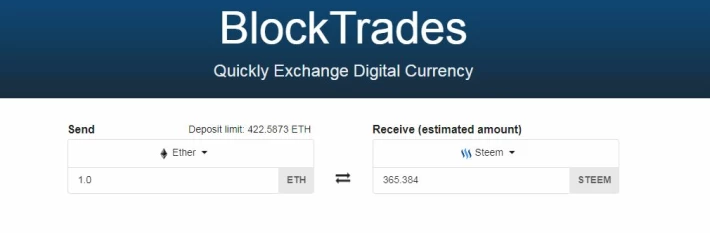
Click on the down arrow next to Ether. Choose STEEM.
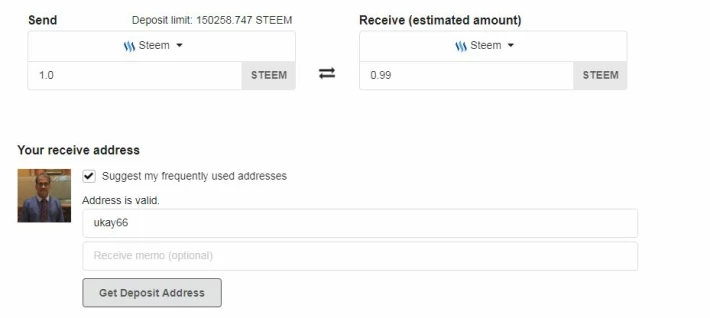
Press Get Deposit Address. Then click on Manual Transfer.
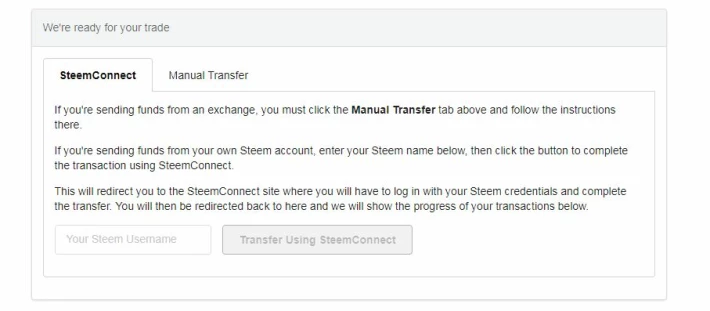
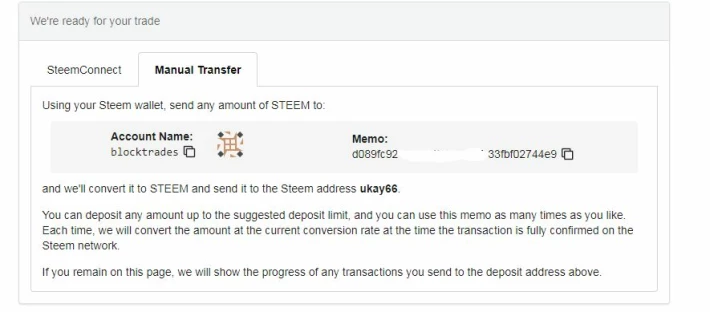
Copy the Account Name and Memo and paste them exactly into the respective area in your Binance STEEM withdrawal page.
Ensure the account name is same letter by letter and also double check on the memo.
You are ready to transfer to STEEM from Binance to Blocktrades. Once you STEEM transaction is completed, Blocktrades will transfer automatically to your STEEM account. First try a transaction using a small amount of STEEM, just to confirm that everything is in place.
Once STEEM is in your STEEMWALLET, you can start powering up your votes in STEEMIT.





