FaucetPay.io acts like a wallet, where you can earn multiple cryptocurrencies. Here you can earn from faucets, Paid To Click (PTC), Surveys, Offerwalls, Affiliates and Games like Dice, Crashes, Limbo, Roulette and Plinko. You will earn Rewards Points every day you login. It starts with 1 RP and increases with 1 RP every day until the streak is broken.
When you go to Dashboard you can see your wallet. You can earn, deposit and withdraw all these assets:
- Bitcoin (BTC)
- Ethereum (ETH)
- Dogecoin (DOGE)
- Litecoin (LTC)
- Bitcoin Cash (BCH)
- Dash (DASH)
- Digibyte (DGB)
- Tron (TRX)
- Tether TRC20 (USDT)
- Feyorra (FEY) (New DeFi coin)
- Zcash (ZEC)
- Binance BEP20 (BNB)
- Reward Points (FaucetPay Reward System)
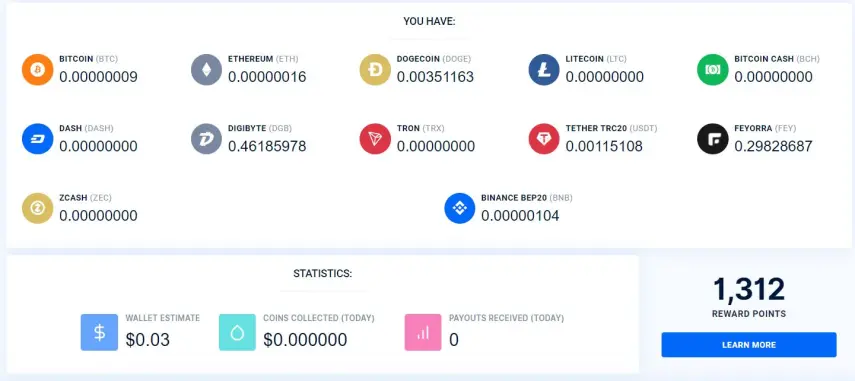
Earn and Deposit:
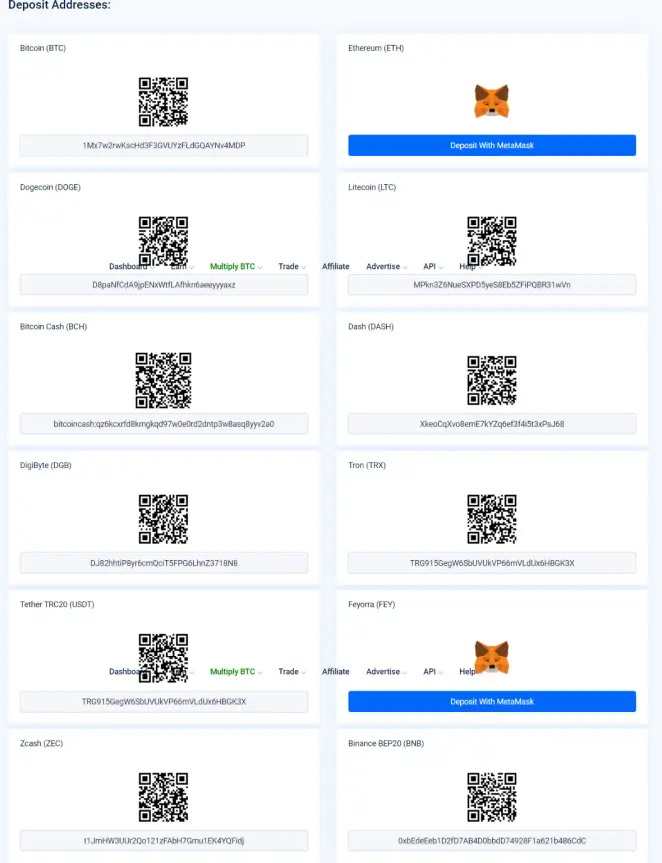
To get going and earn assets to FaucetPay, you have to go to Dashboard and then in the upper right corner you press DEPOSIT. Here you can see alle the assets deposit addresses, some few assets just needs your ethereum address from MetaMask. You have to connect/login with those addresses on the faucet sites.
Link your addresses:
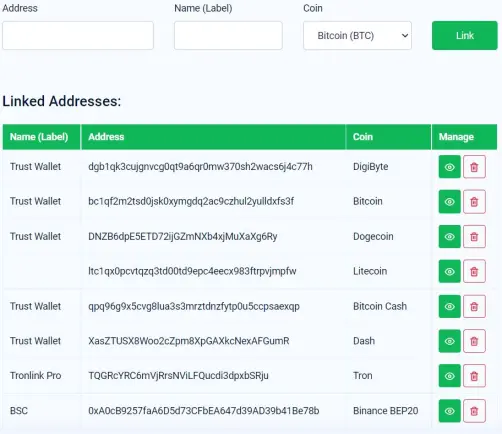
So, when you want to have your earned money withdrawed to your standard/favorit wallet, you have to go to Dashboard and then in the upper right corner you press LINKED ADDRESSES.
Now you see 3 fields 'Address', 'Name (Label)' and 'Coin'. If we want to link Tether TRC20 (USDT) you need an external wallet for that.
I recommend Tronlink Pro (Mobile or Chrome extention) or Klever Multi Crypto Wallet, but you can use other wallets that supports the Tron Smart Chain.
In the 'Address' field you put your Address from etc. Tronlink Pro and in 'Name (Label)' you can write Tronlink or other text which help you remember what wallet the withdrawal will be heading. In the last field 'Coin' you pick Tether TRC20 (USDT) and press the green button Link. Now you have connected your FaucetPay wallet with your external standard/favorit Tron Smart Chain wallet.
Withdrawal:
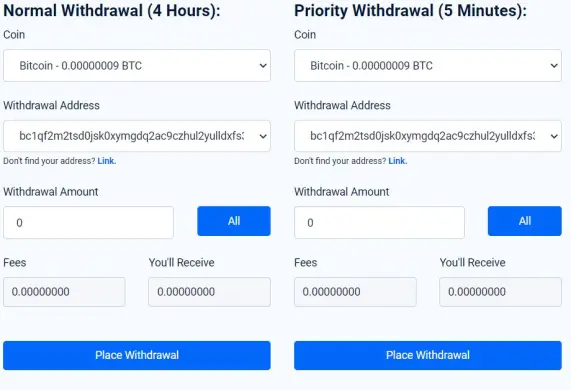
When you need to withdraw your coins you have to go to Dashboard and then in the upper right corner you press WITHDRAW.
You can choose between 'Normal Withdrawal (4 Hours)' and 'Priority Withdrawal (5 Minutes)'. The Priority wihtdrawal will have higher fees.
You will see these fields 'Coin', 'Withdrawal Address' (which you already have linked), 'Fees', 'You'll Receive' (The full amount of coins you will receive after fees) and 'Minimum:' (This is the minimum amount to withdraw).
My favorit FaucetPay Faucet list:
Claim Binance BEP-20 (BNB)
DiamondFaucet.space/bnb
Konstantinova.net/binance
Claimfreecoins.io/free-binance
Claim Dogecoin (DOGE)
DiamondFaucet.space/doge
Konstantinova.net/dogecoin
Claimfreecoins.io/free-dogecoin
Free unlimited Dogecoins
iQFaucet.com
Tether TRC20 (USDT)
DiamondFaucet.space/usdt
Konstantinova.net/usdt
Claimfreecoins.io/free-tether
NEW DeFi Coin
Claim FEYORRA (FEY)
DiamondFaucet.space/fey
Konstantinova.net/feyorra
Claimfreecoins.io/free-feyorra
Setup your FaucetPay account now!
Thanks for reading.
This is not a financial advise and I will advise you to do your own research (DYOR) before invest in any project or product!
Exciting referral links:
Earn free BTC, DOGE, ETH and RT by playing games at Rollercoin!
Get free 35 $XTM on Torum before it gets listed!
Get $30 worth of DFI when you sign up with this link and make a deposit of $50 or more.
Quality faucets - Claim every 6 minutes!