
Trustwallet is one of the best crypto wallets out there. I personally like it as my Go-To wallet because it’s mobile-friendly, easy to use, and supports not only the Ethereum blockchain but also other important chains like Binance Smart Chain, Solana, Avalanche, Polkadot…etc.
If you have never used Trustwallet, this quick article will help you set up your wallet and make it ready to use.
Trustwallet is available on both iPhones and Android phones. One thing to be cautious about is to make sure you are not downloading a fake app. You need to double-check if the app is from the right developer.
Once the app is downloaded and installed, open it and create a new wallet. While creating a new wallet, make sure you copy and backup your Seed Phrase.
A Seed phrase is given to you when you create a new crypto wallet. It’s a string of random words, usually 12 or 24. This automatically generates for you to copy it and save it in a secure location.
Think of your phrase as the only way to regenerate and access your wallet. You will need it every time you want to access your wallet on another device.
Unlike a traditional password, a seed phrase can’t be changed if you lose it or forget it. You will be locked out from your wallet permanently if you lose your seed phrase and any fund in it won’t be accessible. So it’s a good idea to make multiple copies of your seed phrase and secure them as possible.
Your wallet is a bridge between you and the blockchain
Keep in mind that your wallet is a lot different than a crypto exchange app like Binance or Coinbase. Unlike exchange apps, you have full custody of any asset you have in your wallet. In fact, your wallet doesn’t hold your assets. It serves as a bridge between you and the blockchain where your assets are securely stored.
Even if you no longer have access to your wallet, you can still see what is inside by copying and pasting your public address into the Blockchain Explorer. Of course, without your wallet which has your private key a.k.a seed phrase, nothing can be done to transfer or withdraw them.
Connecting your wallet to a Decentralized Exchanges (DEX)
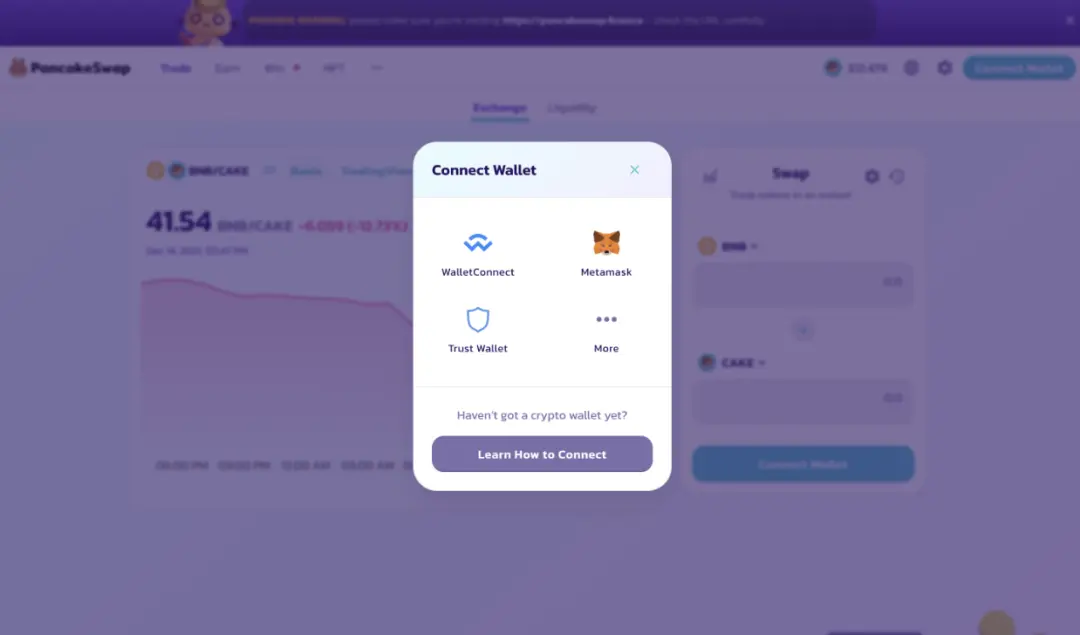
In addition to storing your cryptos, you can use Trustwallet to connect to DEXs like Pancakeswap or Uniswap to trade crypto. Most Decentralized Exchanges have a “Connect Wallet” button, usually located in the top right corner as shown in the below image.

Once clicked on the button, a pop-up window will appear in most cases. You are given the option to choose how you would like to connect to the Dapp (Decentralized Application). Choose WalletConnect.
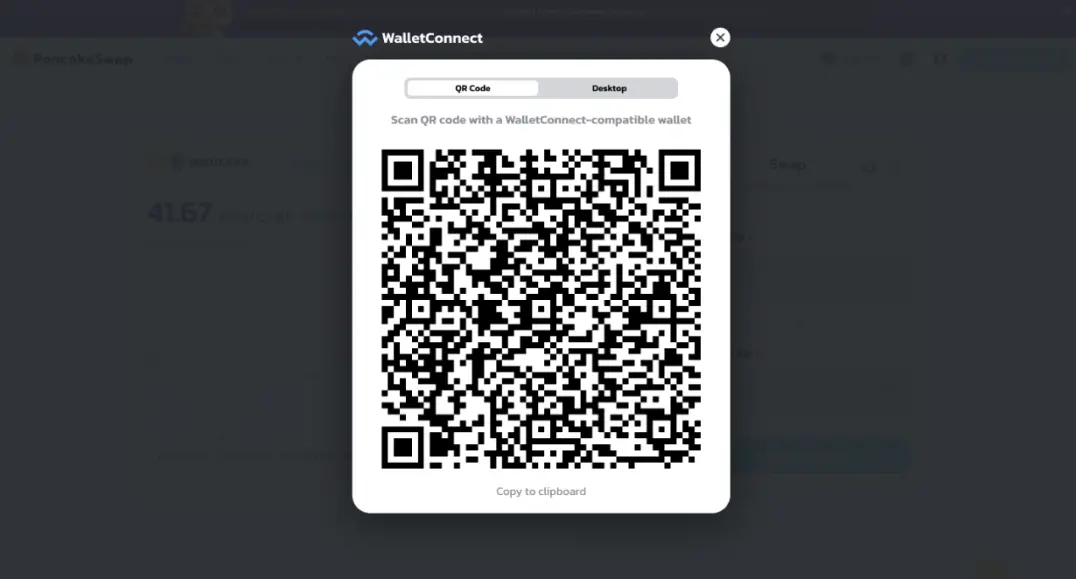
Once you choose WalletConnect, a QR code will pop up. All you have to do is to scan that QR code with your wallet. If you are using Trustwallet, go Setting, then WalletConnect.
Adding Tokens or Coins to Your Wallets
You may not see some of your traded tokens in your wallets. If that happens, there is no need to panic. Your coins are still in your wallet but you can’t see them yet.
If you feel like you have tokens that don’t show on the main screen, you will need to add them. But before doing so, you can search it in the assets list to make sure it is not already listed in TrustWallet. If it’s already added, just toggle "On" to make it appear on the home screen.
If not, this is how you can add a new token.
On the home screen, click the gear icon on the top right. (the one just below the batterie icon)
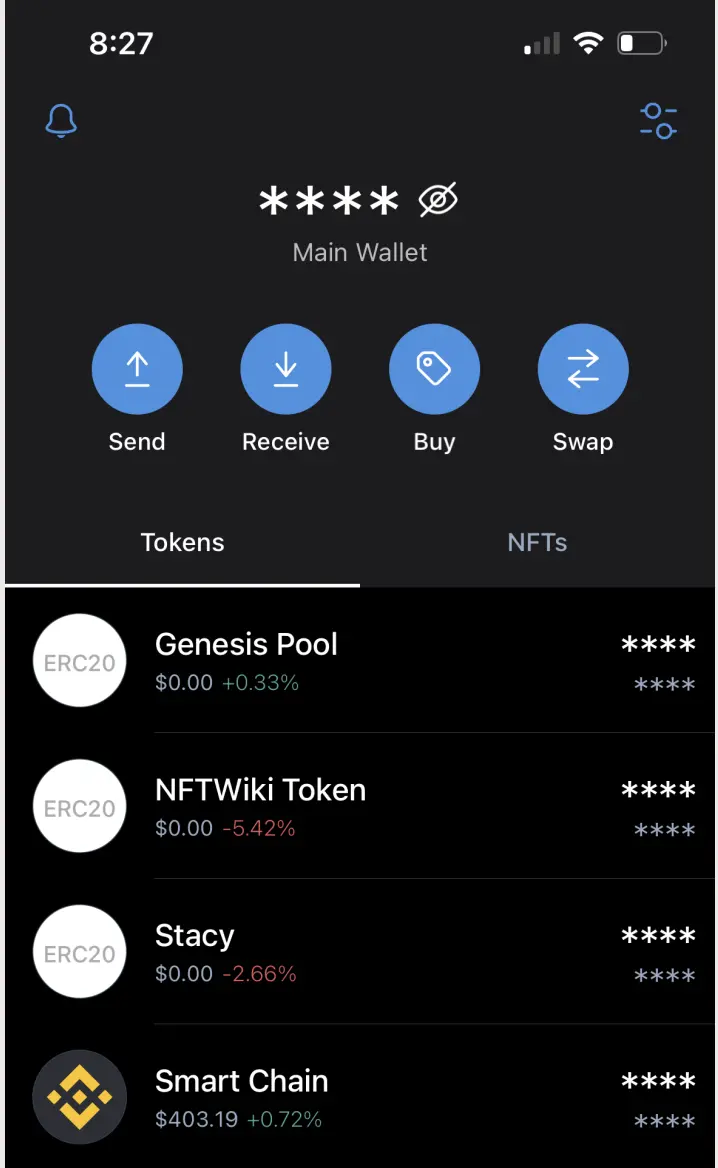
Then, choose Add Custom Token
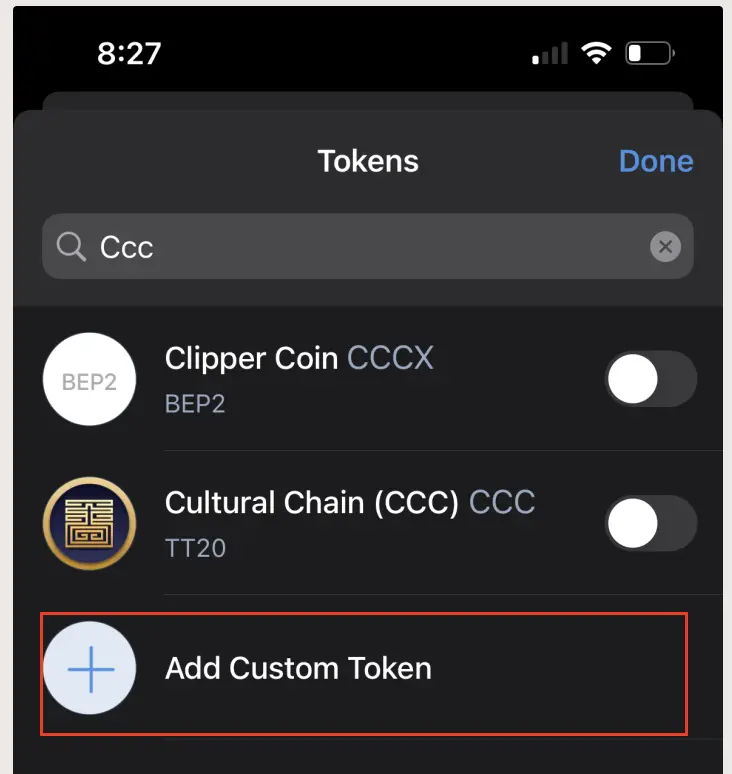
On the next screen, add the token information and press Save.
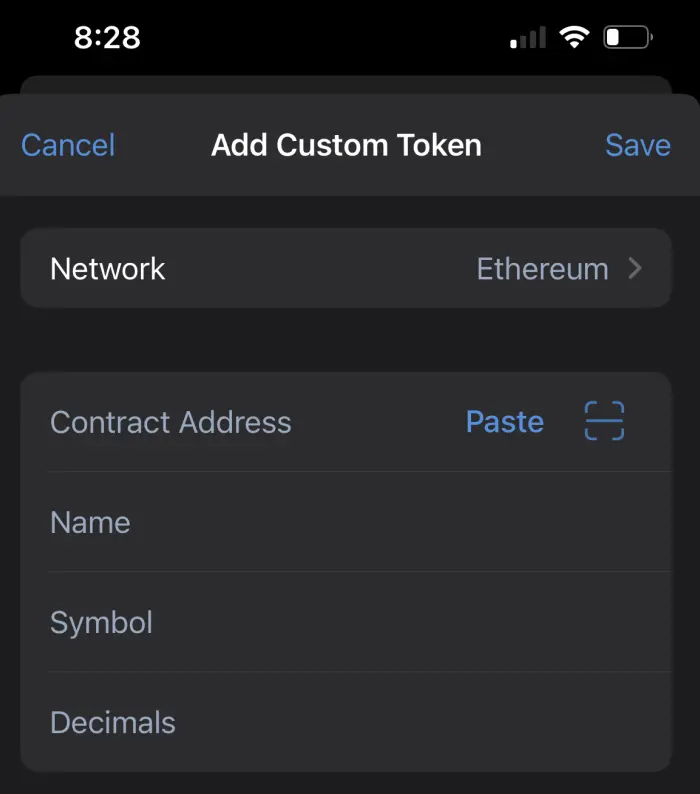
Contract Address: This is the token contract address. (Ex. 0x95aD61b0a150d79219dCF64E1E6Cc01f0B64C4cE)
Name: This is the token name. (Ex. SHIBA INU)
Symbol: This is the token official symbol. (Ex. SHIB)
Decimals: This is a number (Ex. 18)
The information of any token can be found by searching the Contact Address in the blockchain explorer.






