
Before you read this, don’t forget to sign up for a free publish0x account to earn free crypto just for reading articles. Claim and/or tip at the bottom of each post.
Binance Smart Chain has been a blessing for reducing gas fees and opening DeFi to more buyers. There are some fantastic tokens out there to buy and swap, but before you can do that, you need BNB tokens. What many new buyers don't realise however is that there are actually two different types of BNB tokens, and they aren't compatible across networks.
BNB is a token created by Binance and BSC is the Binance Smart Chain, a layer-2 network built on top of Ethereum. Confusingly, Binance also has a token that sits directly on the Ethereum Main Network. To make matters worse, many exchanges only sell BNB (Ethereum), or worse, sell both types but only allow you to withdraw BNB (Ethereum) I'm looking at you crypto.com.
Being able to only buy BNB (Ethereum) is frustrating because it's incompatible with the BSC, and Ethereum gas fees are sky high. So, of you've accidentally bought the wrong token you're stuck with something you can't do anything with....or are you?
Once the cold sweat caused by the mistake you've just realised you've made has washed over you, you will probably hit Google to find a solution, and lucky for you, you've arrived here! You're also lucky because Trust Wallet has a very handy feature which will get you out of this bind quickly, easily, and with minimal gas fees.
To start, you will need to download Trust Wallet and set it up if you haven't already (don't forget to back up your seed phrase!). Once that's done, just follow these steps and you're all set:
- Add BNB and Smart Chain Tokens:
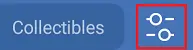
- Click on the Wallet tab (at the bottom), then the little sliders icon in the top right corner.
- Toggle on BNB (yellow/white icon), and Smart Chain (black/gold icon)
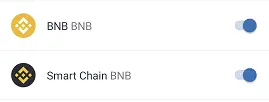
- Press the back arrow to go back to the main screen, where you should now see the two tokens
- Click on the Wallet tab (at the bottom), then the little sliders icon in the top right corner.
- Transfer your BNB from the exchange to your BNB wallet:
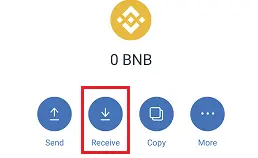
- Get your wallet address by clicking BNB and then Receive
- Go to your exchange app/site and withdraw your BNB to this address (slightly different on each exchange, but generally there should be an option called Withdraw)
- Wait a few minutes for it to arrive in your Trust wallet - don't forget to sweat a bit and worry until the transaction arrives ;)
- Get your wallet address by clicking BNB and then Receive
- Swap from BNB to Smart Chain:
- Click on BNB
- Click the More (...) button
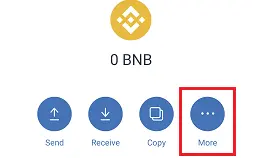
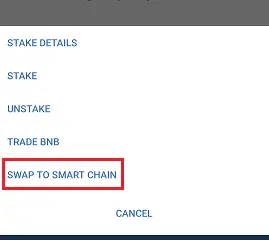
- Click Swap to Smart Chain
- Enter the amount you want to swap
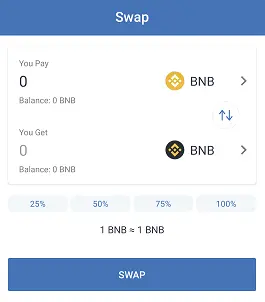
- Click Swap
- Use your Smart Chain BNB!
- You can now swap your BNB or use if for gas fees on Binance Smart Chain directly in Trust Wallet, or transfer it out to another wallet like MetaMask if you prefer
And that's pretty much it! One day hopefully BNB Smart Chain tokens will be easier to obtain directly from exchanges, but until then, this workaround can be a lifesaver.
Don’t forget to sign in and collect your free crypto below (and tip some back if you found this article helpful!).






