Before we start
If you've ever thought about trying to trade limit orders on decentralized exchanges, then here's the solution.
This solution is not ideal. But it works and allows you to create limit orders in Ethereum, Binance Smart Chain, Polygon (Matic) networks.
How to do it?
All you need to do is go to the SWAP resource following the link: https://bit.ly/LimitOrders
Before we continue, I want to say that you should know what SWAP is and how it works on different networks (Ethereum, Binance Smart Chain, Polygon)
So.. when you came from the link:
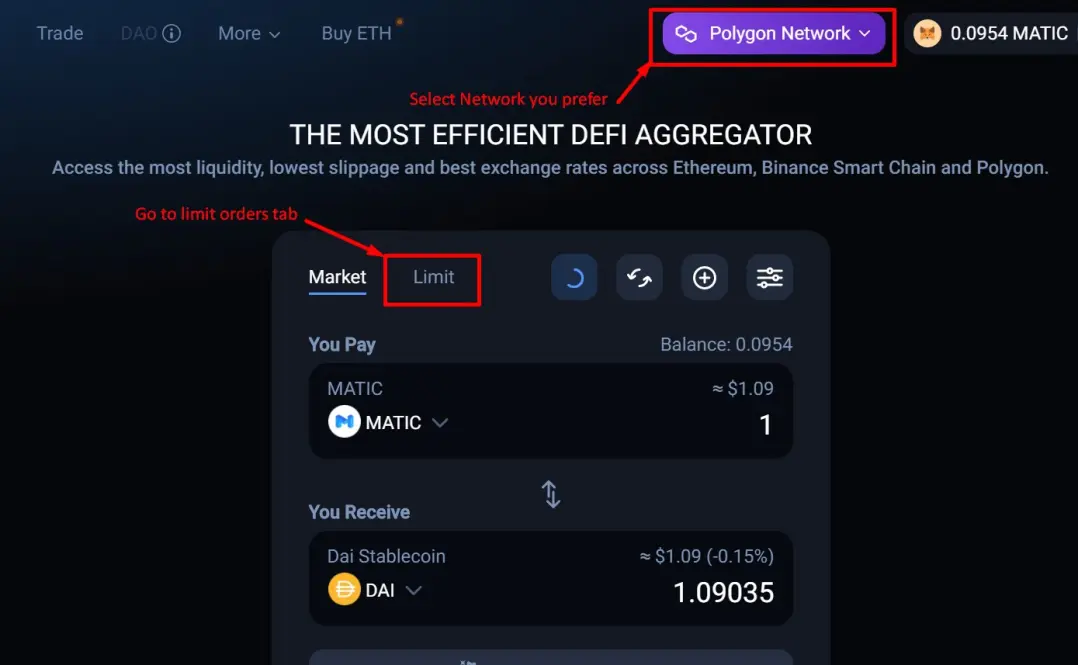
1. Select the network in which you will trade. I chose Polygon because of the low fees. You can trade Ethereum or BSC.
2. Press the Limit button and go to limit orders!
3. After switching to limit orders, you will see on the left - a list of orders, on the right - a menu for creating new orders.
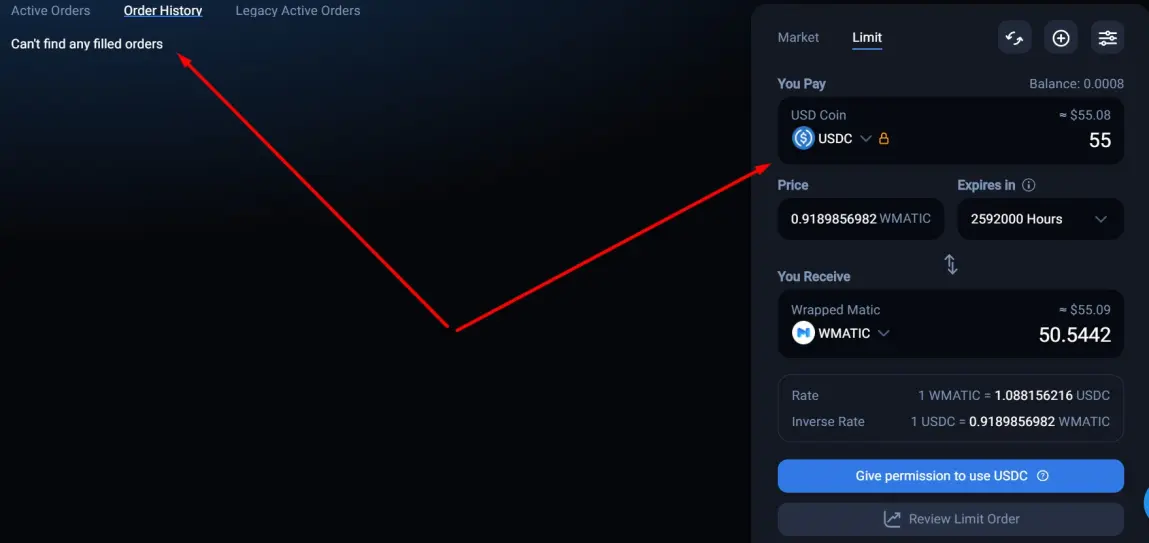
And
After all that you have seen, in general, you can already create your order. And just wait for its execution or ... not execution.
Before the order is placed, you will have to confirm the transaction on the network where you will buy / sell the asset. It can be Metamask or any other network connection program.
We follow a couple of simple steps.
- Create permission for transactions
- Choosing a price
- Place an order
Sounds like not difficult ..
As for why I chose Polygon .. Here are the cheapest commissions. Just be quiet! Nobody should know about it, otherwise the price will fly to Mars.
Let's consider creating an order in more detail:
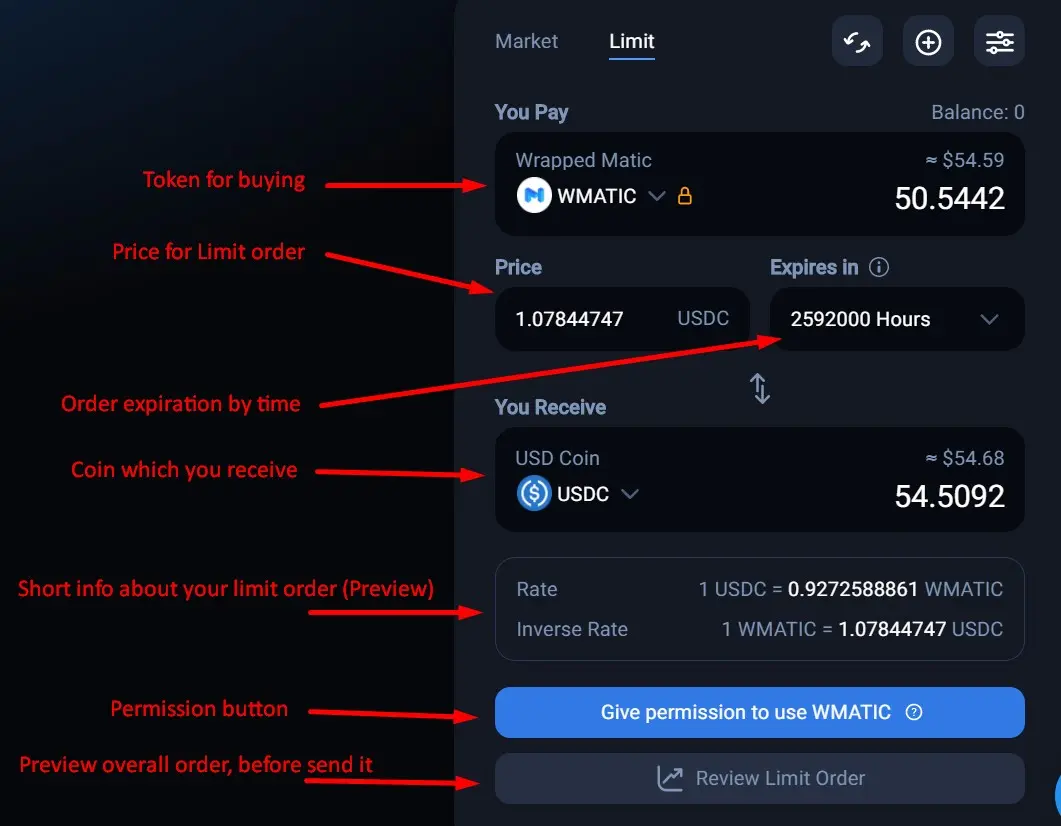
When you set up your order, allow the network to use your wallet and send the order for preview - you will see something like the following picture.
All you need to do next is to click send order. After that, in active orders, on the left you will see your limit order!
If decentralized exchange aggregators allow you to create and use limit orders on the network, then why not take advantage of this?
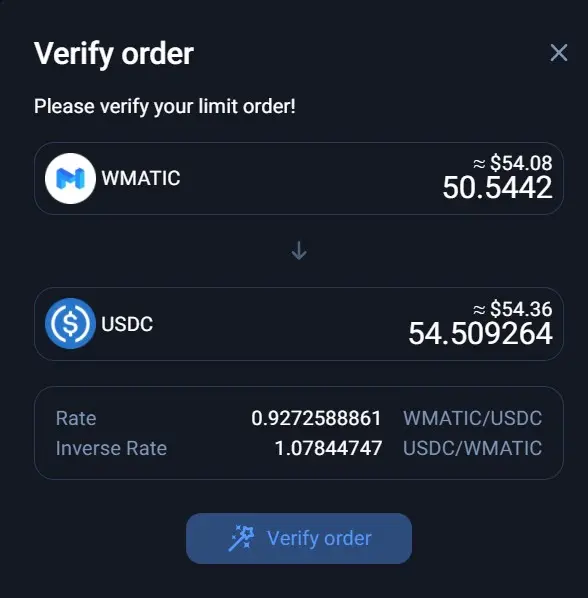
After you click on "Verify order" the Order is sent for execution and waiting for the selected price for the asset. On the left you will see your order, which will wait for the right moment.
Congratulations, my good readers. You have learned how to create limit orders for trading assets in the blockchain space without centralized exchanges. Oops. :)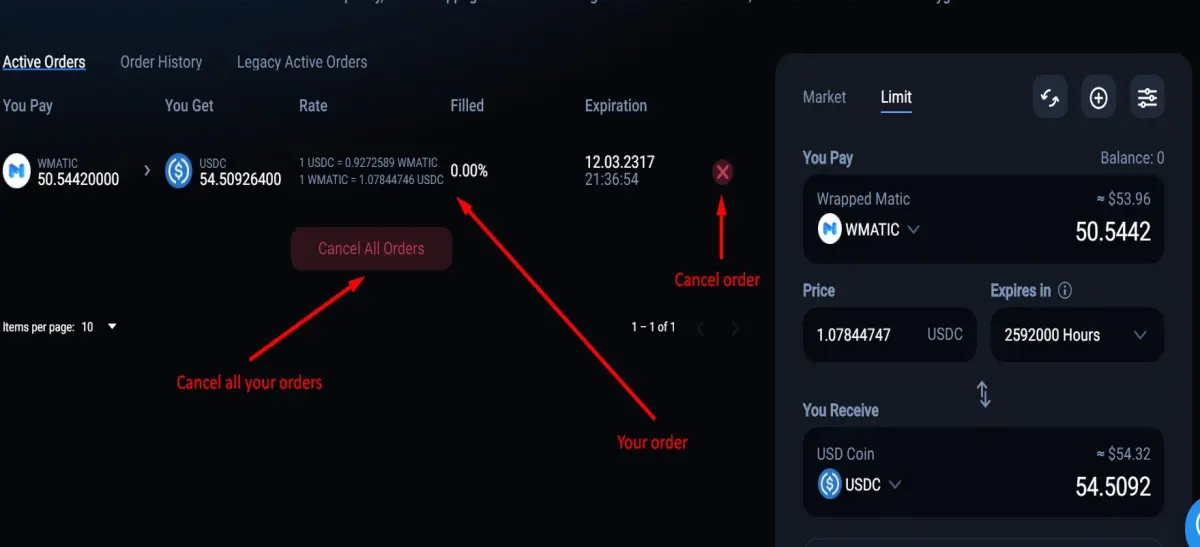
That's all! Now you know where and how to create limit orders in the decentralized space. Using any network, be it Ethereum, Binance smart chain or Polygon. It is not difficult and will make trading easier!
If my article was useful to you, do not hesitate and share it with your friends or colleagues.
If you want to throw a couple of cents on my coffee, here's my Ethereum / BSC / Polygon wallet: 0x7c208D4D3b5506400fdFAF3B9645a5D9387C6E0a
Profit and have a nice day everyone!






