
Watch or become a streamer and Earn Crypto TFuel on THETAtv
Welcome to the THETA.tv community
We hope you enjoy your time as a part of our global community who come together each day to watch and create their own entertainment.
Watch. Interact. Support.
Watch
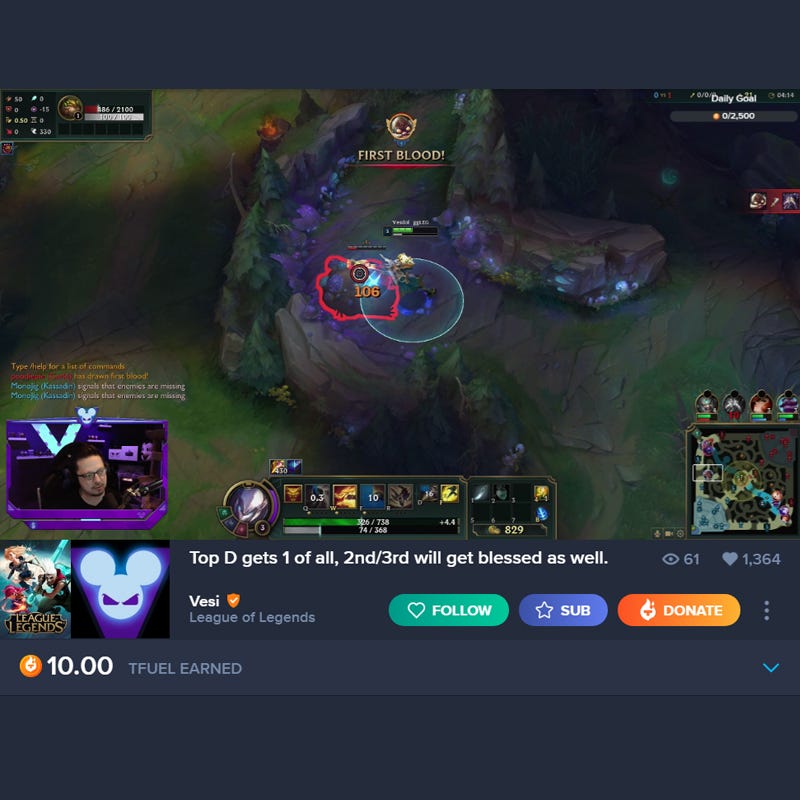
Viewers on THETA.tv are the foundation of our platform. Feel free to browse our expanding roster of creators to find someone you enjoy watching. THETA.tv streamers are exclusively chosen to be on the platform, and we hope you find a streamer that you can connect with.
Interact
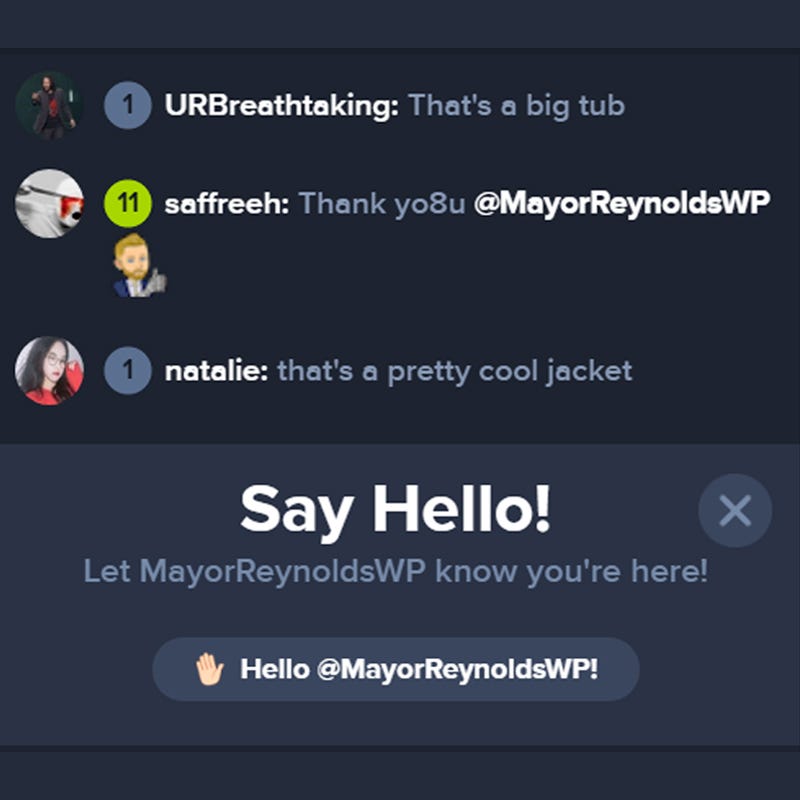
Chatting, following, and participating in streamers giveaways are all great ways to engage with streamers and earn channel xp. Interacting with THETA.tv streamers is a great way to make the most of your experience on our platform. Who knows, you might even make a new friend!
THETA XP
What is XP?
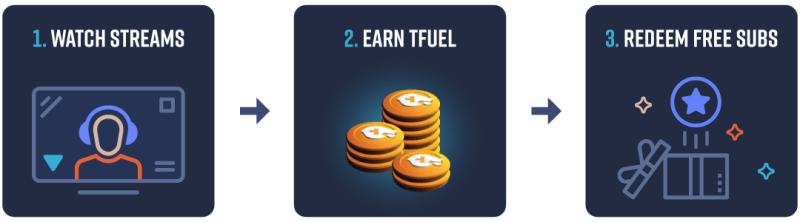
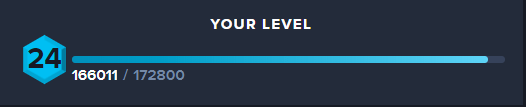
XP stands for Experience Points. Just like many of your favorite games and RPGs, THETA.tv now has points that you can earn just by doing regular actions you would normally do on THETA.tv. As you earn XP you will begin earning Levels the more you participate. Levels and XP are earned separately on EACH Streamer’s channel on THETA.tv.
How do I earn XP?
XP is earned by performing actions on a Streamer’s channel. Actions include watching, participating in predictions, performing social actions on a giveaway, chatting, saying “Hello”, following, donating TFuel, and subbing.
How much XP do I get?
Each action on a channel will earn you a different amount of XP and certain actions have a limit on the amount of XP that you can earn in a certain time period.
- Watching: 1 XP per Minute
- Social Actions: 5 XP per Action
- Entering a Prediction: 20 XP per Prediction up to 100 XP per Hour
- Boosting a Prediction: 10 XP per Boost up to 50 XP per Hour
- Message in Chat: 5 XP per Message up to 100 XP per 10 Minutes
- Saying “Hello” in Chat: 50 XP per Day
- Following a Channel: 1000 XP
- TFuel Donations: 200 XP per Dollar donated up to 50,000 XP a Day and 150,000 XP a Month
- Gift Donations: 200 XP per Dollar donated up to 50,000 XP a Day and 150,000 XP a Month
- Gift Subscribe: 1000 XP up to 10,000 XP per Day and 150,000 per Month (The user who gets the gift will get 10,000 XP too)
- Subscribe: 10,000 XP per Month
What do I get for my XP?
Get the most XP on THETA.tv! Also, keep an eye out for special promotions or prizes for the users with the most XP.

What is Channel XP?
Channel XP is the accumulation of all XP gained by your viewers and is reset to 0 at the end of each Season.
Channel XP for watching, social actions, predictions, and chat are not accumulated while the streamer is offline
- Channel (Streamer) XP earned through paid actions — donations and subs — are capped at 30% of a channel’s total XP.Example 1: Stephen has 100,000 XP. Subs and donations cannot make up more than 30,000 XP until Stephen earns more XP through non-paid actions such as follows, chat, predictions, watch time, etc.
- Example 2: Karen has not streamed on THETA.tv this season yet receives a $1,000 donation. Karen will have 0 XP on the Leaderboards. As Karen streams and receives engagement XP, then the XP from her large donation begins to count little by little, staying at no more than 30%.
- Example 3: Karen is #5 on the leaderboard. Karen donates 100k TFuel to Stephen, immediately, Stephen donates 100k TFuel back to Karen. Karen is unaware that she has already reached her 30% paid donation cap. Karen has gained 0 XP from this 100k TFuel donation and has not moved up or down the leaderboard.
- Example 4: Karen is #5 on the leaderboard. Karen gifts 10 subs to loyal viewers in her own channel. Karen is aware that she has already reached her 30% paid donation cap. Karen has gained 0 XP from these gifted subs and has not moved up or down the leaderboard.
- Example 5: Karen is #5 on the leaderboard with 3,000,000 xp. Karen gifts 20 subs to loyal viewers in her own channel. Karen is aware that she has already reached her 26% paid donation cap. Karen would have gained 220,000 XP, but the paid donation cap has limited her xp gain to 120,000 XP from these gifted subs and has not moved up or down the leaderboard.
Level Up!
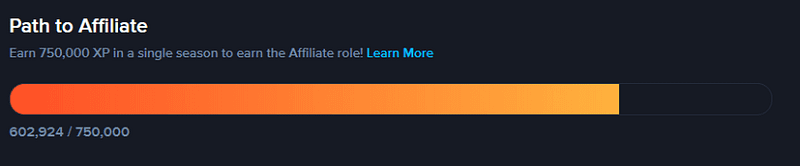
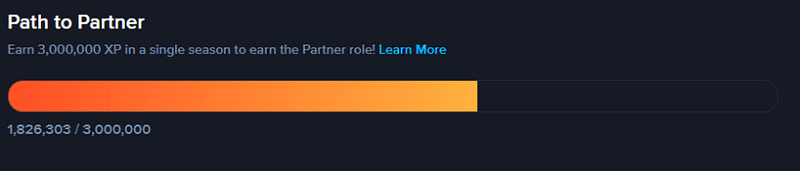
Track your progress to Affiliate or Partner in your Channel Dashboard.
TFuel EARNINGS FAQ
- HOW/WHEN DO I RECEIVE TOKEN EARNINGS?
- When you relay video segments to other users AND those segments are received, then those users sign a receipt and send it back to you. When you submit those receipts to the blockchain, the token rewards are then sent to the wallet address, linked with your account. That is the comprehensive process for how a user accrues tokens.
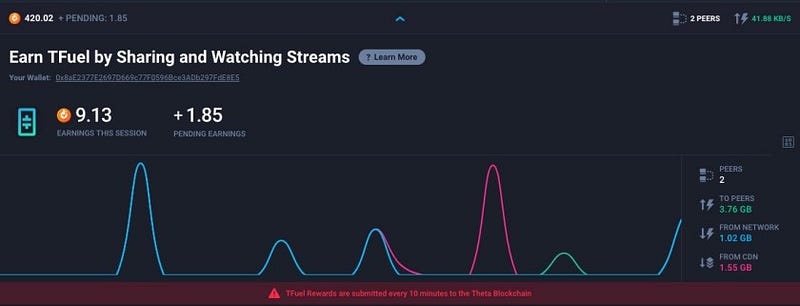
- WHAT IS ‘PENDING EARNINGS’? AND WHAT IS ‘EARNINGS THIS SESSION’?
- Pending Earnings indicates the amount of TFuel earnings you are set to receive when the payment receipts are submitted to the blockchain. Payment receipts are submitted every 10 minutes, starting from the time you start watching the stream.
- Earnings This Session indicates the amount of TFuel earnings (submitted to the blockchain) you have accrued so far since you started watching the stream. If you refresh your browser, the Earnings This Session number will reset because you have started a new session.
- WILL I LOSE MY PENDING EARNINGS IF I LEAVE THE PAGE BEFORE 10 MINUTES?
- No. Your Pending Earnings reflect the number of payment receipts you have accrued. The next time you submit payment receipts to the blockchain, those will be included, and your TFuel earnings will increase accordingly. (However, they will not appear again in the ‘Pending Earnings’ field when you open a new stream or start a new session.)
- CAN I EARN UNLIMITED TFUEL BY OPENING UP A TON OF WINDOWS?
- Short answer: No. TFuel earnings is a feature we’ve implemented to reward users for enjoying content on our platform, not for manipulating incentives to game the system. If you’d like to earn more TFuel, please consider participating in the Theta Network as a dedicated Edge Cacher. We are working on that product and will release it soon. Thanks for participating on SLIVER.tv and for all of your support.
TFuel PEERING FAQ
- HOW DOES PEERING WORK?
- Users are grouped into a peer group and are then able to receive/send video segments from/to their peers. A user’s peer group is updated periodically to ensure they are matched with the most optimal set of peers to exchange video data with.
- HOW ARE PEER GROUPS MADE?
- Peer groups are decided based on a number of factors including a user’s geographical location, their ISP, internet connection, response time, etc. Because of this, if you are in a remote region, you may not be able to be grouped with peers whom you can relay video data to.
- HOW MANY PEERS AM I GROUPED WITH?
- Users are grouped with the most ideal set of 9 other peers, but at any given time there may be just a couple of peers you are actively relaying and exchanging data with.
- I DON’T LIVE IN A REMOTE REGION, WHY DON’T I HAVE ANY PEERS?
- See the response to ‘How are peer groups made?’ — Peering is not just based on geographical proximity, but other network-related conditions as well.
For example, someone in San Francisco using AT&T internet may be peered with another user in LA using AT&T internet — because data sent within an ISP’s network is more efficient — even if there are others in San Francisco that are on Verizon internet. - CAN I BE PEERED WITH OTHERS USING SLIVER.TV ON DIFFERENT DEVICES OR BROWSERS?
- Yes and Yes. The SLIVER.tv Android app currently supports Theta, as do the Chrome, Firefox, and Brave browsers on Mac and Windows PC. If you are watching content from any of those supported browsers/apps, there should be no problem with peering.
- DO I RECEIVE TOKEN EARNINGS FOR VIDEO DATA I GET “FROM NETWORK”?
- No, users only receive token rewards for their contributions to other peers in the Theta Network.
Nerd Stats
- HOW THE THETA NETWORK AND TFUEL EARNINGS WORK ON SLIVER.TV
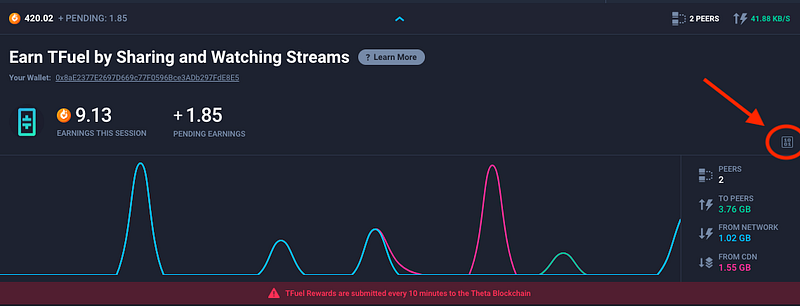
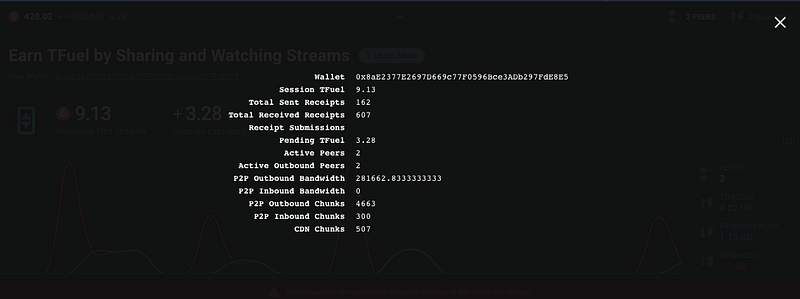
- Click on the 1/0 button to reveal more stats
- Active Peers, Active Outbound Peers, P2P Outbound Bandwidth, P2P Inbound Bandwidth are all variable — they keep changing
- If a user’s P2P Outbound Bandwidth and Active Outbound Peers have stayed at 0 for a prolonged period of time, that means the user has not been sending out data to peers, and thats why there has been no earnings
- P2P Outbound Chunks, P2P Inbound Chunks, and CDN Chunks are cumulative numbers — they keep adding up
- If a user has no P2P Outbound Chunks, he hasn’t been sending out data and thats why there’s been no earnings
- Note: P2P Outbound Chunks counts the number of sliced segments that have been relayed (5 sliced segments per whole segment) whereas P2P Inbound Chunks counts the number of whole segments that have been received
- Total Sent Receipts
- Indicates how many micropayment receipts have been sent by you to other peers.
- Total Received Receipts
- Indicates how many micropayment receipts you have received. This should give you a good indication of whether / how much TFuel you have earned this session. If this number is 0, you should not have earned any TFuel this session EVEN IF you have sent P2P Outbound Chunks or there has been data relayed as shown in the TO PEERS field.
- IMPORTANT: Even if there has been outbound data relayed to peers (as shown by the P2P Outbound Chunks stat), a peer must receive the video segment in time AND also send back a micropayment receipt for the user to accrue token earnings
- Streamer split — TFuel channels include a feature called “streamer share” where a portion of TFuel earned goes to streamers / content creators, which is one of the ways that they benefit by moving to a Theta-enabled platform (and so attracts the best content to Theta platforms). The amount that is currently being automatically allocated to Streamers is not reflected in the UI. Your “Pending Earnings” shows the total amount of TFuel, but your “Earnings This Session” is the actual share of TFuel that you have earned as a user”.






