
Description of the activity
Make a video cache node for the THETA network. For providing our service we will receive Tfuel token.
Complexity level: low
1.- Creating a wallet
We need to have a THETA wallet.
Clarification: it is important that the wallet that we use is the official one of theta to receive our rewards.
For this we address:
https://wallet.thetatoken.org/unlock/keystore-file
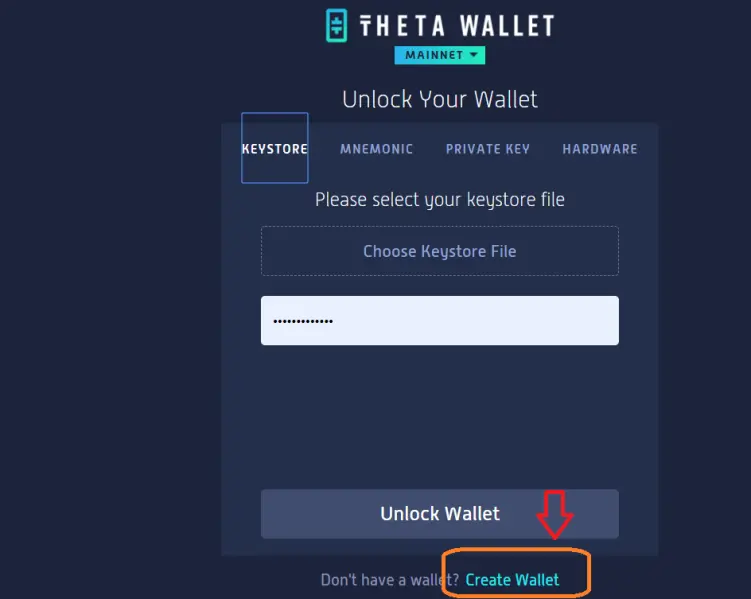
Let's start creating our wallet. We will click on "create wallet".
It will request a password and that we confirm it (1) below, it will not remember that we must keep both the keystore and the keys safe, we mark (2). And finally we download the file (3).
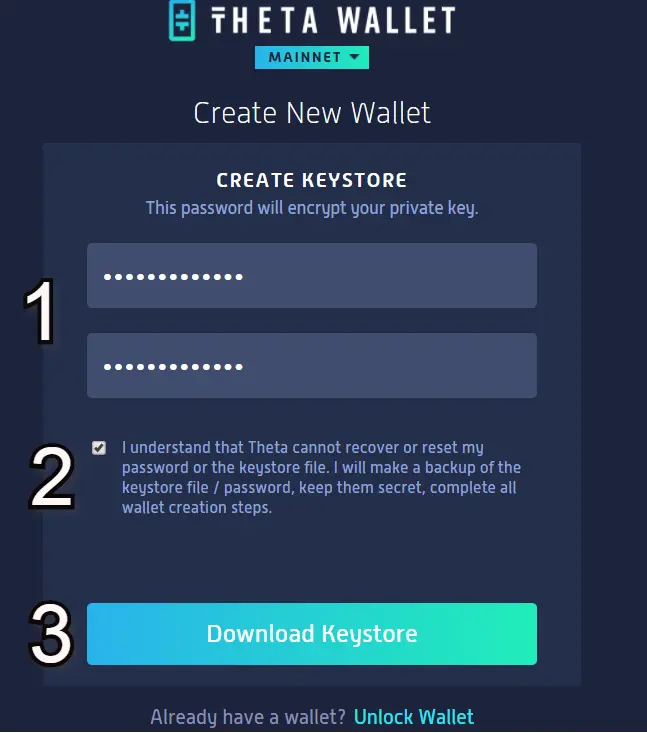
Clarification: the "keystore file" will be our credential to access our wallet, keep it safe.
Then, we must store the 12 words that make up the private key of our wallet (like any other crypto wallet) we copy them and we are ready to open our wallet.
Well to start our newly created wallet, we must select the keystore file, and enter our password.
Once you see inside the wallet we will see the following:
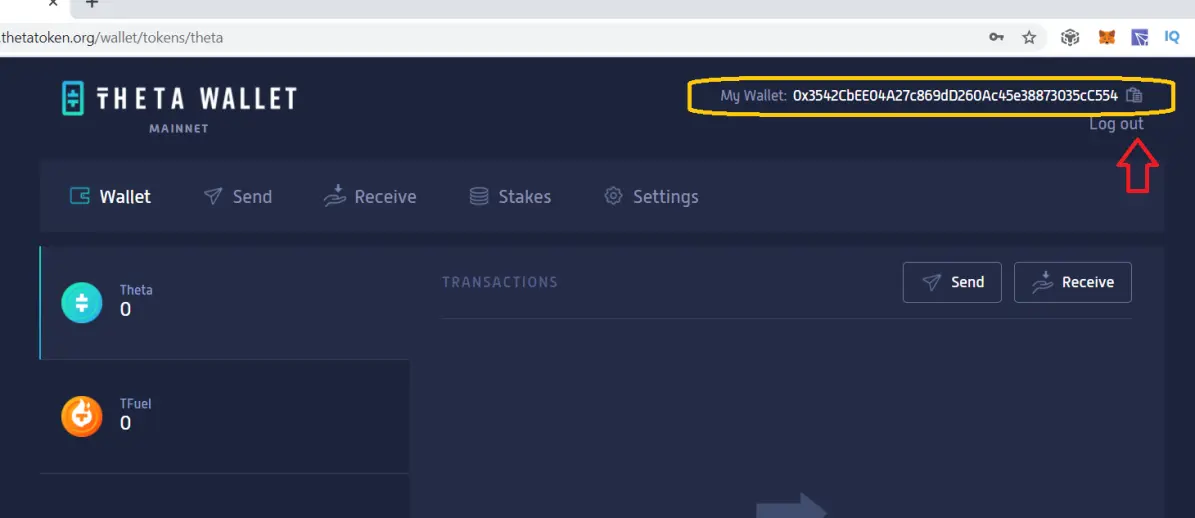
The wallet interface is very simple and friendly, send, receive, Staking, etc. We can see our tokens both THETA and Tfuel.
At the top we will see the public address of our wallet. Both THETA and Tfuel tokens share the same receiving address.
Now let's continue with the Cache Node.
2.- Installation edge Node
We downloaded the Edge Node Pre-guardian, depending on the operating system with the count. (Clarification only for Windows and MacOS, not yet available for Linux)
For more information you can go to the site: www.thetatoken.org
Downloads
We begin with the installation of the application, it does not present any kind of difficulty. At the end we will have an icon on the desktop, run it and we will see the following:
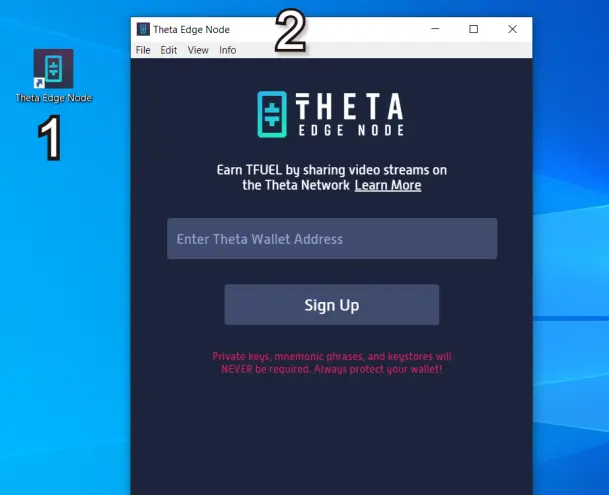
We go to the wallet and copy our address.
We will enter it in the application (this way you will know who will pay the rewards). we click register.
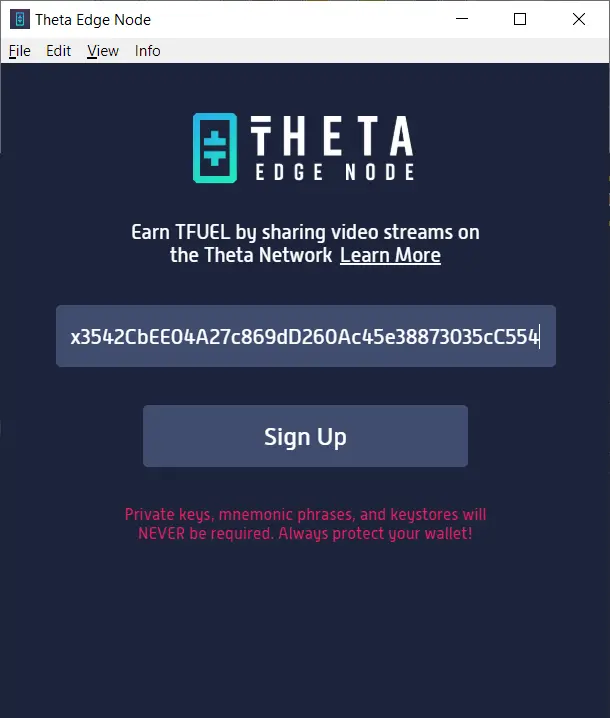
And then we will see.
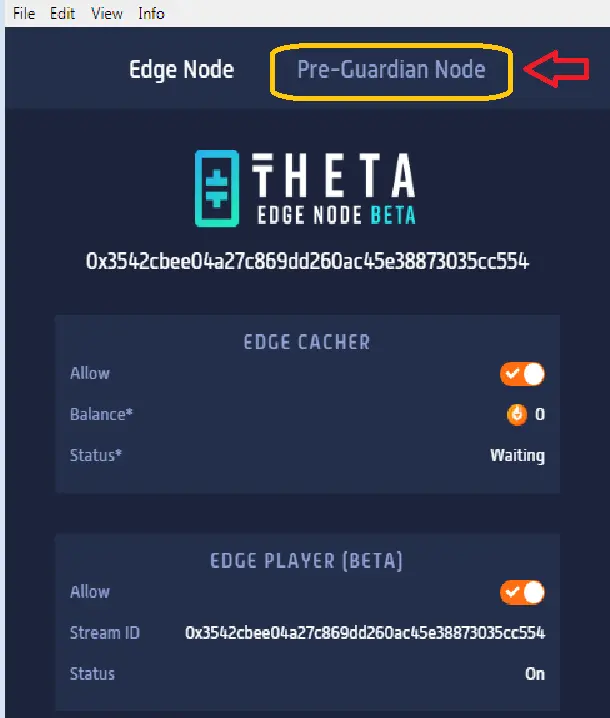
Now it only remains to finish the configuration, for this we go to the “Pre-Guardian Node” menu (as shown in the previous figure). Let's analyze this screen.
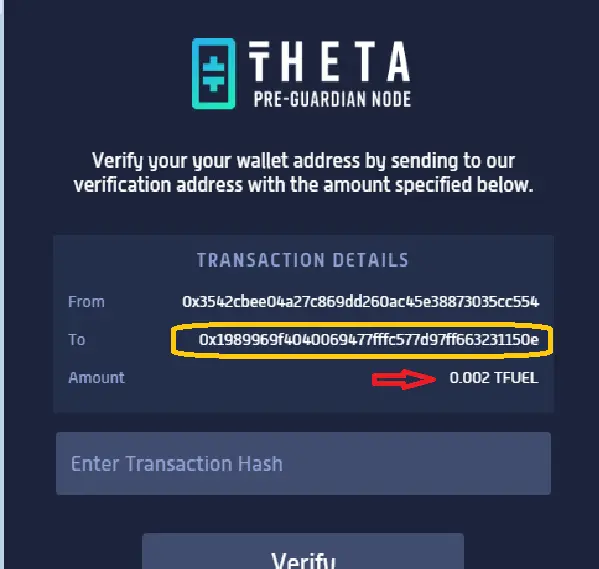
You will ask us to send a fraction of Tfuel (example 0.002 TFUEL), to the indicated address. But well, you may be wondering. How did you send that fraction, if I don't have anything in my wallet?
Well I tell you 2 options to obtain this fraction of Tfuel.
We return to WEB wallet, if we click on "receive", we will see that in addition to the public address of our portfolio, we find a button that says "faucet". If we make a click we will receive a fraction of Tfuel to activate our Edge Node.
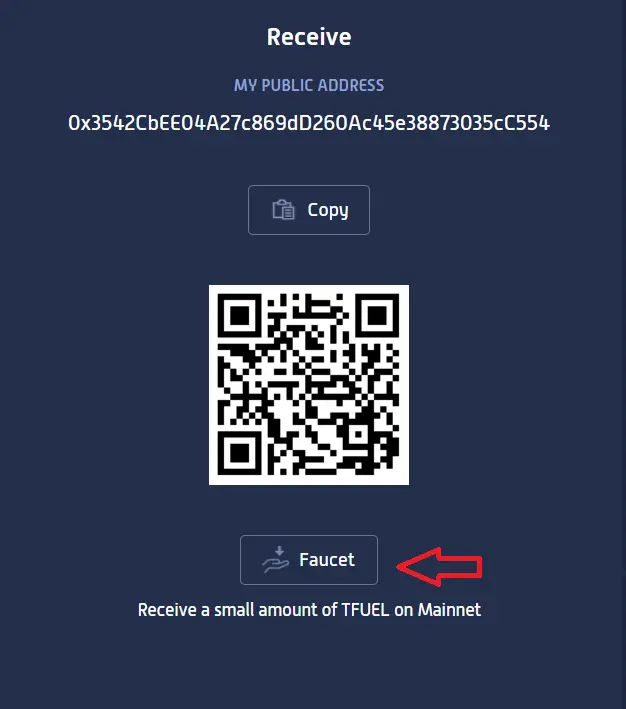
And the other option is to enter the site that I leave below. We enter an email and paste our wallet address.
Link:
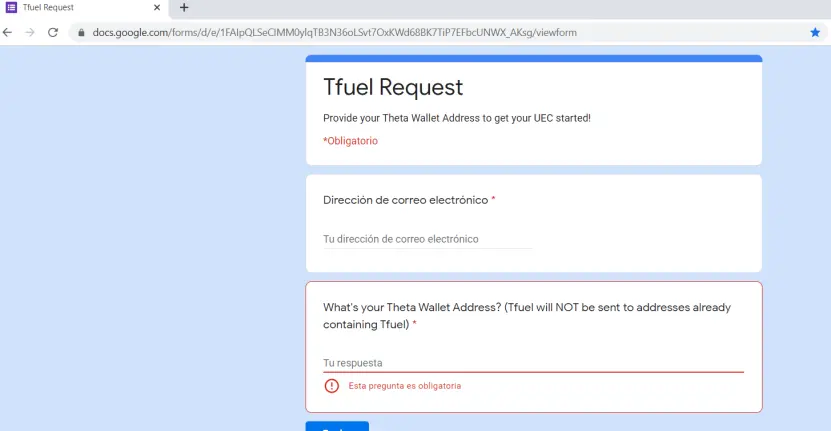
It only remains to wait, that the fractions are sent to us.
Clarification: the requested value of Tfuel may vary.
4.-Activating the Edge Node
After a moment we will receive fractions of Tfuel, as shown in the image.
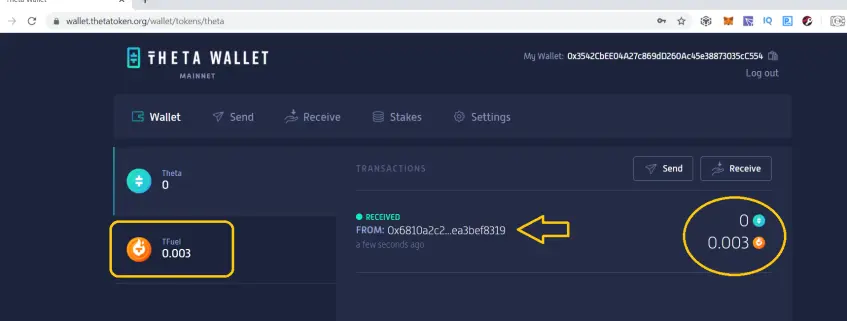
We already have a balance in our wallet, now we can send it to the address indicated by our application.
We select from the menu "send", we choose the token "Tfuel - Paste the address of the application. We indicate the amount, press send. We confirm with our password. ready.
Now that we have sent the fraction of Tfuel, we can see that in "transactions", the detail of the operation.
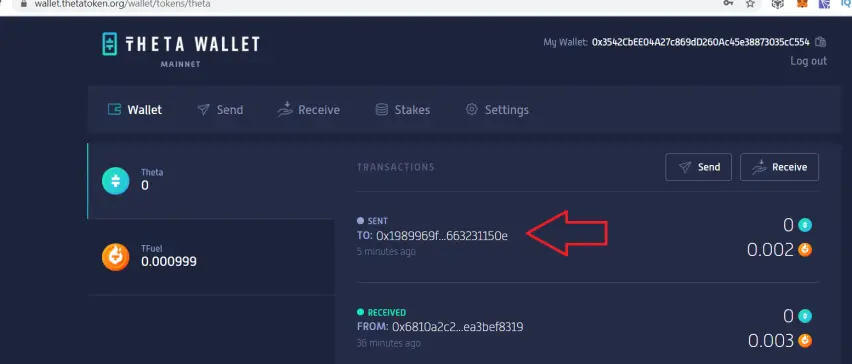
We will click on the transaction. This will take us directly to the THETA blockchain explorer, where we can see the HASH of our transaction.
The hash is nothing more than the identifier of our transaction within the THETA blockchain.
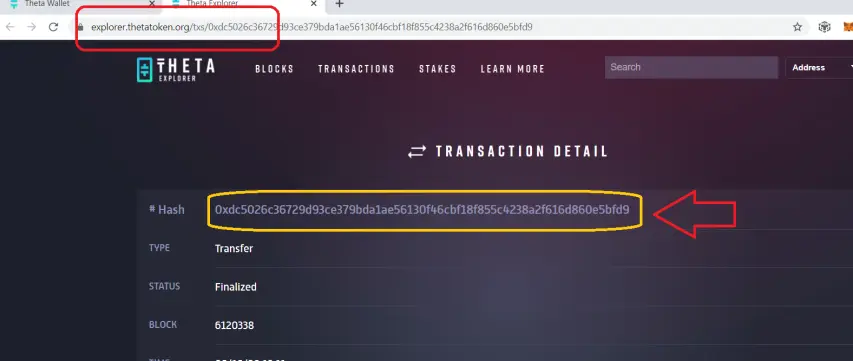
We will copy this hash, and paste it into the application. We click on “verify”.
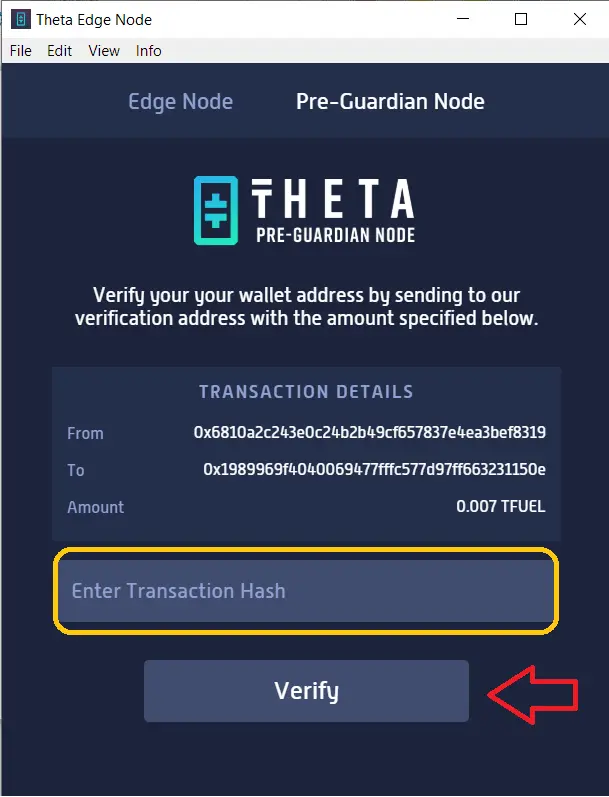
And from this moment we will be ready to perform a Cache Node for the network.
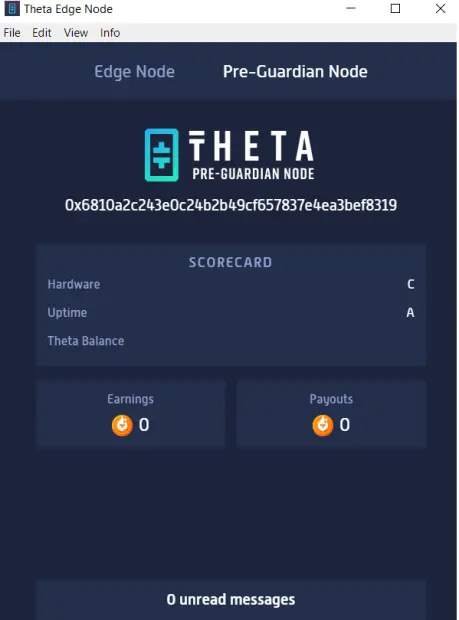
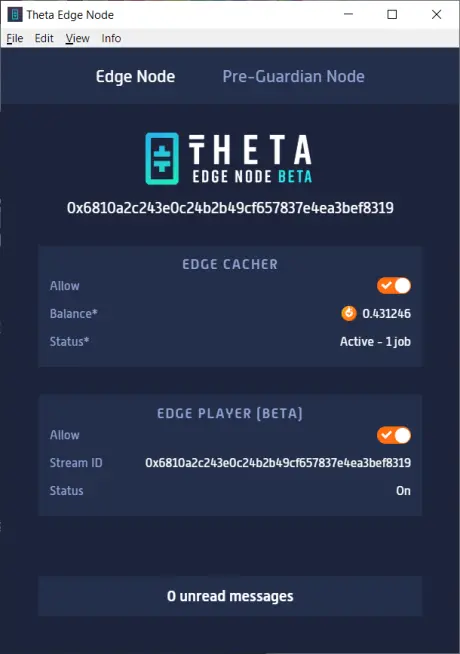
From this last image, in the Edge Node menu, We see some options: that it is active, a balance, that will be the place where we see the rewards for caching.
And finally in status we can see if the service has a task (working) or is waiting.
Conclusions
Our activity in the network will be to provide a service, catch videos, therefore, we need an acceptable bandwidth, and the better hardware, the better performance for the node.
But even when we have all these requirements, we can see that the node can spend some time in "waiting" mode.
This is due to several factors, but perhaps the most important is the demand for the service in our region or location. We do not have anyone to provide our service at that time. Be patient.
Finally, indicate that, personally, the system has always paid me on the 1st of each month. I will leave for a next article to get some rewards from the Pre-Guardian.
I hope you like it and tell me how it went… don't forget if you have the possibility, to contribute with tips that are motivating to continue. Regards.
Follow my videos on Youtube:
https://www.youtube.com/results?search_query=criptobaires
Follow me : https://www.publish0x.com/criptobaires
My Adress Tfuel:
0x6810A2C243E0C24b2B49CF657837E4ea3BEF8319






