
Hello
Today I want to explain The usage of All Cloud Coin Software and basics on how all of it works.
The first step...
CloudCoin uses two options for transferring their digital currency:
1. Files - for example .jpeg .stack
2. Skywallet transfer
What exactly that means?
1. Someone can simply send You a file for example 1000cc.stack you can get that file by email.
You need to remember that when You got that file YOU ARE NOT AN OWNER later I will explain why.
2. Someone can send You coins by sky wallet from his address to Your address
In that option, coins become Yours in less than a second.
Ok, first of all, let's take a look at desktop software.
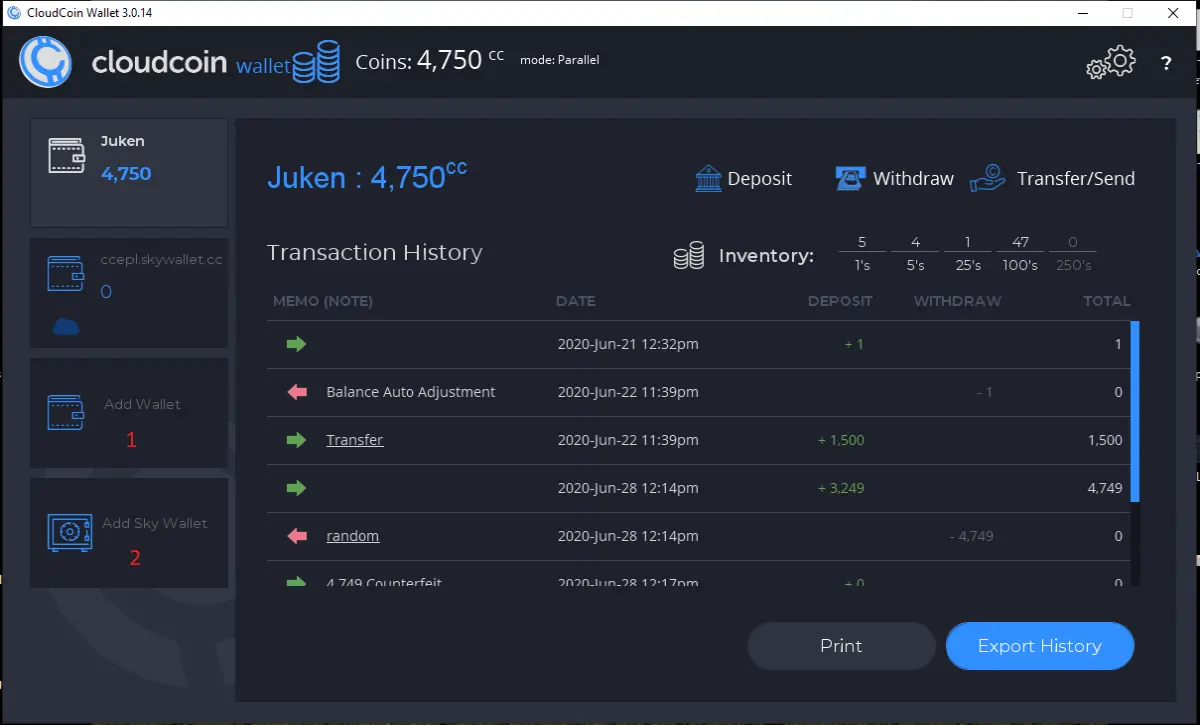
As You see I mark two numbers 1 and 2 in red color :
1. is a place where You can create a Local Wallet
2. is a place where You can create Sky Wallet - for that option You need to have a one Cloud Coin to create it.
Ok now let's get back to the place where I said that if You receive 100cc.stack file You are still not an owner. So what that means?
First of all, if someone, for example, sends You that file and You DO NOT IMPORT that file to Your Local wallet he can simply import back that file to his own wallet back. If that happens You will see that coins are Counterfeit. But If You import them after getting file YOU POWN THEM IN LOCAL WALLET and they become Yours.
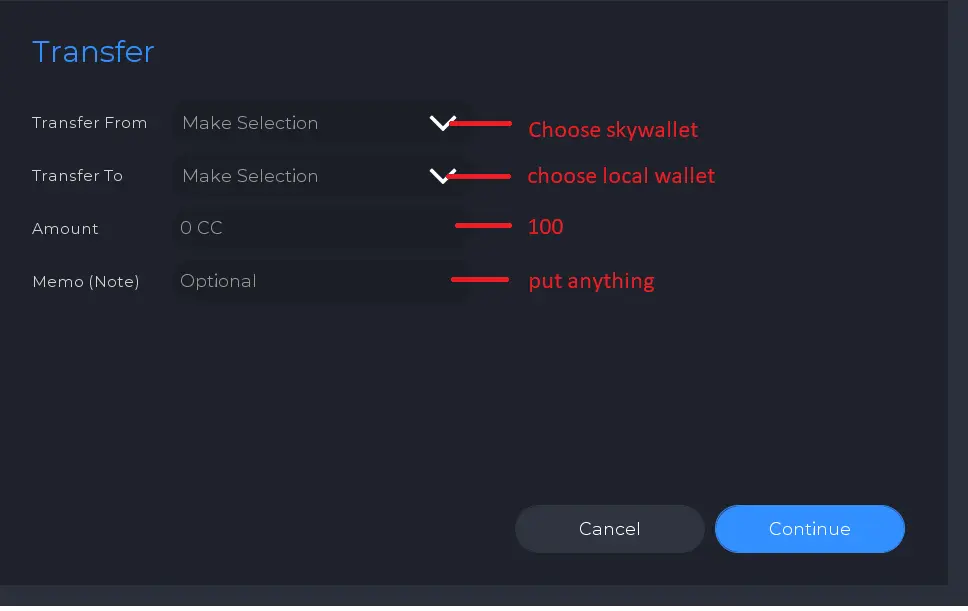
In sky wallet, You transfer them from one wallet to second and Raida checks all coins that are transferred between two persons. The coins will be in Sky wallet so You can transfer them in desktop software from sky wallet to local wallet :
Ok the last thing Is Pocket Bank app for android
This app is similar to Local Wallet in desktop software You should know now that Pocket Bank is a Local Wallet on Your Phone where You can Import (Pown coins to become Yours) When You get a file .stack or .jpeg
And one Extra thing after getting a file and import it to Pocket Bank or Local wallet You can simply Export all, for example, to file mycc.stack and save that file to pen drive.
I hope I explain it good .
Enjoy.






