
Blockchain technology is undoubtedly generating a disruptive movement around the daily life of millions of people directly and indirectly, and in the face of such demand for real use cases in the industry to facilitate the daily life of many people, putting scene of new blockchains platforms is evident.
In South Korea, one of the most friendly countries with the cryptocurrencies in the world currently and with the greatest development in this sector and blockchain technology, the change is evident. Every month positive news is generated in relation to alliances with emerging platforms and official institutions to solve complex problems that we thought impossible to solve a decade ago.
One of the most promising platforms in this Asian country is undoubtedly FLETA, a platform that has a strong developed technology that promises to be disruptive in the field of decentralized applications and cases of use in the medical, logistics and insurance fields with its achieved scalability of up to 15,000 Transactions per Second (TPS) in its test phases, thanks to its parallel sharding, block redesign and a proposed consensus mechanism called Proof of Formulation that allow for faster transactions and no possibility of forks.
Its main platform is expected to arrive at the end of July 2019 with the intention of offering public and private solutions to the different actors that are currently debating the solution of complex problems for citizens both in their country of origin and in the world in general.
Given this expectation of the launch and the positive results of its tests as well as firm alliances with the government of Korea for pilot tests in medical records in its initial phase, its token has been put in the eyes of both investors and amateurs. and Dapps developers who were eagerly awaiting the initial enlistment of their token in an exchange in order to be creditors before the scheduled Mainnet.
To make matters worse, FLETA offers an excellent system of rewards for staking with its innovative mining program that allowed the stake of more than 57.4% of the total issued to date, in its initial phase of registration in the respective portal.
Due to the above, we indicate by this way how to obtain your FLETA tokens in the first listed exchange and one of the possible formulating nodes for the mining of FLETA: GDAC Exchange.
We will also include at the end of the post, a step-by-step guide to obtain FLETA tokens through the pairs of cryptocurrencies anchored to Bitcoin and Ethereum in the DigiFinex exchange.
First of all, keep in mind that there are two different processes within the exchange to fund your account and obtain FLETA tokens, through FIAT available only to Korean citizens through their national KRW currency or by cryptocurrencies, a method with which we will limit ourselves in this post for being of general interest for people of any nationality.
GDAC Exchange
1.- Enter the site https://www.gdac.com/ from your preferred browser. Once there you will see everything in Koreano, if this language is not your domain, click on the upper right part of your screen and in the drop-down menu you will be able to choose the version in the English language.
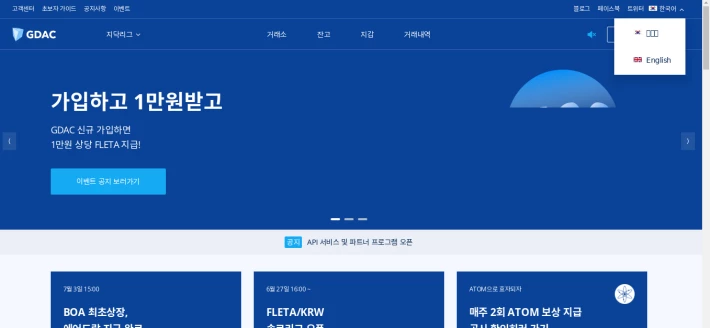
2.- The page will be refreshed with your new selected language and you can click where it says 'Register' in the upper right corner of your screen again.
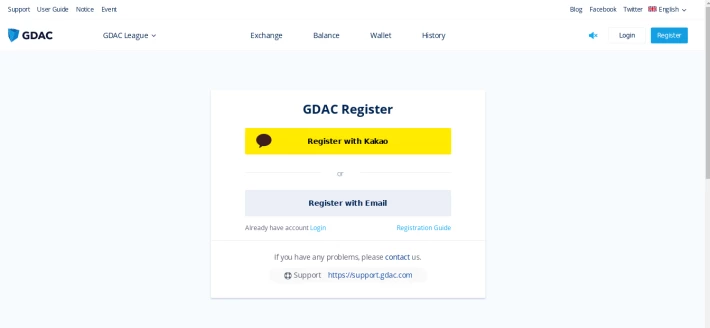
3.- In this window it is important to take into consideration two aspects: registration with KakaoTalk account, one of the largest mobile operators in Asia or with emails depending on your case, select by clicking on the one of your convenience.
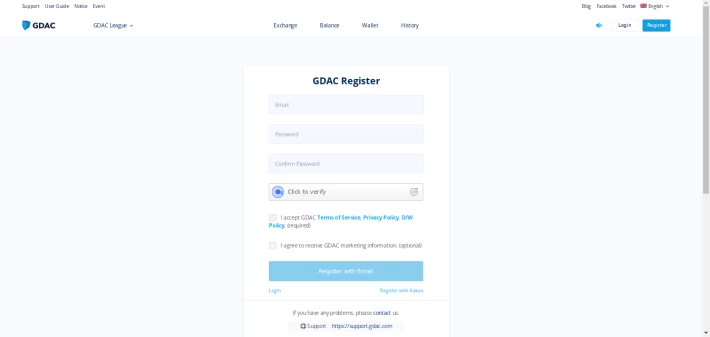
4 ..- In this case we select the universal registration option with email. A new window is displayed, fill in the details of the requested form: email, password. Accept the conditions and terms of service of GDAC and click on the button 'Register with Email' after verifying your data.
5.- Once the registration is finished, wait for a confirmation email in your inbox similar to this one.
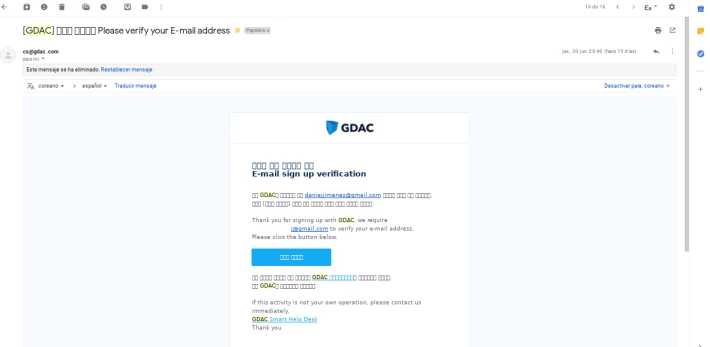
Click on the blue button to follow the verification link.
6.- You are already registered and you must login your account to enter the platform and be able to acquire FLETA tokens. For this, it indicates to the platform the registration data in the new window.
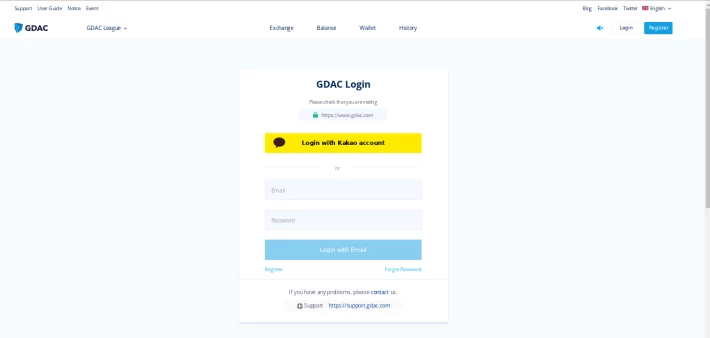
7.- For security in the configuration of your account, opt for the activation of the 2FA package.
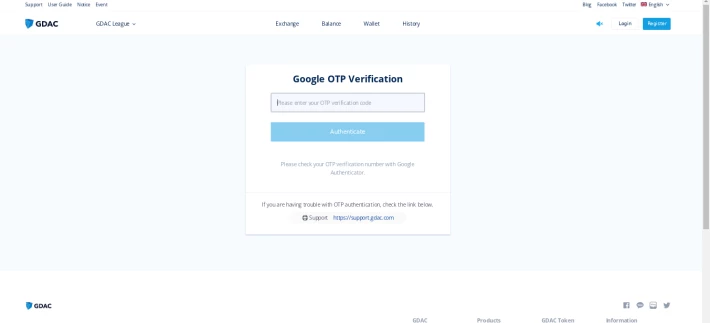
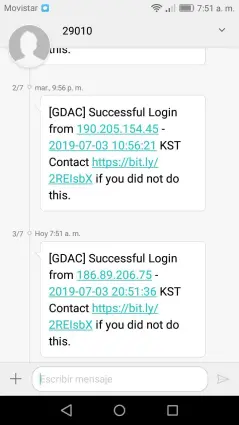
8.- You will receive an SMS and a verification email each time you log in or perform an important activity in your account such as withdrawals or deposits, execute orders, etc. similar to this.
9.- You are already inside the platform, now you must fund your account. As we commented at the beginning of the post, if you do not have Won Koreanos for not having nationality of that country, then you must fund your account with cryptocurrencies. Upon entering the page you will find a significant number of cryptocurrency options available on the platform. To do this click on where it says 'Exchange'.
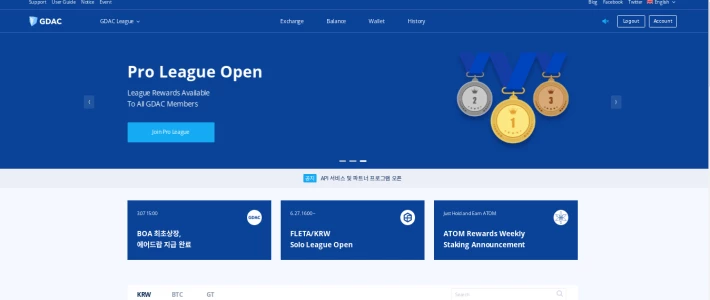
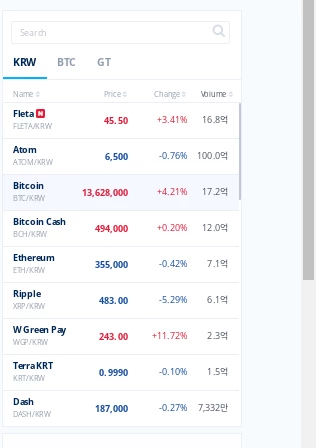
10.- The most important cryptocurrencies of the ecosystem will find it anchored in a general way to the KRW pair.
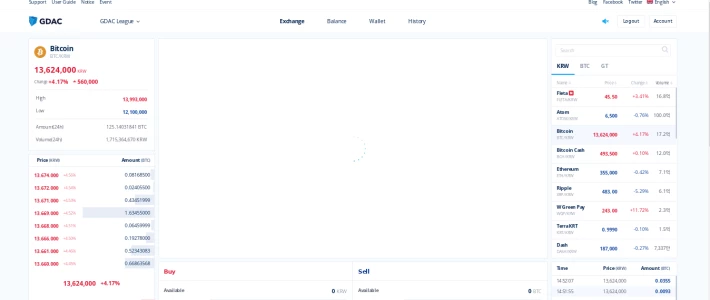
11.- Select the one of your preference. In this case we will choose Ethereum (ETH). To do this we click on the top center of our screen where it says 'Wallet'. Once inside, we select the Ethereum option.
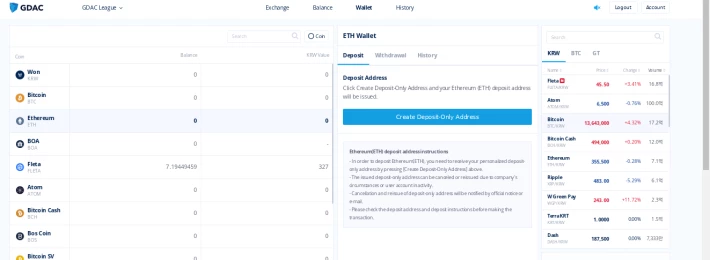
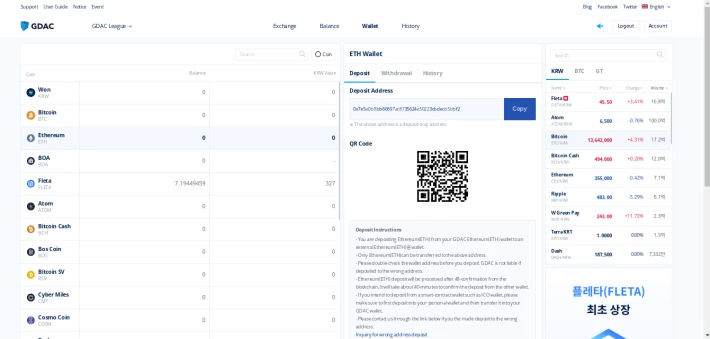
Click on the central part where it says 'ETH Wallet ---> Deposit'. It will ask you in a blue button to generate a deposit address, click to generate it and be visible.
12.- With the deposit address of our crypto selected to fund our account in the exchange GDAC, we proceed to copy it and send the funds required for our first purchase of FLETA tokens. Take the necessary precautions regarding security when copying the address and sending the funds.
Important: This platform requires for trading operations a minimum order in the amount of 500 KRW (~ 0.43 USD).
13.- Once your account is funded with cryptocurrencies, you can now search for the ETH \ KRW pair to make your first crypt SALES and get KRW funds in your account.
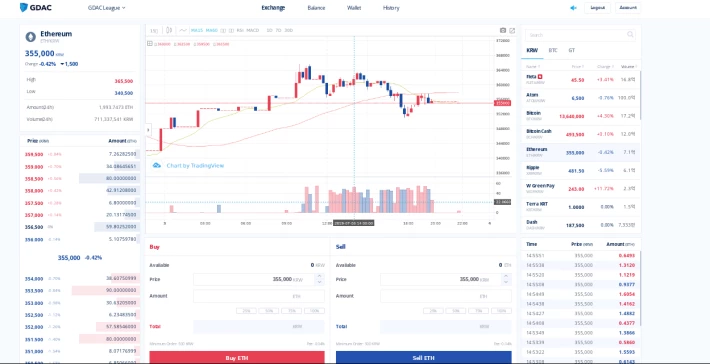
14.- When selecting the ETH \ KRW pair, the interface is quite simple and similar to other exchanges, with its respective central graphic, orders book and movements in real time. Go to the lower central section in blue and establish the minimum sale of 500 KRW necessary to be able to subsequently acquire your FLETA tokens.
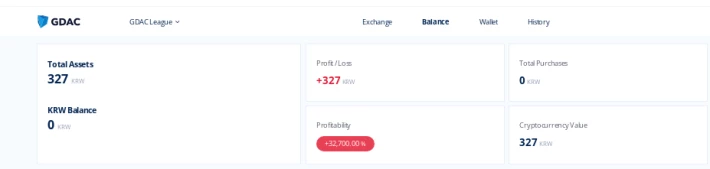
13.-Check the balance and / or status of your account and once obtained the funds KRW looks for the pair FLETA \ KRW to make your first purchase of FLETA tokens.
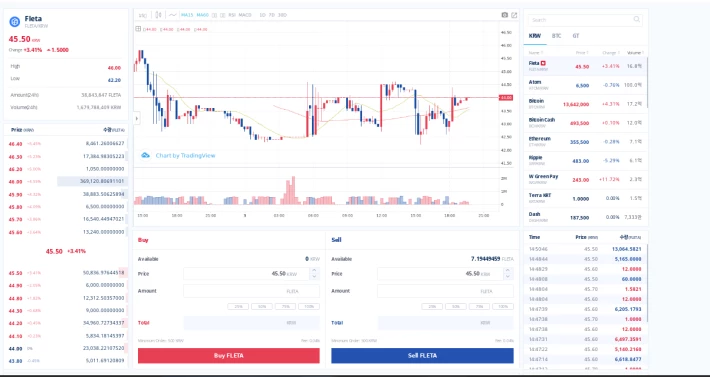
14.- Once in the pair FLETA \ KRW the process is inverse to the previous one. Go to the lower central end of red and establish the purchase of FLETA tokens according to your availability of KRW funds obtained in the platform at the market price or the price of your preference.
15.- Ready you are already part of the FLETA community and you can use your tokens for staking or simply to trade in support of the community of one of the most innovative platforms today.
Currently in the exchange 22.03% of the total FLETA tokens available are moved according to their volume of trade reported, with 36M of FLETA tokens approximately.
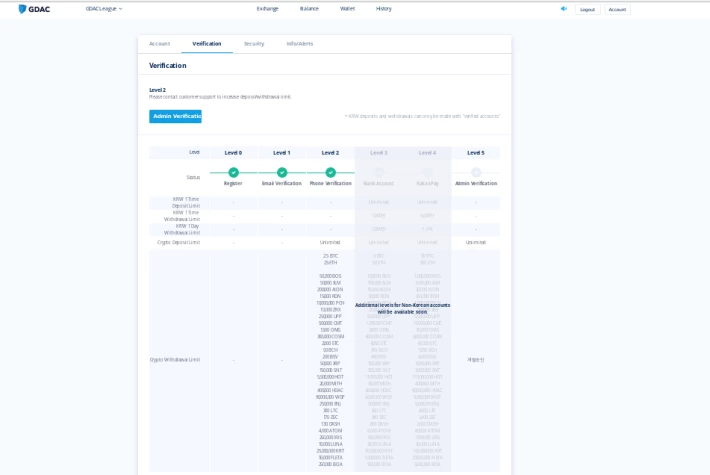
16.- Finally, in the Setting of your account you can verify your level reached with your registration and the related limits for unverified accounts (WITHOUT KYC), in addition to the UID necessary for the delegated mining of FLETA tokens.
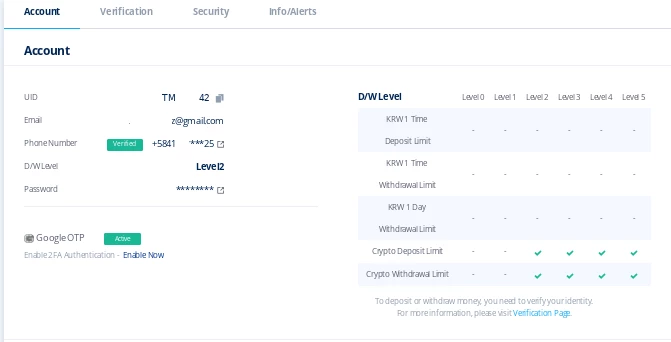
For those who choose to open an account with email, the maximum level reached of LEVEL2 and its maximum daily withdrawal limit is 2.5 BTC or 50000 FLETA tokens.
DigiFinex Exchange
It is also worth noting that this week the company announced that its token will also be available in the Digifinex exchange, with an attractive rewards program of up to 400,000 FLETA tokens for those who deposit or acquire the tokens through the exchange. You can find more information by clicking on the following link: https://www.digifinex.com/en-ww/notice/431.
According to the official statement of the exchange, FLETA tokens are available in the pairs FLETA \ BTC and FLETA \ ETH.
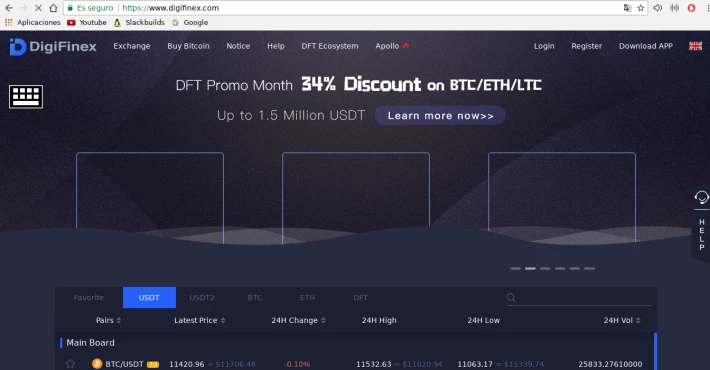
1.- To do so, go to the following link https://www.digifinex.com/ and click on the upper right corner of your screen where you say register.
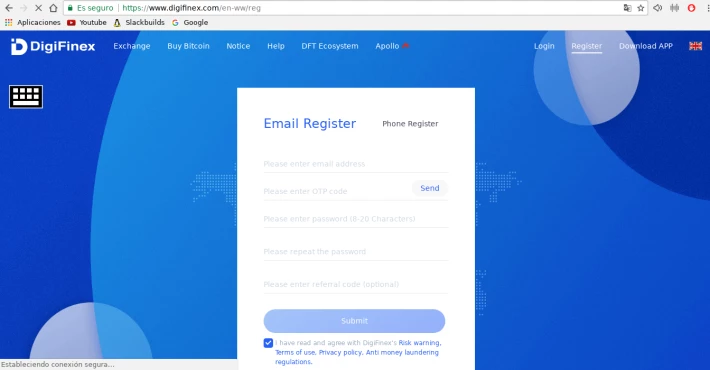
2.- Once on the registration page, fill in the corresponding information to log in with your email, the easiest way to register your account.
If you wish, you can also do it by phone number regardless of geography, except in countries such as Japan, USA and Singapure.
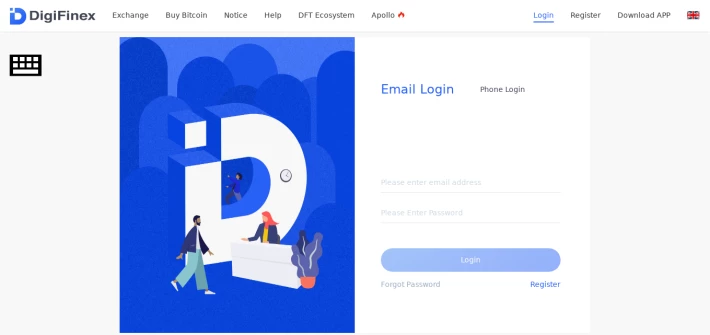
3.- You will receive an OTP confirmation code in your inbox and this will be necessary to be able to log in to your account, until you configure your access from the account configuration once registered.
Once your email is confirmed, you can log in by entering the data registered in the platform.
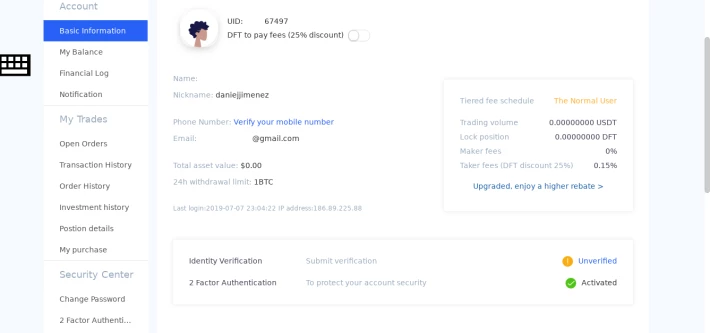
4. Once inside you can go to the configuration of your ACCOUNT to make the security adjustment necessary to activate the 2FA Authenticator in order to fund your account and withdraw funds from the platform wallet.
Here you can also view your verification status, the level of withdrawal you have maximum according to your level of verification and the corresponding fees estimated.
In the case of accounts registered with e-mail and without KYC verification, the estimated daily withdrawal limit is 1 BTC.
5.- Now that we have passed the necessary configuration steps, we must add funds to our account. For this it is necessary to select the type of crypto to be added based on the enlistment of the FLETA token.
FLETA as mentioned earlier is listed against BTC and ETH. For this case, we will indicate how to add BTC funds to acquire the respective tokens.
To do this you must click on the top center menu where it says DEPOSIT.
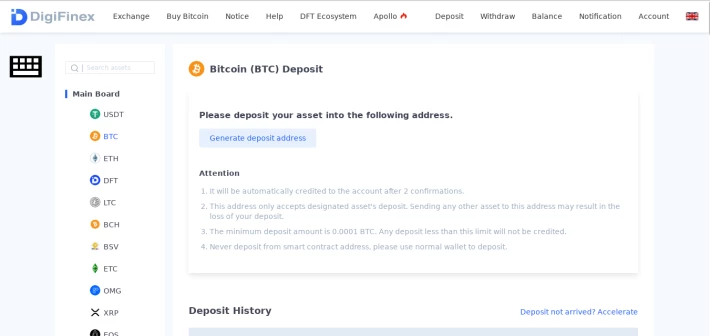
Once inside, select the crypto BTC from the Main Board and click on the button 'Generate Deposit Address'.
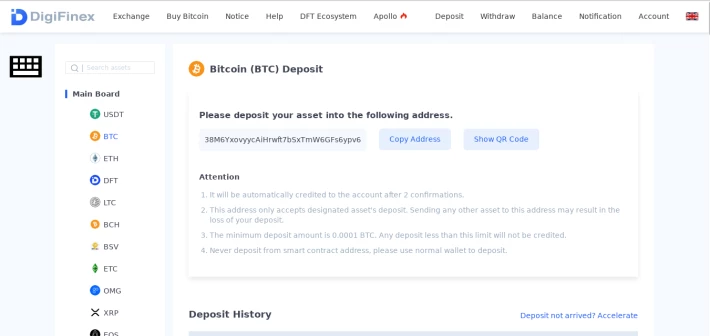
6.- Copy the respective address and paste it into your personal wallet for your repect for your first purchase of FLETA tokens.
7.- Now that you have BTC funds to acquire FLETA tokens, click on the top center menu where it says EXCHANGE
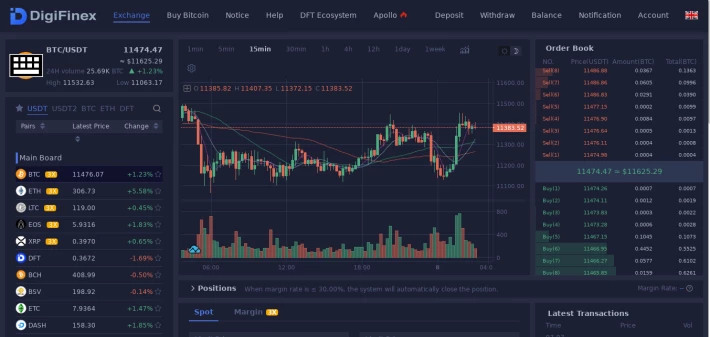
8.- The pair must place it in the currencies listed in BTC -> Innovation Board -> FLETA
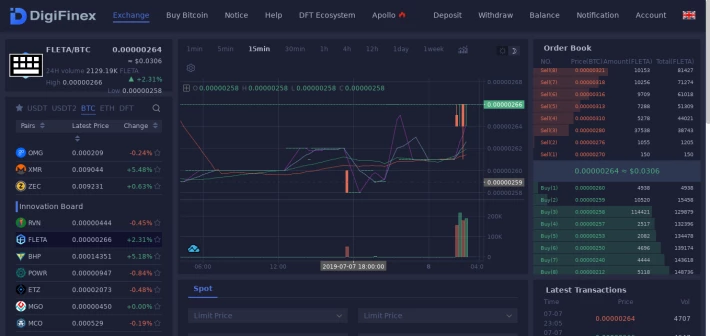
9.-
A new window will be displayed where you will see the typical information of any exchange. For our interest we go to the lower middle section of the screen where it says 'BUY FLETA' in green, setting the amount to buy and the market price or limit set by you.
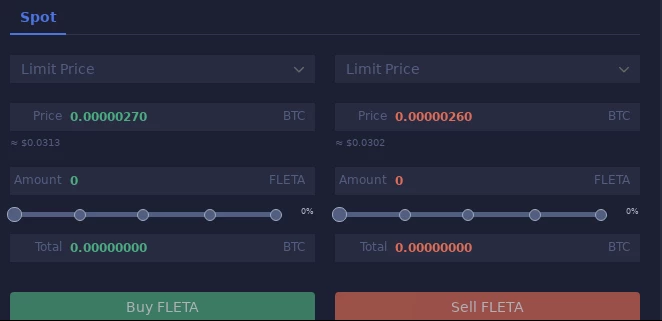
You already have your FLETA tokens in Digifinex and you can participate in the airdrop of 400,000 tokens for those who acquire tokens, stake or simply enter the trading competition, as stipulated by the company in its official statement to celebrate the enlistment of FLETA in DigiFinex.






