
Trading in the Cryptocurrency Financial Market is not an easy task, quite the contrary, a lot of analysis is needed, especially graphical.
But luckily there are several platforms that automate this process, the so-called Bots de Trader.
One that I just got to know a while ago and found very friendly, especially for beginners, is TradeSanta.
I will leave here a small tutorial on how to configure this tool and leave your cryptocurrency buying and selling negotiations on automatic, even when you are sleeping.
1 - First register with TradeSanta through this LINK
2 - After registering you will need to configure your API Key and API Secret, a key that you will get there on the Exchange where the cryptocurrencies you want to trade are. To configure your API KEY and API Secret in TradeSanta look in the menu on the left side for the option Access points
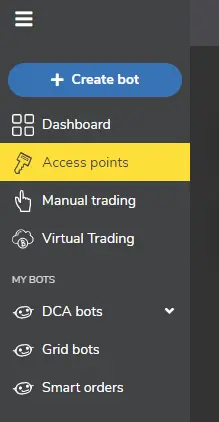
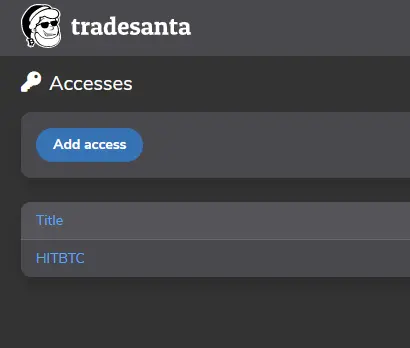
3 - Click the Add access button
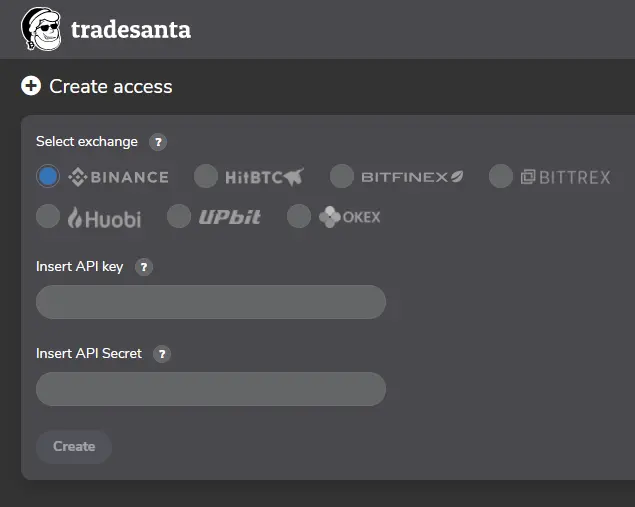
4 - Now you will insert your API Key and API Secret, TradeSanta works with the following Exchanges: Binance, HitBTC, BitFinex, BITTREX, Huobi, UPbit, OKEX.
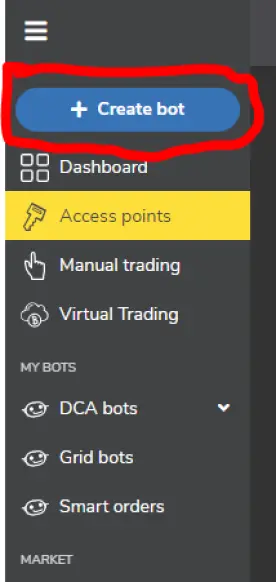
5 - Now you will create the Trading Bot, Click on the Create bot button
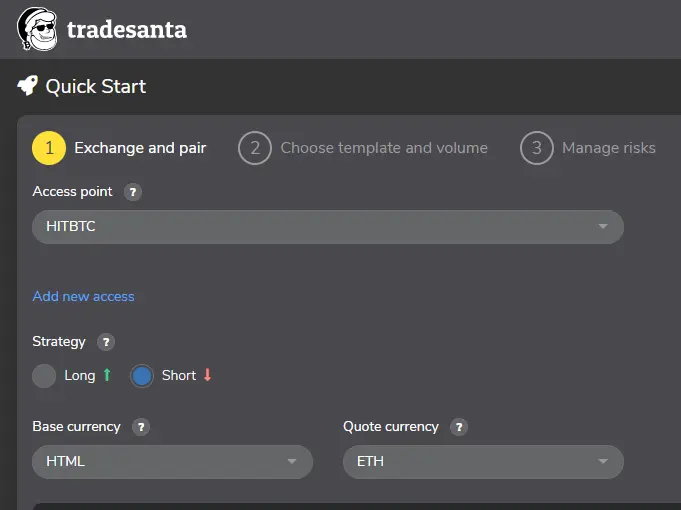
6 - On the next screen you will configure your Trading Bot, there are two strategies already configured by the platform: Long and Short. On this screen you will also go your cryptocurrency pair for trading. Remember that you need a minimum balance required for trading margin on the TradeSanta platform.
Monthly Plans are Free with 2 Bots, Basic with a value of $ 14 with up to 49 trading Bot, Promo HitBTC with 0% trading fee and a value of $ 21 and Maximum with a monthly value of $ 42
I found TradeSanta very easy to set up and one of the advantages is the monthly fees, including the Free mode where you can configure up to 2 trading Bot.
TradeSanta registration: https://tradesanta.com/en/site/set-referral-cookie?referral_id=99038






