
Hello, today I will show you how to buy tokens on the Binance Smart Chain.
Pancakeswap V2
The most coins on the BSC are buyable on pancakeswap V2. This is the newest version of Pancakeswap. But currently not Milk and Butter because they locked their liquidity pool (LP) before the V2 release.
Step by step guide V2
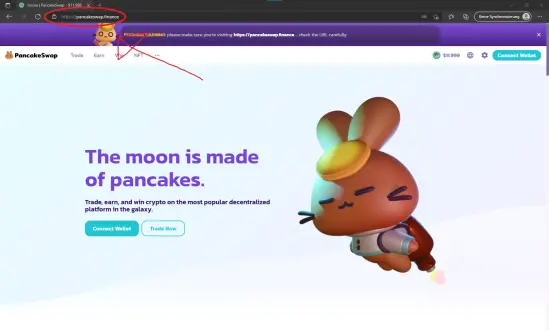
1. Open Pancakeswap.finance (https://pancakeswap.finance/swap)
Check that you are on the right domain. Else you can lost your money.
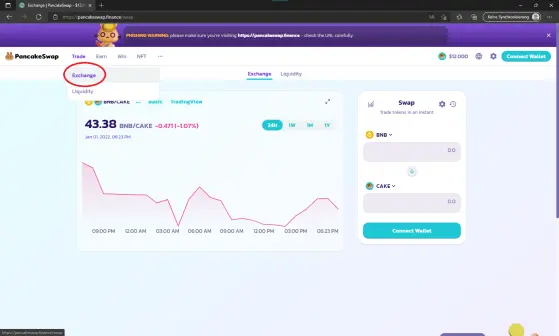
2. Click on the "Trade" button and choose Exchange.
(Maybe you are already on this page)
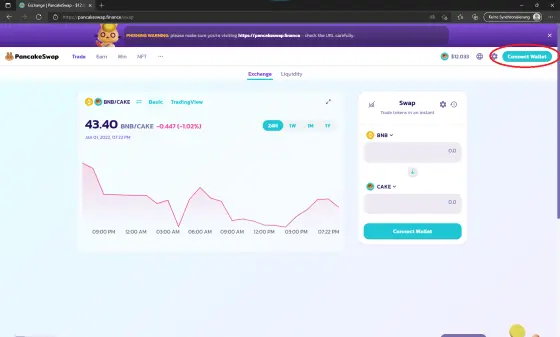
3.1. Connect your wallet with the button "Connect Wallet" at the top
There are few options to connect your Wallet choose. If you use MetaMask (Like this tourtorial) click on MetaMask. Else click on WalletConnect and search your wallet. I recommend you to use MetaMask. It's easy to use.
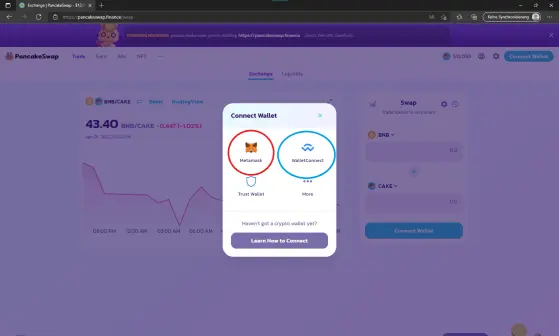
3.2. Approve it on MetaMust. The window should pop up automaticly.
Maybe you need to approve it with your password. If you haven't already added the BSC network you need also to approve this.
4. Choose that coin you wish to trade.
You also can buy it with the contract address.
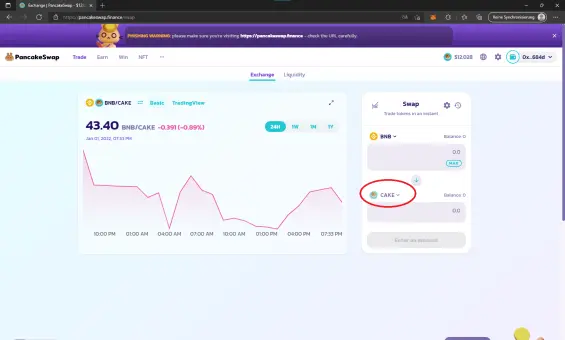
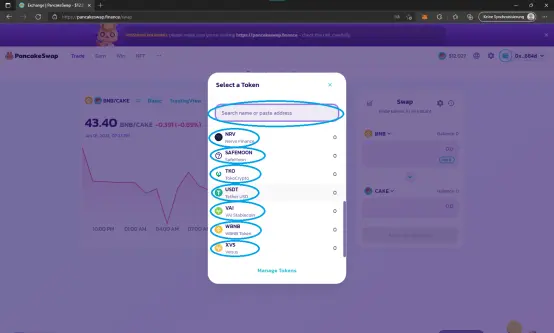
5.1. Confirm the trade by clicking the "Swap" Button
5.2. Confirm the transaction on MetaMask or your Wallet
Pancakeswap V1
Some coins have their LP still on Pancakeswap V1 because they locked the LP on this version. It is simular to buy or sell. For Pancakeswap V1 visit this web page: https://v1exchange.pancakeswap.finance/#/swap. Confirm the the pop up window and trade.
I hope you enjoied my little guide :)
See you next time!
Note: This is no finacial advice. Please do your own research!





