Google Authenticator is a security interface that makes you feel safe in many digital environments.
To use Google Authenticator, you need one Google account and one smart device. This is a free app and is available on both Google Play and the App Store.
--SETUP--
You must download the Google Authenticator app for your mobile phone from the Apple Store or google play. When the download is complete, open the application and select Start Google Authenticator Installation.
To complete the installation, from your computer;
*Log in to your google account.
*Click on the account option.
*Click on the security option.
*2 step verification, click.

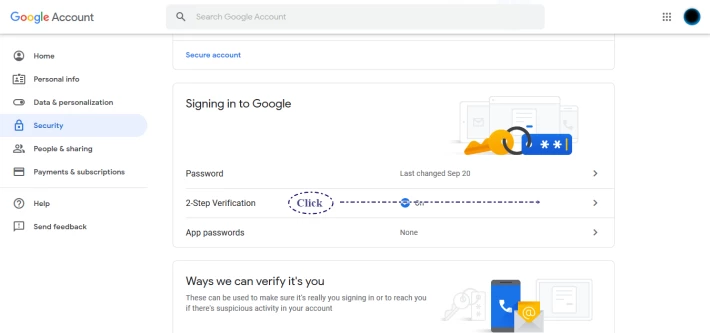
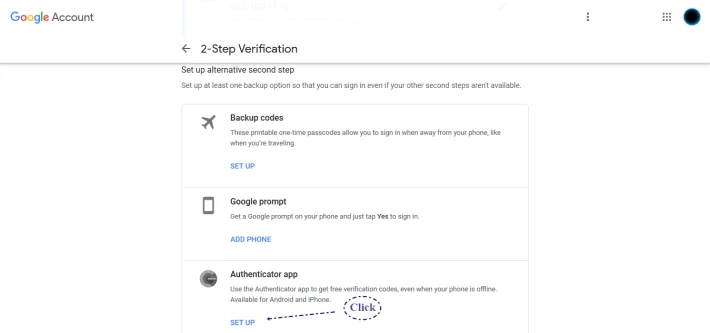
*Authenticator app set up, click.
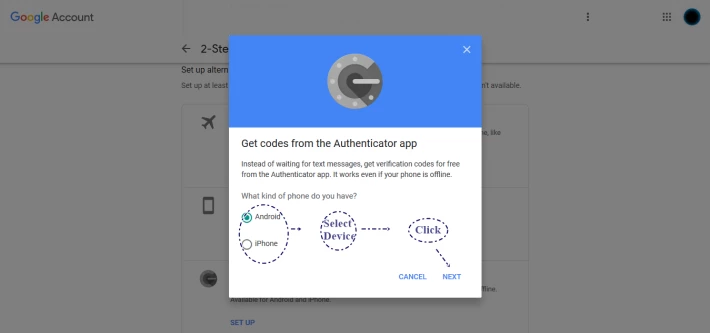
*Select the model of the device from which you have downloaded the Authenticator app.Click next
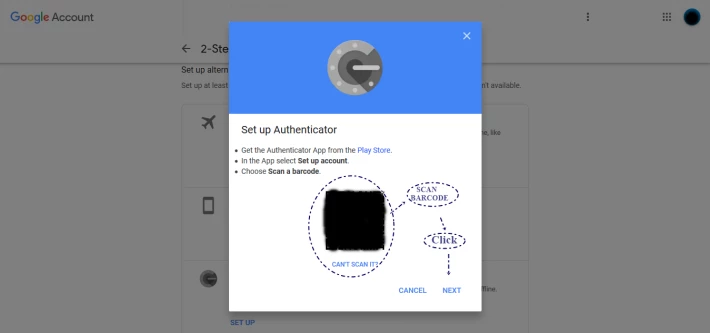
*Open the app from your smart device, and scan the barcode. Click next
*Enter the 6-digit code provided by the application. Click verify.
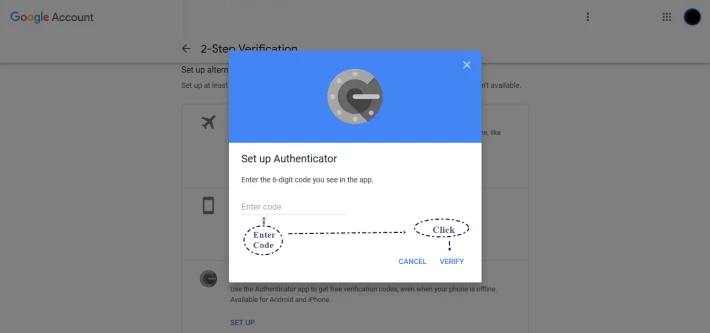
Now, google authenticator is ready to use.
Now integrate google authentic into all digital platforms that support it.
-Cryptocurrency Exchanges
-Cryptocurrency Wallets
-Shopping Platform (Amazon)
-E-Mail Accounts
-Instagram & Other Social Media Platforms
Note: When activating google authenticator in applications;
google authenticator will give you (SECRET CODE) for manual entries, when scanning barcode or after barcode scanning. Absolutely, I recommend that you keep this code. If you have not done an authenticator backup;
You will need these codes to enter applications with your new device in case your smart device is stolen, broken, etc.
https://www.publish0x.com/aortac/google-watching-us-how-data-security-done-xkevvy , is there any alternative?
You can use AUTHY as an alternative to google authenticator.
https://www.authy.com






