Hello everyone! Q DeFi Rating and NOAH`s ARK is gathering all the topical information on DeFi projects as well as the latest news from the crypto industry.
We’re highly motivated about building the best educational DeFi system so we can spread the word about the most promising projects in the league. NOAH`s ARK can show you the most profitable staking opportunities in DeFi by using the ROI analytics tool "Q DeFi Rating"! Join us to track all the news!
In this guide, we explain how to build your DeFi legos without knowing how to code.
Working with the DeFi ecosystem, we have to operate a large number of combinations. It is often necessary to operate several swap platforms and tokens. We would like to introduce another user-friendly project to the QDAO Community. Here's a FURUCOMBO service that will save you time, reduce the steps you need to perform and provide clear visibility to your transactions. There's no need to know how to code anymore.
What is Furucombo?
Furucombo is a ‘drag and drop’ tool for DeFi transactions. Complex DeFi protocols are visualized into cubes.
What are the benefits of Furucombo?
Furucombo is a great tool for people who want to perform actions across different protocols, especially those who want to leverage flashloans.
All you need is to set the inputs/outputs and the cube orders. After that, Furucombo will package all the cubes into one transaction.
How to use Furucombo
First, click on the “+” cube and a menu of DeFi protocols will pop up. Then select a DeFi protocol.
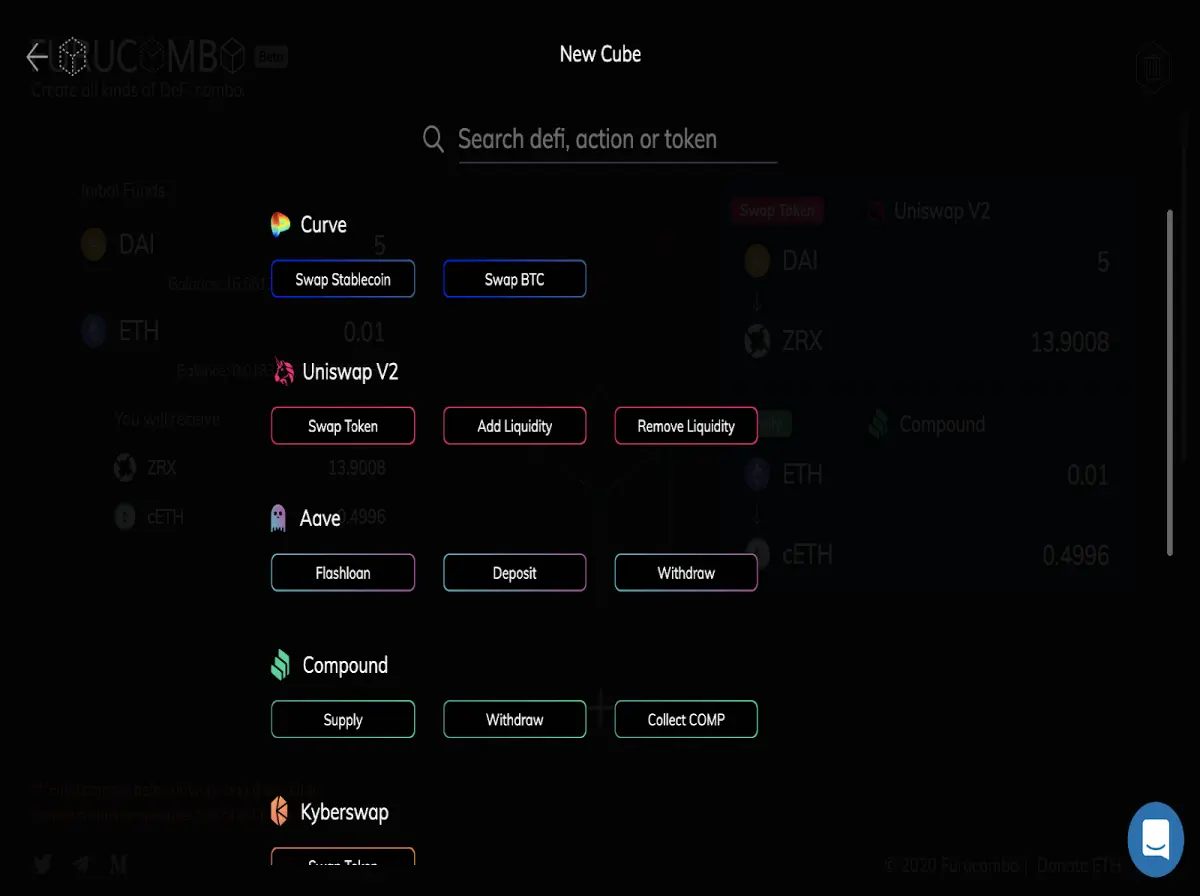
One cube means one action to be executed. In the search bar at the top, you can find anything you need just by typing the DeFi name, action, swap or the name of the token.
Initial funds
The funds you need to provide at the beginning of the combo are called “Initial Funds”.
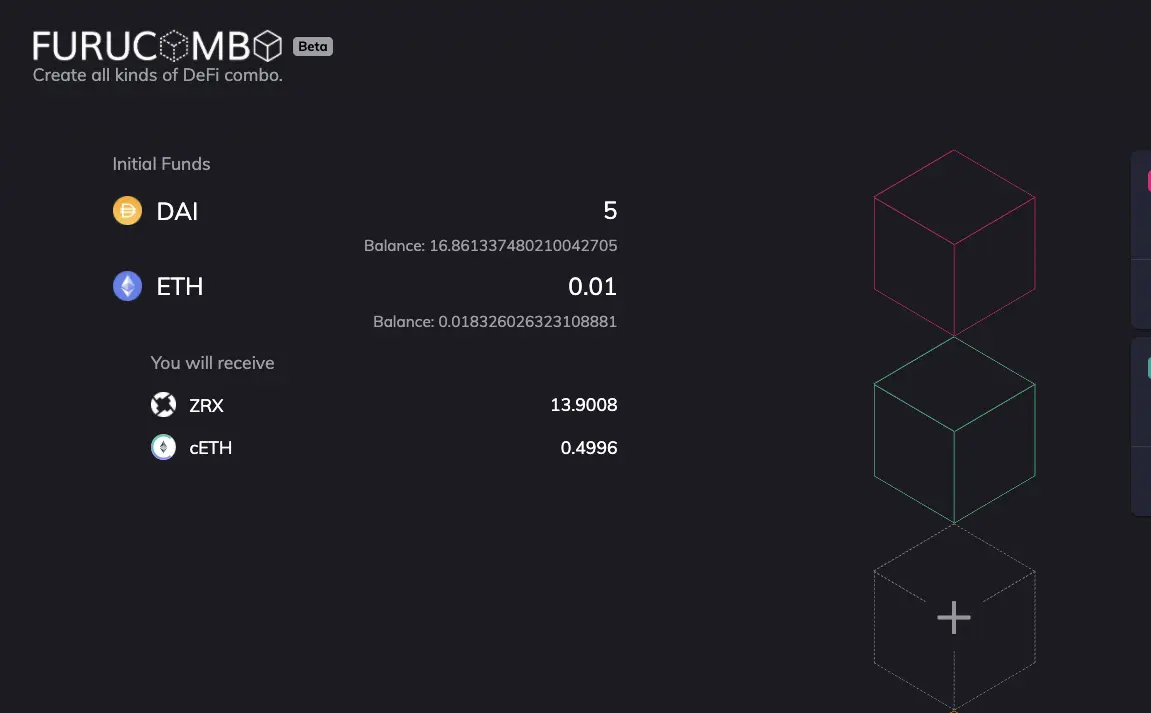
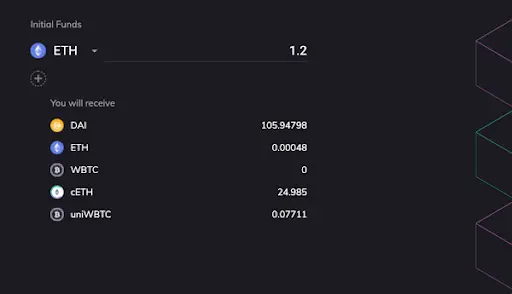
You will receive
The “you will receive” section on the left shows the funds to be returned to your wallet at the end of the transaction. It can be updated every time you change the cube’s order.
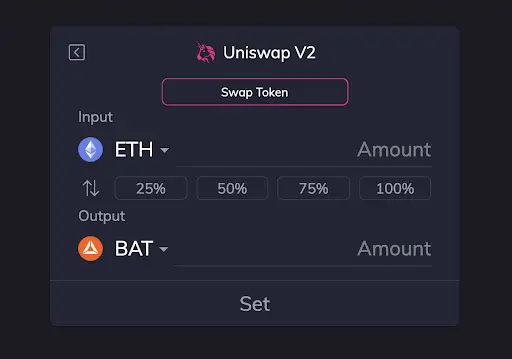
Setting up cubes
Once you’ve selected a protocol, you will see the terms for “Input” & “Output”.
Drag and drop
All cubes are draggable; drag them in any order you wish to set your perfect combo before sending the transaction.

Connect your wallet
Click on the cube with a wallet icon and choose your wallet. The combo can be created without connecting to a wallet but if you want the transaction to be sent, you should connect it.

Sending out the transaction
If your initial funds are ERC20 tokens, click “Approve” and then “Send” your transaction.
Once your combo is sent out successfully, the button changes to “New Combo” and a message with the transaction link pops up. That’s it!
Enjoy creating customized DeFi legos and put all the strategies into one transaction!
Less transactions, more life!
Thank you for reading this review! Subscribe to Q DeFi Rating and NOAH`s ARK news so you don’t miss any of the latest events or developments taking place in the crypto industry. Using the risk scoring algorithms of Q DeFi Rating, developed by talented Platinum Software Development Company engineers, you can identify which on-chain asset to use as collateral for any blockchain!
If you want to become one of our researchers, go to the “Contact” section on our official site. If you want to list your project/coin/protocol on our site, just click on the corresponding button! We review the most and the best!
Need an audit for your promising project? Platinum Software Development Company will do it for you any time!