
1- Download the 2ndLine application, after it is installed we will create an account to generate a virtual / fake number to use it to create a Facebook account!
Enter an email and password as shown in the image below.


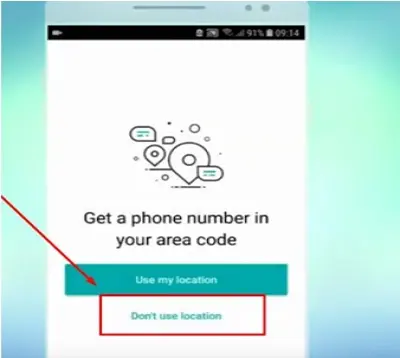
2- Now the app will ask for your location to define which area code to use, you must click on the second button for you to define your location manually!
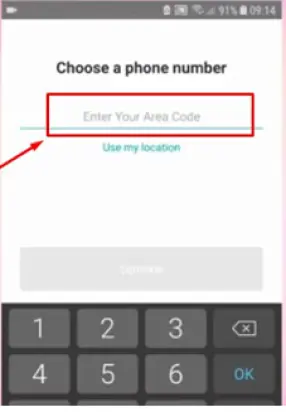
3- To see what phone numbers are available you must enter a code for that area, if you do not know any international area codes, you can see an AREA CODE LIST in this publication!
4- Finally, if everything was done correctly you are seeing a welcome screen like this, click on the number to copy it and then insert it on Facebook.
OBSERVATION:
You must insert the code +1 before the number copied, getting +1 321 522 3469

If you are unable to create your account using the aforementioned app you can also try using only the Yundex website which allows you to create an email without confirming your identity using your cell phone number;
When you access the site you will create a new email and then you can use it to activate your new Facebook, the differential of this email is that it does not require you to have a phone number, you have the option to create the account without the phone!






