MetaMask Overview
MetaMask is an extension available for Chrome, Firefox, and Brave, which allows you to store, send and receive ETH and ERC20 tokens through your web browser. As Callisto Network is based on Ethereum, it is possible to use MetaMask to send and receive native Callisto coins and tokens.
This step-by-step tutorial will show you how to set up Metamask for Callisto Network.
Requirements
To start, it is necessary to download and install MetaMask into your browser and create or import an Ethereum wallet.
Download Metamask
Chrome
Firefox
Brave
Important:
Write your recovery phrase on paper and store it in a safe place.
Never share your recovery phrase.
After installing metamask and creating a new wallet, let's continue with setting up the callisto network.
1. Click on the “Networks” menu at the top right.

2. Select “Custom RPC.”
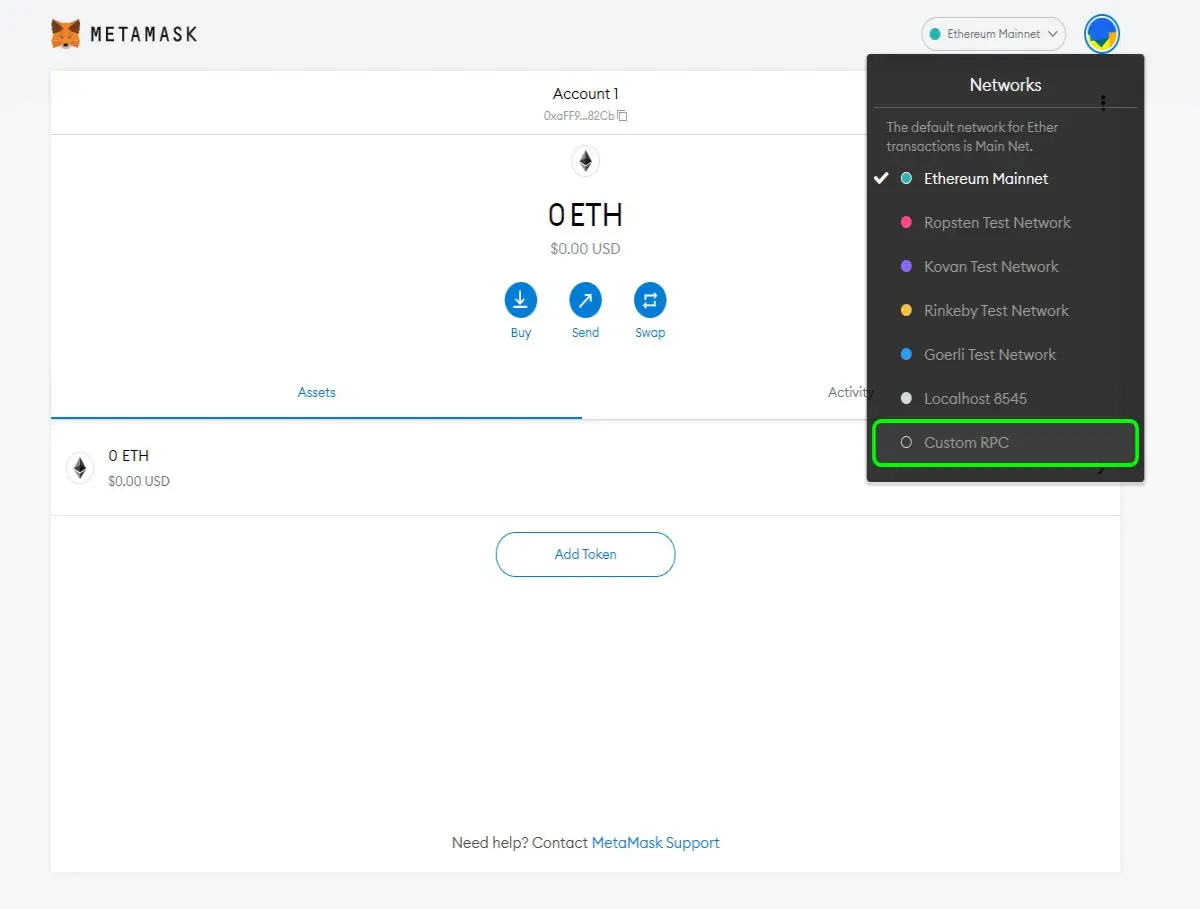
3. Enter the following parameters, then press “Save.”
Network Name: Callisto Network
New RPC URL: https://clo-geth.0xinfra.com/
Chain ID: 820
Currency Symbol: CLO
Block Explorer URL: https://explorer.callisto.network

4. Your MetaMask wallet is now connected to Callisto Network!