
In this guide, we will explain how to use the WanSwap user interface.
Getting started
Before you get started you need to have the WanMask browser plugin installed and your wallet setup.
Navigate to https://wanswap.finance/ to start and click on ‘Connect Wallet’.
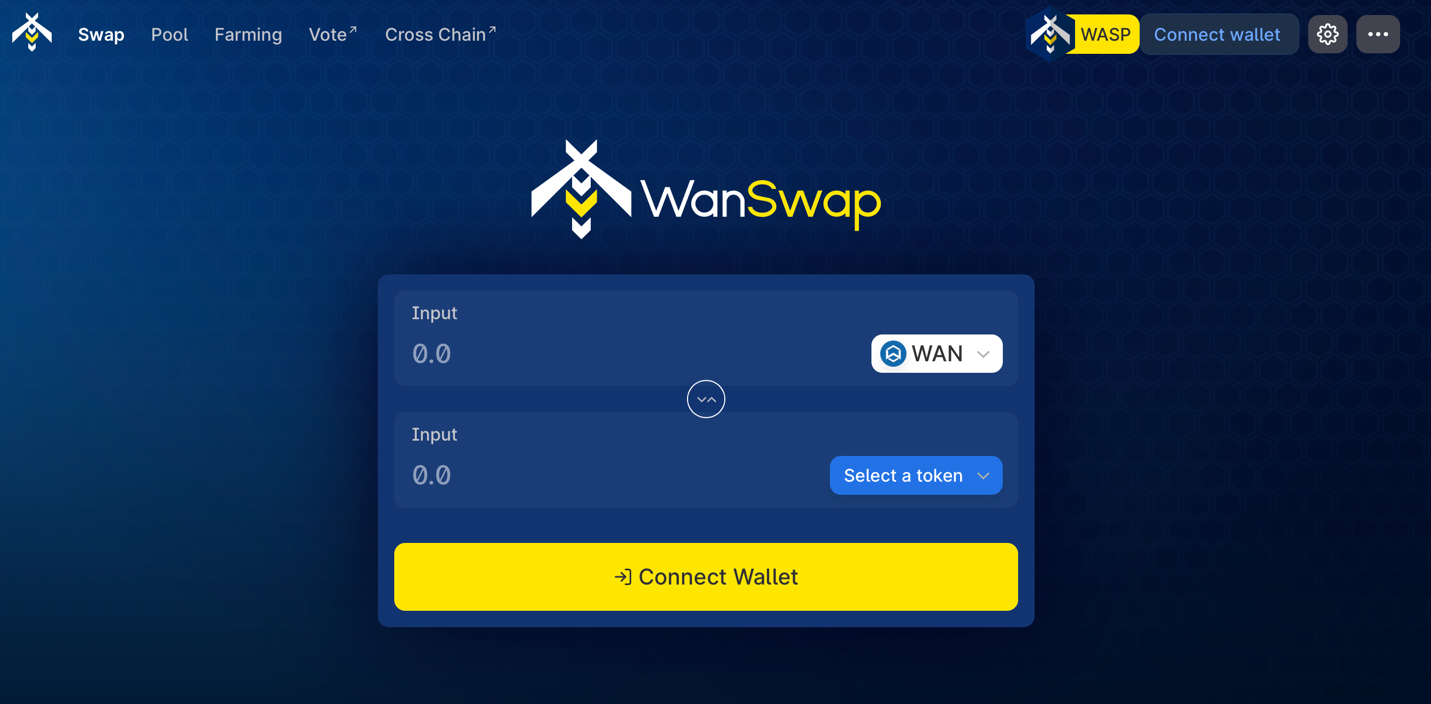
User interface
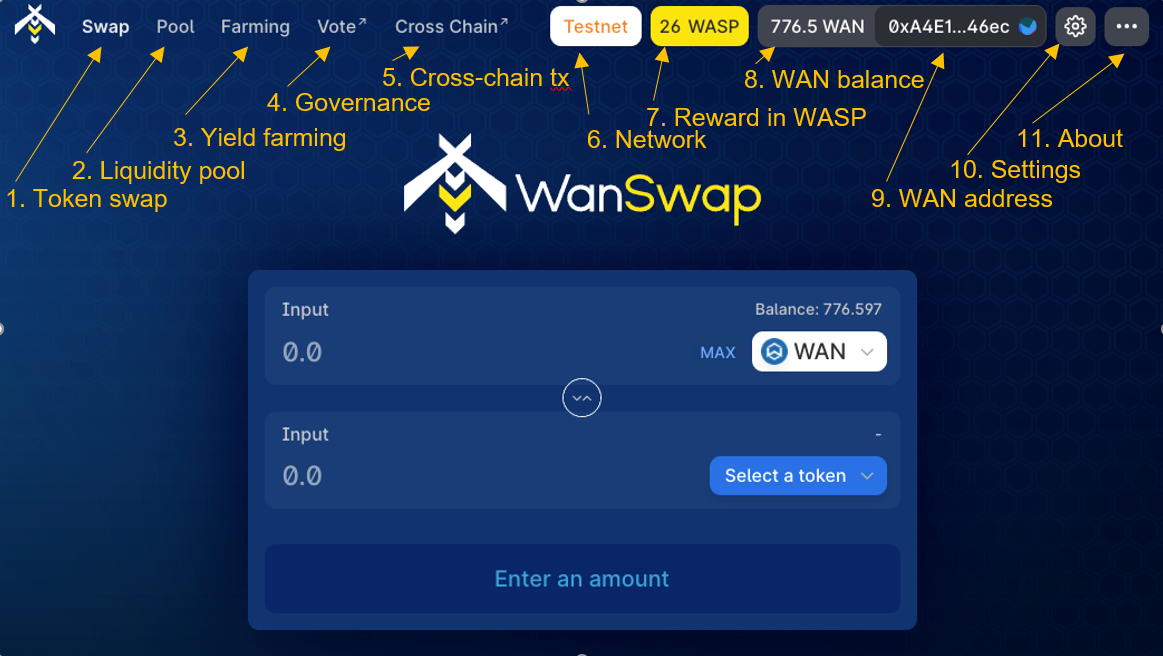
The webpage launches with the Swap interface. From here you can navigate to the other features in the top bar. The features will be explained in the next part of the article.
Swapping tokens
Token swap lets you exchange one token with another. Here you do not need to place orders and have an order taker to trade with you. Rather, you trade with the liquidity pool. Therefore, you can get your tokens almost instantly thanks to Wanchain’s fast speed and low fees.
In the next figure, you can see how it works.
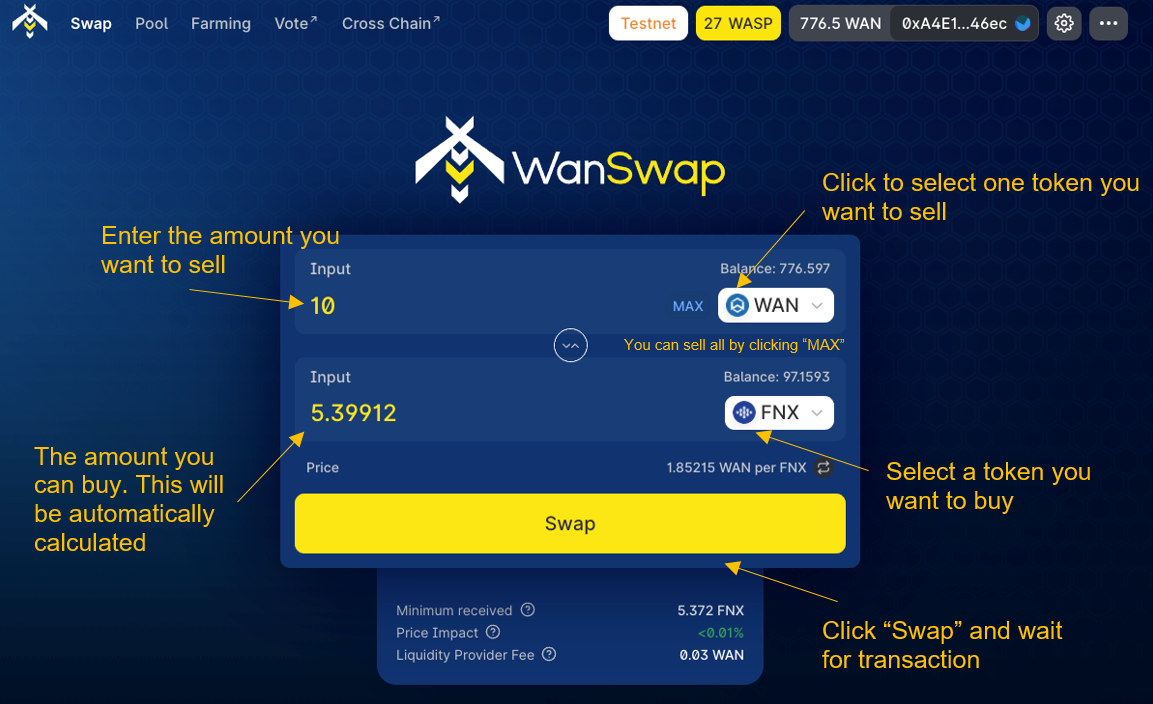
When you are ready to swap, just click on ‘Swap’ and follow the instructions.
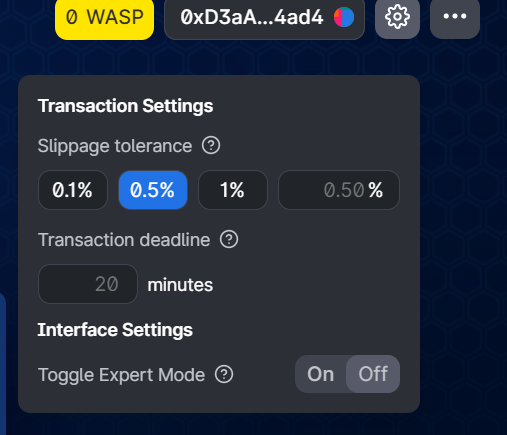
If you want to adjust slippage or a transaction deadline, you can click on Settings in the top-right corner. Please be careful and read what the settings mean by clicking on the question marks!
Liquidity Pool Staking
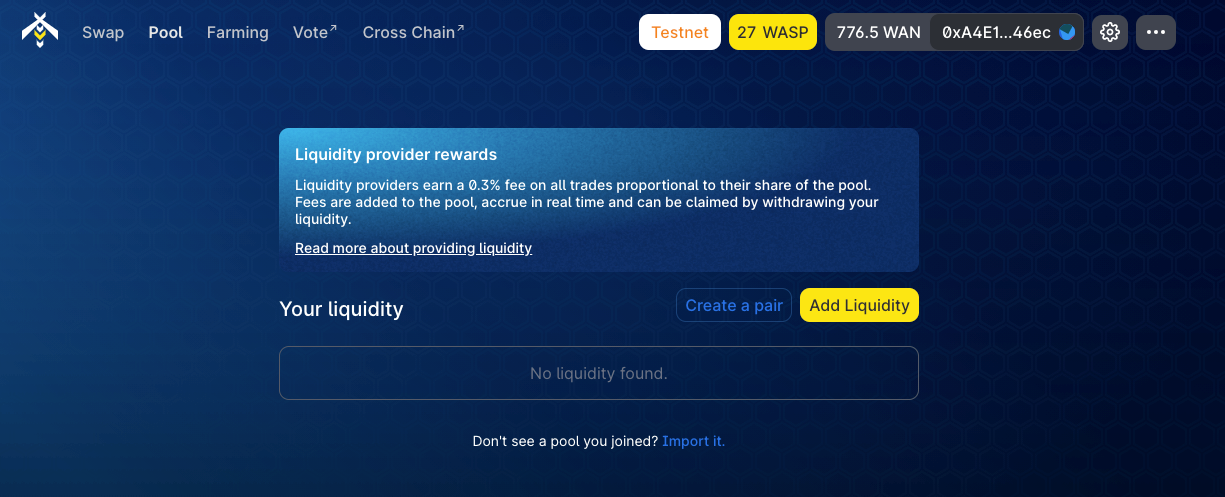
In the next section in the top bar, ‘Pool’, you can add liquidity to WanSwap. In the previous section, we mentioned that traders in fact trade with the liquidity pool. The funds in the liquidity pool can be provided by any user (liquidity providers). By staking funds into the liquidity pool, the liquidity providers own a share of the pool and hence can collect the trading fees generated by the pool. Any user can provide liquidity to WanSwap to earn transaction fees. You can either create a trading pair or add liquidity to an existing pair.
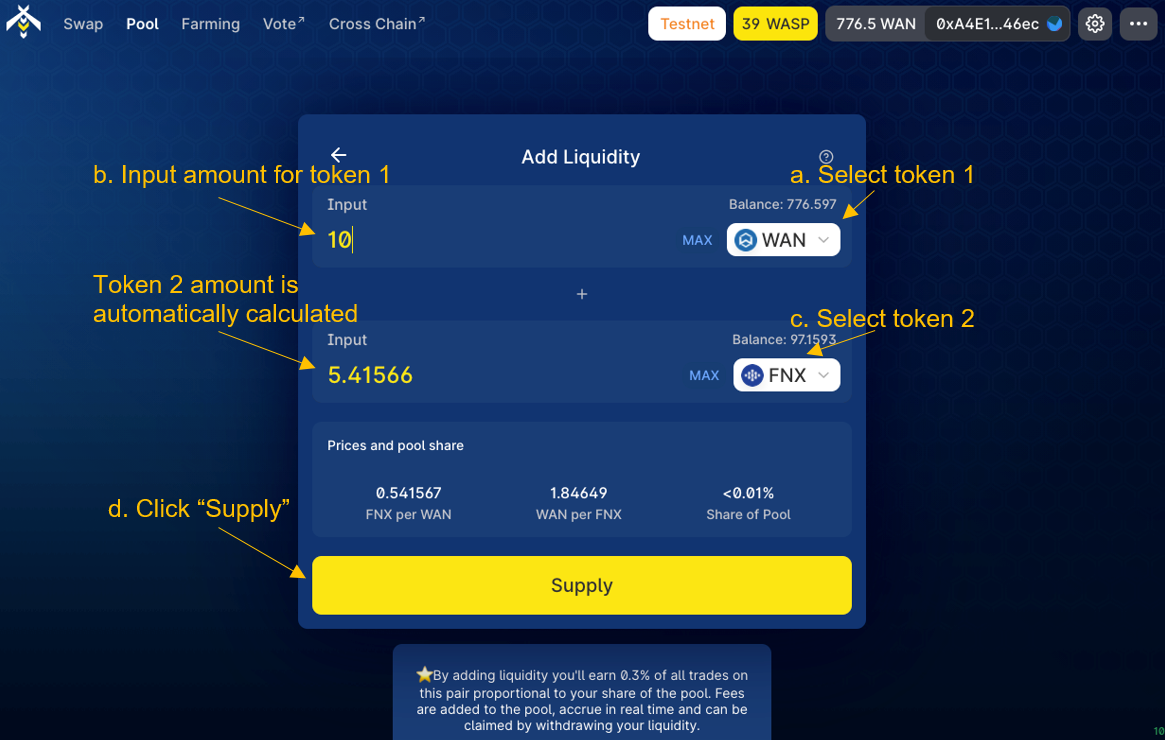
The following figure shows the ‘Add Liquidity’ interface. Users can add liquidity with just a few clicks. Afterwards liquidity providers can get WSLP liquidity tokens. These tokens represent shares in the pool, and will be used to withdraw funds or in the yield farm.
Yield Farming
In the next section in the top bar, ‘Farm’, you can stake the liquidity tokens from the previous section into WanSwap’s yield farming platform.
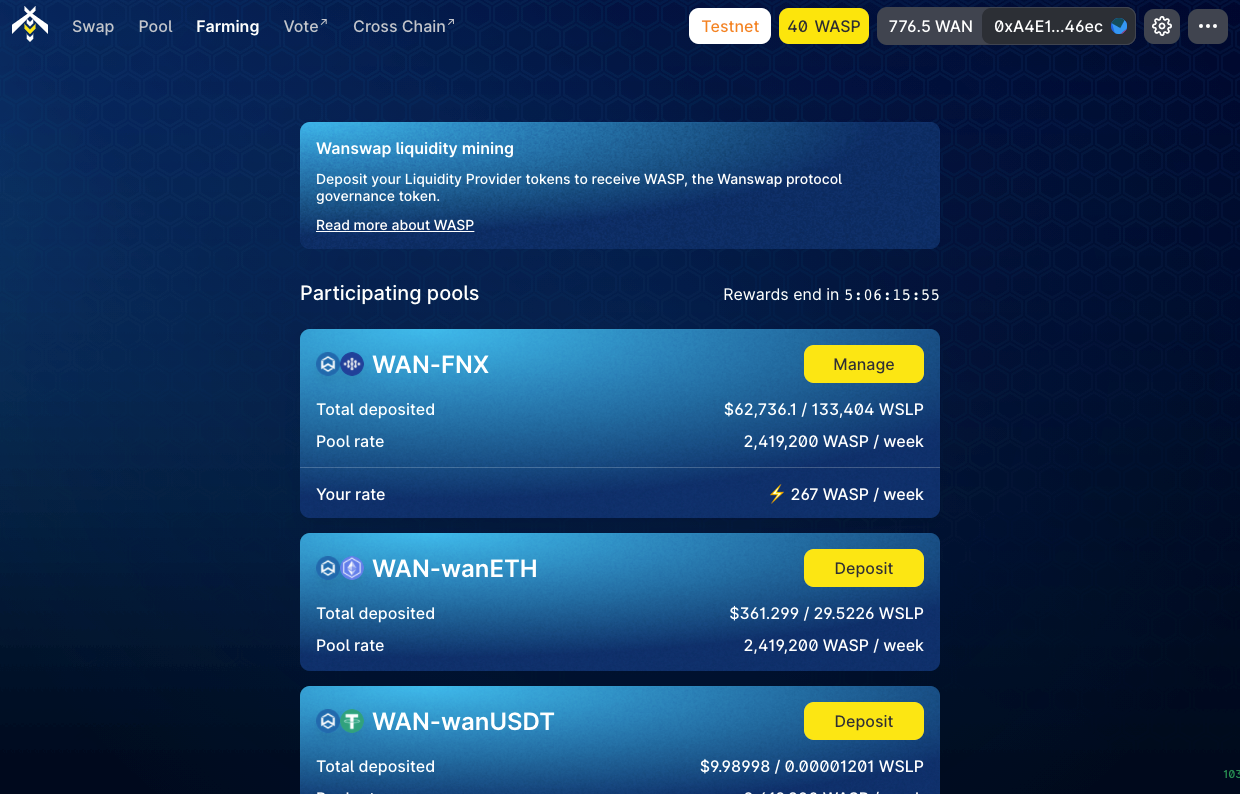
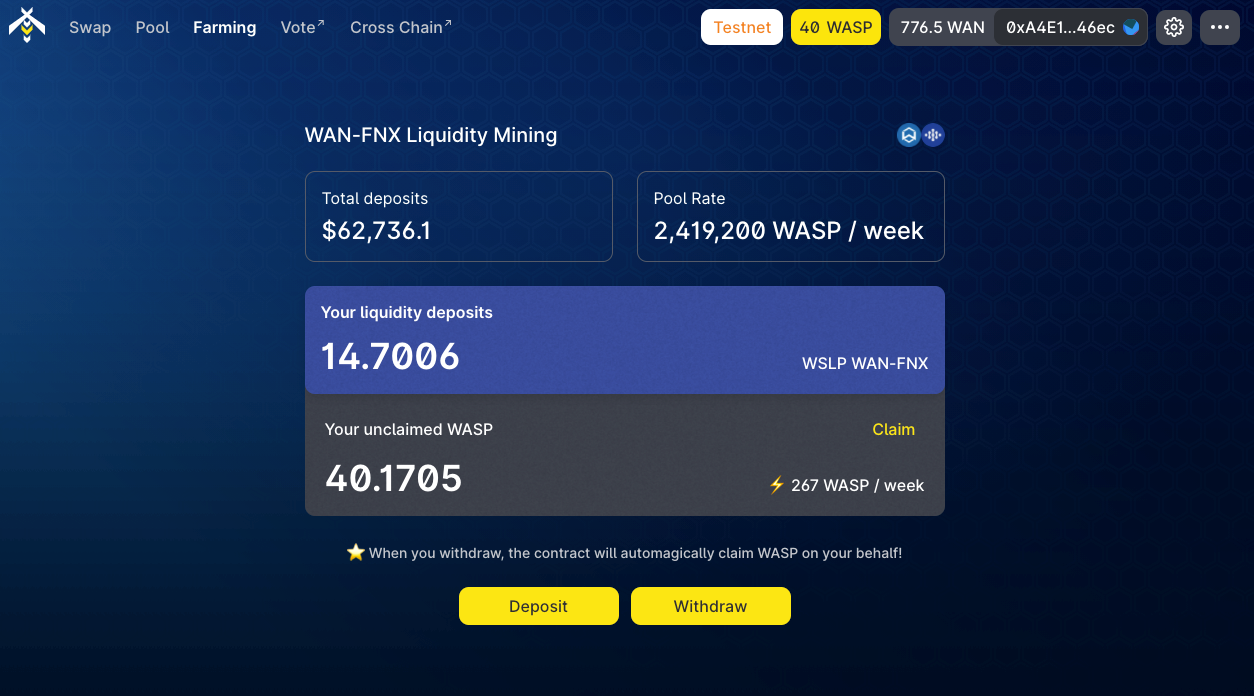
Select the pool which you have provided liquidity, and click on “Deposit” or “Manage”. This will bring you to the management page which is seen in the next figure. Here you can ‘Deposit’ or ‘Withdraw’ WLSP liquidity tokens. By depositing liquidity to the Farm, you can get WASP tokens in return. The reward of WASP tokens will be calculated based on your liquidity token amount and staking time, i.e., staking a larger amount of WLSP for a longer time will get you more WASP tokens. The WASP token is at the center of the WanSwap platform and economics. It will be used as a governance token and for other purposes.
About WanSwap
Wanswap is a decentralized exchange with automated market-making (AMM) modeled after Uniswap & Sushiswap. WanSwap is built on the Wanchain blockchain and takes advantage of its cross-chain features to enable multi-chain asset trading with trustless native chain withdrawal.
Written by:
Dimitri
Wanchain Core Ambassador






