
Town Star is a web browser game, meaning that it's a code (js code) running on your browser, just like a website.
If you want to locally change the title of a website you're watching you can go to the browser developer tools (f12 on Chrome for instance) and you can double click the title in the HTML view and edit it to whatever you choose.
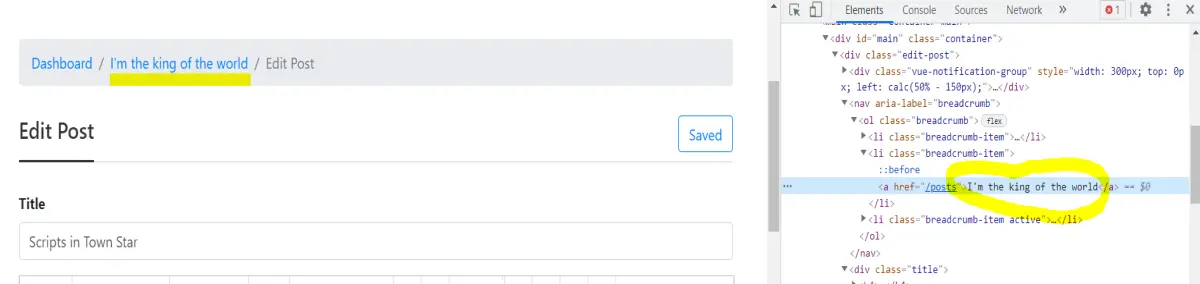
A more experienced developer can even add external js code in the console area and see it running on the site.(Only locally, on his own pc).
As a matter of fact, there are plug-ins like TamperMonkey that allow you to add some code that should manipulate a specific site locally every time you enter the site.
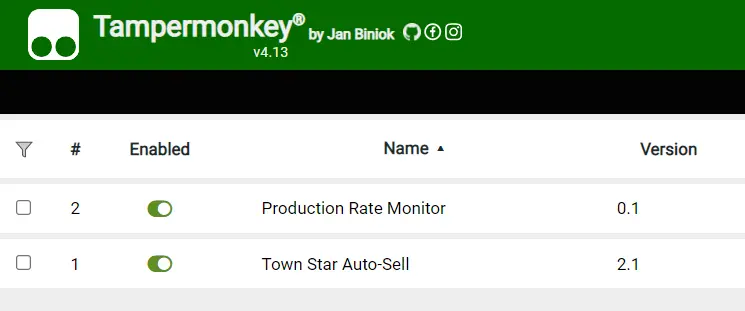
Developers are using this option to add custom code on the game layout, to do things like auto sell products when a certain number of them was available, monitor the production speed of products, and more.
The game rules allow the use of those scripts and they are absolutely necessary if your intention is to be in the first 100 and win some crypto at the end of every week.
That's because unless you can stay awake for 5 days to sell products everyone using the auto selling script will have a massive advantage over you.
To get access to those scripts and install them on your browser you may check Town Star Scripts on google or contact me and I'll send you the ones I use.
Because those scripts are not my property I won't add them here but would love to share them privately.
Good luck :)






