So, for the last year or two, when my Maths/Physics teaching has had to go online for a bit, I have been struggling a little bit with a hacked set up where I would have one zoom session on a computer screen and a second one running on my phone. The phone one was mostly required so that I could write on paper and have a camera trained on it so that my students could easily follow the working and explainations.
Obviously, this wasn't the most ideal set up... as it would require the extra bandwidth for video (which wasn't always a given if I was travelling...) and would need one of my hands to be occupied in holding the mobile phone. I'm a pretty decent Keyboard/Mouse FPS player... but writing with a mouse is a new level of pain and hell! So, I stuck to the tried and true pen and paper method... well, lets just say that for all my affinity with nerdy stuff, technology and computers... I still REALLY LOVE using pen and paper for quite a few things!
Anyway, now that I have moved back to Australia and I'm doing the teaching from the other side of the world at my parents in law's house... well, the bandwidth issue is really starting to be a big problem. They don't have great internet speeds in Australia to start off with... and the parents in law don't really prioritise internet speed and bandwidth in their lives. So, no problem... but it means that the video option is out.
Now, I could just purchase a laptop or something with a touchscreen... I'm not that big on using tablets for this sort of thing, as I prefer to use them as entertainment devices and not something that I want type or work on... so, it would be a convertible laptop/tablet... or a laptop with a touch screen. Honestly, I'm not really sold on the idea of touchscreens on the laptops... I know that they can be useful (this being a case in point...), but for the extra cost... nope, I would rather spend that money on under-the-hood horsepower!
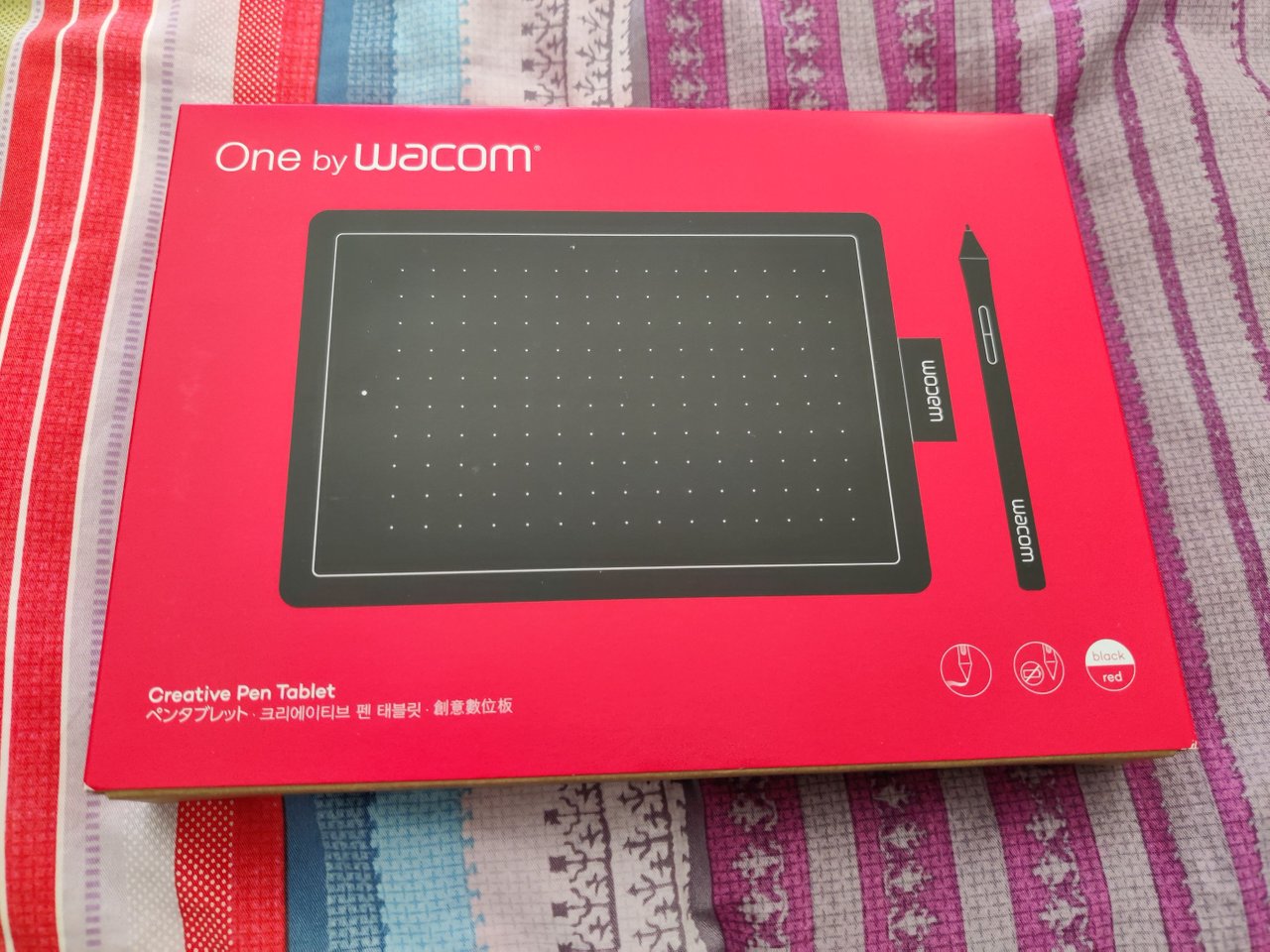
After looking around a bit for solutions to my very much first-world problem... I settled on getting an entry level writing pad from Wacom. I've heard good things about Wacom in terms of their pen technology, and so I thought that I was playing it safe with the choice and not skimping out on a no-name brand instead. Plus, the difference in prices wasn't that much anyway... better to have something that works well and pay a little bit more instead of something that is okay but not quite... and have an "illusory" savings of a small handful of dollars! I tend to prioritise things in life that way anyway... I tend not to have much in the way of spending... but if I am going to spend, I'm going to spend that little bit extra to make sure that it is something worthwhile and decent!

So, the unboxing... always a great moment for any tech nerd! A nice snugly fit box for the writing tablet... which lifted out to reveal...

... the famed pen and accessories! Now, the pen has quite huge range of touch depths... which is something that would be more useful to artists and illustrators... for me, I just need it to write. Meanwhile, there is a nice set of backup nibs for the pen... I guess that they are designed to be softer than the tablet part so that don't scratch the surface and flow better... at the cost of wearing faster!
I'm slightly disappointed that the cable connection was the old micro USB instead of the USB-C spec. I think that if I get a second one of these, I might splash out a bit more for a bluetooth version so that I can be untethered from the computer/laptop. I mean, it is no big deal... but that means that I can make myself truly comfortable when teaching! Plus, my kids have started to highjack the writing tablet to do drawings with it...

Setup was quick and painless... Windows automatically detected the tablet and installed the necessary drivers... the additional software and updated drivers were easily downloadable from the Wacom website. I will have a later explore of the tablet software in order to tweak the pen to my liking... it is strange to be using it, I had assumed that it would just function as a pen only for writing... but it doubles as a mouse/pointing tool as well... I'm not really sure why I would have expected otherwise! But there you go, when you are outside your area of experience and expertise, you make stupid assumptions!
So, if you are finding that you are teaching online... I highly recommend getting yourself a writing tablet! It has really changed my online teaching life for the better!

I can also be found cross-posting at:
Hive
Steem
Publish0x
Handy Crypto Tools
Ledger Nano S/X: Keep your crypto safe and offline with the leading hardware wallet provider. Not your keys, not your crypto!
Binance: My first choice of centralised exchange, featuring a wide variety of crypto and savings products.
Kucoin: My second choice in exchanges, many tokens listed here that you can't get on Binance!
FTX: Regulated US-based exchange with some pretty interesting and useful discounts on trading and withdrawal fees for FTT holders. Decent fiat on-ramp as well!
MXC: Listings of lots of interesting tokens that are usually only available on DEXs. Avoid high gas prices!
Huobi: One of the largest exchanges in the world, some very interesting listings and early access sales through Primelist.
Gate.io: If you are after some of the weirdest and strangest tokens, this is one of the easiest off-chain places to get them!
Coinbase: If you need a regulated and safe environment to trade, this is the first exchange for most newcomers!
Crypto.com: Mixed feelings, but they have the BEST looking VISA debit card in existence! Seriously, it is beautiful!
CoinList: Access to early investor and crowdsale of vetted and reserached projects.
Cointracking: Automated or manual tracking of crypto for accounting and taxation reports.
Stoic: A USD maximisation bot trading on Binance using long-term long strategies, powered by the AI/human system of Cindicator.
StakeDAO: Decentralised pooled staking of PoS assets.
Poloniex: One of the older regulated exchanges that has come into new ownership. I used to use it quite a lot, but have since stopped.
Bitfinex: Ahhh... another oldie, but a goodie exchange. Most noted for the close affiliation with USDT and the Basic "no-KYC" tier!






