Metamask is one of the most famous, secure and used cryptocurrency wallets in the world. By default, this wallet supports Ethereum network tokens (ERC-20). However, some “competitive” networks have been gaining more and more space in the market. Two of the main “competing” networks are Binance Smart Chain (BSC) and Polygon (MATIC).
As a result of the rise of these networks and the unusually lower rates, more and more people are using tokens from these networks. However, most of these people cannot find secure places to store their cryptocurrencies. In today's post, we'll show you how to add these two networks to your Metamask and thus have your tokens securely stored in your custody. Check it out below.
First, you need to download the Metamask wallet. There are web versions and mobile version. We will use the web version in the example, which you can use through an extension in your browser. After downloading, you can proceed to adding networks.
1 – Adding BSC network to Metamask
The first network we will be adding is the BSC network.
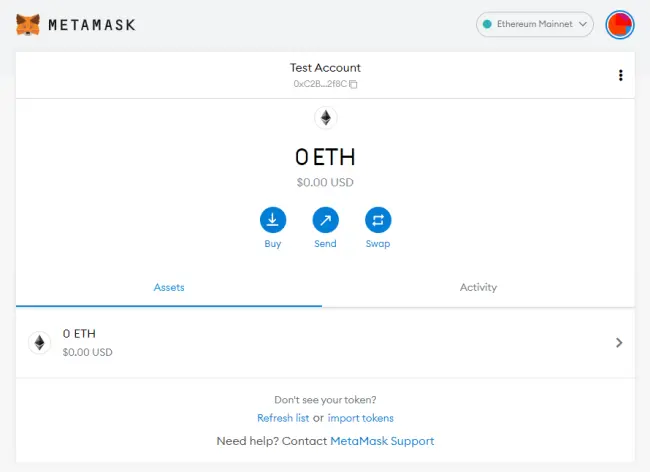
a) Go to the wallet home screen:
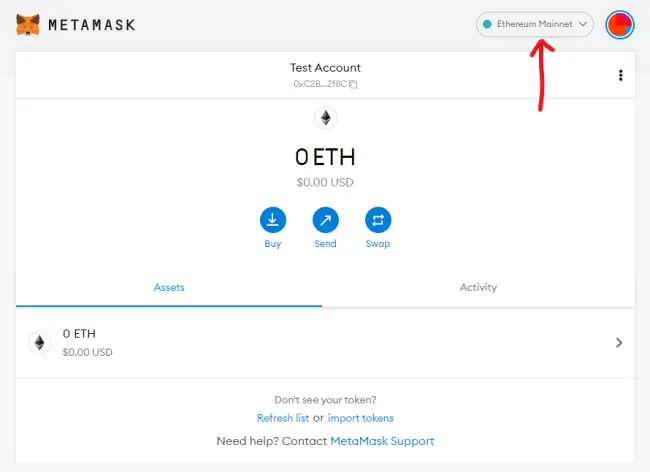
b) After that, click where it says “Ethereum Mainnet”:
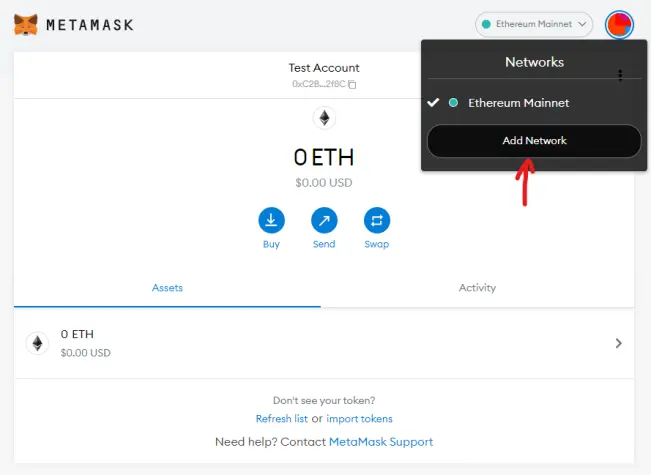
c) After clicking, a menu will appear where you must click on “Add network”. Check out the image below.
d) After this step, the following screen will appear:
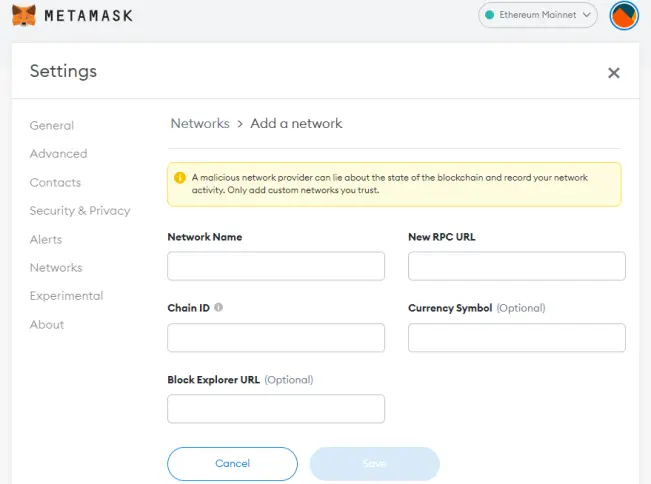
e) On this screen you must add the following information:
Network Name: Smart Chain
New RPC URL: https://bsc-dataseed.binance.org/
Chain ID: 56
Currency Symbol: BNB
Block Explorer URL: https://bscscan.com
f) After that, click on “Save” and you're done. Now just use the network at will.
2 – Adding Polygon Network (MATIC) to Metamask
To add Polygon network to your Metamask, you must follow the same steps above. The only thing that should change is the network information, which should be as follows:
Network name: Polygon
New RPC URL: https://polygon-rpc.com
Chain ID: 137
Currency Symbol: MATIC
Block Explorer URL: https://polygonscan.com
Finally, we hope we have helped you to get to know your wallet better and keep your cryptocurrencies in the best possible way. Until the next post.






