
How is it going, Symbiotes?
Not long ago, we launched our Liquidity Pools. Not everyone understands how to do provide liquidity on Symbiosis Finance. That's why we made this guide.
Let's start!
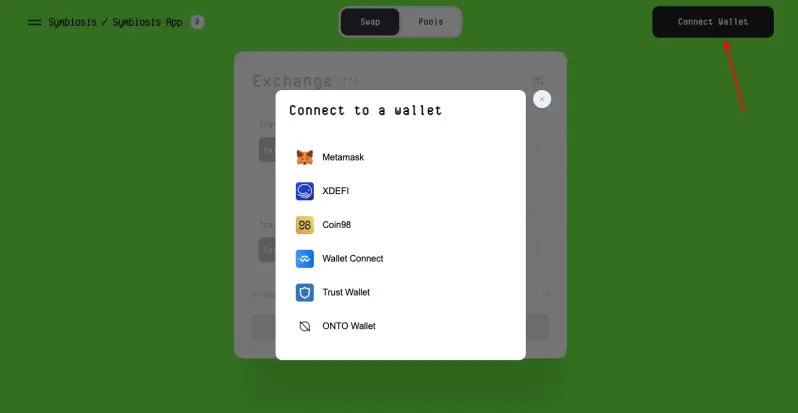
1. Go to app.symbiosis.finance and connect your wallet.
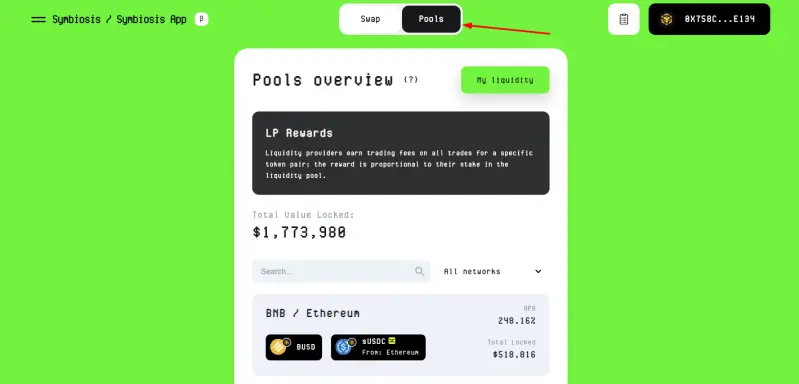
2. Click on "Pools" and choose the LP that you want.
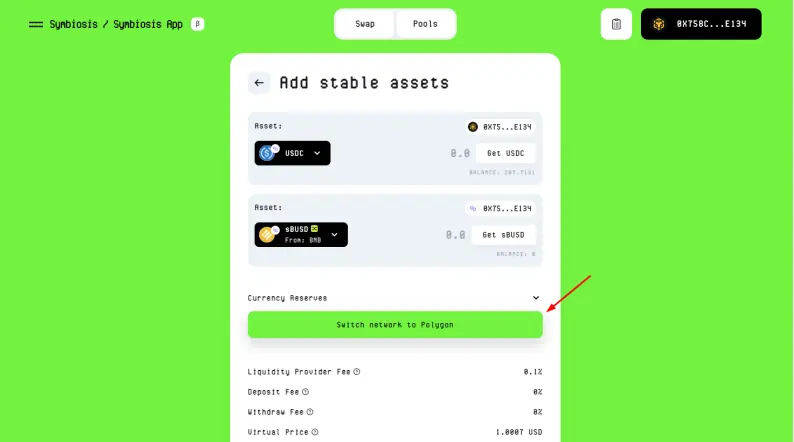
If it's necessary, change the network.
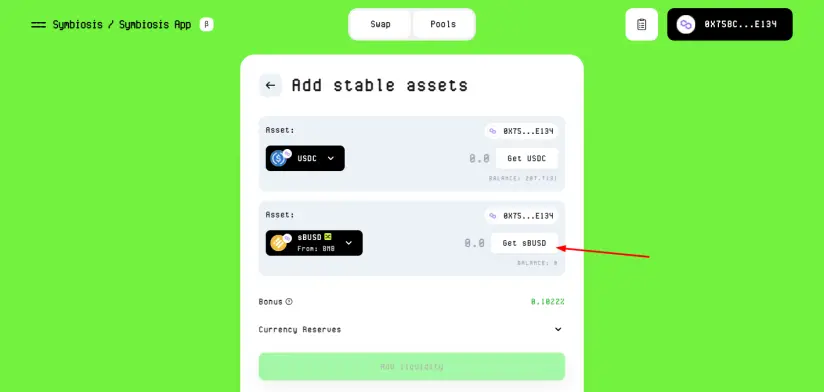
3. You probably won't have the second token at a time. So, to get it, click here.
4. Choose the number of tokens and click "Bridge".
After that, confirm the transaction in your wallet.
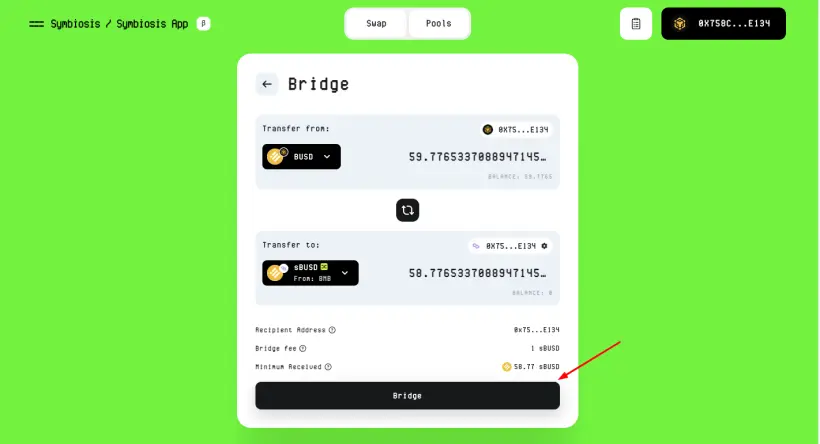
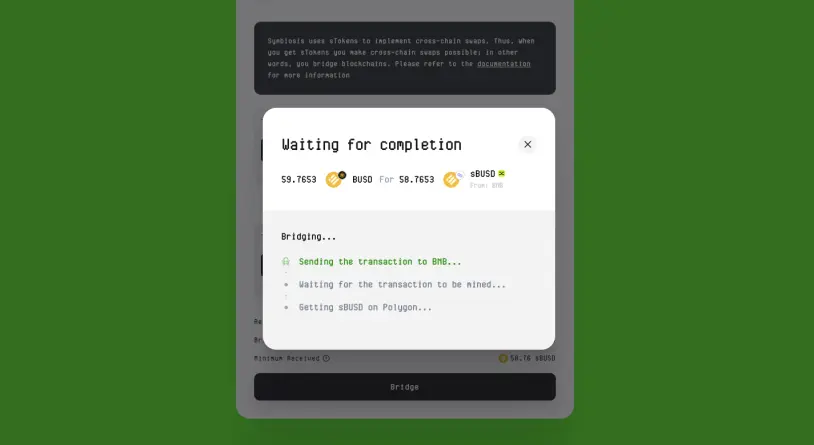
5. Go back to your pool and choose amount of tokens that you want to add.
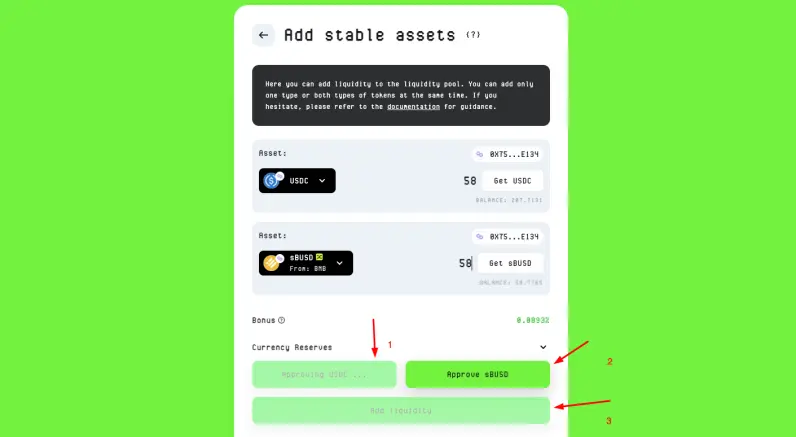
6. That's all! You can view your Liquidity pools here.
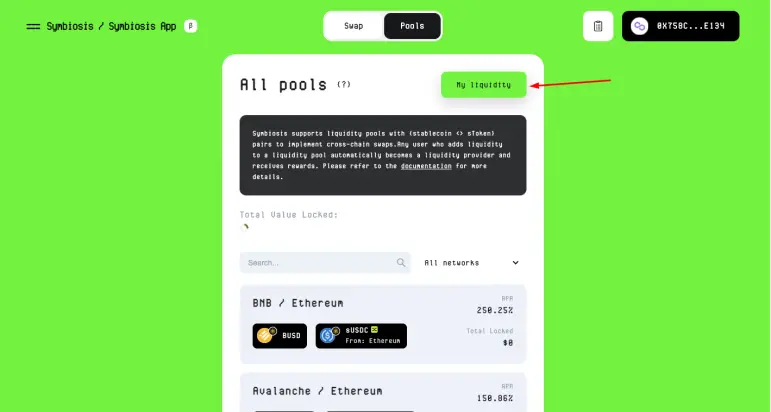
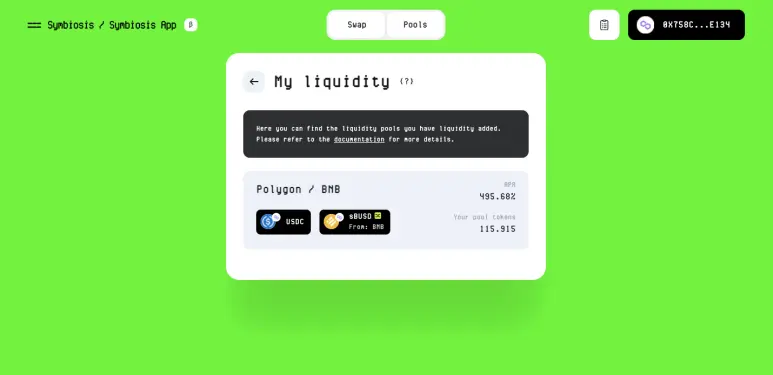
You can remove your Liquidity pool at any time.
Also, you can view the video guide here.
Join our community!
- Twitter: symbiosis_fi
- Website: symbiosis.finance
- Telegram: t.me/symbiosis_finance
- Medium: medium.com/symbiosis-fi
- Discord: discord.gg/symbiosis
- Instagram: instagram.com/symbiosis.fi





