
Let's explore Superalgos WORKSPACE when you run it for the first time
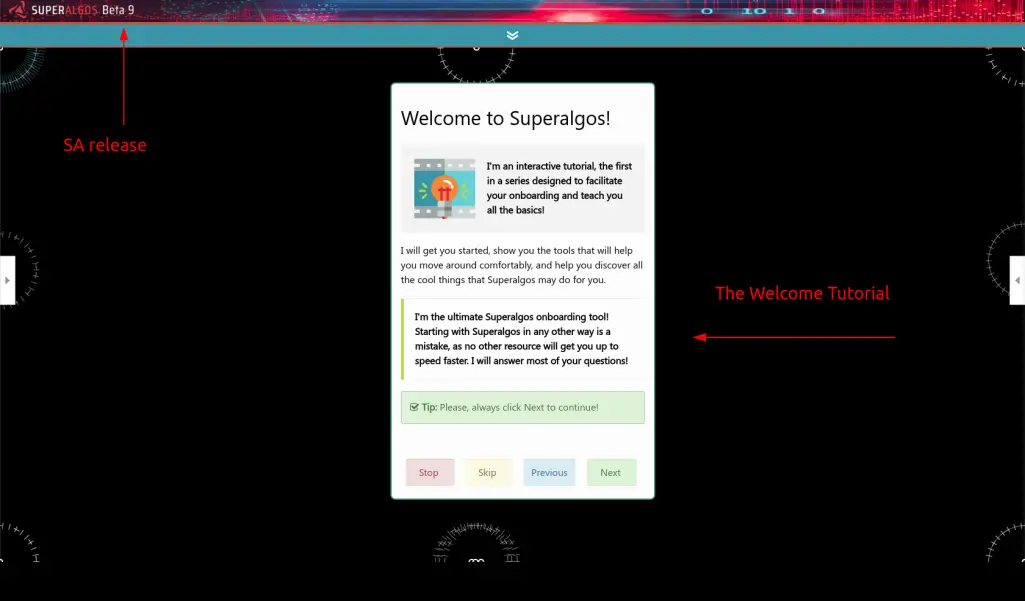
This is what you should see when you launch Superalgos for the first time
You can take some time and read the Welcome Tutorial to start explore SA. Once you are done with the tutorial probably you start to wonder what all those icons on the workspace are for. I see everyday in SA Telegram chat about new users overwhelmed by the huge and colourfull workspace. That's why I'm writing this post! To make you immediately confortable by recognizing what you are staring at!
So let's start, I'll show you the basic knowledge to start mastering SA and I think the most powerful way to do this is with screenshots!
I Hope this will help newcomers!
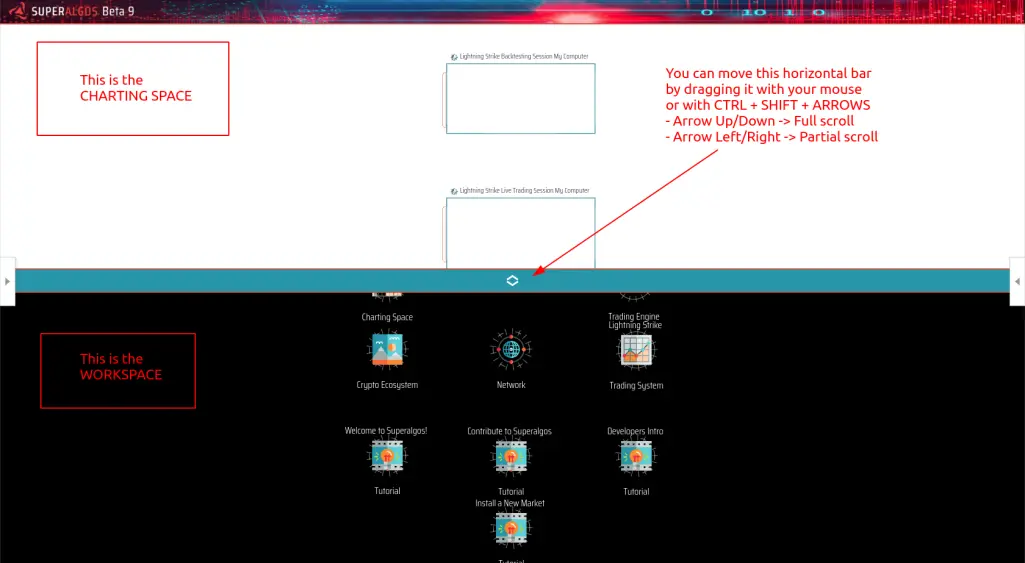
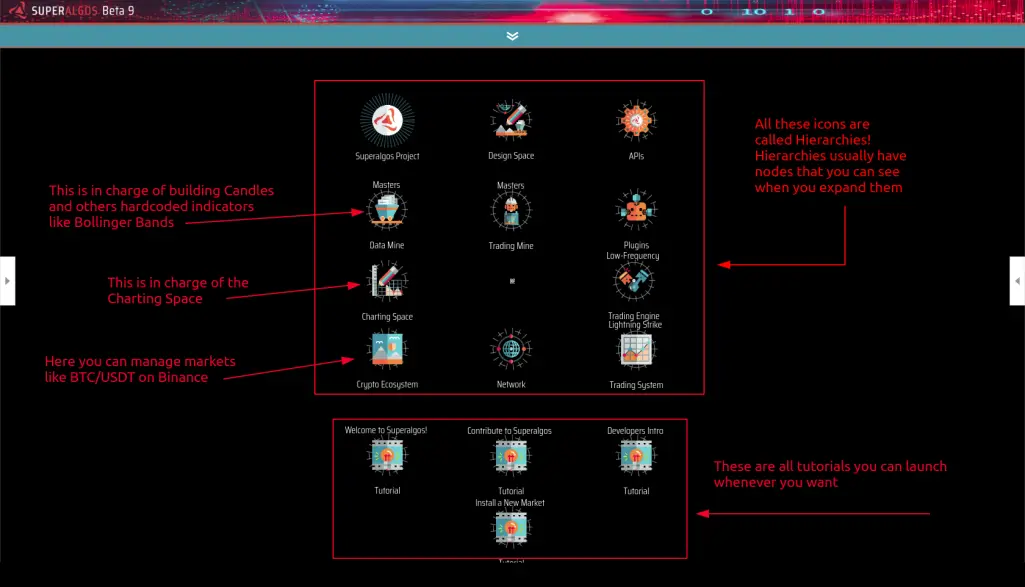

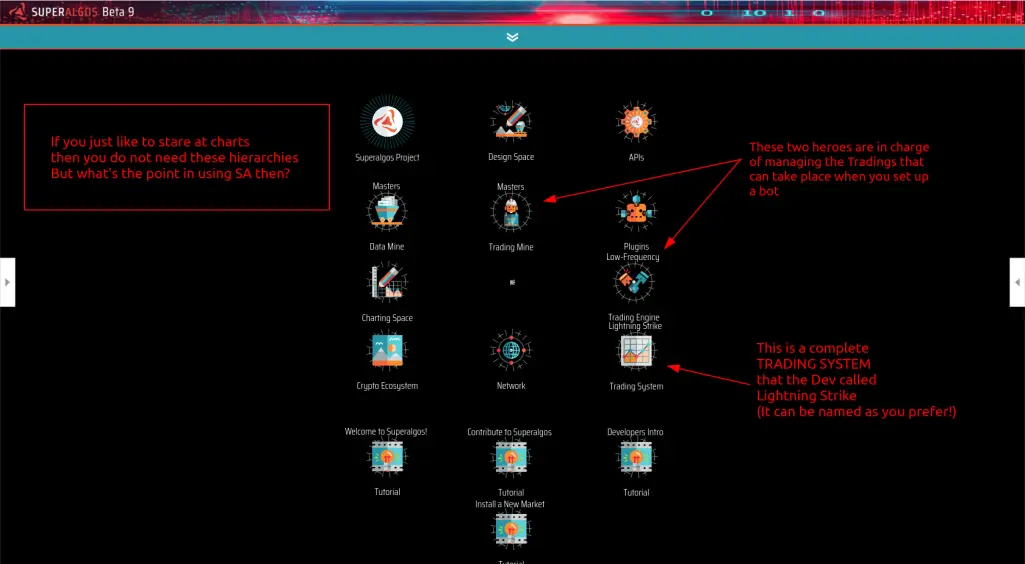
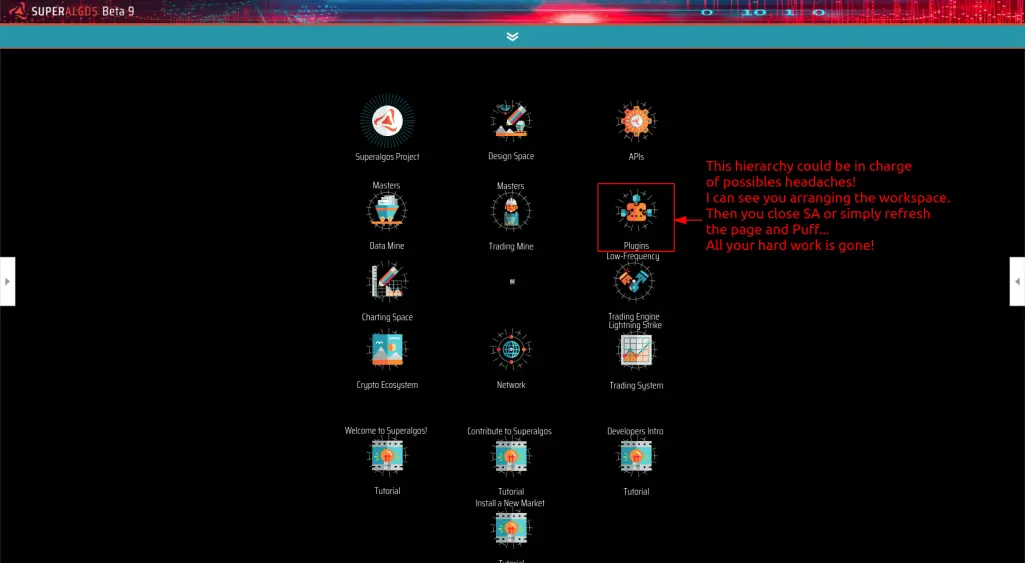
Ok, here there is the need of a bit of explanations
When you launch SA with the default workspace (but I would say that, usually, this (probably undesired) behaviour happens in all the workspaces that are shipped with SA) you will have this hierarchy present. Well, this Plugins Hierarchy keeps track of the position and existence of many hirarchies. So what happen when you delete a hierarchy or move it in another position for example, is that when you reload SA or simply refresh the browser then all your changes are reverted back. Let's have a closer look at it. Expand the hierarchy and expand the Plugin Trading Mines. Do you see that inside this node there is an offspring called Masters Plugin File? And can you see that dotted yellow line that comes out from it? Would you believe me if I tell you that that yellow dotted line points to Masters (Trading Mine)? Surprising, isn't it?
 

If you are like me, the first thing you will do when installing SA in a new machine, is to delete this hierarchy
Then you end up with an empty workspace
Oh my ... (a list of Gods or Saints of your choice)
What I have done?!?!?!
It's not lost .. it's only I can't find it
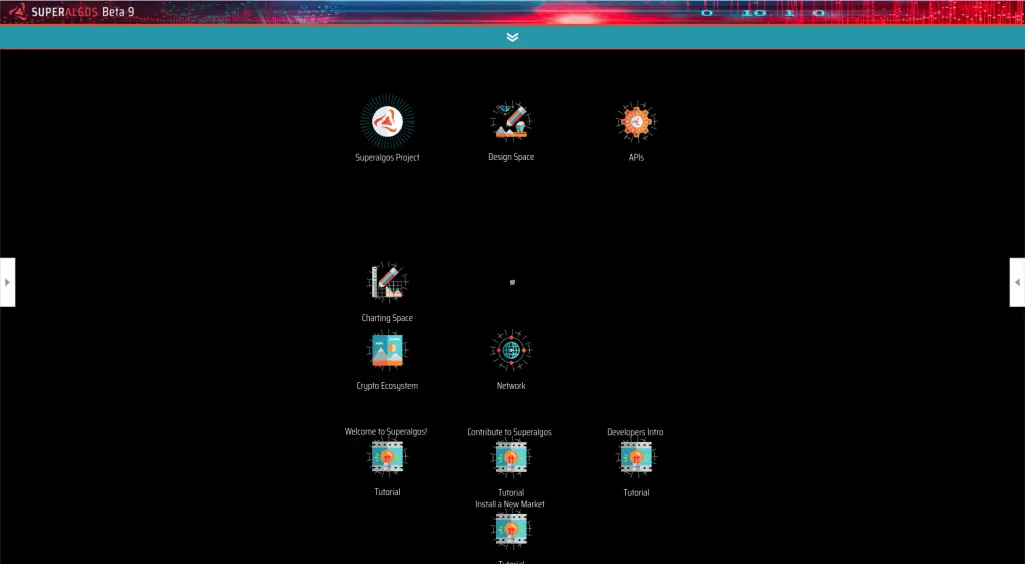
Let me explain. If you have noticed (and if not scroll up a bit and look again at the Plugin hierarchy) all the (now) missing hierarchies were present in the Plugins hierarchy.
From the SA docs-> docs.goto Superalgos->Node->Plugins
Open SA, open right menu where you will find the Docs, paste the above code to search for in-Docs explanations
But it's easy to add them back to SA workspace. Locate SA folder and find Superalgos->Projects->Superalgos->Plugins
From there you just need to drag with the mouse the json file you need to add to the workspace. For example if you need to add the Master Data Mine then look in the Data-Mines folder. Take your time and explore these folders.
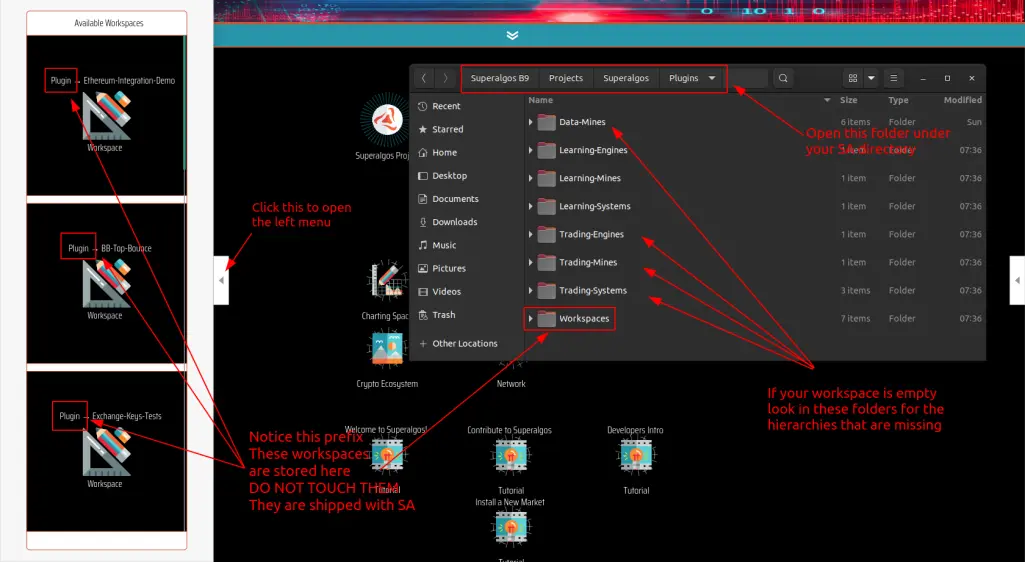
 

If you get lost or you have messed up with the workspce, just load the:
Plugin -> Getting Started Workspce
and you will be back to the first installation point with the Welcome tutorial cheering at you!
See you on the next tutorial
Have a nice day
P.S. If you want to ask me to cover particular aspects of this amazing Superalgos project, write me in Telegram @us9808
I hope you enjoyed these handy screenshots to make you better feel like at home in SA
Don't forget to tip me, it's free!
Superalgos is the most advanced crypto trading bot
you can find and it is totally free on Github






