
Today I'm gonna show you how to trade meme coins using Bull X Neo, which is a super powerful, all-in-one trading tool that acts as a trading terminal, wallet tracker, Twitter tracker and more.
Trading meme coins is extremely risky and over 90% of traders lose money. So make sure you're okay taking on that level of risk. If you are, let’s get into it.
Signing Up for BullX Neo
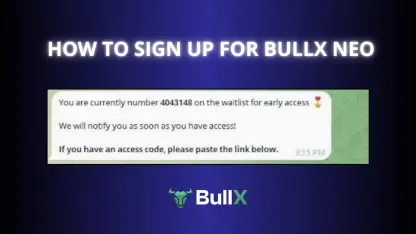
To get started with Bull X Neo, you’ll need an invite code.
You can use this invite link to join Bullx Neo: https://t.me/BullxNeoBot?start=access_5GH7PAGG99Q
When you click the link you’ll be prompted to connect a Telegram account — this is required because BullX runs through Telegram.
Once your Telegram account is connected, you’ll gain access to the full BullX interface.
Setting Up a Wallet
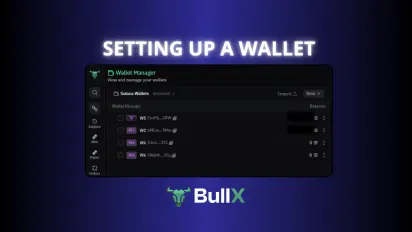
Inside the Wallet Manager, you can either:
-
Create a new wallet by clicking "New" > "Wallet", and BullX will automatically generate a wallet for you.
-
Make that wallet your primary address.
-
Export your private key and store it securely. Do not save it on your PC, in Google Drive, or in your phone notes. Instead, write it down and store it offline in a safe place, like a locked drawer or bank vault. If someone accesses your private key, they can steal your funds and there's no way to recover them.
If you’re already using a Solana wallet like Phantom, you can import your BullX wallet into Phantom by:
-
Opening Phantom
-
Clicking the + icon
-
Selecting “Import Private Key”
-
Pasting in the key exported from BullX
This gives you backup access to your funds even if BullX is down or under maintenance.
If you want to use your own wallet inside BullX:
-
Click “Import”
-
Paste your private key from your current Solana wallet
How to Withdraw Funds
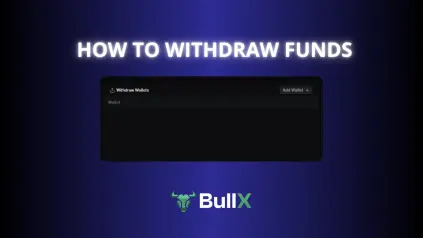
To withdraw funds from BullX:
-
Go to Wallet Manager
-
Click on “Withdraw Wallets”
-
Click “Add Wallet”, give it a name (e.g. Test), and paste in the withdrawal address
-
Once it appears in the list, click “Withdraw”
-
Choose the wallet you want to withdraw from, input the amount (e.g. 10 SOL), and confirm
If your BullX wallet is imported into Phantom, you can also just send funds directly from Phantom — no need to use BullX’s UI.
Finding Meme Coins to Trade
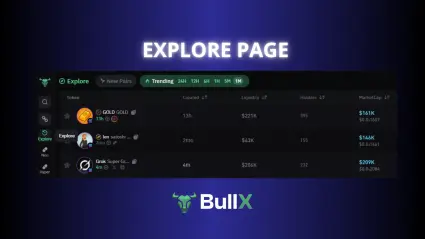
There are two main pages to discover tokens:
Explore Page
-
Functions like DEX Screener or DexTools
-
Shows all new tokens being created
-
Includes launches from platforms like Meteora
-
You can apply filters: liquidity, market cap, time frame, and more
Trending Tokens
-
Snapshot of top coins
-
Filterable by time and market metrics
-
Create custom filters to only view tokens that meet your liquidity or cap requirements
Using Neo Vision
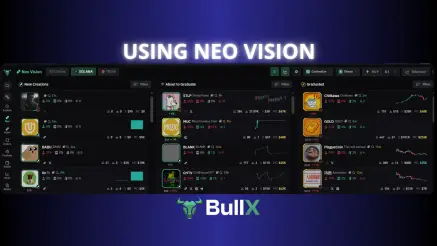
Neo Vision is BullX’s live trading terminal for launch platforms:
-
Pump.fun
-
Moonshot
-
Launch Labs
You can also filter by chain
Neo Vision is split into 3 columns:
-
New Creations: tokens just launched
-
About to Graduate: nearing full migration
-
Graduated Tokens: live on Raydium
Tokens move through these stages based on liquidity and volume. Watch for signs of rugging or heavy insider presence.
Token Detail View
Clicking on any token brings up:
-
TradingView chart
-
Dev buy/sell history
-
Insider wallet detection (rat icon)
-
Token holder stats
-
PnL of top traders
-
Direct links to Pump.fun, Twitter, and token websites
Use the magnifying glass icon to auto-search the token on Twitter by contract — perfect for spotting hype, narrative, or bot spam.
Buying Meme Coins
To buy directly from the token list:
-
Hover over the token → dollar icon appears
-
Click to auto-buy the amount set in the top-right (e.g. $10)
-
Adjust the default buy amount in the settings
You can also hide charts for a simpler interface where buy buttons always appear.
Token Page Breakdown
The token’s main chart (via TradingView) includes:
-
Dev buys and sells
-
Wallet tracking overlays (if enabled)
-
Scrollable trade history
-
Active and exited wallets
Click into any wallet to view:
-
PnL for this token
-
Total positions
-
Trade history
-
Largest wins/losses
This data helps you filter legit traders from serial dumpers.
Wallet Tracker
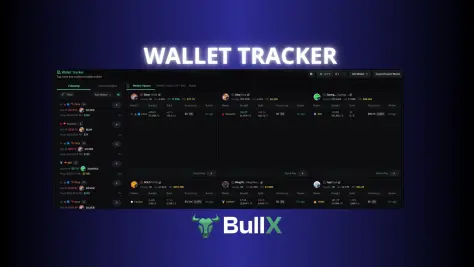
To track wallets:
-
Go to Wallet Tracker tab
-
Click “Add Wallet”
-
Input name and wallet address
You’ll now see their trades across tokens. You can assign custom emojis for quick ID. Perfect for tracking top traders like Cooker or Cups.
Trading Functions
Market Order
-
Buy/Sell immediately at current price
Limit Orders
-
Set a buy or sell at a specific price
-
Great for catching dips or taking profit
DCA (Dollar-Cost Averaging)
-
Spread out buys/sells over time
-
Choose frequency (every hour/day), amount, and cap
Auto-Sell
-
Take profit + stop loss logic
-
Set TP1, TP2, SL in your presets
Instant Trade Button
-
Buy/sell instantly without typing amounts
-
Useful during fast-moving launches
PRIO, Bribe & Slippage Settings
You can set up multiple execution presets:
-
Default: regular market conditions
-
Rush: use higher bribe and slippage
-
Emergency: for max speed when sniping hot launches
Adjust both Buy and Sell side settings independently.
Orders & Portfolio
Track every position:
-
Orders tab: active limit or DCA orders
-
Portfolio tab: open positions, realized PnL
-
Multi-Chart: compare tokens across one screen
Twitter Tracker
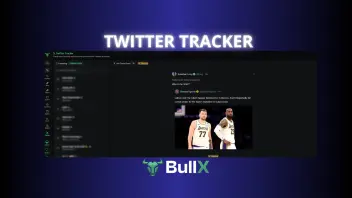
View Twitter posts tied to tokens in real-time.
-
Comes built into the UI
-
Can be repositioned via the lock icon
-
Soon: Custom Twitter feed based on your favorite traders
Conclusion
You now know how to:
-
Sign up and connect wallets
-
Analyze and trade meme coins
-
Track wallets and Twitter sentiment
-
Use PRIO, bribe, and DCA for precision
BullX Neo is built for speed and control. Whether you're a sniper, a degen or just trying to survive Pump.fun — this tool puts you in the driver’s seat.
👉 Join BullX Neo with This Access Link
Trade with speed. Control your entries. Run your system like a machine.






