
So, you've been playing around the Discord servers like me and you've probably started to receive tips from people for awesome interactions on the server, such as below.
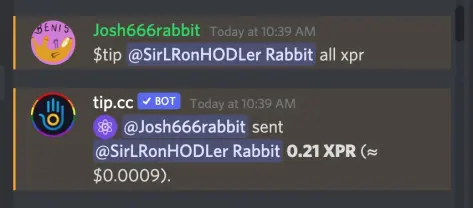
After you collect a certain amount of a token or coin, you can share the wealth with other discord users, by tipping or airdropping your coins, or you can actually withdraw these digital assets to an external wallet. The "tip.cc" bot on Discord actually supports 280 digital assets in a wallet on the platform. There are no fees to transfer between Discord users, but there may be network fees associated with some digital assets to withdraw using the "tip.cc" bot.
Here is a simple guide to help you on your first external transfer of PROTON (XPR), because after your first transfer, it will be very straightforward.
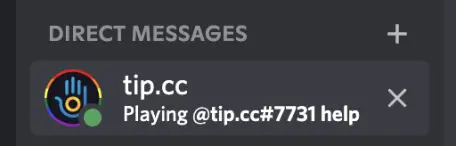
1. On the home tab in Discord, find your "Direct Messages" sidebar and click on the "tip.cc" direct message. "tip.cc" is a bot that helps your check your balances and withdraw digital assets to your blockchain wallets. It should look something like this:
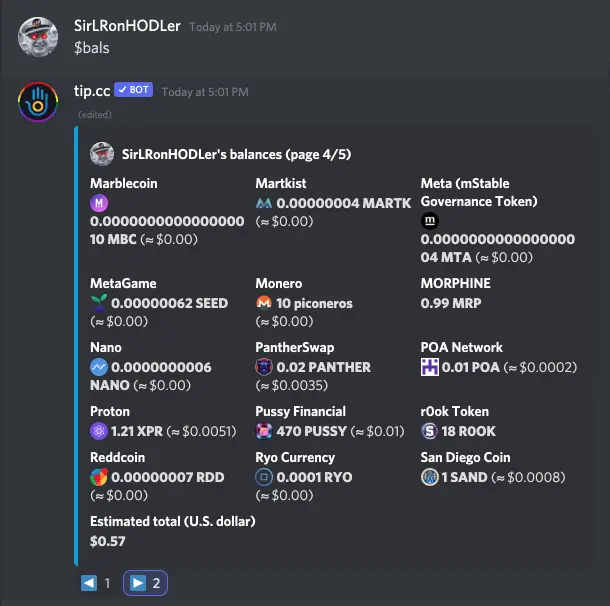
2. Check your balance using the script: "$bal proton" or "$bal xpr", or you can look at all your coins just by typing "$bals" like below. I got lucky with an airdrop earlier in the day, so I already had some XPR on my Discord wallet.
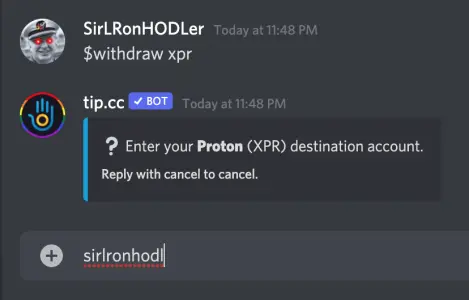
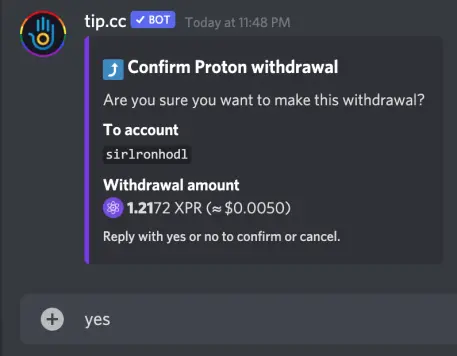
3. To withdraw your XPR, type the command: "$withdraw xpr". This will start the withdraw script, and you simply follow the prompts. The Proton (XPR) destination account is your Proton Wallet username in lowercase without the "@" sign. I entered "sirlronhodl" for my wallet account in lowercase. Double check your wallet account for accuracy.
4. Enter "none" for the memo.
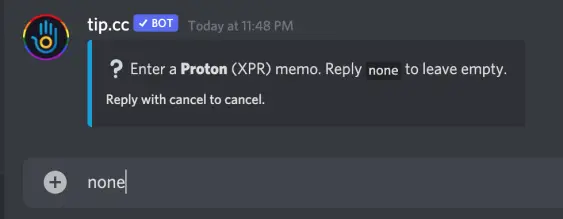
5. Enter the amount you want to withdraw. I want to withdraw all my Proton into my external wallet so I entered "all" in the command line.
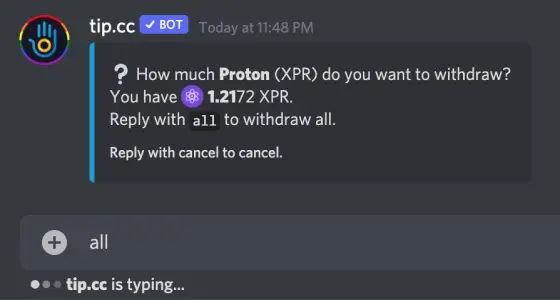
6. Finally, triple check your information and confirm the withdrawal process by typing "yes" into the command line. If you entered the wrong wallet address, or entered the wrong amount, you can type "no" to cancel, or the whole process will actually time out. Notice that it says "tip.cc is typing..." at the bottom of each script? There is an approximate 20 sec delay to cancel the withdraw process on each step.
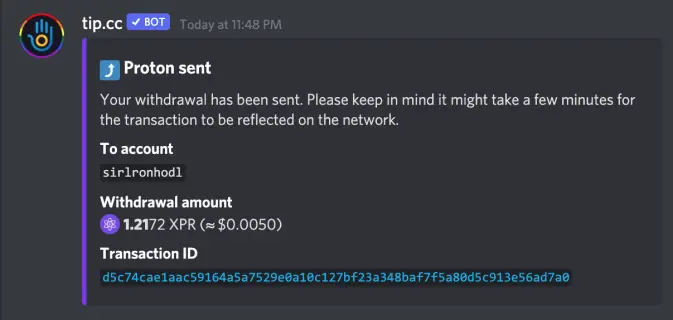
7. You will immediately receive confirmation from the tip.cc bot, and the XPR typically shows up instantly if there is not a long withdraw queue. Here is my confirmation information.
Some additional quick notes:
- There is a timeout on the withdraw process - approximately 20 seconds. In other words, if you don't progress to the next step, the bot will cancel the withdraw. Don't be frustrated as this is to protect your funds. Just start over.
- Make sure you enter the correct Proton wallet account in the command line. If you send it to the wrong address, you cannot undo this process! If you enter the wallet account in uppercase, it actually cancels the withdraw process.
- You can check your balances using the tip.cc bot too. Try entering commands such as "$bals" for all your crypto balances and "$bals top" for the crypto assets that you have the most in your Discord wallet.
- The fee to withdraw Proton seems to be so small that no fee is charged, and there doesn't appear to be a minimum amount of XPR to withdraw.
- There are many crypto discord channels for many different purposes. A good rule of thumb is please be respectful and please participate in the way that the community wants you to participate. There is a tip.cc channel strictly for airdrops and tips, and there are many NFT and yield farming channels that really want you to communicate and be active on the platform. Some of my favorites are Lux Expressions, GreenRabbit.io, and CryptoMonKeys - such such warm welcoming people that want to share their platform with you. Shill good vibes!
Follow me on Twitter: https://twitter.com/SirLRonHODLer
Important claims: I am not a financial advisor. Please do your own research before you invest any money. Crypto currency is not FDIC insured. I am a $VYGVF shareholder. I own an air fryer.





