
Because of high resource needed for INERY Nodes, i'll only recomend https://Lihat.info/contabo as server providers. Use Cloud VPS packages only for Lite Nodes, and Use The VDS if you want Master Nodes (Click here for VDS Best Prices)
Hardware Requirements
Lite Nodes (use CloudVPS)
Component Minimum Requirement CPU Intel Core i3 or i5 RAM 4 GB DDR4 RAM Storage 500 GB HDD Connection 100 Mbit/s port
Master Nodes (use CloudVDS)
Component Recommended Requirement CPU Intel Core i7-8700 Hexa-Core RAM 64 GB DDR4 RAM Storage 2 x 1 TB NVMe SSD Connection 1 Gbit/s port
Make sure you're ordering vps as specs needed for the requirement, otherwise the nodes may unstable and can't run the software/binary.
Register Inery Testnet Dashboard on https://testnet.inery.io/
Simply click Sign-Up and fill out the forms.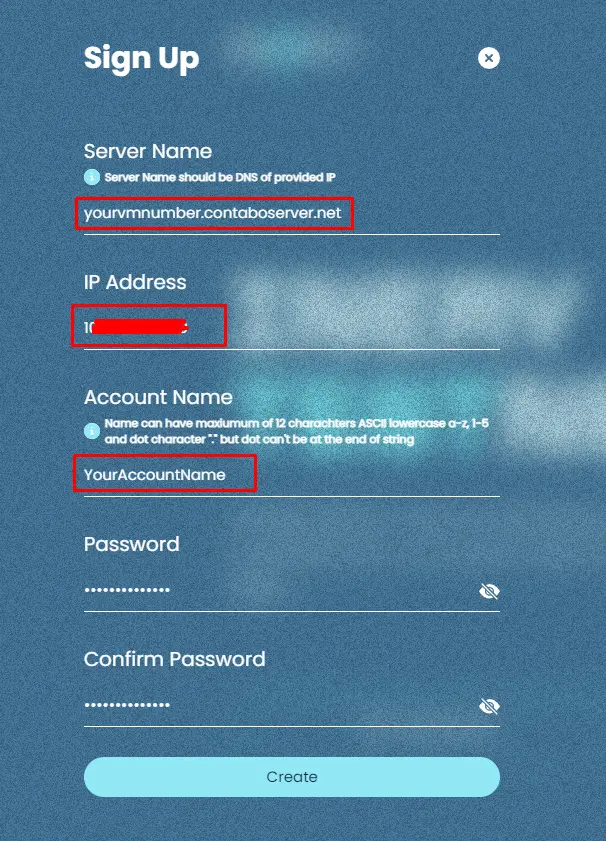
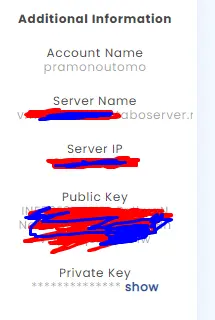
On contabo you can see your servername (DNS) on Reverse DNS Managamenet menu by logging in on your contabo panel
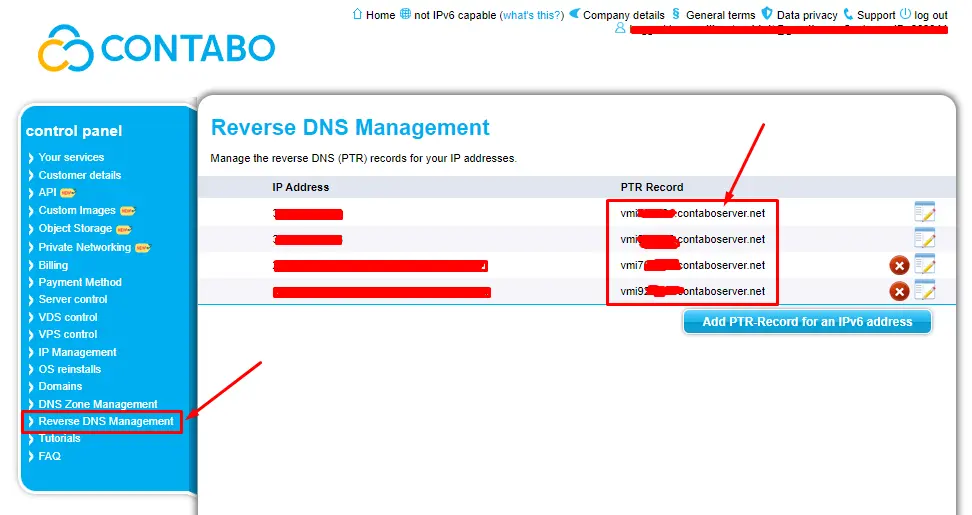
DNS use the PTR record from your contabo account (or you may ask google if using other provider).
IP Address use your server IP.
Account Name use any name you want (max 12 char).
Password use a secure password and don't lose it :)
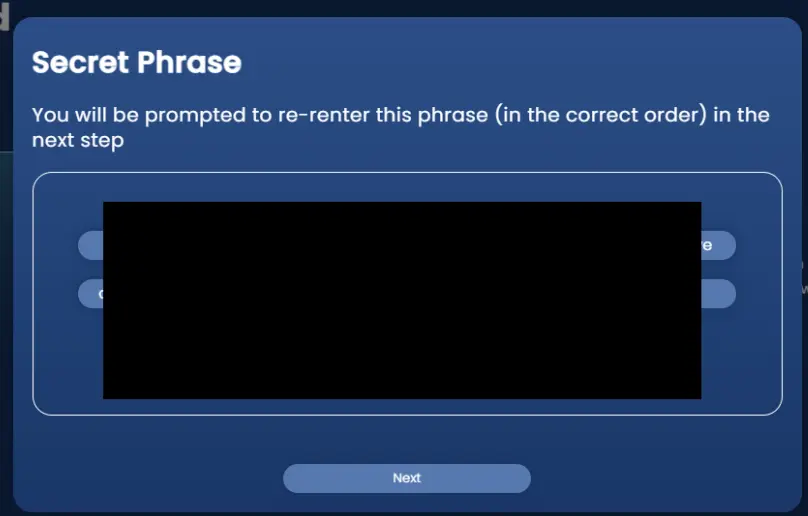
After registering you'll see secret phrase backup, make sure you're back up your phrase!
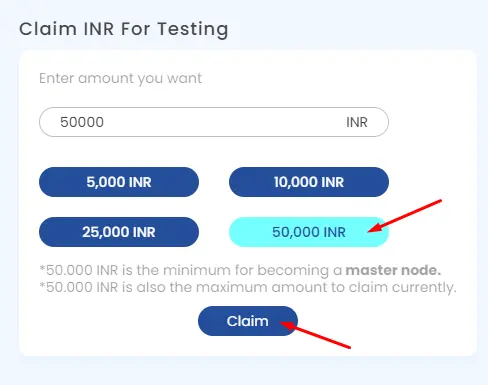
If you're deploying Master Nodes, make sure to claim 50.000 INR Test Token From Faucet. For Lite Nodes it's no need to claim the token.
also save all data from left side, Account Name, Server Name, Server IP, Public Key, Private Key.
Recomended OS are Ubuntu 18.04 or higher, but i'll use 20.04 on this tutorial.
Install all apps and tools needed
sudo apt-get update && sudo apt install git && sudo apt install screensudo apt-get install -y make bzip2 automake libbz2-dev libssl-dev doxygen graphviz libgmp3-dev \
autotools-dev libicu-dev python2.7 python2.7-dev python3 python3-dev \
autoconf libtool curl zlib1g-dev sudo ruby libusb-1.0-0-dev \
libcurl4-gnutls-dev pkg-config patch llvm-7-dev clang-7 vim-common jq libncurses5Open Port (im using firewalld)
sudo apt-get install firewalld
sudo systemctl start firewalld
sudo systemctl enable firewalld
sudo firewall-cmd --set-default-zone=public
sudo firewall-cmd --zone=public --add-port=22/tcp --permanent
sudo firewall-cmd --zone=public --add-port=8888/tcp --permanent
sudo firewall-cmd --zone=public --add-port=9010/tcp --permanent
sudo firewall-cmd --reload
sudo systemctl restart firewalld
To check firewall status...
sudo systemctl status firewalld
To check if all port already opened
sudo firewall-cmd --list-all
Installing Nodes
Clone Inery Nodes data from github
git clone https://github.com/inery-blockchain/inery-node
Go to inery setup folder
cd inery-node/inery.setup
change app permission
chmod +x ine.pyexport path to local os environment for inery binaries
./ine.py --exportrefresh path variable
cd; source .bashrc; cd -Edit the configuration
sudo nano tools/config.json====== CHOOSE BETWEEN LITE / MASTER NODES BASED ON YOUR SPECS ======
For Lite Nodes
find "LITE_NODE" and replace placeholder.
    "LITE_NODE" : {
        "PEER_ADDRESS" : "IP:9010",
        "HTTP_ADDRESS": "0.0.0.0:8888",
        "HOST_ADDRESS": "0.0.0.0:9010"
    },
**only change the PEER_ADDRESS data, IP:9010 should be YOURIP:9010 (keep the 9010 port)
Save it (ctrl+S), Type "Y" and exit (ctrl+X).
Create New Screen
screen -S ineryRun Lite Nodes
./ine.py --liteCTRL+A+D to exit screen.
cd ~/inery-node/inery.setup/lite.node
chmod +x start.sh
./start.sh
For Master Nodes
scroll down to MASTER ACCOUNT and replace placeholders
"MASTER_ACCOUNT":
{
    "NAME": "AccountName",
    "PUBLIC_KEY": "PublicKey",
    "PRIVATE_KEY": "PrivateKey",
    "PEER_ADDRESS": "IP:9010",
    "HTTP_ADDRESS": "0.0.0.0:8888",
    "HOST_ADDRESS": "0.0.0.0:9010"
}
Make sure you change AccountName, PublicKey,PrivateKey and IP based on your Inery Testnet Dashboard.
Save it (ctrl+S), Type "Y" and exit (ctrl+X)
Create New Screen
screen -S ineryRun Master Nodes
./ine.py --master
CTRL+A+D to exit screen.
cd ~/inery-node/inery.setup/master.node
chmod +x start.sh
./start.sh
After everything is setup, you have to register and after approve it your account as producer
========= PLEASE SYNC FIRST BEFORE RUN THIS COMMAND BELOW ============
Create Wallet
cd; cline wallet create --file defaultWallet.txt
If your wallet has password, you need to unlock it first
cline wallet unlock --password YOUR_WALLET_PASSWORDimport key
cline wallet import --private-key MASTER_PRIVATE_KEYchange MASTER_PRIVATE_KEY with your privatekey on Dashboard.
Register as producer by executing command:
cline master bind ACCOUNT_NAME ACCOUNT_PUBLIC_KEY YOUR_SERVER_IP:9010Approve your account as producer by executing command:
cline master approve ACCOUNT_NAME
==================================
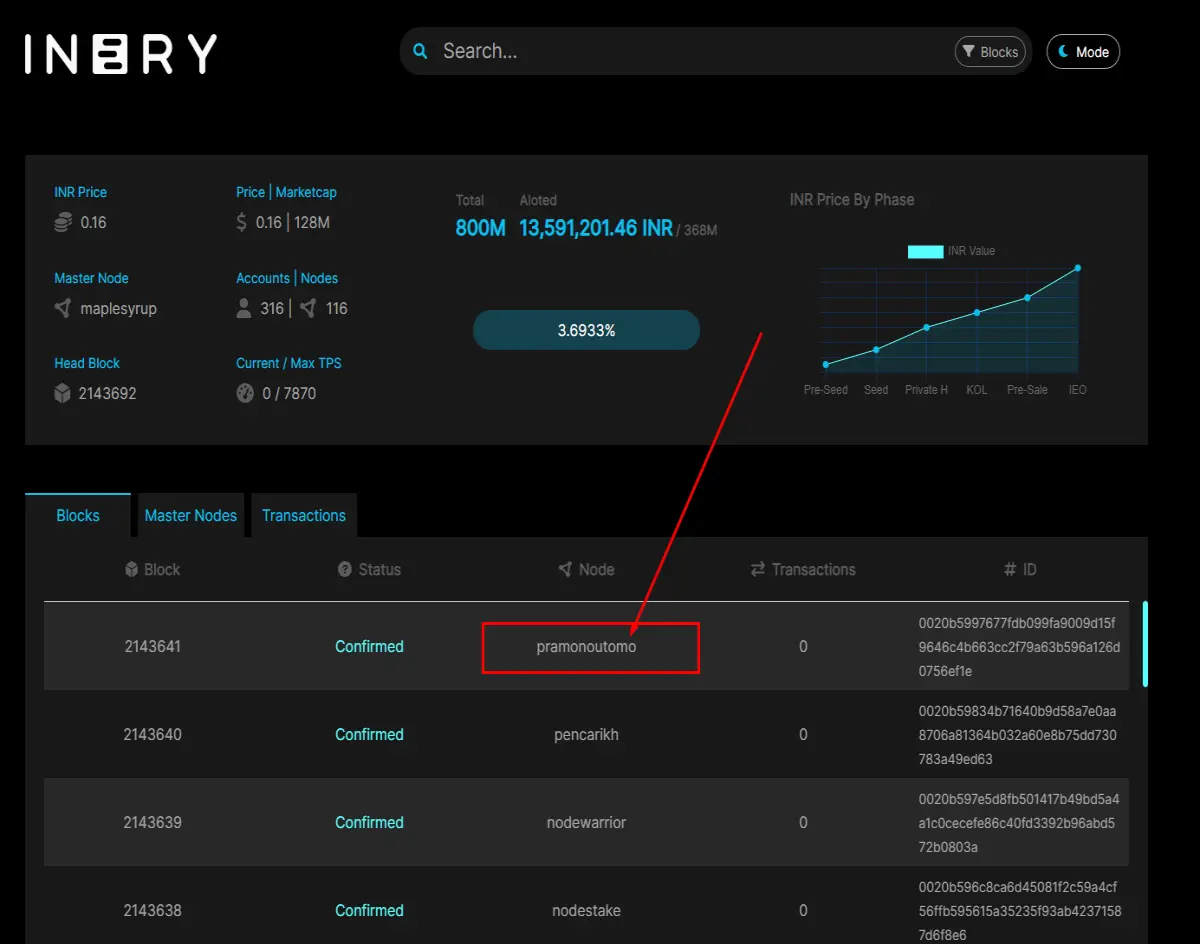
Check your Master Nodes Status on Inery Explorer https://explorer.inery.io/
Your master nodes should be seen produced blocks after your nodes synced.
Check Wallet balance using this command:
cline get currency balance inery.token ACCOUNT_NAME
For removing nodes (uninstall) go to inery.setup/inery.node/ and execute ./stop.sh script
To resume blockchain protocol execute start.sh script
To remove blockchain with all data from local machine go to inery.setup/inery.node/ and execute ./clean.sh script
Join @codeblocklabs on telegram
Subscribe on my youtube channel






