
For this setup i'll recomend Contabo vps, https://Lihat.info/contabo
Register to AIT3 Website on: https://aptoslabs.com/it3
Node Requirement:
==================================
Install Petra Extension
To install the Petra (Aptos Wallet) extension on your Chrome browser, follow these steps:
- Download the latest Petra Wallet release and unzip.
- Open a Chrome window and navigate to the Extensions using any of the below methods:
- At the top right corner of the browser window, click the three vertical dots and then More tools and then Extensions, or
- On a new tab or a window type
chrome://extensionsin the URL field and press return.
- Enable Developer mode at the top right of the Extensions page.
- Click on Load unpacked at the top left, and point it to the folder where you just unzipped the downloaded Wallet release.
Now you will see Wallet in your Chrome extensions.
==================================
single line installation script, thanks to KJ
wget -qO aptos_validator.sh https://raw.githubusercontent.com/kj89/testnet_manuals/main/aptos/testnet/aptos_validator.sh && chmod +x aptos_validator.sh && ./aptos_validator.shafter installation, you need to refresh system variable
source $HOME/.bash_profile
==================================
Check your node health
- Navigate to https://node.aptos.zvalid.com/
- Enter your node public IP address
- You should see data like in example below:
==================================
Register your validator nodes to the AIT3 website.
-
Come back to the Aptos Community page and register your node by clicking on Step 4:
NODE REGISTRATIONbutton. -
Provide the details of your validator node on this node registration screen, all the public key information you need is in the
~/$WORKSPACE/keys/public-keys.yamlfile (please don't enter anything from private keys).
cat ~/$WORKSPACE/keys/public-keys.yaml- OWNER KEY: the first wallet public key. open your Petra wallet, then click
Settings -> Credentials - CONSENSUS KEY: consensus_public_key from
public-keys.yaml - CONSENSUS POP: consensus_proof_of_possession from
public-keys.yaml - ACCOUNT KEY: account_public_key from
public-keys.yaml - VALIDATOR NETWORK KEY: validator_network_public_key from
public-keys.yaml
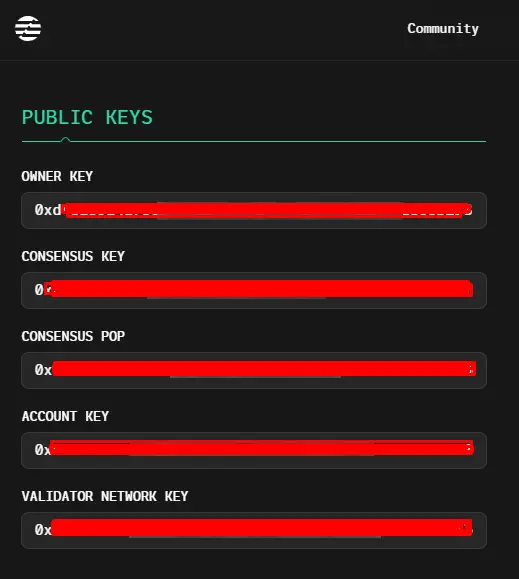
- Next, click on VALIDATE NODE. If your node passes healthcheck, you will be prompted to complete the identity verification process.
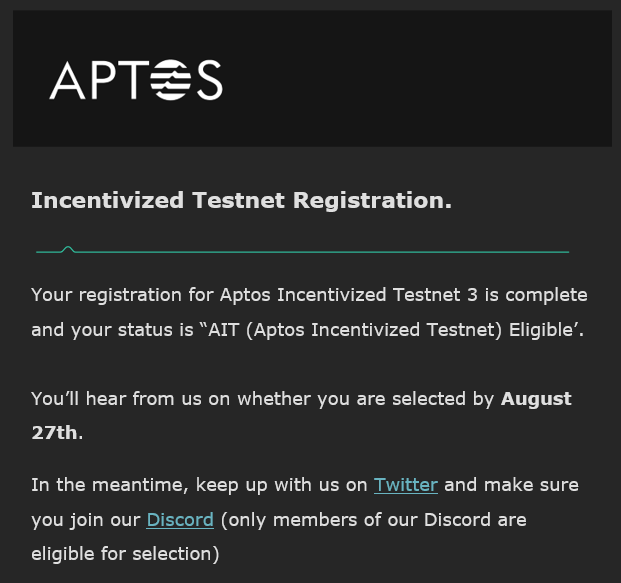
The Aptos team will perform a node health check on your validator, using the Node Health Checker. When Aptos confirms that your node is healthy, you will be asked to complete the KYC process.
=========================
REMOVE APTOS
cd ~/$WORKSPACE && docker-compose down; cd
rm ~/$WORKSPACE -rf
docker volume rm aptos-validator
unset NODENAME
=========================
Join Discord MoneyCamp https://discord.gg/RcdHvvY9wd
Join Telegram @codeblocklabs






