Hello,
If you record a video screen with monosnap it would be 100 MB per video. It takes a lot of data brandwidth which is not the ideal solution either to upload to Google Drive, One Drive, Youtube, TikTok or similar platforms.
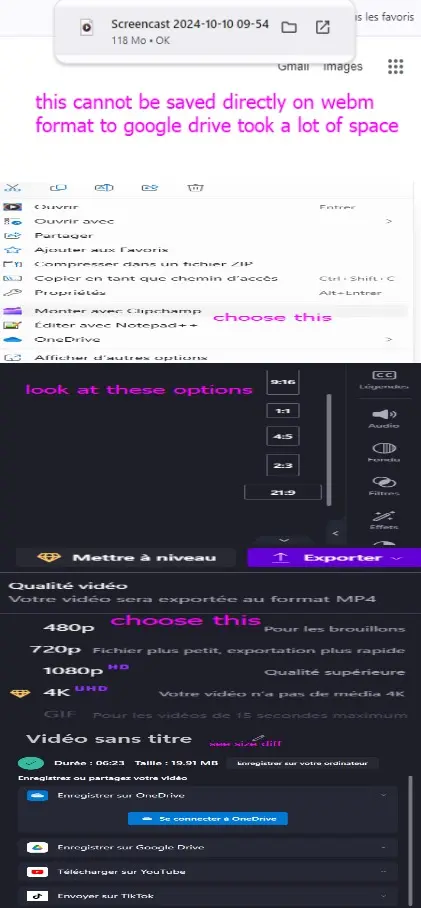
The Clipchamp could do the trick. When you right click and choose Monter avec Clipchamp it could do the work process. For your information, it is required a Microsoft account for desktop application while could do with Gmail account in the web. However, it is possible that you create an Outlook account with your Gmail account, it is not a complicated process.
The Clipchamp offers various options of dimension of the video like 16:9, 9:16, 4:5 depending on your need and export video in preset resolution of 480p which make it ideal for work for those heavy videos in size.
These are steps: