Authentication and SSH Keys:
It's common to encounter access issues when transitioning to a new device while using Git repositories on platforms like GitHub, Bitbucket, and GitLab. These problems primarily revolve around authentication and authorization, ensuring that only verified users gain access to sensitive code.
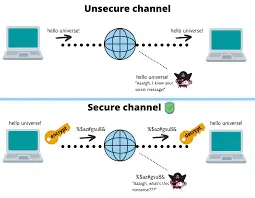
A significant source of these errors stems from the reliance on SSH keys for secure communication. SSH keys are inherently tied to individual devices. When you switch to a new computer, the SSH key pair used on your previous machine is no longer present. This results in the platform rejecting your connection, as it cannot verify your identity. Therefore, generating new SSH keys on your new device and registering the public key with your GitHub, Bitbucket, or GitLab account is a crucial step. Without this, the platform will deny access, interpreting the connection attempt as unauthorized.
Authorization and Permissions:
Beyond basic authentication, authorization plays a vital role. Repository administrators control access levels, determining who can read, write, or modify specific branches. Even with correct authentication, you might encounter "access denied" errors if your account lacks the necessary permissions for a particular branch. This is not necessarily caused by the new device itself, but due to the permissions that are set on the repository. Therefore, it is important to verify that your account has the correct permissions for the repositories and branches that you are attempting to access.
Configuration and 2FA:
Further complicating matters are Git configuration settings and two-factor authentication (2FA). Incorrect Git configurations, such as remote URLs or credential storage, can lead to authentication failures. Additionally, if 2FA is enabled, you must ensure that your new device is properly configured to generate or receive 2FA codes. Failing to provide the correct 2FA credentials will result in access being denied. Therefore, double checking the git configuration, and 2FA settings are important trouble shooting steps.