
Hello everyone,
Today I would like to present to you another project thanks to which you can get some extra Satoshis or other cryptocurrencies.
FaucetCrypto, as the name suggests, is a Faucet-type website through which you can get cryptocurrencies by performing small tasks or watching advertisements. As usual, the amount of cryptocurrency that you can get is not large, but this particular Faucet allows you to increase earnings over time by introducing some fun elements. Besides, taking into account the dynamics and development of the cryptocurrency market, what is worth little today may turn out to be worth something in the future.
So let's start from the beginning. To use FaucetCrypt, you will need an account that you can create by entering your e-mail address and setting a password. You will still need a FaucetPay account as some cryptocurrencies such as Bitcoin or Ethereum can only be withdrawn to the FaucetPay wallet.
You can find detailed information about FaucetPay in my previous article.
After creating an account and logging in you will have access to the dashboard.
FaucetCrypto - Dashboard view.
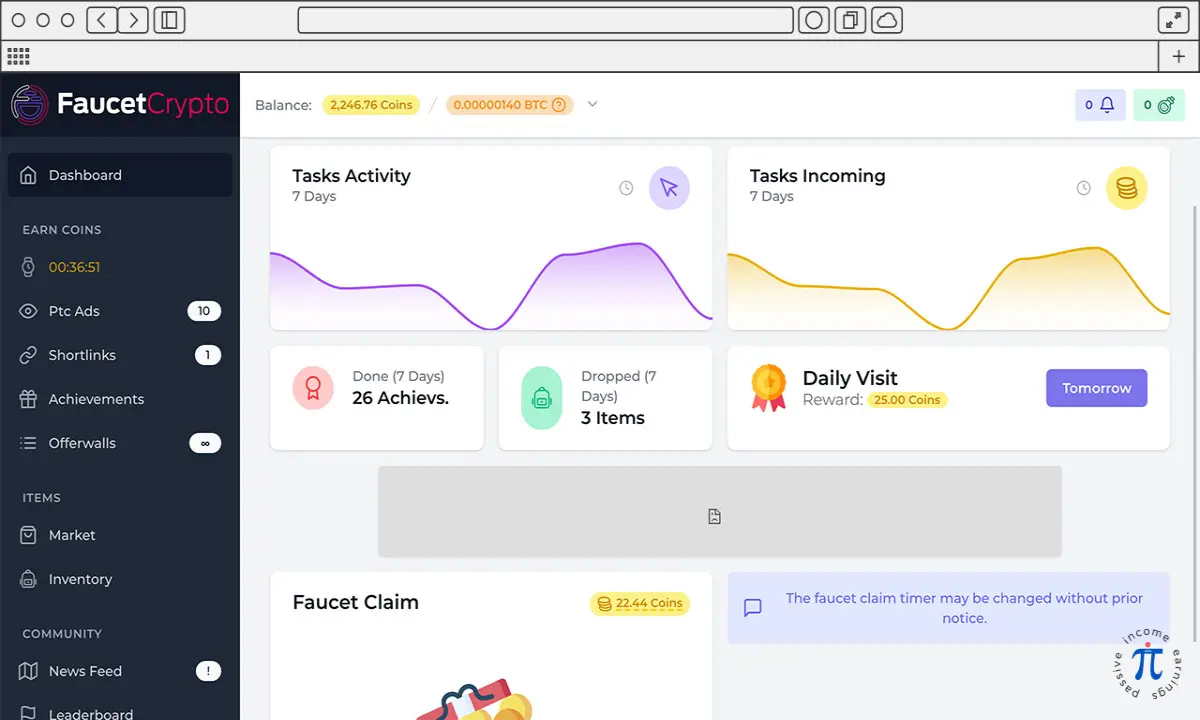
Nothing fancy here. The top information bar, the navigation menu on the left, and the central area where all the action is happening.
The info bar at the top displays your current balance, notifications and information about the item you currently have in use.
The navigation menu on the left is divided into several sections.
EARN COINS - here you will find all the options that allow you to earn cryptocurrencies such as Faucet Claim, Ptc Ads, Shortlinks, Offerwalls and your Achievements for which you earn additional coins.
ITEMS - here you will find an Inventory of items that you own and a Market where you can sell items that you do not use.
COMMUNITY - in this section you will find News Feed, Leaderboard, Help Guide and Support Center.
ADVERTISER - is a section for people who want to advertise via FaucetCrypto and we will not cover it in this article.
PROFILE - from here you have access to your Referrals information, you can order Withdraws, check your Withdraw History and change your account Settings.
At the bottom of the navigation menu there is information about the current Conversion Rate and Level System information with your current level.
So how do you get paid on FaucetCrypto? There are several options for this. It should be mentioned here that you earn COINS which are then converted into your Favorite Cryptocurrency (you can change it in Settings) based on the current Conversion Rate. Conversion Rate depends primarily on the current BTC price. Your Favorite Cryptocurrency is only information in which your earnings are displayed. Which cryptocurrency you ultimately want to receive, you choose during the Withdraw process.
In addition to coins you receive Experience Points for each task you complete. Those points will make you progress your level and increase your reward multiplier.
From time to time, you can also receive an Item that you can use to reduce the waiting time for the Faucet, multiply the number of Coins and Experience Points that you receive for the task and other goodies.
So let's get back to earning.
In the EARN COINS section at the top there is a timer counting down to the next moment when you will be able to claim a few coins. It is a traditional Faucet where you get a few coins for a click. The clock may show different values but at the time of writing this article you can claim coins every 40 minutes.
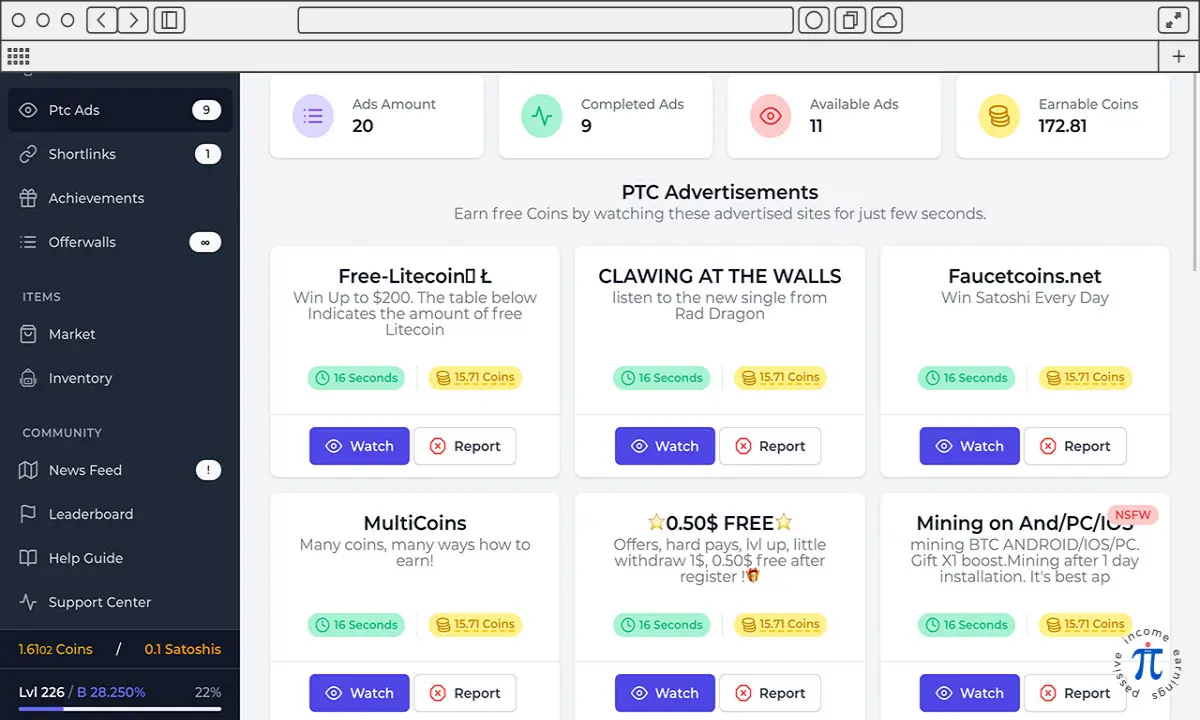
Another way to collect coins is by watching ads. Every day there are new ads and for watching them you get a specific amount of coins. The box with the advertisement shows how many coins you will get for viewing the advertisement. After clicking on the selected ad, a new browser window will open with a clock that measures the time in which the window should remain open. After this time, you have to solve the captcha and you get new coins.
FaucetCrypto - Ptc Ads view.
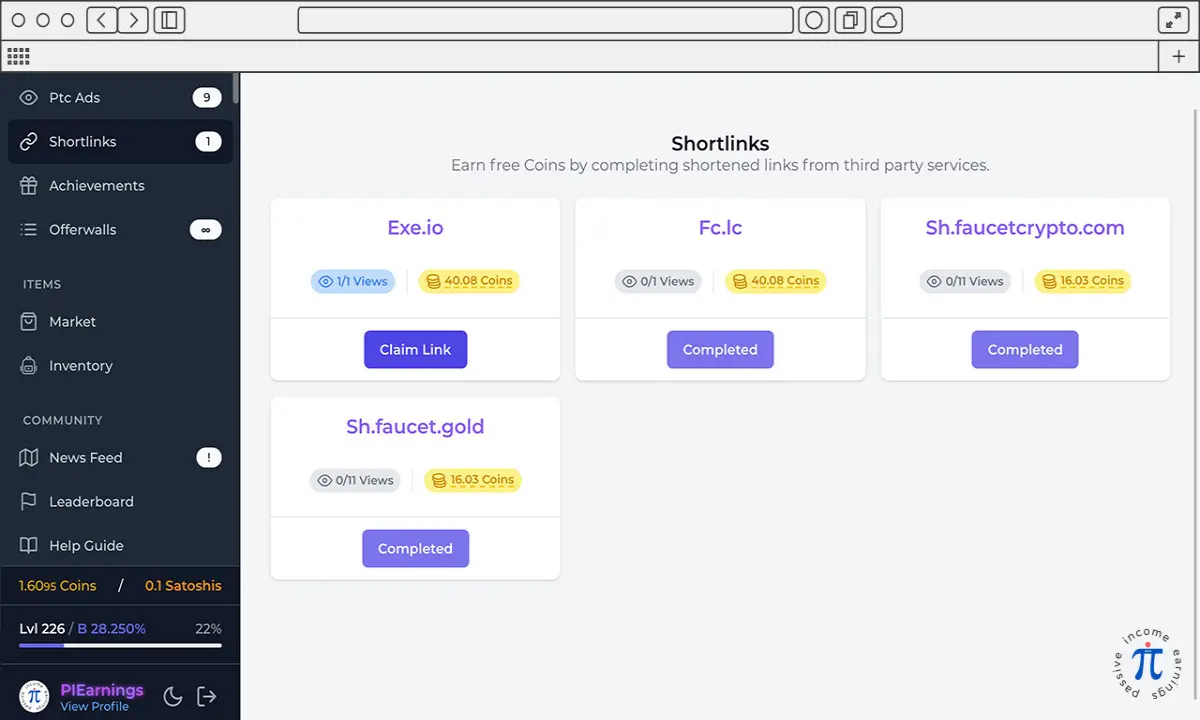
Shortlinks work in a similar way. Click and wait until the counter shows 0 as many times as required by the given Shortlinks. Usually they are three rounds of 10-15 seconds each. You will receive coins for completing the entire task.
FaucetCrypto - Shortlinks view.
In Offerwalls section you can find for example Surveys. It usually takes more time to solve them, but the amount of coins you can earn is also greater than when you click on Ads and Shortlinks.
The last option in this section is Achievements. Here you can claim a reward for previously completed tasks. Some of the prizes you receive once, others every week and some others every day.
The next section after EARN COINS are ITEMS.
The Market allows you to buy Items or sell items you don't want to use.
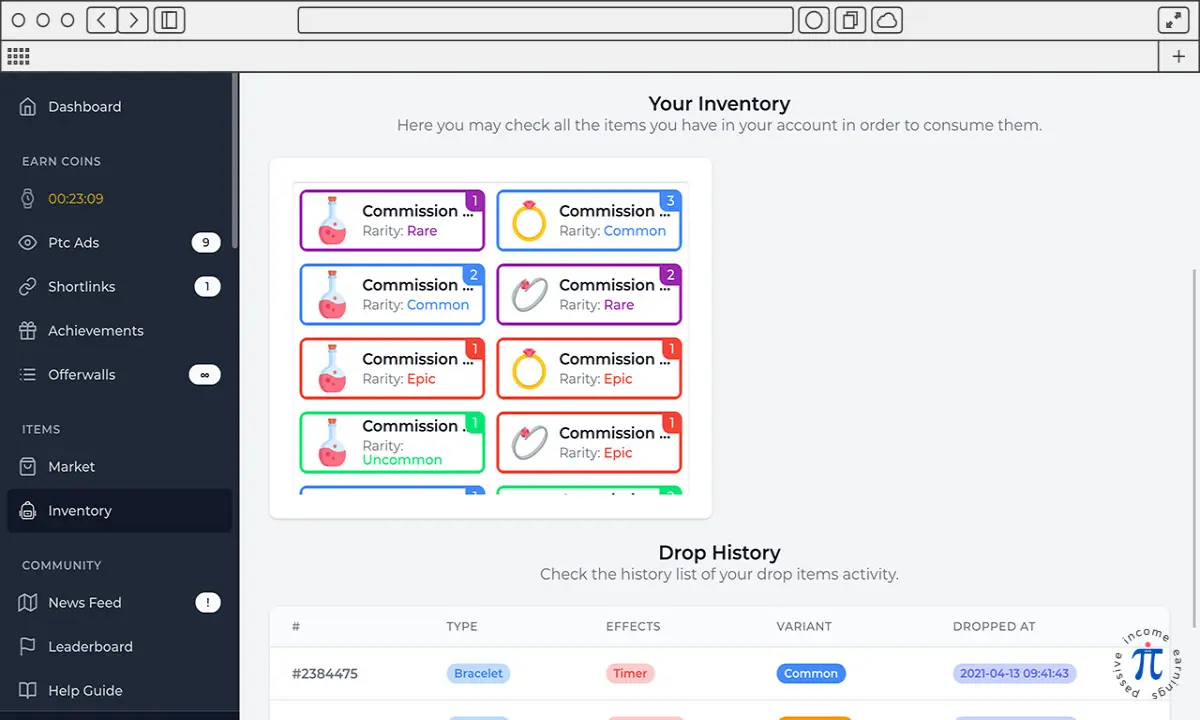
By selecting Inventory you will be able to see all the items in your possession. Some items work depending on time, others on the number of tasks performed. This introduces a certain fun factor and a bit of strategy. Using them the right way allows you to gain more coins and experience points.
FaucetCrypto - Inventory view.
The COMMUNITY section is simply a collection of useful information such as News Feed, Leaderboard, Help Guide and Support Center. You can browse them to see what and where to find.
The next important section is PROFILES.
The Referrals link will take you to a subpage with information about your Referrals Activity. Here you will also find your Referral Link, which you can pass on to your friends whom you want to invite to play. You will receive 20% Commission for each invitee.
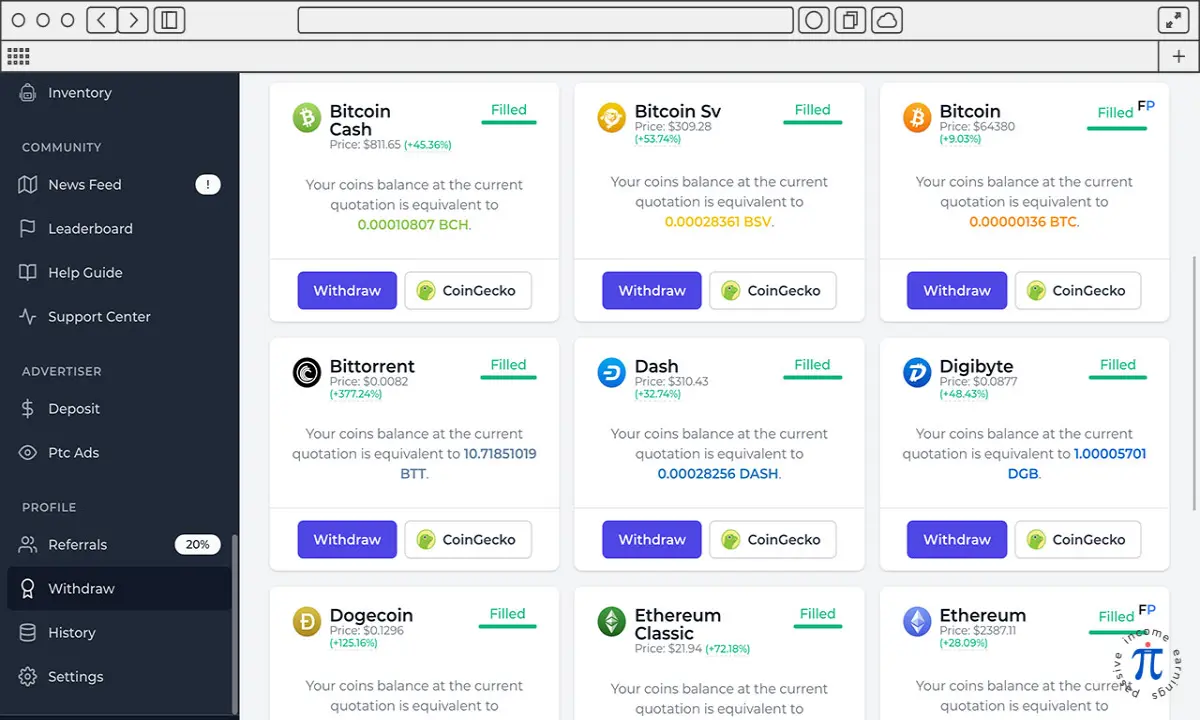
You will also find Withdraw in the PROFILES section. From here you will be able to convert the coins you have collected into the selected cryptocurrency and transfer them to the wallet address provided by you. Some coins can be withdrawn directly to your external wallet, others can only be withdrawn to the FaucetPay wallet address. You can choose from a dozen cryptocurrencies.
Sometimes when you try to withdraw, it turns out that the cryptocurrency you wanted to withdraw is Out of Stock. All you have to do is wait a few days or withdraw another cryptocurrency, for example, to an account at FaucetPay and exchange there for the one you want.
FaucetCrypto -Withdraw view.
The last option in this section is Settings. Here you will find your username, email address and settings for Favorite Cryptocurrency, password or settings for Two Factor Authentication.
Below you will find information about the Conversion Rate and your Current Level. By clicking on the progress bar showing your Current Level you will get information on how it is calculated based on the experience points earned.
This is probably the end of most of the available options and in my opinion this is one of the best Faucets I have come across. You can withdraw relatively small amounts, Experience Points and Items that can be collected and used while playing introduce an interesting fun factor.
Finally, a few tips:
- I was able to use the site in the BRAVE browser, thereby reducing the number of ads and pop-ups to a minimum
- don't sign up on every advertised site, most of them are fake
- some things require learning, after a few days you will be able to click through all available links in less than an hour.
That's probably all for today. I hope that the article will be useful for people who want to try FaucetCrypto or for those who will conclude on the basis of it that it is not for them.
And if you would like to try FaucetCrypto please consider using the referral links provided in the article,
- it will allow me to create more good content, assuming that it is good...
- it let me check if the affiliate program really works and report to you if it is otherwise,
- it's free for you, thanks.
That being said, hope you enjoyed and see you at the next one.
piearnings.com






