
Intro
Good notes can save you hours before an exam. Bad notes, scattered across notebooks, phone screenshots and random files, can cost you marks. The problem is usually the system, not the student.
You don't need paid apps to fix this. Here are five free tools, what each one is best at, and a simple way to use them together.

5 free tools, 5 different jobs
1. Google Keep: quick notes. Open it, type, done. It's good for fast ideas, reminders and checklists, like "bring calculator" or "submit lab report Friday." It's not meant for long, structured notes.
2. Notion: organizing everything. Notion lets you build a page for each course, plus a timetable and a to-do list in one place. It takes a little time to learn, but once set up, it keeps your semester organized.
3. OneNote: handwriting and diagrams. If you use a tablet or a stylus, OneNote is great for sketches and diagrams. Engineering and science students will find this useful, since many topics need drawings.
4. Google Drive: backup and sharing. Phones get lost and break. Keep copies of your important notes and files in Drive, and share folders with classmates when you study together.
5. NotebookLM: studying from your notes. Upload your notes, then ask it questions or ask for practice quizzes based only on your material. It's most useful at the revision stage.
Free plans and limits change often, so check each tool's current plan before you rely on it. You don't need all five. Pick the two or three that suit your style.

A simple note-taking workflow
Capture during class, in Google Keep or on paper.
Organize the same day in your Notion course page.
Back up weekly in Google Drive.
Study before exams by quizzing yourself with NotebookLM.
Follow the 10-minute rule: tidy your notes the same day, while you still remember the lecture. Ten minutes now can save an hour later.
The Cornell method
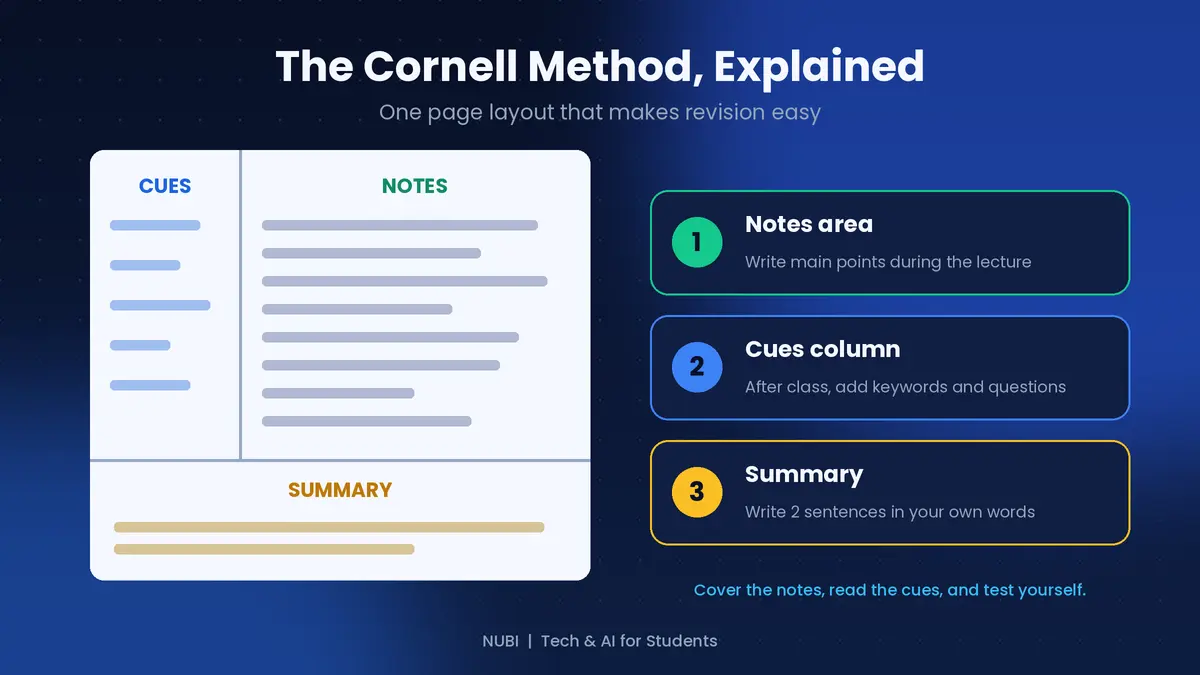
This is a simple page layout that makes revision easier. Divide the page into three parts:
Notes area: write the main points during the lecture.
Cues column: after class, add keywords and questions about each section.
Summary: write two sentences in your own words at the bottom.
When you revise, cover the notes area, read the cues, and try to answer from memory. This works on paper and in digital tools.
Keep your notes organized
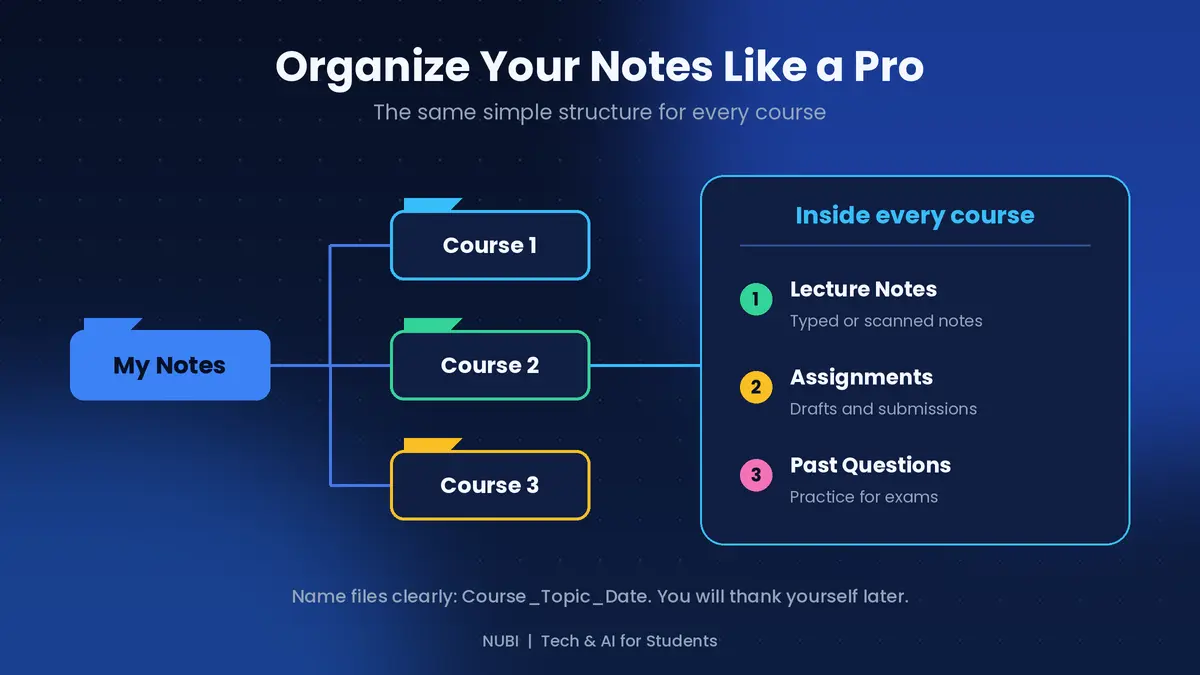
Use the same structure for every course. Make a main folder for your notes, a folder for each course, and three folders inside each: Lecture Notes, Assignments and Past Questions. Name files clearly, for example Course_Topic_Date. When exams come, you'll find everything in seconds.
Quick recap
Pick two or three free tools, not all of them
Capture, organize, back up, then study
Tidy your notes the same day
Use the Cornell method for easier revision
Keep the same folder structure for every course
Final thoughts
The best note-taking system is the one you will actually use. Start small: one tool for capturing, one for organizing and one for backup. Improve it as you go. Which tool do you use for your notes? Tell me in the comments and I'll cover it in a future guide.
Support this blog
If this guide helped you, you can tip me. Every bit helps me keep creating free guides for students. Thank you!

Next: AI tools students can use to earn online, safely. Follow so you don't miss it.






