
Medium Partner Program is an alternative to the ever-popular Adsense monetization for your blogs. However Medium Partner Program only pays via the Medium Paid Members actually reading your articles. The issue is some people that are in countries that are outside the list of countries that the Medium Partner Program does not support also want to join the Medium Partner Program and this is the exact Guide you need to follow step by step.
Medium Partnered Program
Medium is a website that encourages its writers to write and get paid via their Medium Partner Program. Medium Partner Program is totally different from Adsense monetized blogs where you need to meet a certain threshold usually thirty articles all having above one thousand words. Medium Partnered Program unlike Adsense does not rely on advertisement revenue however it totally is relying on Paid Medium Members who pay the basic plan of 5 dollars a month to access unlimited stories on Medium; once these paid Medium Members read your stories and you are under the Medium Partnered Program Paywall you will be paid according to the read time which Medium Paid Members to read your Medium Stories.
Medium Partnered Program List Of Eligible Countries
Currently, enrollment in the Partner Program is only available in the following countries:
Australia, Austria, Belgium, Canada, Czech Republic, Denmark, Estonia, Finland, France, Germany, Greece, Hong Kong, Ireland, Italy, Japan, Latvia, Lithuania, Luxembourg, Mexico, Netherlands, New Zealand, Norway, Poland, Portugal, Romania, Singapore, Slovakia, Slovenia, Spain, Sweden, Switzerland, United Kingdom, United States
The above information is taken from this official Medium support link —
However, if you do not find your country that is because of the issue of Stripes availability and this Guide will help you find a way to get enrolled in the Medium Partnered Program so do not worry and just follow instructions carefully.
If Stripes Do Not Support Your Country
Stripes is a payment system just like PayPal and might not support your country hence you are not in the list of eligible countries for the Medium Partner Program.
Stripes is a payment gateway online system that is used as an online banking system but functions more or less the same as PayPal. However, in this guide, I will be showing you the exact steps that you will not even require a stripes account and still manage to get yourself enrolled in the Medium Partnered Program.
Basic Steps To Take In Order To Setup Your Payment System
Step Number 1 — Create a Payoneer account.
Step Number 2 — Connect your bank account to your Payoneer account it is an online procedure and you can easily set it up without visiting your bank. Will take a maximum time of a week to get things in order.
Adding Official Guide From Payoneer Website To Ease The Process Of Step Number Two.
Withdrawal Service: How can I add a new bank account?
The Withdrawal service allows you to withdraw funds from your Payoneer account to your local bank account. To add your bank details to your Payoneer account, please follow the steps:
- Log in to your Payoneer account
- Go to the Withdraw menu and select To Bank Account
- Click on Add New
- Confirm your security details
- Add the details of your bank account
You will receive an email notification when your new bank details for withdrawal are approved.
Please note that the Withdrawal service is subject to availability.
For more information, please visit our Withdrawal Service Frequently Asked Questions.
Source —
Step Number 3 — After completing step number two now you will go over to your Payoneer account and find Global Payment Service and then choose the USA.
Official Guide From Payoneer Regarding this is right here —
How Do I Receive Funds via the Global Payment Service?
- If the company you work with has an online platform where you need to submit your banking information to receive payments, enter the details of your Global Payment Service receiving account in the relevant currency and save your information.
- Please note that different companies have different ways of sending payments, so you may need to contact them if you have questions about their payment platform.
- If the company you work with doesn’t have a unified payment platform, you can simply send the details of your receiving account by email to your contact person within the company. They can use these details to send you a local bank transfer.
- Alternatively, you can Request a Payment from your Payoneer account and your client will receive an email with your collection account details. Other payment methods may also be available when paying via payment request.
Source —
How Do I Receive Funds via the Global Payment Service?
If the company you work with has an online platform where you need to submit your banking information to receive…
payoneer.custhelp.com
All you need are the two main important information to fill the form later these two things are
- Routing Number
- Account Number
Please see this image below for reference —
 Source — Payoneer
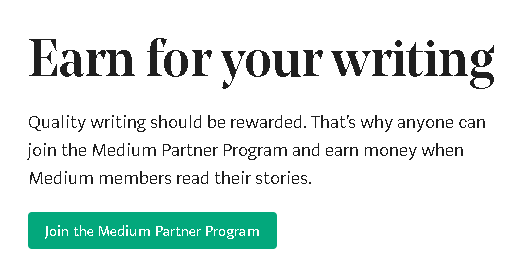
Step Number Four — Go over to this link https://medium.com/earn and click on the green button saying “Join The Medium Partner Program”.
 Source — Medium
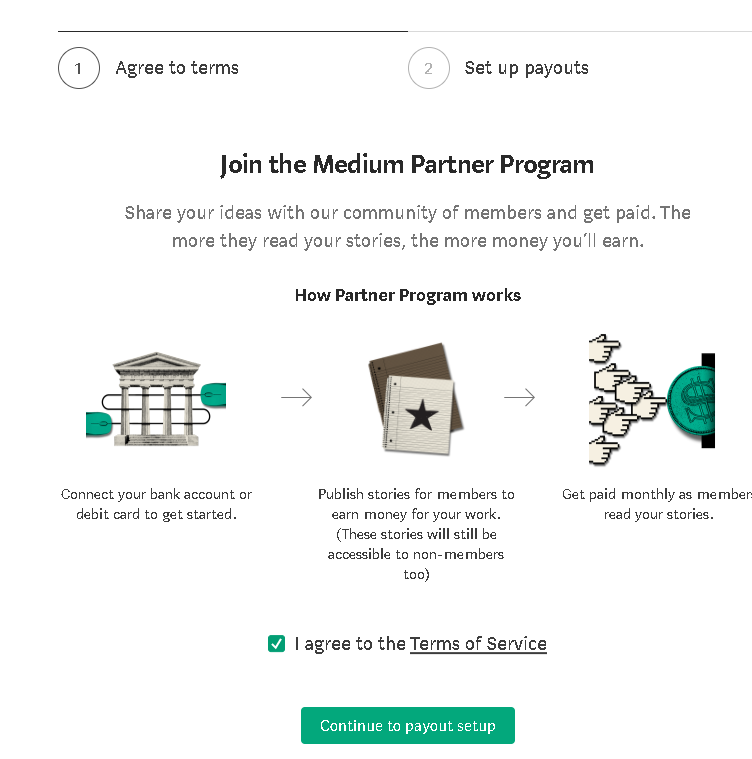
Step Number Five — Click agree to the terms of services and move to the next step which is “Continue To Payout Setup”.
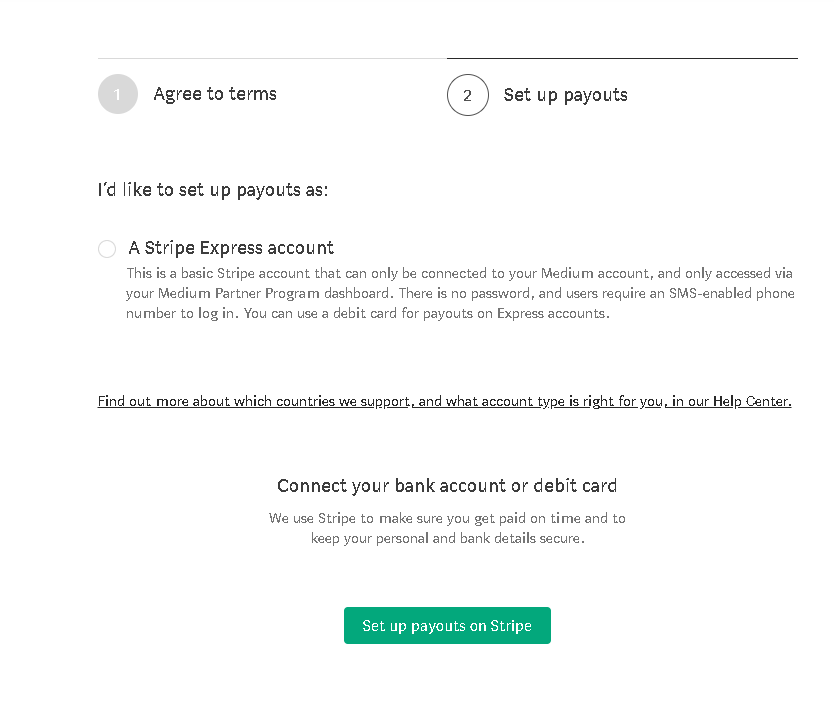
Step Number Six — Just click on setup payouts on Stripes which is a green clickable option on the bottom of the page as shown in the picture below.
Source — Medium Partner Account Setup
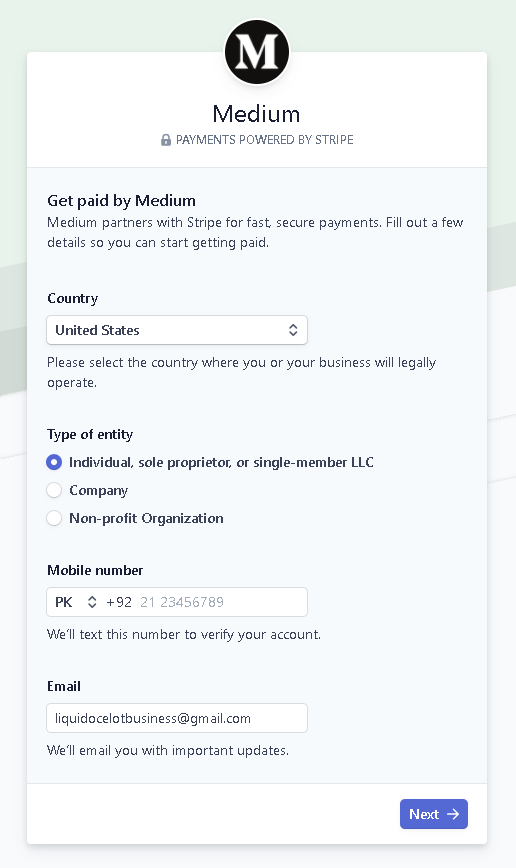
Step Number Seven — You will be further asked for more information such as your country and phone number. I am setting this account as an example from Pakistan however in the list of countries I will be choosing the United States Of America and in the contact number I will be sharing my cell phone number by choosing as PK as my country code. And then click next —
 Source — Authors Screen
Step Number Eight — You will be prompted to provide a Six digit code which you will receive on your given contact number; once entered you will be taken to another page asking for your Name And Business Website. You can fill these up and under Business Website just add any social media profile link if you do not have a website.
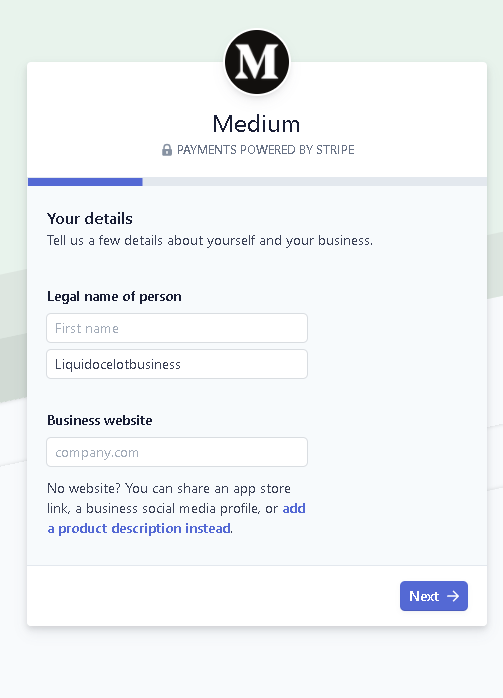 Source — Author Screen
Step Number Nine — Fill Out this form using information taken from Step Number Three from Your Payoneer account USA global Service account information and click the blue save button in the bottom right corner.
 Source — Author Screen
Step Number Ten — You will be taken to the last confirmation page where you will have the option to review your details. Check for mistakes and then click done at the bottom right of the page.
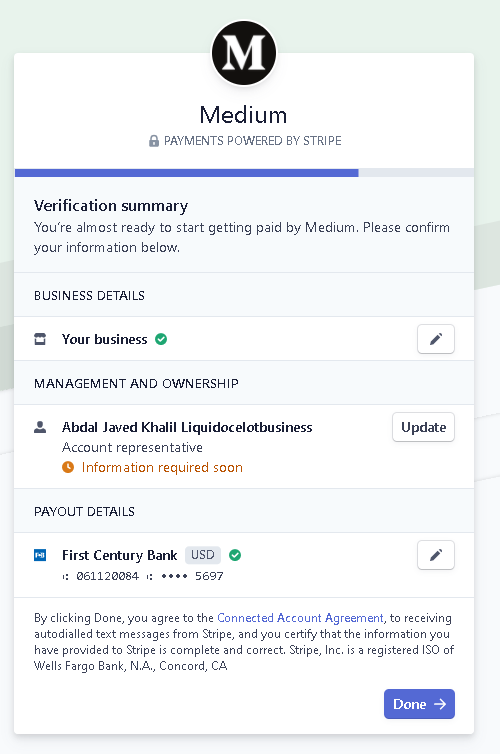 Source — Author Screen
Step Number Eleven — You are now enrolled in the Medium Partnered Program however you need to fill your tax information. If you see this image below this means that you are on the right track.
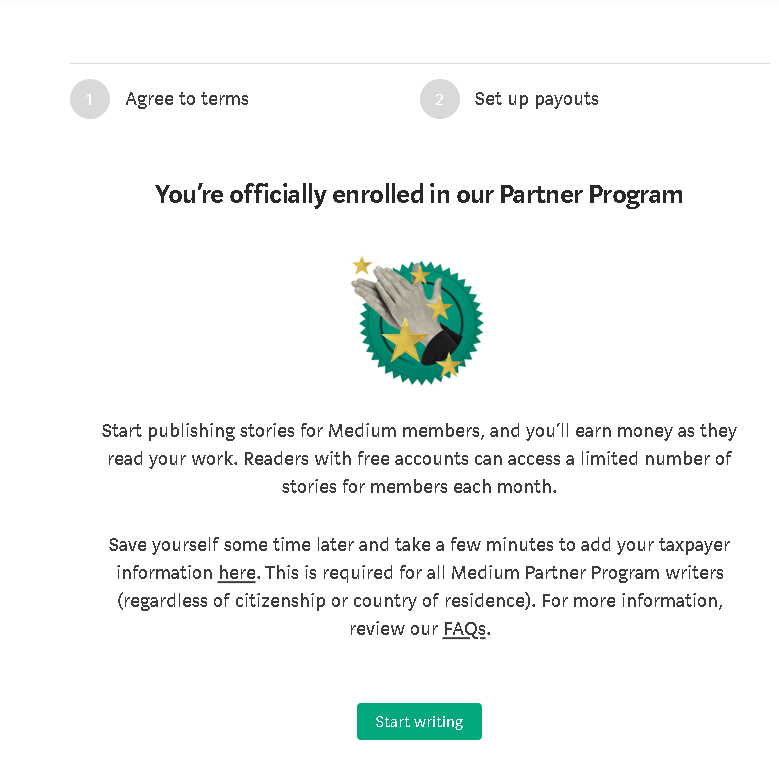
Source — Author Screen
Now click on the Tax Payer Information clickable page shown above in the image which is right here — https://medium.com/me/partner/taxes because you will not be paid until you fill up this tax form and this is a very important step that cannot be ignored.
Step Number Twelve — On the Tax Payer information page, you need to fill the correct details like the following —
- Real Name
- Choose Individual
- Contact Email
- Phone Number
- Address
- City
- Zip Code
- Country
- Date Of Birth
- Country Of Birth
Choose the W8-Ben Form which is for Citizens Outside of the US.

Source — Author Screen
Step Number Thirteen — On this page, you need to fill in Your name, and address and just simply click “Same As Contact Address” And “Same As Permanent Address” To auto-fill the form and then click continue.
Step Number Fourteen— On this page, you need to make sure you can provide Your “EIN” Number which is the taxpayer number for non-USA residents. You can apply for an EIN (Employer Identification Number) by going to the IRS website for Non-USA residents form can be found right here —
Taxpayer Identification Numbers (TIN)
A Taxpayer Identification Number (TIN) is an identification number used by the Internal Revenue Service (IRS) in the…
www.irs.gov
Step Number Fifteen — Continuing filling the form under “Claim Your Treaty Benefits” Choose your country name and click continue.
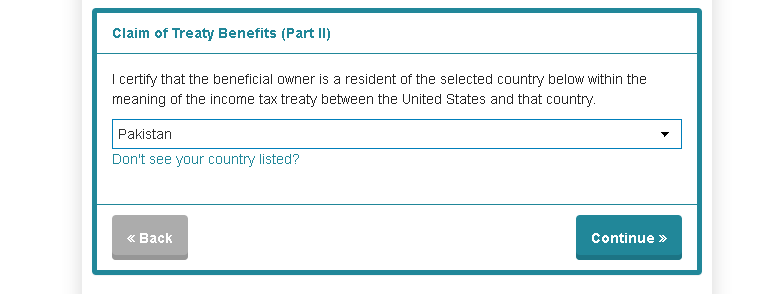
Source — Author Screen
Step Number Sixteen — Click next and fill in relevant information until you go to the last page where it says “Certification” checkmark all boxes and add the following required information —
- Your Full Name
- Date Signed
- Contact Email
And Submit Your application. Woohoo, now you will be notified by Medium pretty soon as you have provided the required information regarding your Tax Form. You are now part of the Medium Partnered Program Enjoy your stay and keep writing and earning lots and lots of money.
Note — I know a lot of you will have an issue while filling the EIN (Employer Identification Number) If you have issues with the IRS method you can simply ignore this step of providing an EIN number and later once you receive the EIN number from the IRS then you can add it later.
This article was originally posted on medium.com






