
Exodus Review Summary
Hello all, today i gonna present you exodus wallet.
Exodus is an easy to use multi-currency software wallet that is available for desktop and mobile. The wallet excels in its simple design and superb online support. It is an easy way to access and manage your crypto assets. Even if you’re just starting out with Bitcoin or cryptocurrencies you would still be able to use this wallet effortlessly. Exodus is the kind of product you “fall in love with” the first time you use it, and that’s quite rare in the cryptocurrency world.
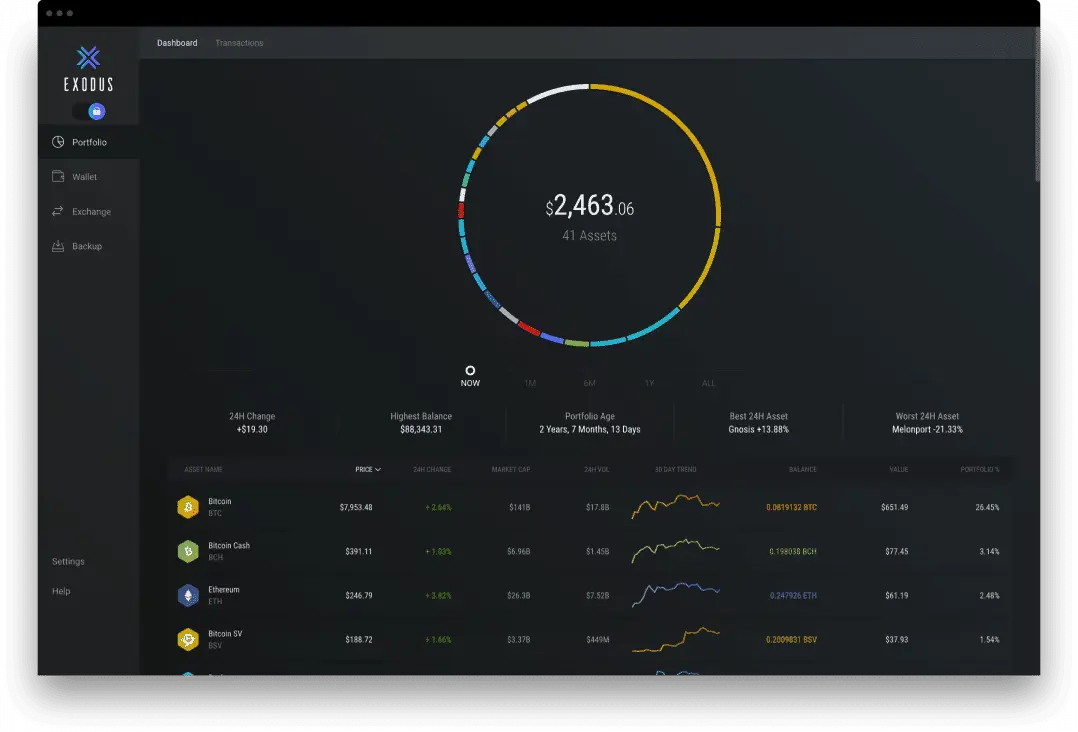
Exodus is currently compatible with Mac, Windows, Linux, iOS, and Android. You can also pair your desktop and mobile wallets together so you’ll have control over your funds from both devices. The wallet is also compatible with TREZOR hardware wallets, allowing you to use the sleek Exodus interface with the robust security of a hardware wallet.
Here’s how it works:
Exodus supports 100+ Cryptocurrency Assets, here you can find the full list

Is Exodus Secure?
Exodus is as secure as any software wallet can get. The two main security features the wallet offers are
- Password protection for your wallet.
- Automatic wallet lock after a selected period of time.
Support
One thing that’s lacking from most wallets and cryptocurrency services is good customer support. Since most wallets are open source and free, they can’t offer support because they would need to pay people to answer customer’s questions. Exodus is different though. They make money by charging fees on trades made with the built-in exchange. This means they can offer proper email support.
I haven’t personally used the customer support on Exodus. However, the internet is full of people’s stories of using it. They are mostly very positive, and it sounds like Exodus are doing a great job of keeping their customers happy.
How to Create and Use an Exodus Wallet
It’s really easy to set up and start using Exodus, but I’ve outlined the steps for you below anyway.
- Download the wallet from the official website.
- Once you’ve downloaded the software, follow the onscreen prompts to install it.
- When it’s installed, open your wallet and then click the “wallet” tab at the left-hand side of the screen.
- Click on the cryptocurrency you want to add to Exodus. Next, click “receive”.
- You will be shown an address and a QR code. This is your public wallet address and is what you give to someone that wants to send you some crypto. You can also use this to send crypto from another wallet of yours to your Exodus wallet. If you are sending crypto from another device that has a QR code scanner, you can use the QR code to get the address.
Sending Cryptocurrency Using Exodus
To use your Exodus wallet to send cryptocurrency, follow the steps below.
- Click “wallet” in the left-hand panel.
- Select the cryptocurrency you want to send.
- Click “send” in the center of the window.
- You will be given the option to scan a QR code using your device’s camera or to enter an address.
- Scan the QR or enter the receiver’s address in the section labeled “send to … address”.
- Enter the amount you want to send.
- Click “send”.
Conclusion
Exodus wallet is truly amazing. In my opinion the biggest advantages are design and simplicity of use. There’s no doubt that if you’re new to Bitcoin or cryptocurrency in general, Exodus will allow you an easy entrance. Have you had any experience with Exodus? I’d love to hear about it in the comment section below.
My Earners (feel free to join)
BITWALA
Traditional bank account linked to a cryptocurrency wallet, debit card and exchange.
sign-up & create a wallet, you'll receive 30€ ----> LINK
DUALMINE is the best and most reliable mining company. They offer great price, the website is intuitive and easy to use. They give you 100 GH / s with registration. ----> LINK
My TOP 5 sites to earn some free Bitcoin.
KuCoin is a third party exchange that allows you to buy, sell and trade lots of different cryptocurrencies. KuCoin offers some of the lowest fees among altcoin exchanges. ----> LINK






