
How to go from 100k emails down to 50k in one hour time.
If you are like me, you start panic and want to declutter your Email inbox just when you get red signals that your email inbox is full. Desperate you try to remove one by one, and after half an hour you see it will take ages. You don’t want to lose some important conversations. At the same time you do not have time to go through all 100 000 emails. This is the amount of emails I’ve reached recently. I took a screenshot 20k emails less.

I’m not proud of this clutter. In search for rescuing my sanity and preventing me from purchasing a bigger email box storage — I just would have more clutter there — I finally found the solution.
Follow this steps to declutter you inbox!
STEP 1

In the search bar you write is:unread In this way you will get rid of all unread messages in your inbox (by following further steps).
There are very little chances that you will find something in your 100k emails’ mess. Time to take this decision.
My reasoning was — if I haven’t read them so far, and I am still alive, it is time to do it!
When you write down this command in the search bar and will click on the magnifier next to it, you will get all your unread messages selected.
STEP 2

To avoid very long time of deleting, click on ‘select all conversations that match that search’. This will help you to delete in few thousands bulks, not 50 emails bulks.
Amazing!

Your inbox should look like this now.
STEP 3

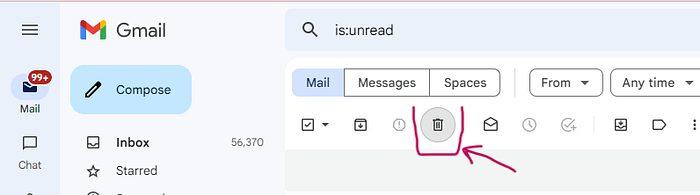
Click on the Bin symbol.
STEP 4
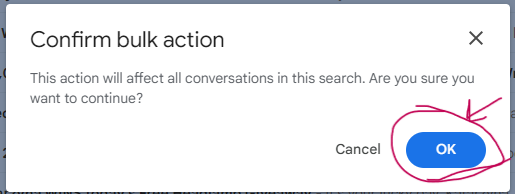
A pop-up window will apear. Click ‘OK’.
You will see that Bin icon is in a round grey circle, as on the following picture.
STEP 5
Wait patiently. The above steps will help you to get rid of few thousands of unread emails in few minutes.
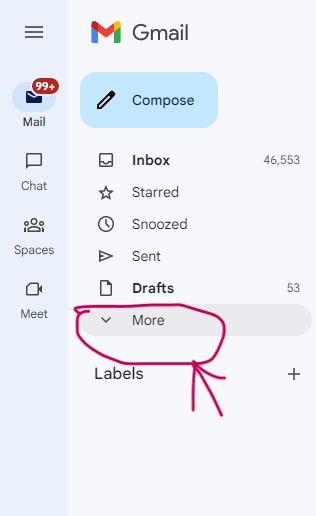
To get rid of them permanently from your inbox, click on ‘More’ on the left side bar.
STEP 6
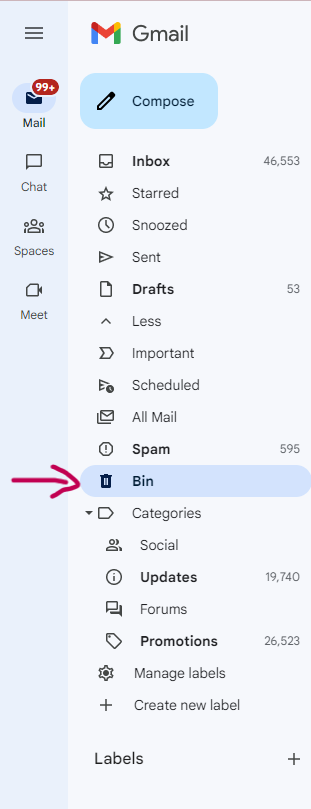
Select Bin and click on it.
STEP 7
Cleaning the bin is very important. Do this following the previous steps. Removing 50k emails in one go might be too difficult for the system (guess why I know this?).

Click on ‘all conversations in the bin’ .
STEP 8

DELETE FOREVER
Get rid of all your clutter. You have of course other choices. You can buy bigger and bigger inbox, but removing clutter from your inbox is for sure better for your wellbeing.
STEP 9
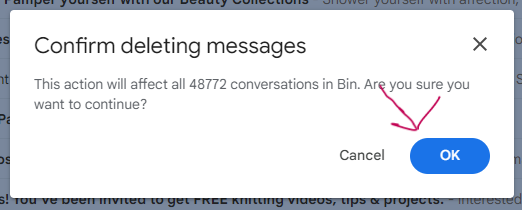
Click ‘OK’. Now you know why I advised to do this every few thousands, not every 50k emails.
STEP 10
Repeat the cycle!
Congratulations. Whole process should take about an hour. If it will take more time, it is still OK to get rid of this problem once and for all.
I hoped you liked my article. Very curious, if someone reached more clutter in their emails than 100k. Let me know in the comments your number :)






