
Creating a list of objects or names like say we wanted to have a list of names in our class, and we want the users to input their names by themselves and our programs should store the names after each user.
We will make use of Arrays [ ], what are Array, An array is a collection of similar data elements stored at contiguous memory locations. It is the simplest data structure where each data element can be accessed directly by only using its index number.
How do we use it in solidity?
In solidity, we can call the array function like so NewMember [ ] this is a dynamic array as we can keep adding new members since we did not specify the number of users we want to add.
We can also call the Array function NewMember [10], here we specify the number of users we want in our array and say this is a static array.
Most time we will make use of the Dynamic array as we do not know how many users will be added to the project.
Let us try this remix
//SPDX-License-Identifier: MIT
pragma solidity ^0.8.0;
contract Array{
NewMember[] public Person;
//NewMember[] private Person;
//NewMember[] external Person;
//NewMember[] internal Person;
struct NewMember{
string Name;
uint Number;
}
}
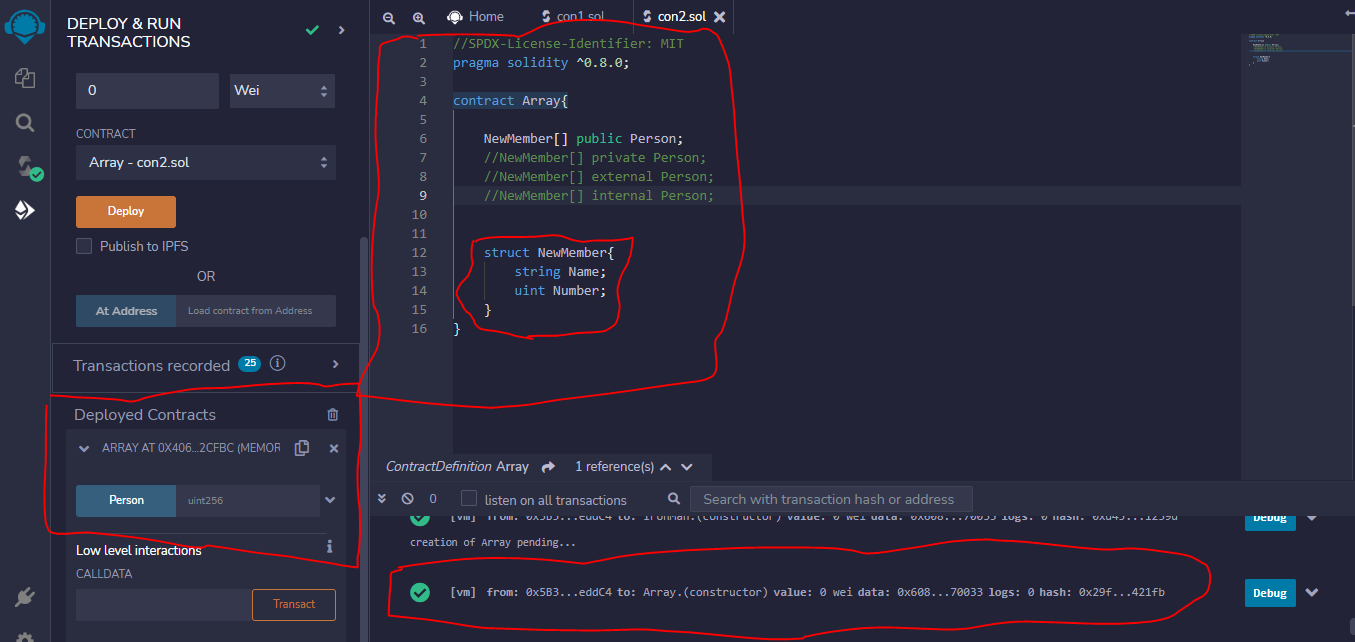
In our contract we created a contract and called the array function here, NewMember[] public Person; but an array has to draw data from value from somewhere, leading us to create a struct.
Here we created a single struct of a new member which will take the new Member Name and Number
Once we deploy our contract to the test network, we see that our array of person is showing and we can input values into it.
But our value can only be type uint256 and it’s blue which means we can only call it but we can see add users, how do we make sure our array picks up the value of our struct?
To do this we will create a function.
function retriveNumber(string memory _Name, uint _Number)public{
Person.push(NewMember(_Name, _Number));
}
We created a function called retrieveNumber and here we added something called string memory memory here allows us to store the data on the chain.
This data of type string will be stored in _Name and _Number.
We also said our Person which is a name we gave our array at the top should push a new user to NewMember of type _Name and _Number.
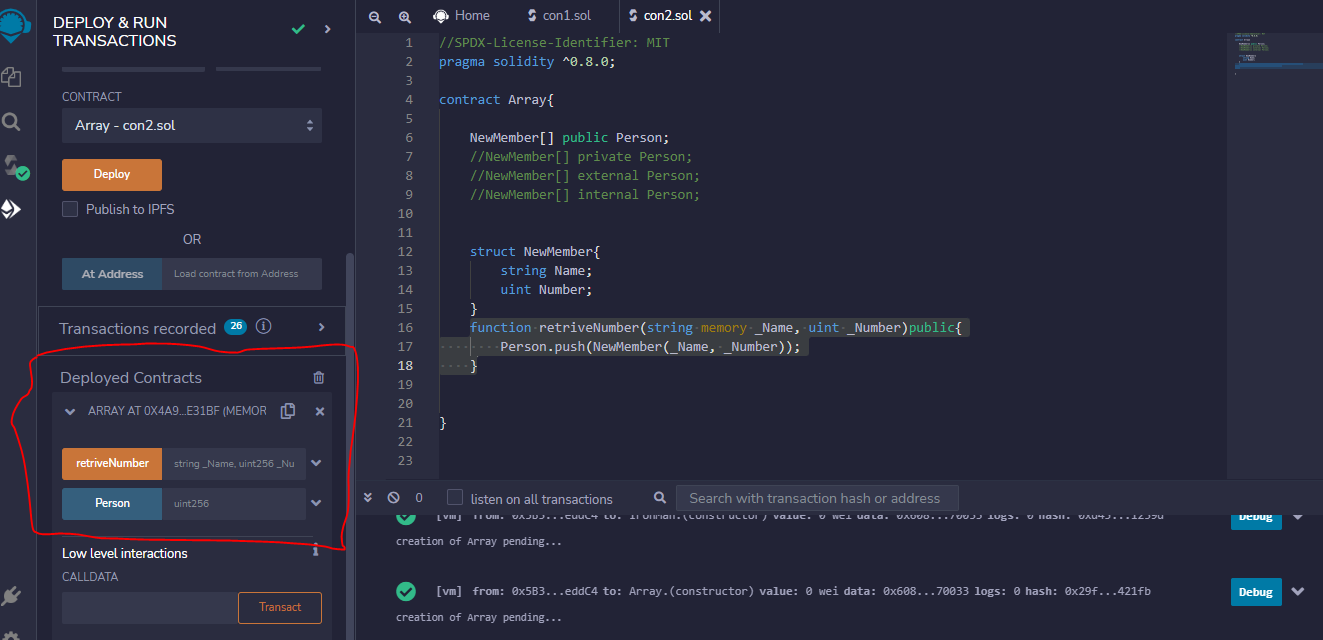
If we deploy our codes again, we notice we have the retrieveNumber, where we can add name and number and call that value with its number.
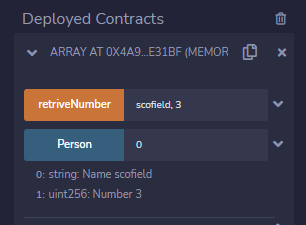
We can input the name and number of each user in the retrieveNumber and call them in person.
The next article will explain more about calldata memory and storage and how they differ in many ways from each other.
Conclusion
If you find this insightful, please leave a like or comment, and let me know what you will like me to write about.
See you soon.






