In this article we will discuss some basics commands from CoinKit TipBot that can be done in Direct Message with CoinKit on Twitter.
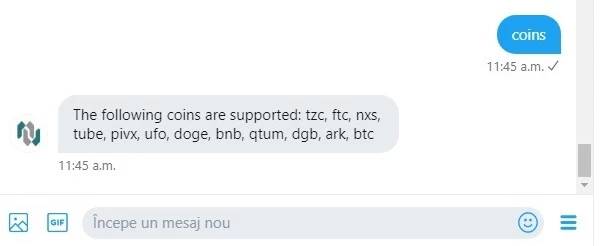
1.Check what cryptocurrencies are available on CoinKit :
Command : coins
Result : Will show you what cryptocurrencies are integrated on CoinKit.
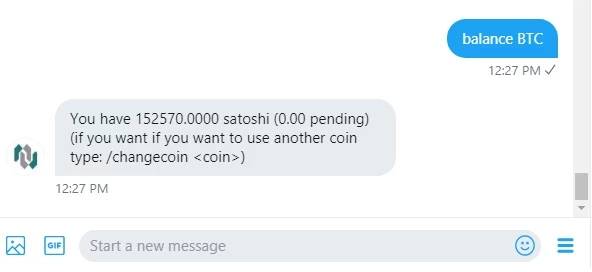
2.Check your balance for a specific coin :
Command : balance BTC
Result : Will show you the balance for desired coin.
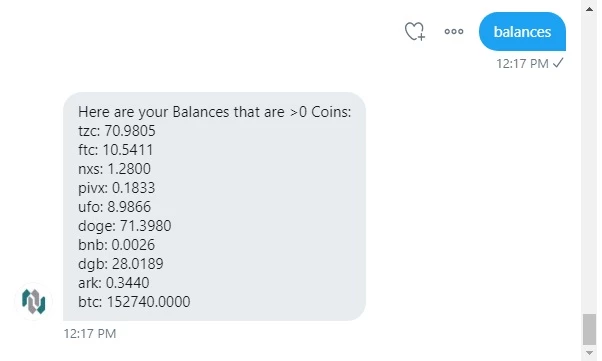
3.Check all your balances at once that are bigger than 0 :
Command : balances
Result : Showing all available balances from your CoinKit account.
4.Deposit cryptocurrency supported by CoinKit
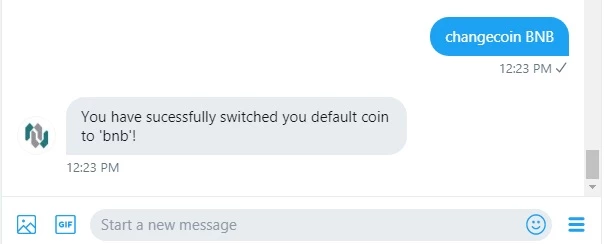
a.First you need to change your coin to the desired one that you wish to deposit:
Command : changecoin BNB
Result : Your default coin is now BNB
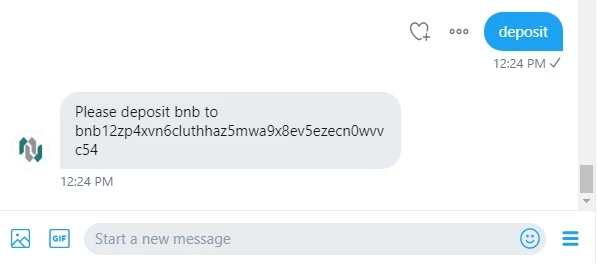
b.Second you need to see your deposit address from CoinKit and proceed with deposit:
Command : deposit
Result : Provide you with CoinKit BNB deposit address
5.Withdraw cryptocurrency supported by CoinKit
a.First you need to change your coin to the desired one that you wish to withdraw:
Command : changecoin BNB
Result : Your default coin is now BNB
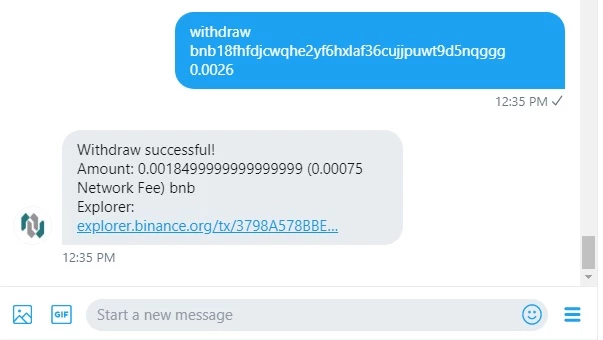
b.Second you need to input your withdraw request :
Command : withdraw <address> <amount>
Result : Below example show you how to withdraw 0.0026 BNB from your CoinKit balance to the BNB address you input.
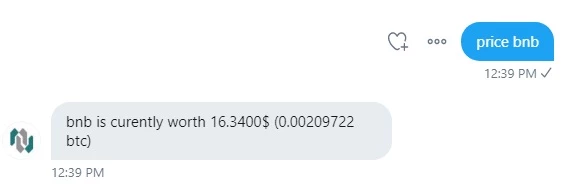
6.Check market price for all integrated coins :
Command : price BNB
Result : Showing the price for 1 BNB