How to Add Another Clock in Windows 10

How to Add Another Clock in Windows 10

By ch6m9ion | inquisitivemonkey | 27 Nov 2021


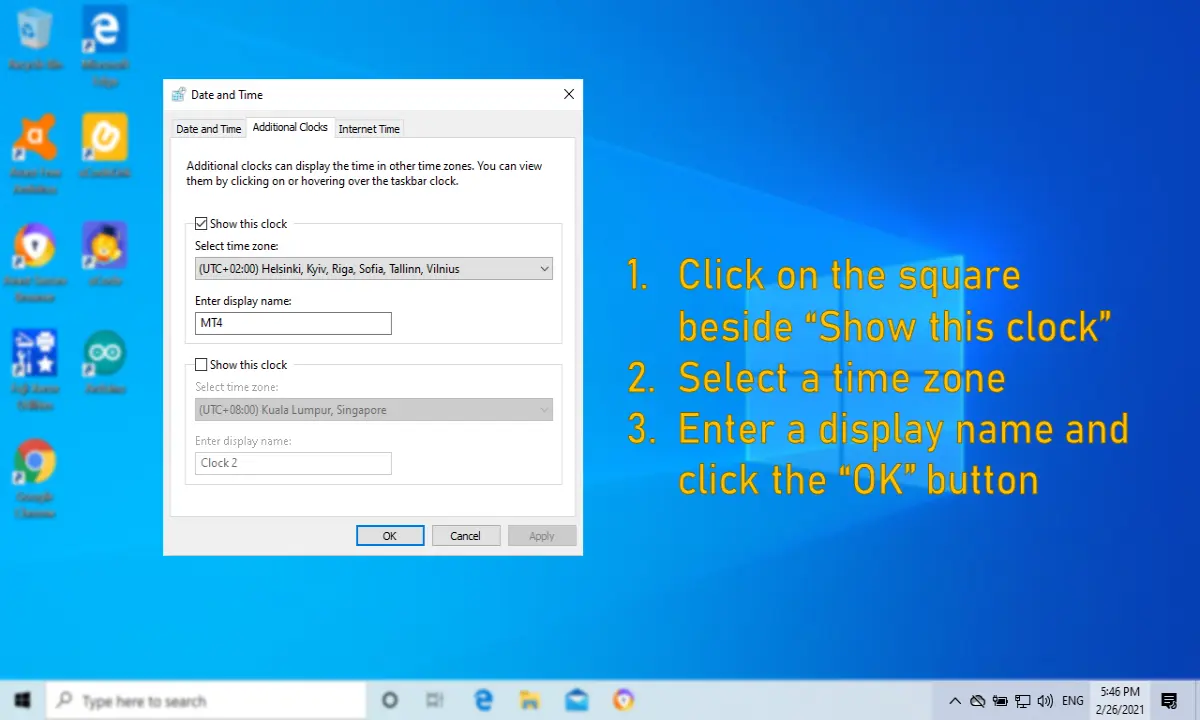
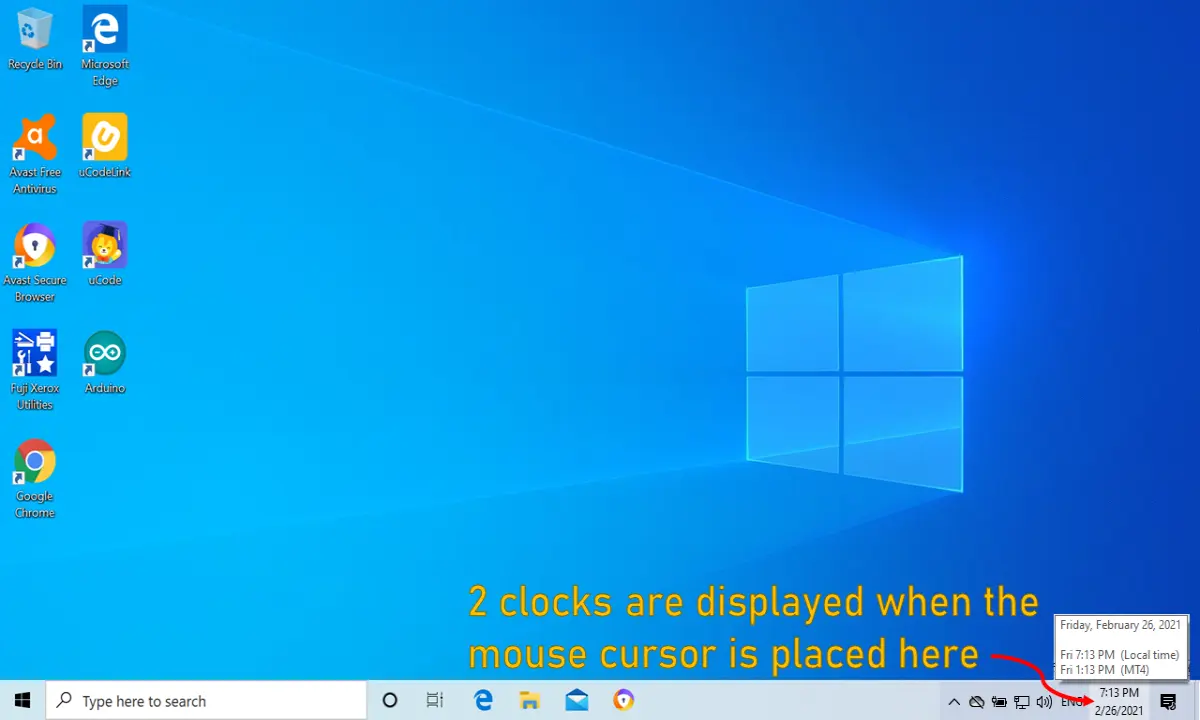
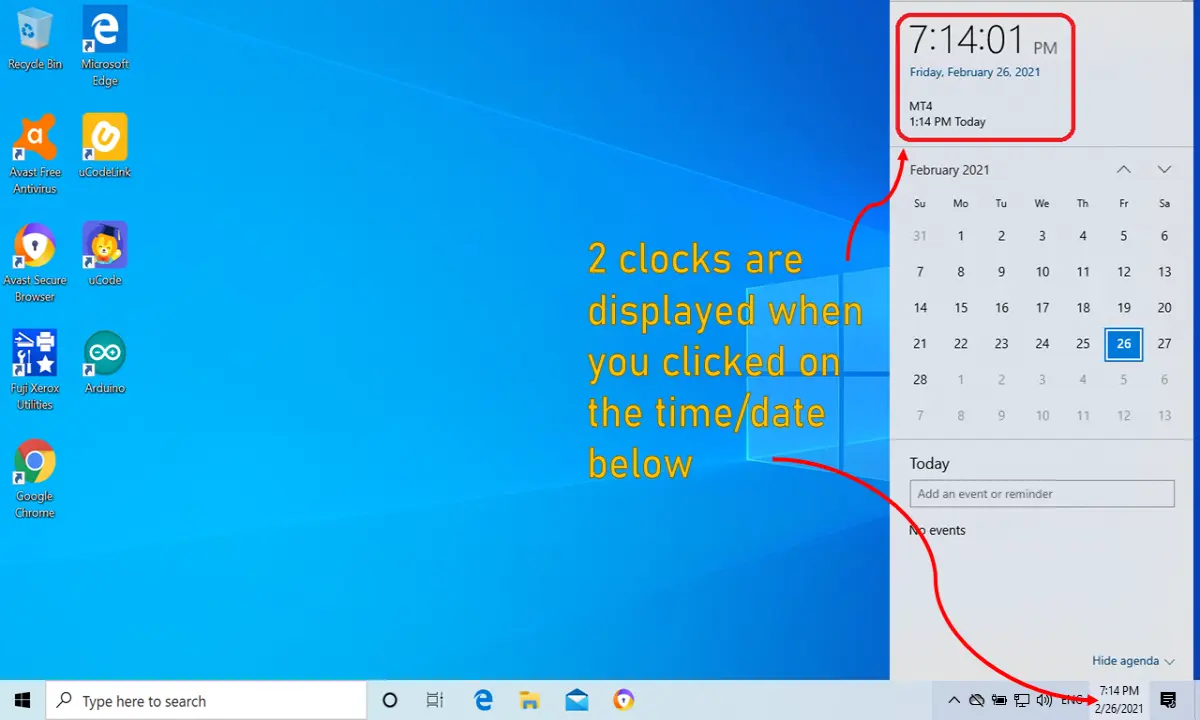
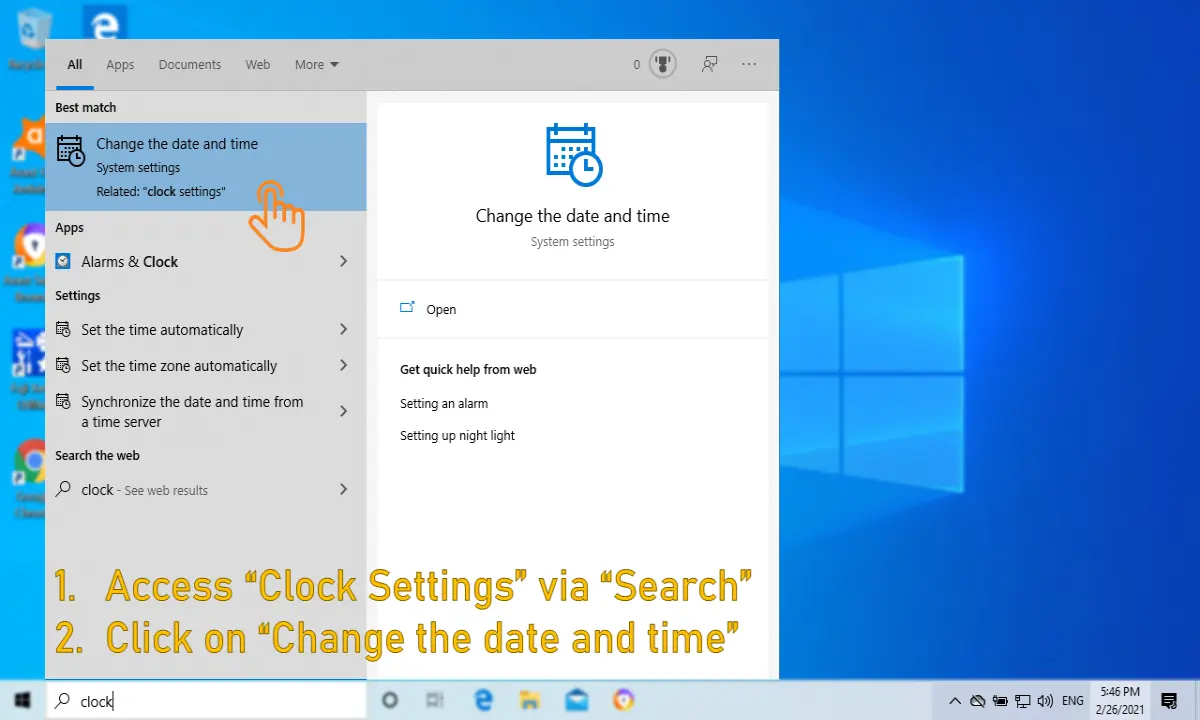
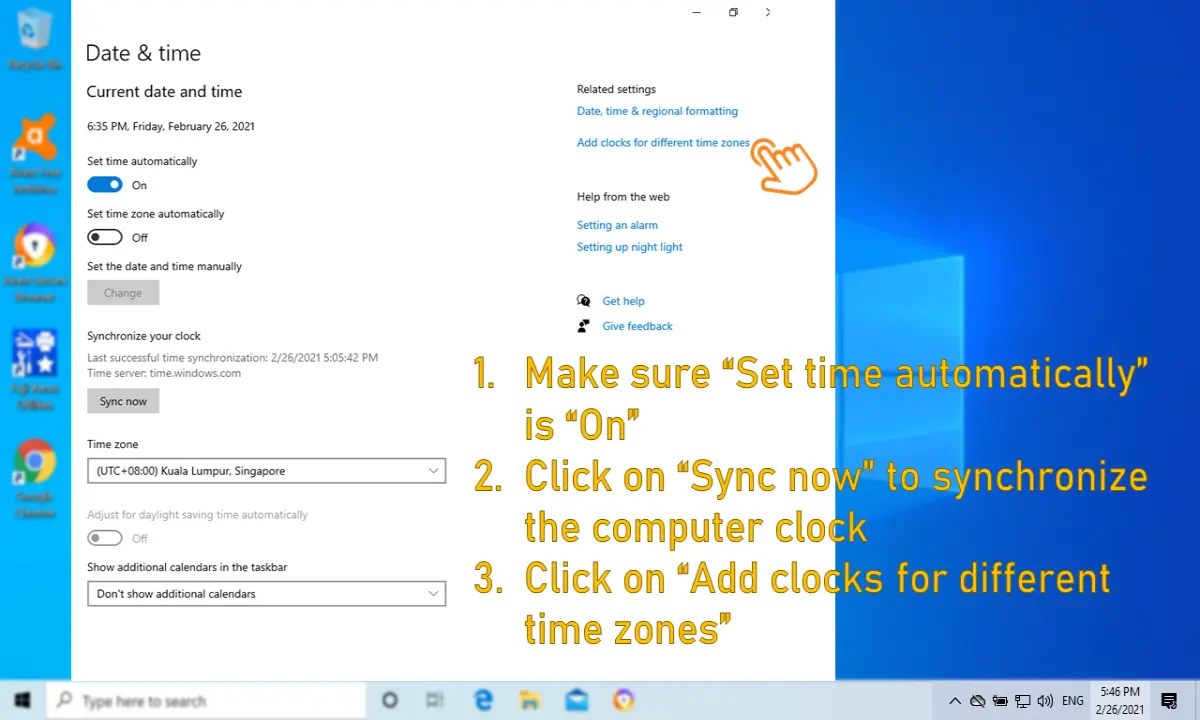
At times, you may need to access a system in which the system clock is different from your country's local time (e.g. different time zone). Hence, it will be good to have 2 different clock on your desktop for easy referencing. This powerpoint slides show the steps to add another clock on a Windows 10 desktop.
9fd86f7353cd7fc0abc1ccd65311639471d1d6bb1b367071fef0be97b0b69609.png

342833dd34af4fc680903aa6287ca05e5bf904e6f55af4a910211a86655d25ae.png

23c9eb48dd0322f405ca346bbc68681732c2f35a0fd0df99d2957d5e7a3a4510.png

84f1c15f14917a3886c61d4e97432faa69c73bd427ee9129aab48b3ea71e1d59.png

5da19bd58258704551493eaee1088d8bbf95771071bd5fe6af28f6635ad8cacf.png

How do you rate this article?

0


ch6m9ion
ch6m9ion

Content creator. However, I am new to crypto and hope to learn more about it.


inquisitivemonkey
inquisitivemonkey

Welcome to my blog "inquisitivemonkey". I create content for my own YouTube channel. I have the same goal for this blog as I do for my YouTube channel. That is to share useful content on: 1⃣ Computer hints, tips and solutions 2⃣ Information technology-related topics 3⃣ Financial instruments (e.g. stocks, options, currencies, bonds) related topics.

Send a $0.01 microtip in crypto to the author, and earn yourself as you read!

20% to author / 80% to me.
We pay the tips from our rewards pool.