
SHG Tutorial - Connecting the wallet on the Games launch platform
1- Enter the wallet and go to the Web Browser
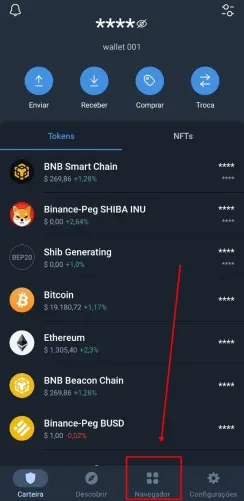
2- Paste or type the Platform address in the search magnifying glass
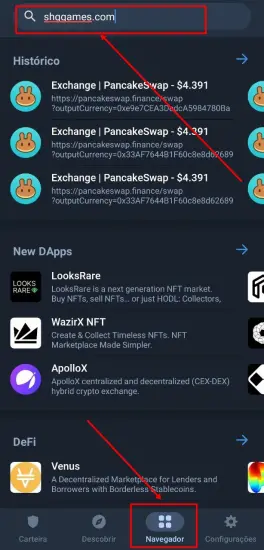
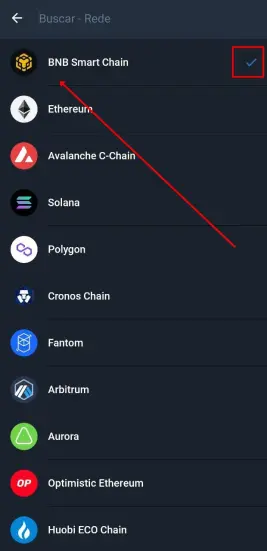
3- By default it comes in ETH network, click on it and change to Smart Chain Network
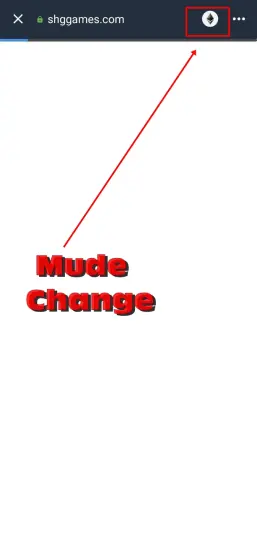
4- Choose Smart Chain Network
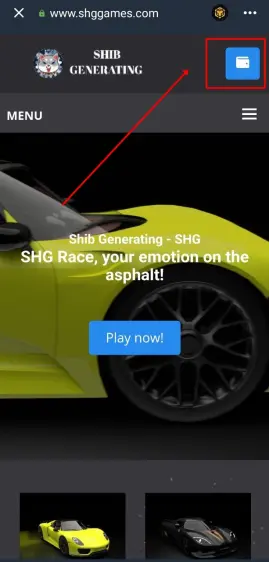
5- Go to the wallet in the upper right corner and connect it
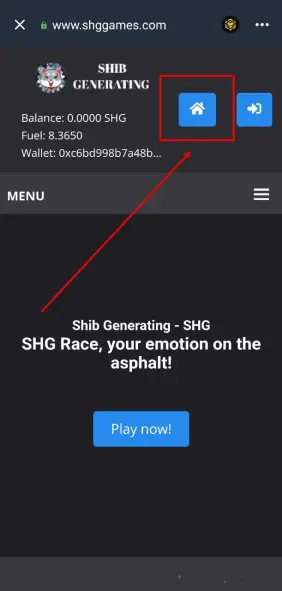
6- Check if the House appears, if yes, congratulations! It is connected to the SHG Games launch platform
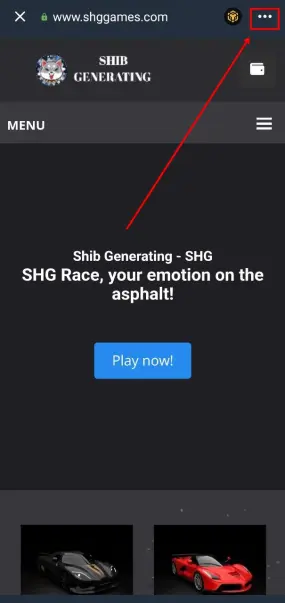
Note: If you click and cannot connect the wallet, go to the three dots in the upper right corner
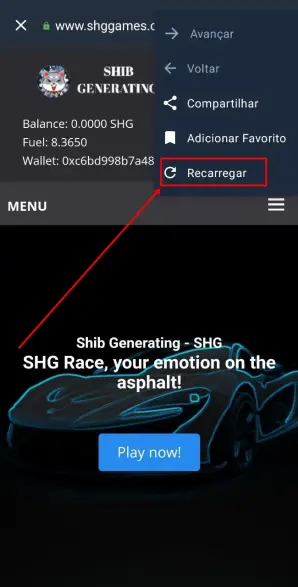
1.1 Then go to Reload. Then repeat the same connection procedure. If it doesn't work, close the wallet platform and app and do the procedures again.
SHG Tutorial - Creating a Game Account
1- With the wallet connected, go to Menu
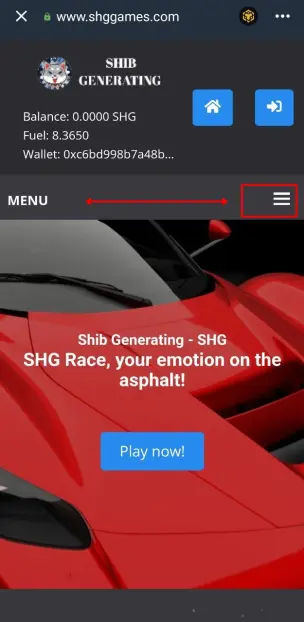
2- Panel
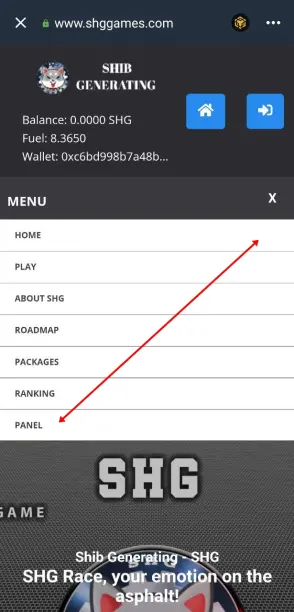
3- Account Details
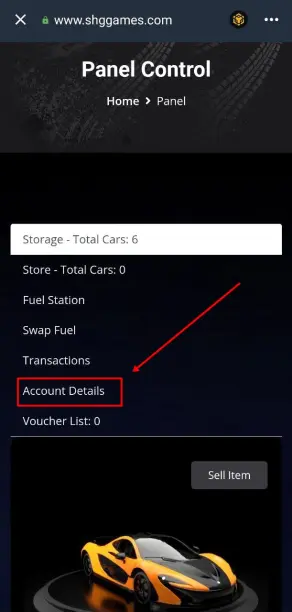
4- Name: Minimum 8, Maximum 15 characters
- Email
- Password
Note: You cannot change the name, under the risk of losing the race history.
We advise you to write down the username in a separate place.
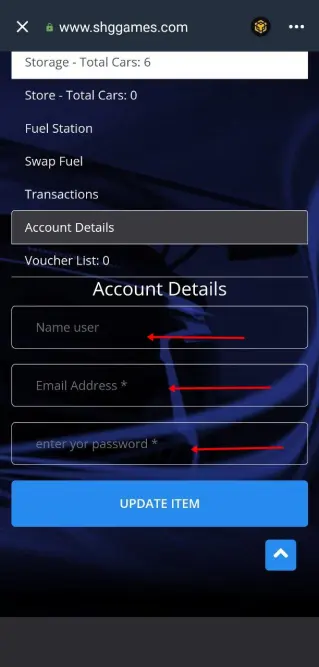
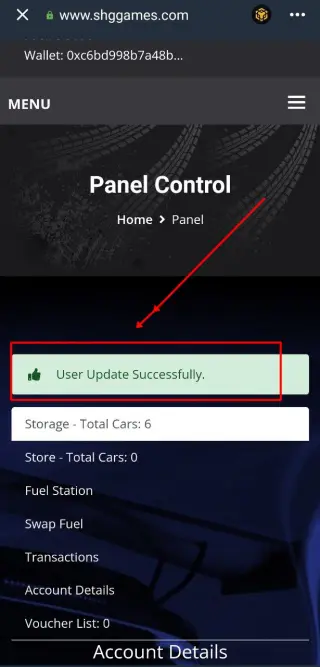
5- After confirming the information and clicking Update, wait a few seconds and see the confirmation of valid account.
SHG Tutorial - Depositing SHGs on the platform
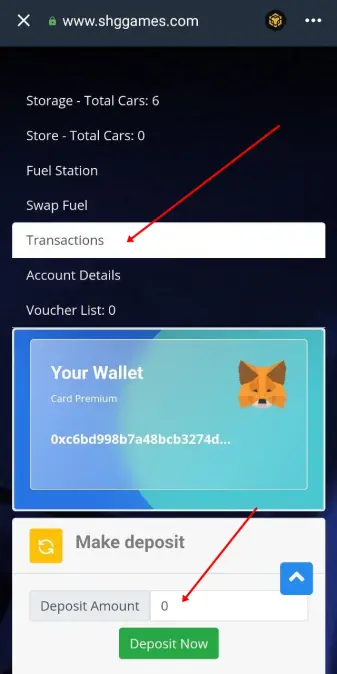
1- With the wallet connected, go to Menu, Panel, Transactions and set the amount in SHGs you want to deposit
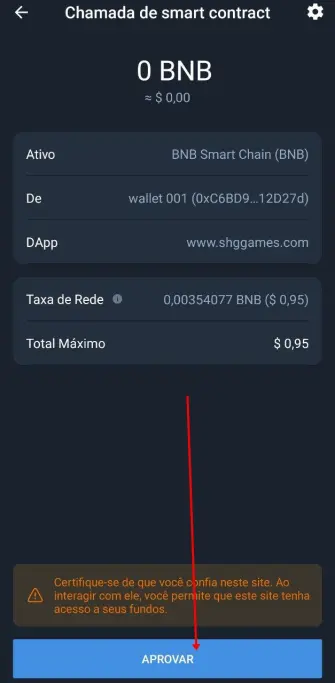
2- Approve the transaction on the network, and it must have the BSC Network rate.
SHG Tutorial - Buying Fuel
1- With the wallet connected, go to Menu, Panel, Swap Fuel and set the amount of tokens you want to buy Fuels, observing the amount of Fuels you will buy below.
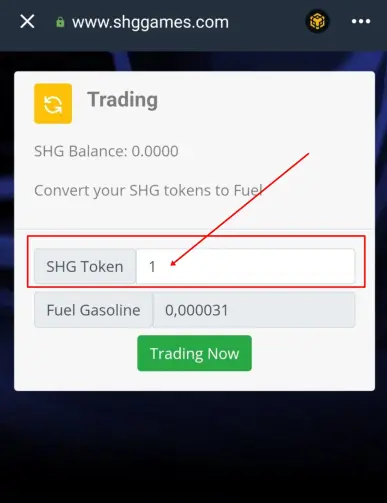
Note: to purchase Fuel, you must have SHG in your account, through SHG deposit, as shown in the previous tutorial.
SHG Tutorial - Downloading the Game and logging in
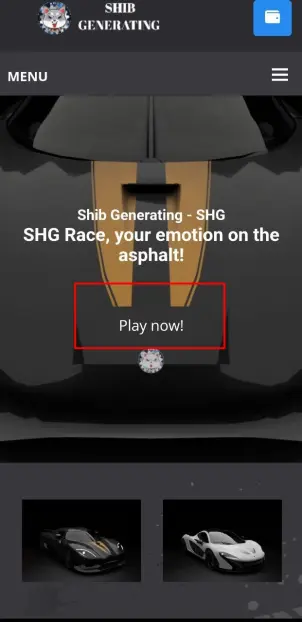
1- In the mobile or notebook browser, type shggames.com and click on Play Now
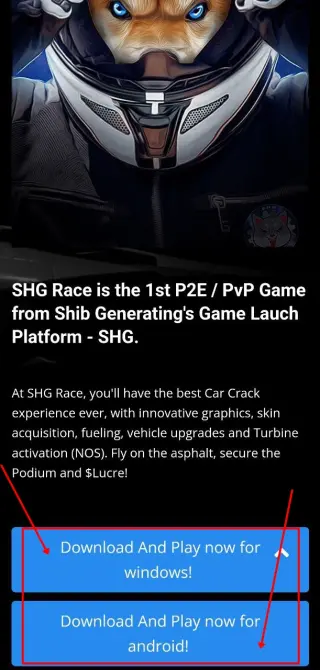
2- Download and install on your device.
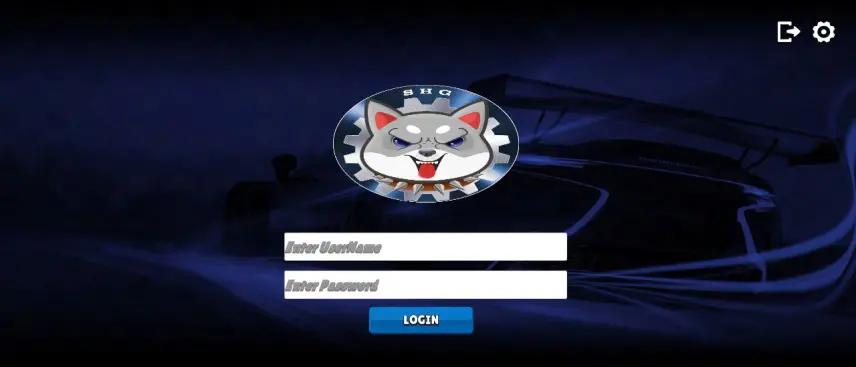
3- Open the Game app and login with your username and password created on the Game Launching Platform.
SHG Tutorial - SHG Race
1- After downloading the Game, enter and login
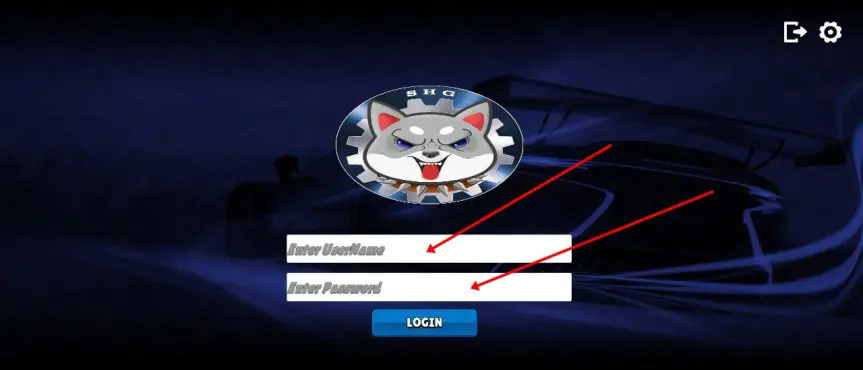
2- After logging in, go to settings, in the upper right corner, if you want to modify some game settings
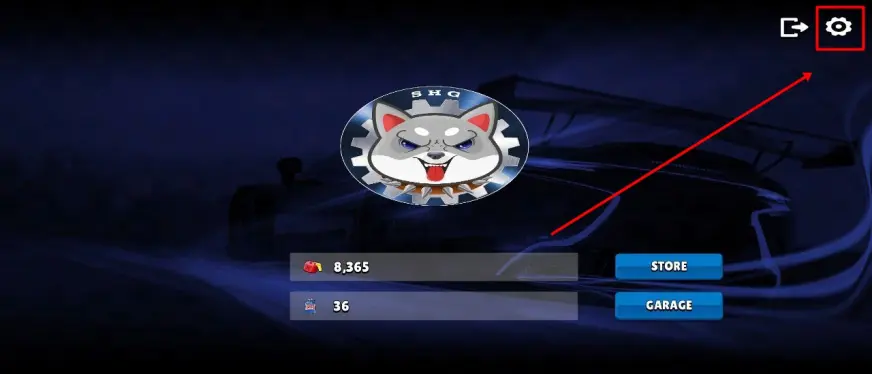
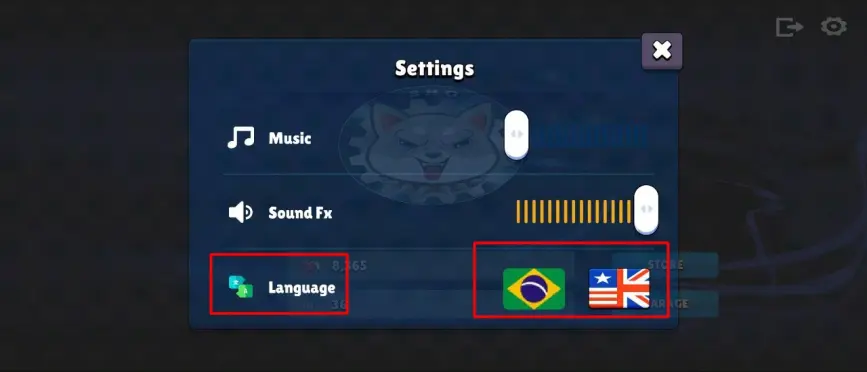
3- In settings, you can change the volume of sounds and change the language
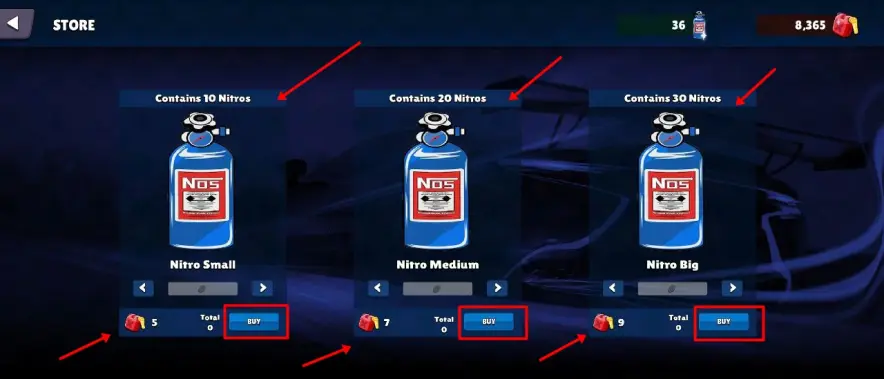
4- To buy Nitros, go to Store, choose the amount of Cylinders you want to purchase and go to Buy
5- Go to Garage and you will have all the pre-Game options
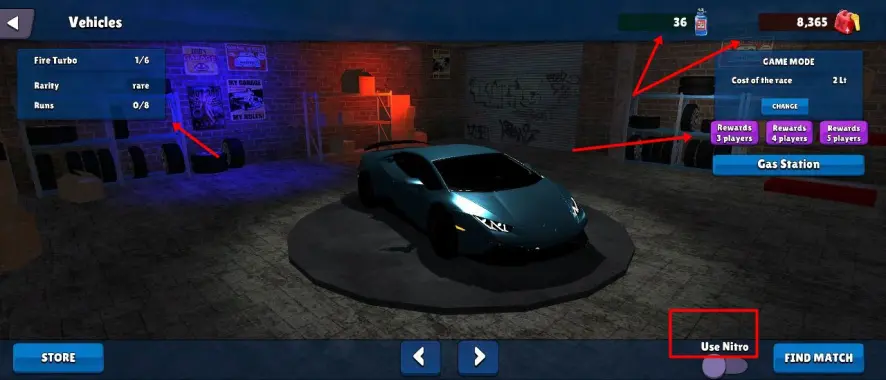
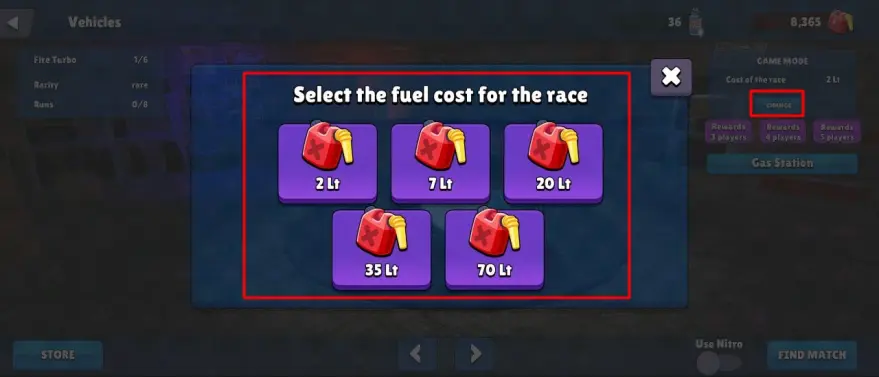
6- In Change, you choose the track you want to run, having 2, 7, 20, 35 and 70 Lt
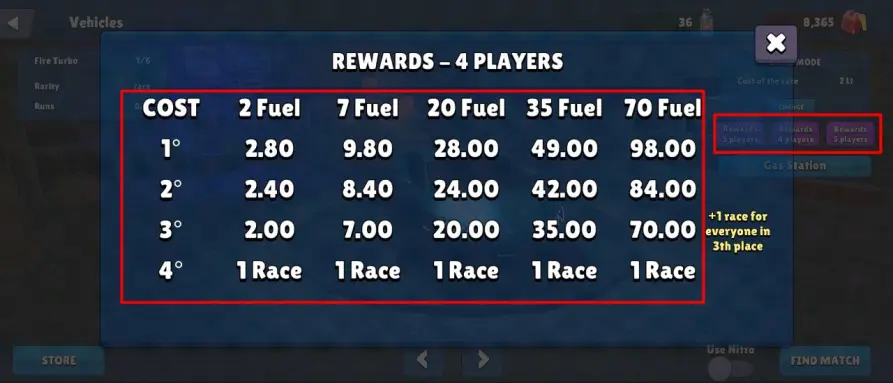
7- In Rewards you see the game's economy and rewards
8- In Nitro you decide if you want to race with nitro or not, you must decide before the split, to make the game equal for everyone
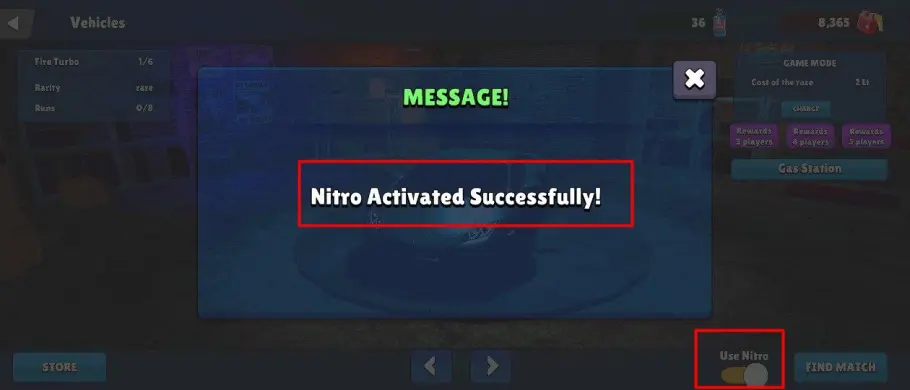
9- After completing all the settings, go to Find Match and wait for your opponents

May the best win! 🚗💨






