
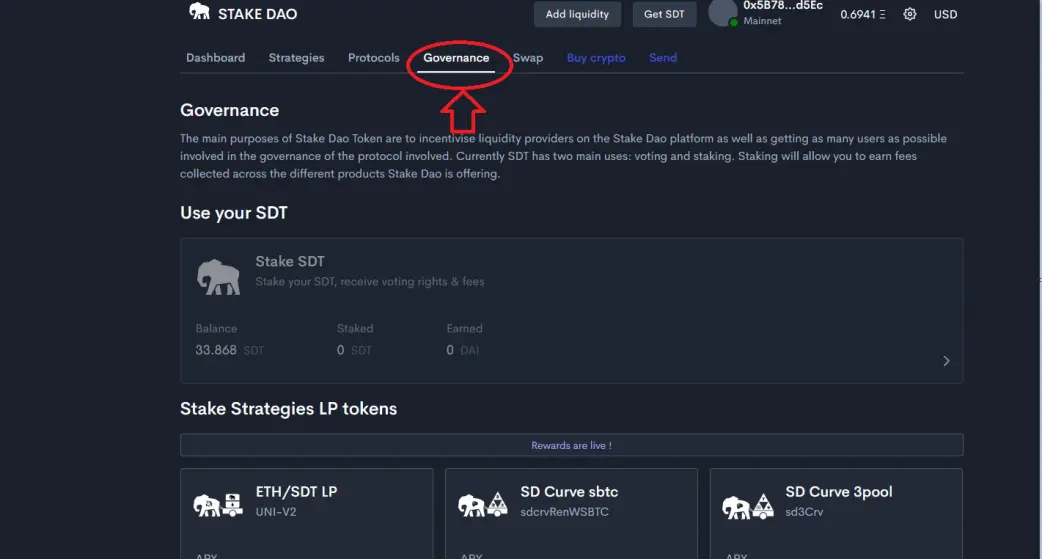
Hello, today I will show you how to stack your SDT. This tutorial is more beginner oriented. First of all you go to the stake DAO site (you can go through Coingecko to be sure you are on the right site, by writing on the STD search bar). Once on the site you go to the "governance" tab. and "add liquidity " .
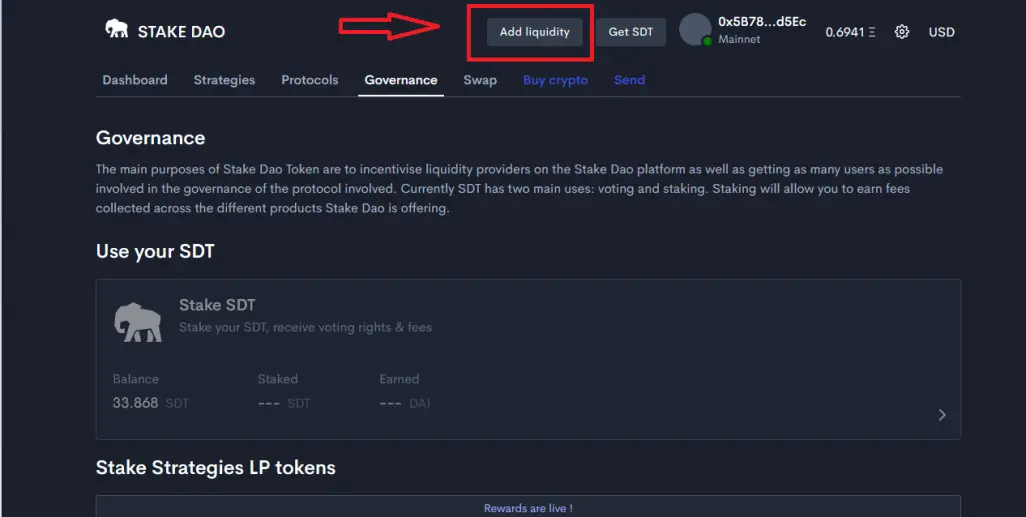
This will take you to Uniswap. Where SDT is displayed you indicate "max" (you must have the equivalent in Eth).
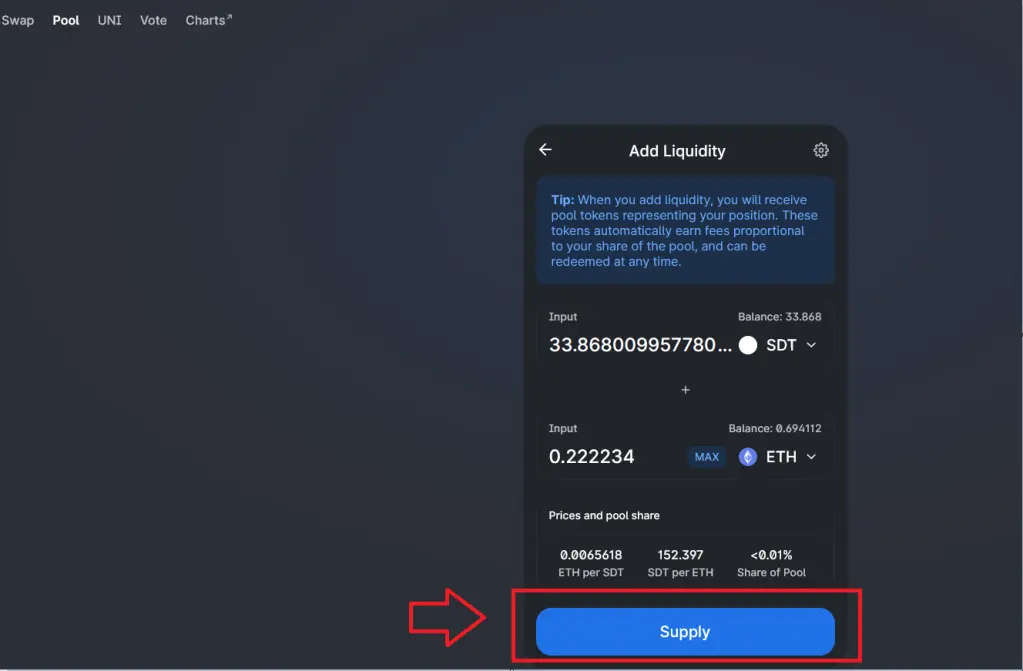
Then you click on "Supply". I didn't take a screenshot of Metamask (I didn't have time), but it's up to you to see how you adjust the Gas. Do not put the minimum otherwise your transaction may not go through. You can go to "Gas Station" to see the price of Gas at that time.
https://ethgasstation.info/
Once your transaction is validated, you can go to "Analytics".
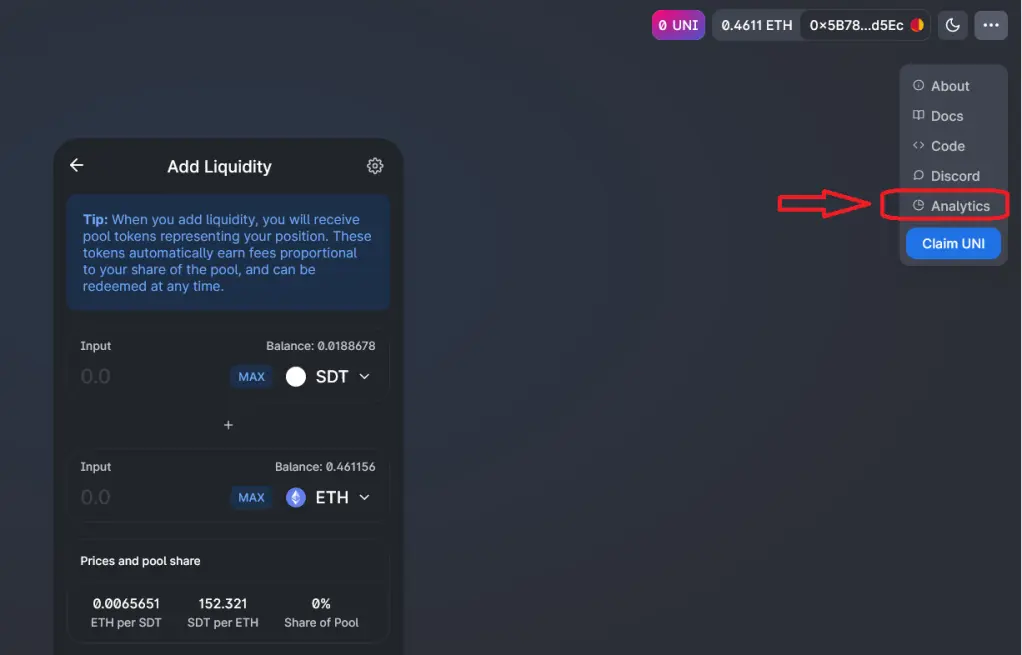
You arrive on the page as below, you click on "accounts" then you click on your address.
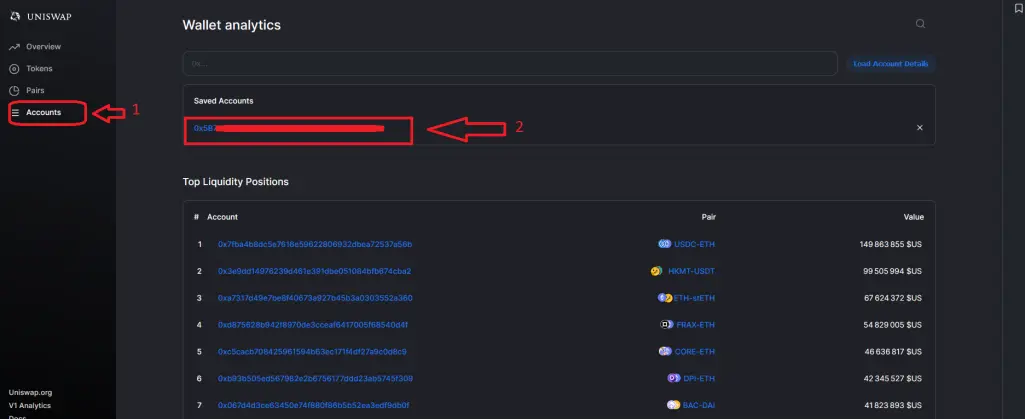
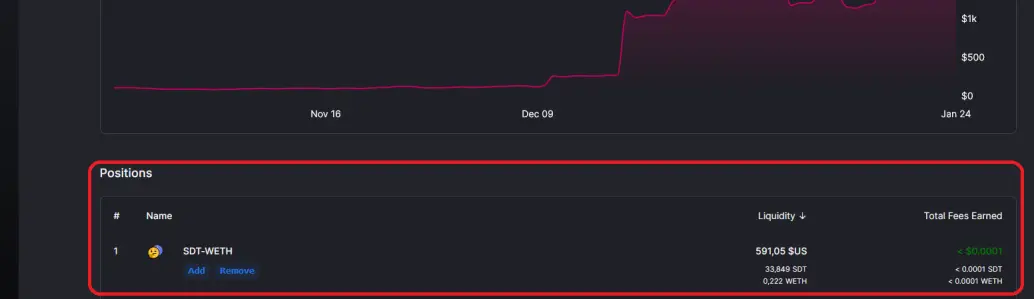
You should see your liquidity pool appear if all went well.
If everything is ok, you return to the "Stake DAO" site, you click on the "Governance" tab.
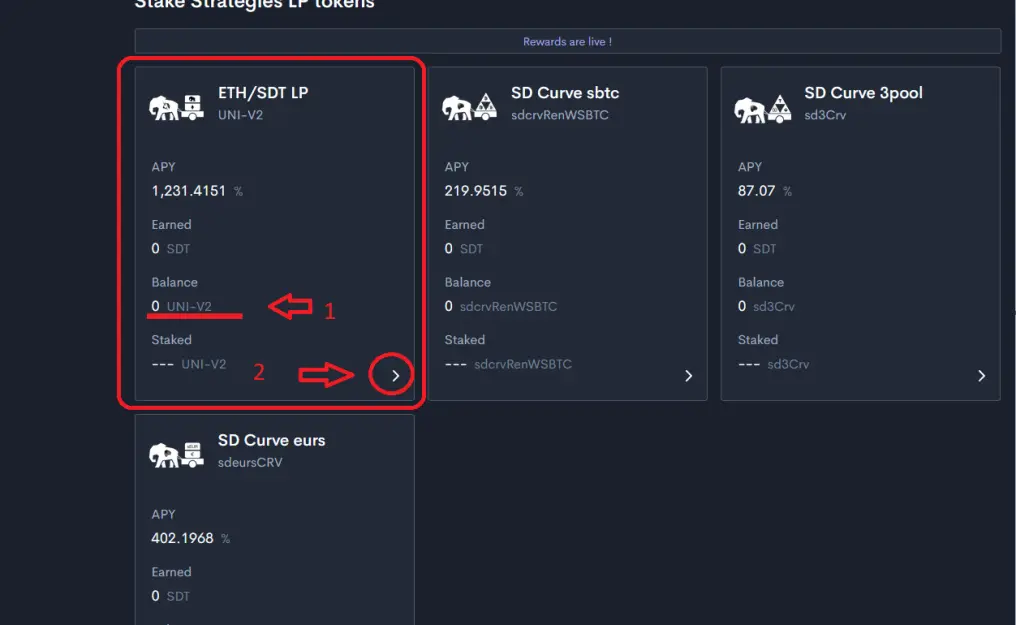
A little further down the page (1), your balance for the moment indicates "0", it is normal it remains to add the tokens "LP" (Liquidity provider "). (2) You click on the small triangle at the bottom
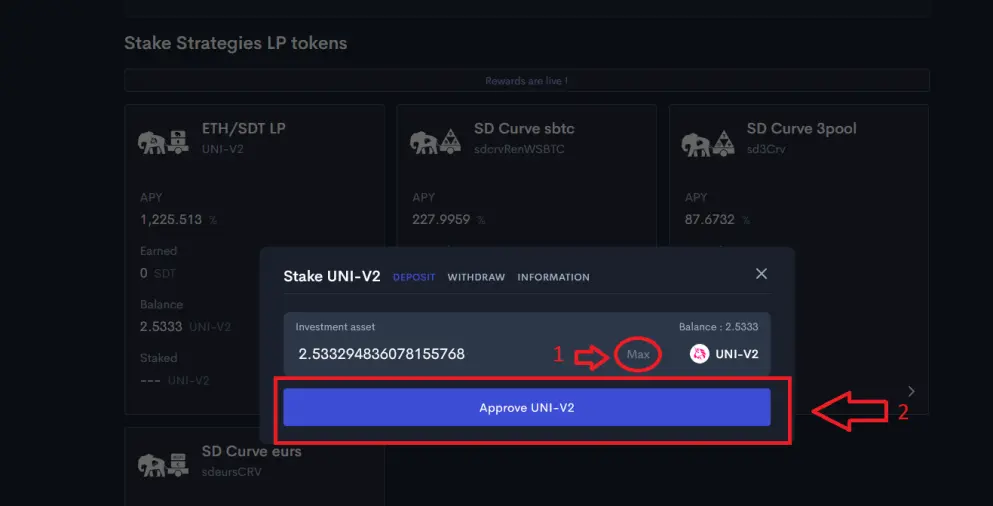
Then you click on "max" and "approve Uni-v2"
You will see your transaction displayed at the bottom (1) as it is approved or if there is an error it will be indicated.
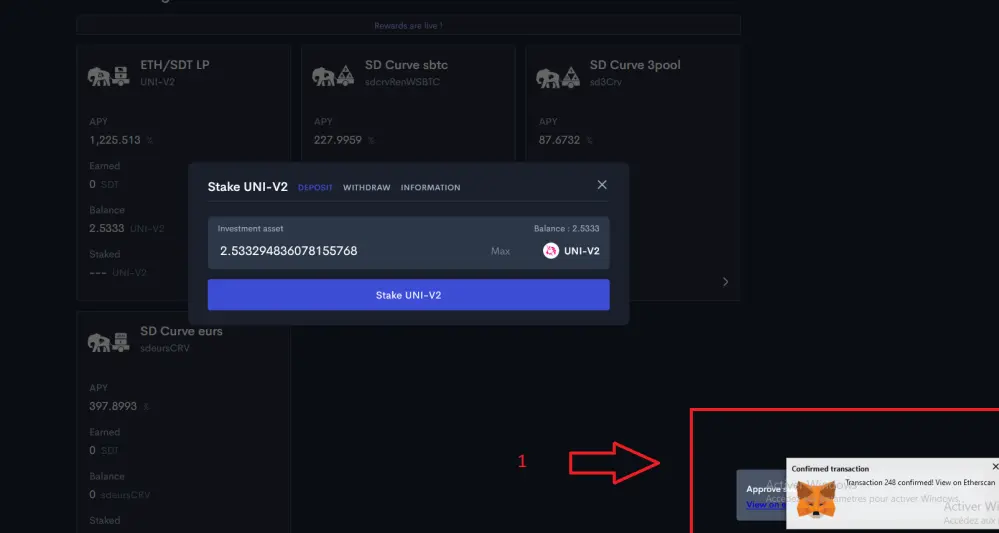
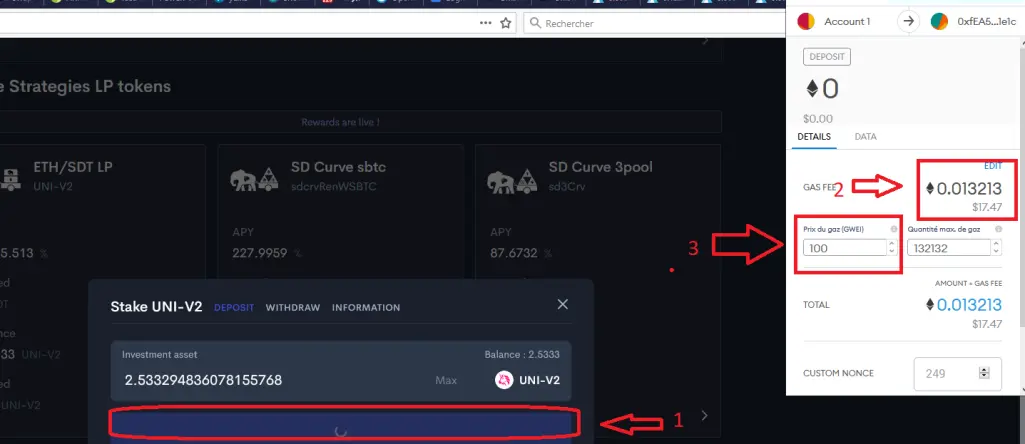
1 / you click on "stake-uni v2" (the first transaction you made was to approve your LPs and then you validate the staking).
2 / On Metamask you have the indication of the amount of the cost of your transaction.
3 / you can modify the Gas according to the price.
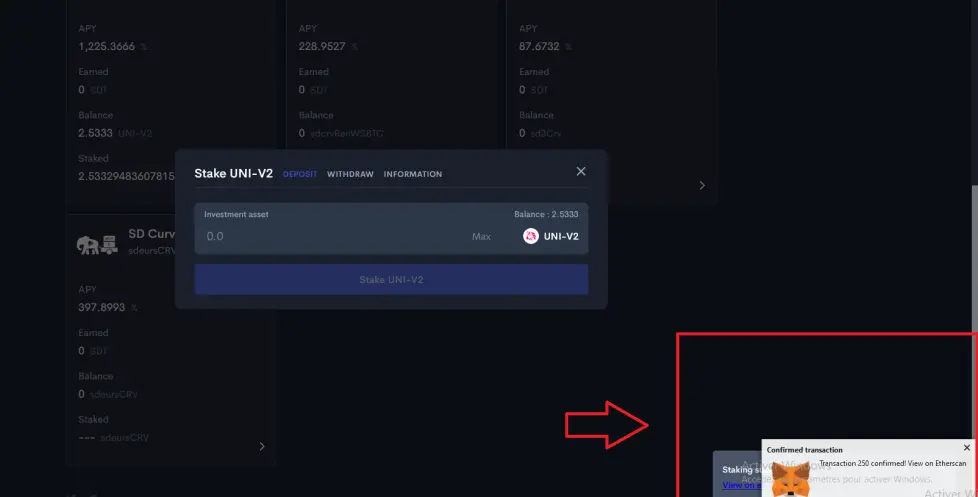
In the red rectangle you are told whether everything went well or not.
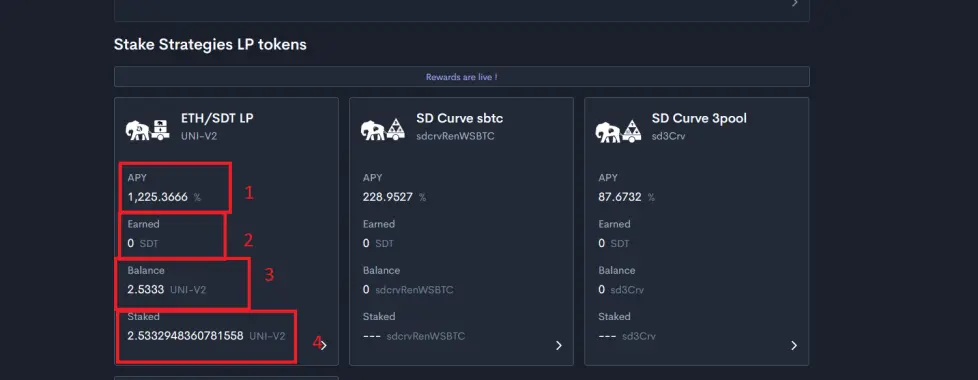
1 / You the indication of APY (the report to the year.
2 / The indication of the number of SDT won
3 / indication of your scale
4 / The total of your LP tokens
Know that you can have confidence in this project because some of the team are alumni of Curve. Besides, they use Curve for some of their strategy, because you can also set up yield strategies.






