
HALO Network is a typical blockchain with the main DEX that allows for trading, liquidity providing, and LP staking. While the general mode of operation of HOSWAP is similar to most decentralized exchanges, there are differences.
In this piece, we look at the ways to make the most of HOSWAP, HALO Network’s main DEX.
How To Swap On HOSWAP
Here’s a step-by-step guide to swapping assets on HOSWAP:
1) Connect your wallet
HOSWAP is a DEX on the HALO Network, so you need to connect to that blockchain. First, you have to open your web3 wallet such as Metamask, then confirm the RPC network is HALO Network and visit the HALO Network website through the dApp browser.

If you are not sure how to set up the RPC network on Metamask, follow this link for a guide on connecting your Metamask to HALO Network.
2) Find and utilize the DEX
Next, you’d have to locate the DEX amongst the litany of ecosystems in the blockchain. Use the menu option to select HOSWAP from the list of ecosystems.
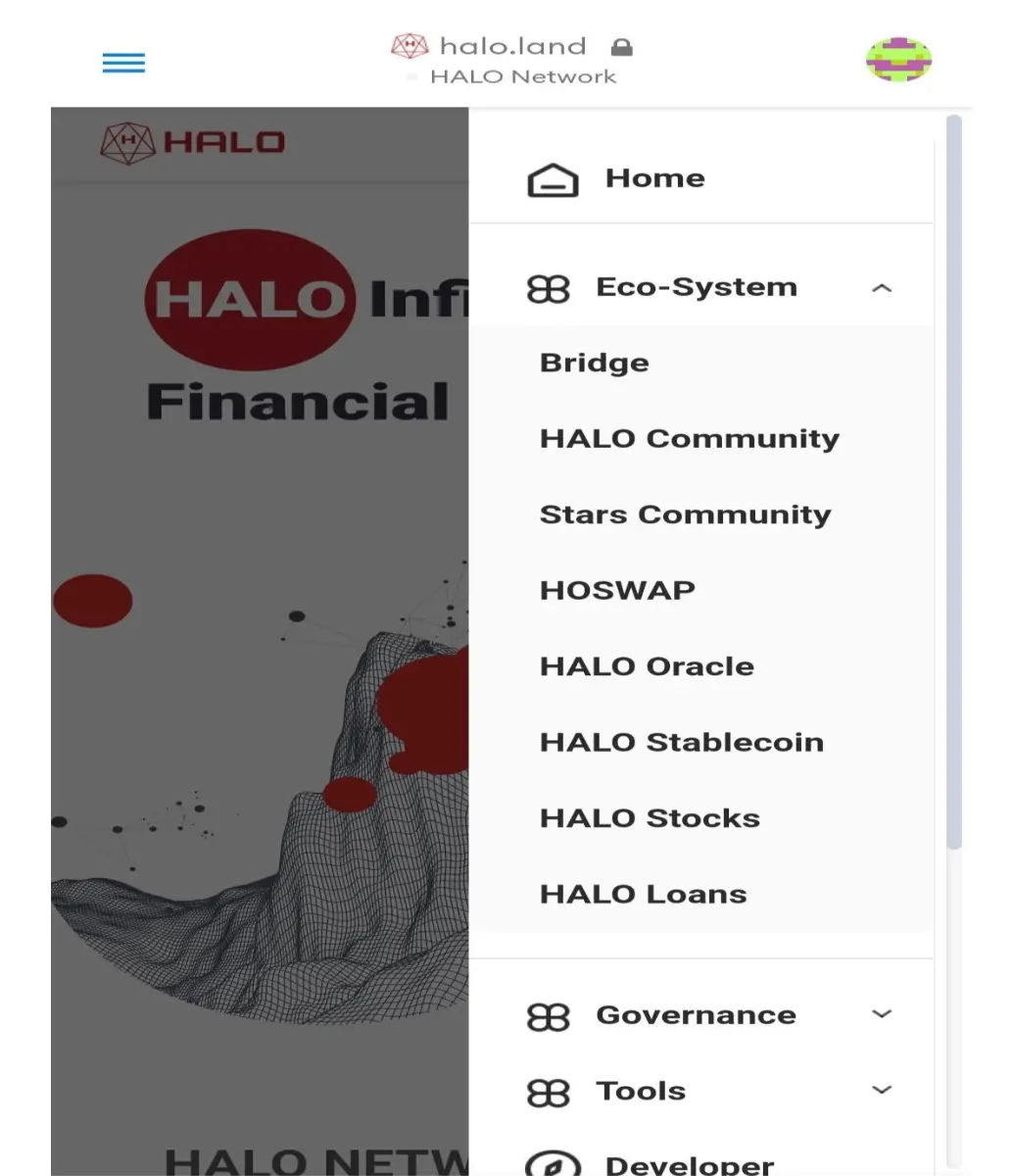
On selecting the DEX, the swap option is right in your face. You can then proceed to select your preferred trading pairs.

It’s important you have some HO tokens for gas fees.
How To Add Liquidity
HOSWAP isn’t only about swapping assets, you can add liquidity for trading pairs on the DEX. To do this, follow the steps below:
1) Proceed to HOSWAP
Find your way to HOSWAP, the main DEX on HALO Network. On clicking the menu tab, HOSWAP can be easily spotted in the Ecosystems category.

2) Add liquidity
Launch the DEX by clicking on HOSWAP. Once done, you can see the different functionalities of the DEX – swap and liquidity.
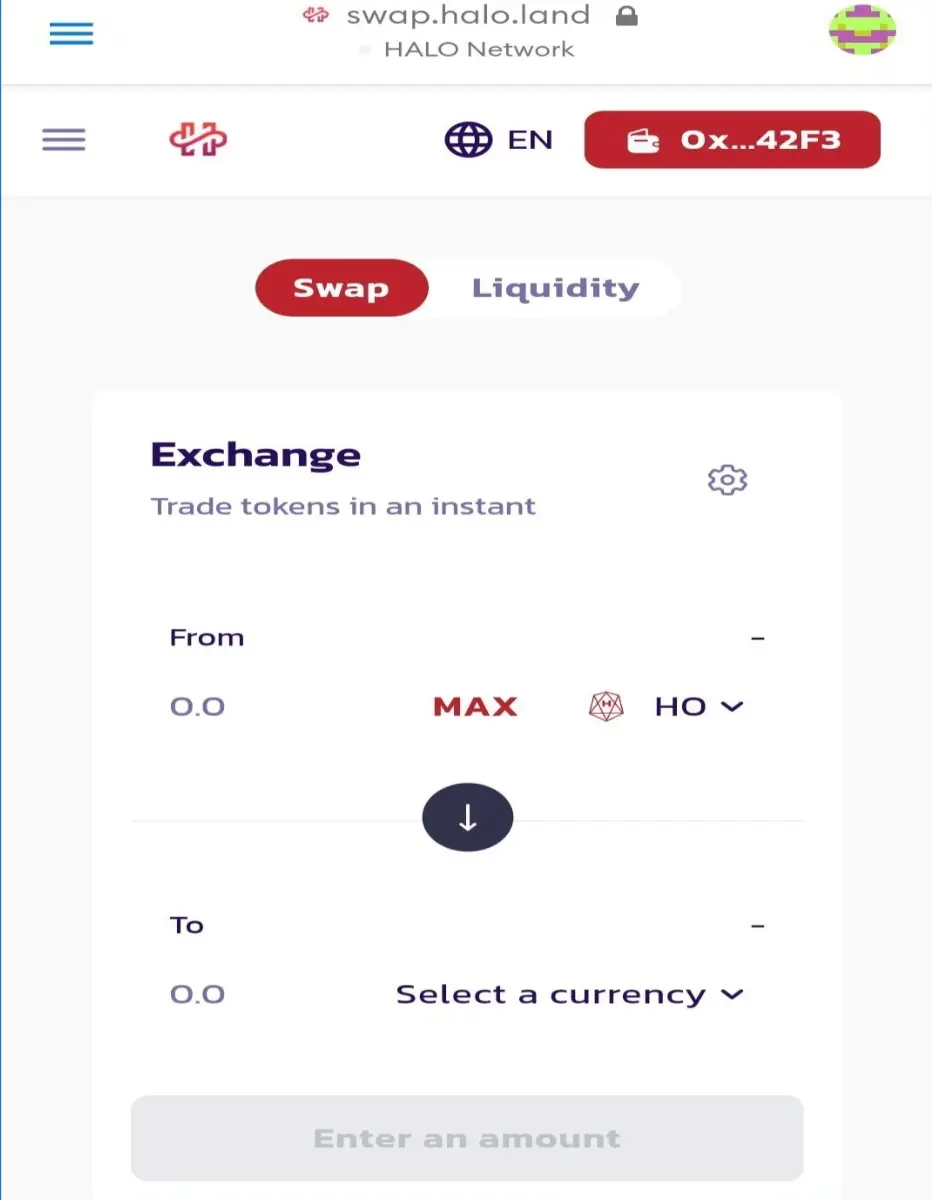
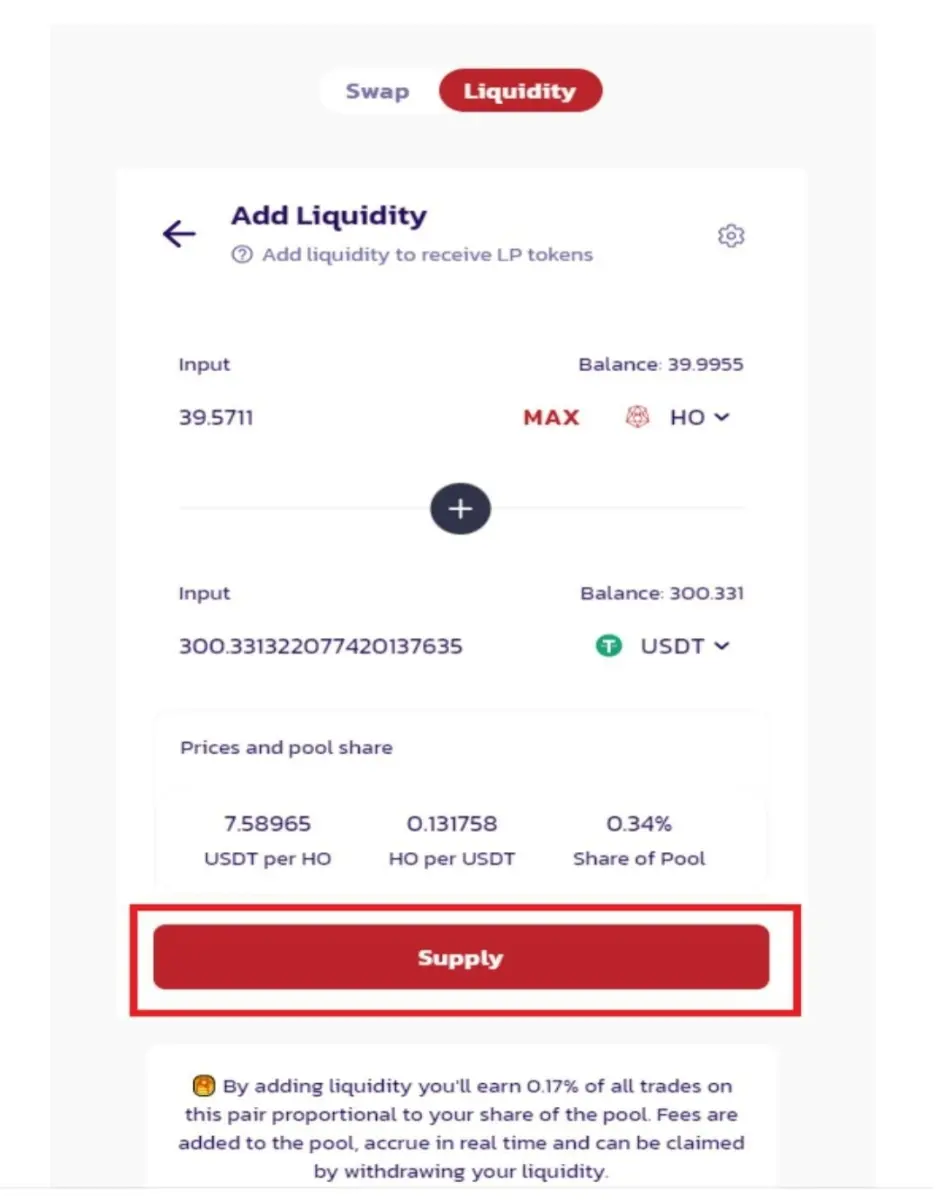
Toggle to liquidity to gain access to that interface. Next, you click the ‘Add liquidity' button.
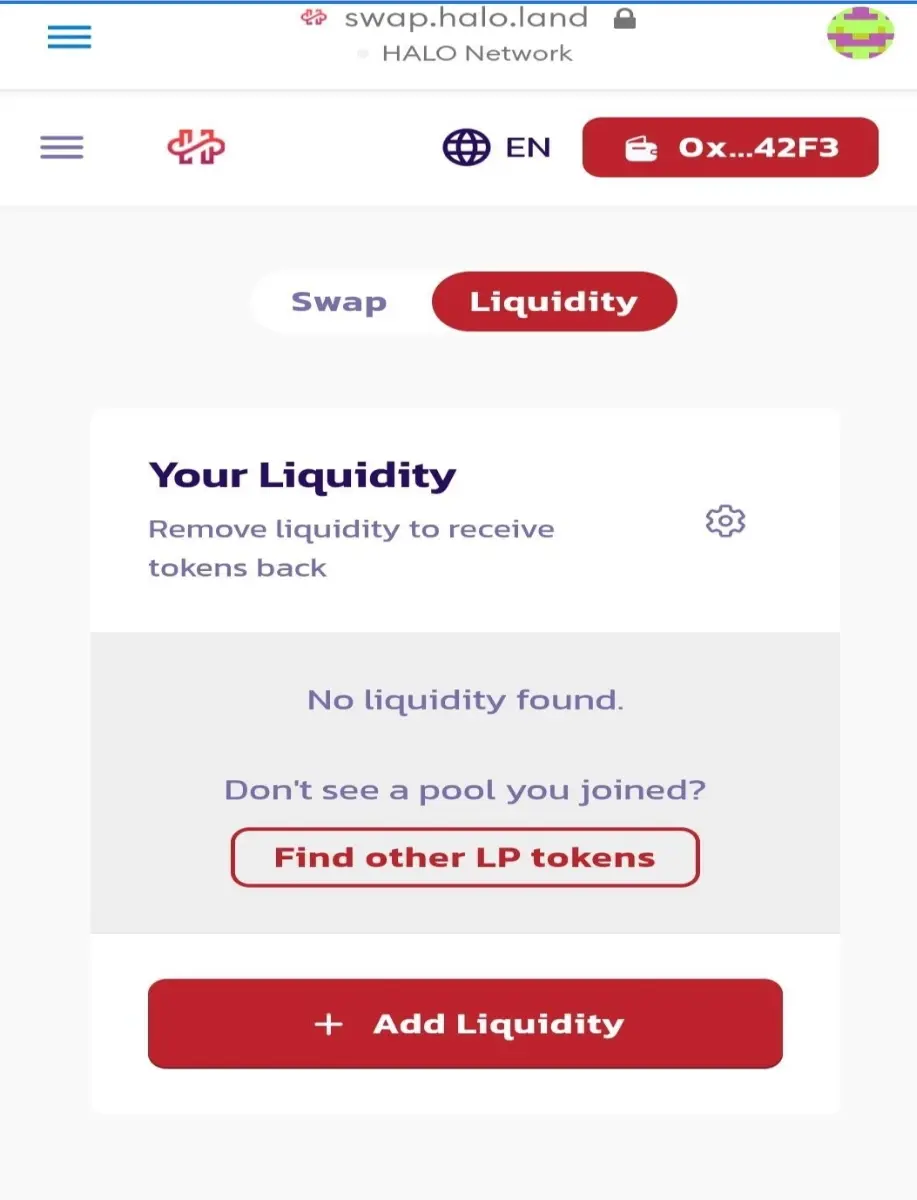
This will take you to a different page to select the assets to be added. Once the right amount of assets is added, you can then proceed to create the LP tokens.
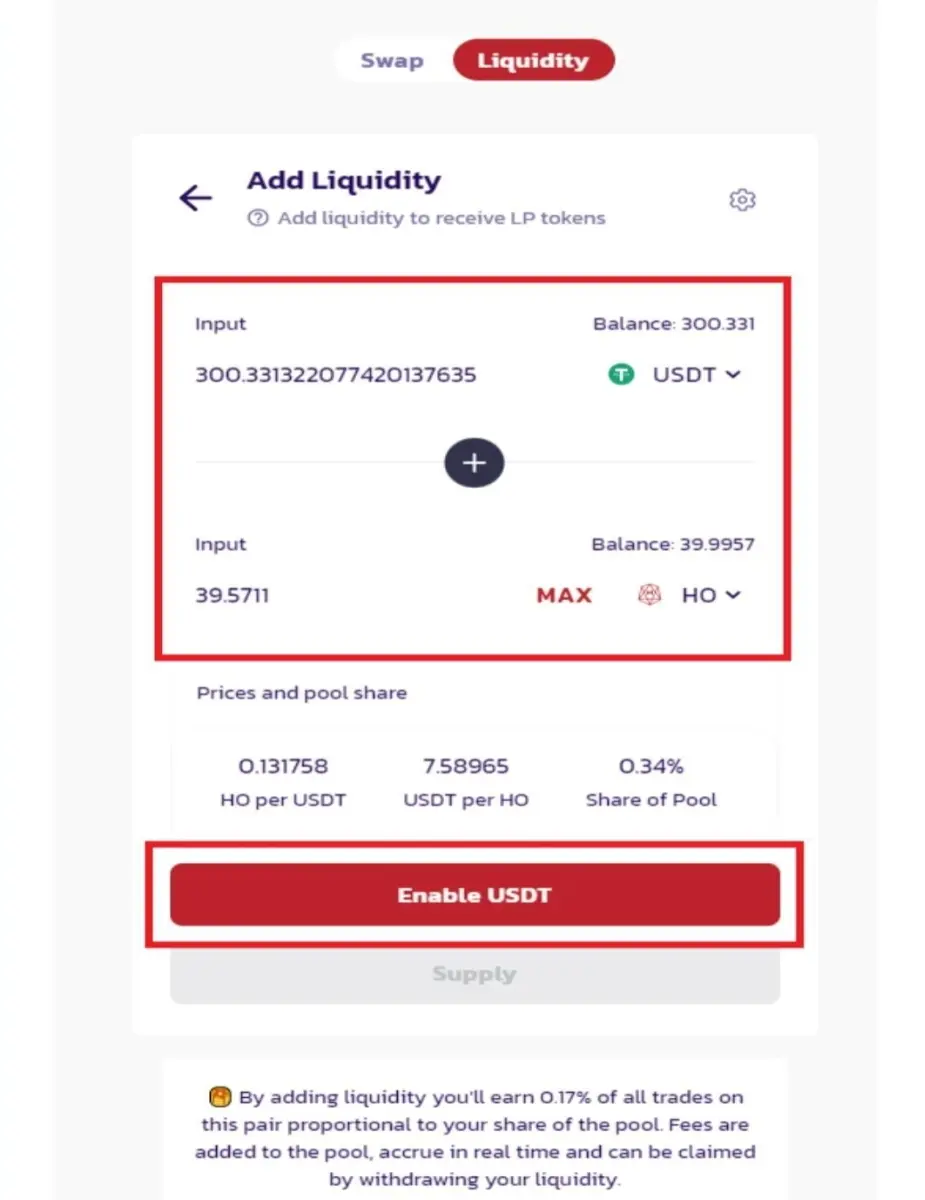
If it’s the first time you’re adding liquidity on HOSWAP, you need to activate that process by enabling the liquidity pair. You’ll get a prompt to confirm the transaction.

After enabling the trading pair, you need to add them to the pool. Use the conspicuous ‘Supply’ tab to do so.
Next, you’ll get a prompt to confirm the transaction.
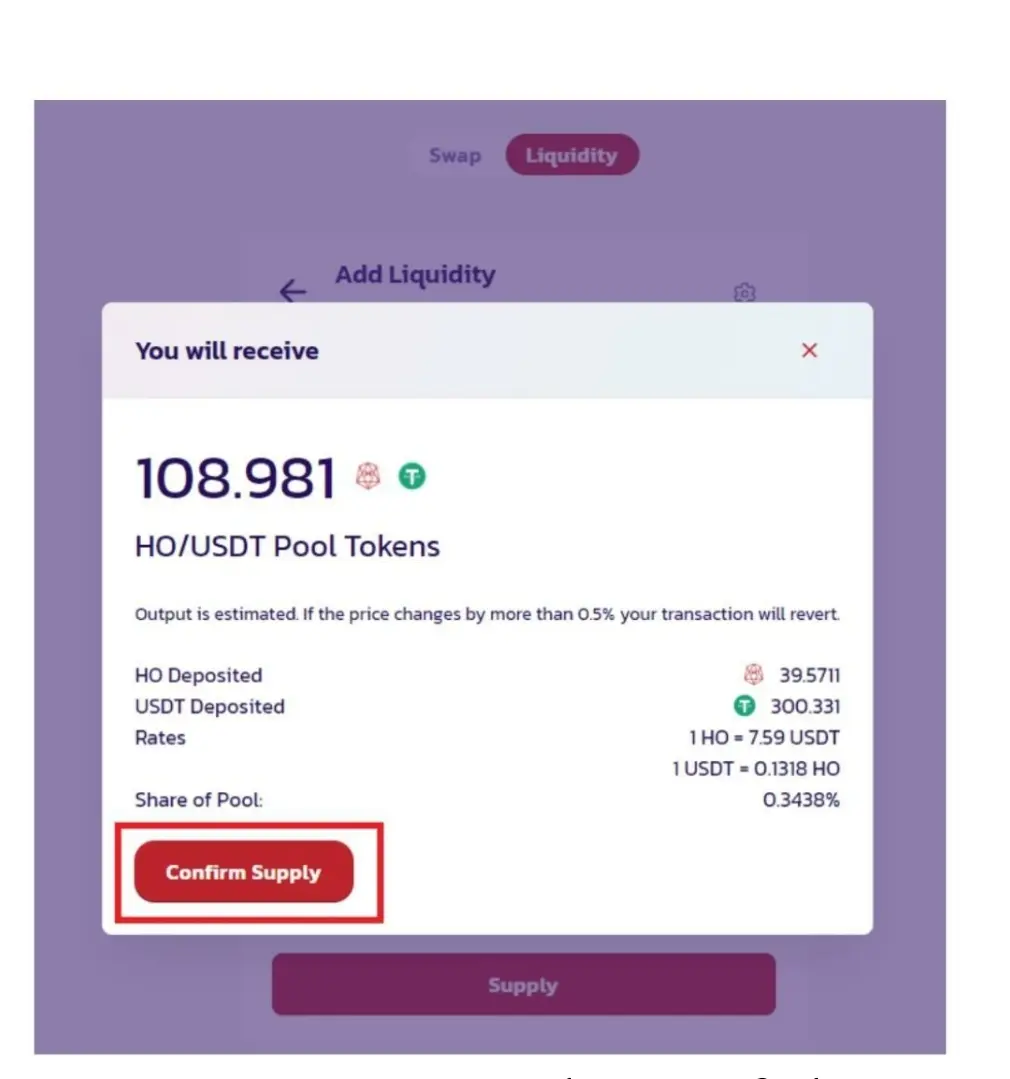
You can see your share of the liquidity pool based on your LP holdings. It also determines the number of fees accrued based on transactions taking place on the DEX.
As always, you will need some HO tokens for gas fees.
How To Stake LP Tokens
HOSWAP supports liquidity mining through the staking of LP tokens. So if you have some LP tokens from adding liquidity to a liquidity pool on the DEX, you can put those LP tokens to good use.
1) Access the DEX
Visit the HALO Network website, then navigate to HOSWAP through the Ecosystems section. You can also just visit here to proceed directly to the DEX.

2) Click the menu option to see the relevant options that include Exchange, Liquidity, and LP Pools. Click the LP pools tab see the staking pools available.
3) Pick the LP Pool
With the available staking options visible, you should choose the LP Pool that is consistent with your LP tokens. For instance, if you have HO/HOS LP tokens, you should only add liquidity to the HO/HOS LP pool.

You will need to enable the LP pair to access the staking contract. Click the Enable button to make this happen.
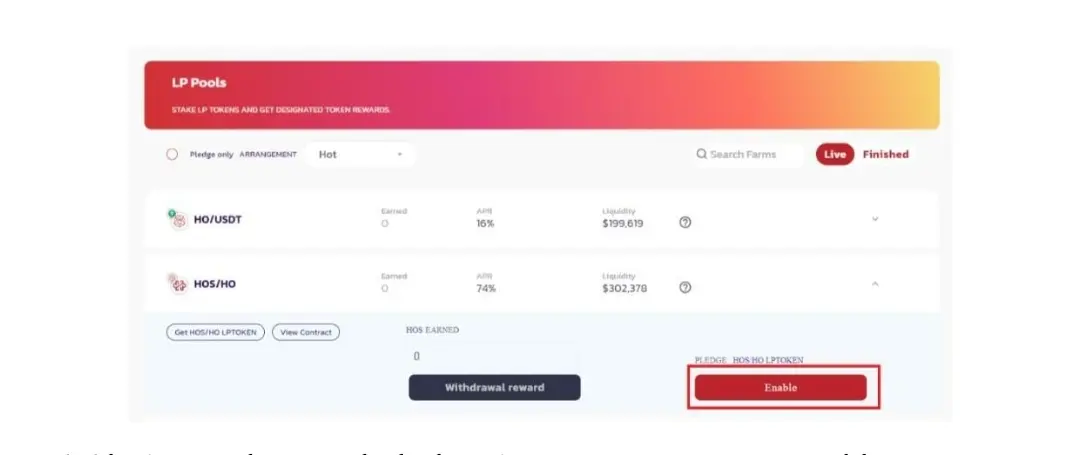
This should bring up a wallet prompt to confirm the transaction.

4) Stake LP tokens
After activating your wallet for LP staking, you need to put those tokens to work. Click the stake LP tokens to proceed.
 A prompt will pop up requesting you to confirm the quantity of LP tokens to be staked.
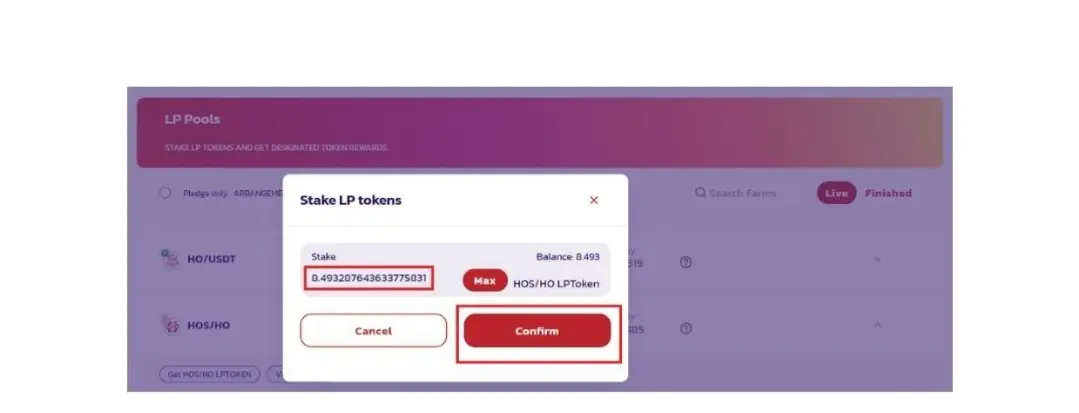
Once you have confirmed the LP tokens to be staked, tap the ‘Confirm’ button. This brings up the wallet prompt requesting confirmation of the transaction.

You can keep up with your LP staking through the LP staking dashboard. Here, you can see the APR, reward earned and LP tokens staked.
Follow HALO Network and stay up-to-date:
🔘 Official Website: https://halo.land
🔘 Telegram Group: https://t.me/HALONetwork
🔘 Telegram Channel: https://t.me/HALONetwork_news
🔘 Twitter: https://twitter.com/network_halo
🔘 Medium: https://halonetwork.medium.com
🔘 Reddit: https://www.reddit.com/r/halonetwork
🔘 Discord: https://discord.gg/7rMEbWzacd






