
Unlike the Linux system, there are very few articles explaining the process of installing and configuring Bitcoin (BTC) on OpenBSD. As a result, there are very few people who wonder whether a Bitcoin wallet can be run on the OpenBSD system.
Well, in this article, we will try to explain a little about how to install and configure Bitcoin on OpenBSD. We wrote this article based on our experience using OpenBSD to run a Bitcoin wallet for personal use.
A. How does bitcoind work?
bitcoind is a Bitcoin service daemon, which is a program that runs in the background and users usually cannot interact directly while it is running. This program implements the Bitcoin protocol for the use of remote procedure calls (RPC Server). This program is also the second Bitcoin client in the history of the network. This program is available under the MIT license in 32-bit and 64-bit versions for Windows, BSD, Linux, and Mac OS X.
bitcoin-cli is a command-line interface for the Bitcoin Core client that connects to a running bitcoind daemon instance. Users can interact with this program and perform any necessary functions with it that will control the bitcoind service as well as the possibility of using a Bitcoin wallet to send and receive funds, among other functions provided by the Bitcoin Core client.
B. How to Install Bitcoin BTC on OpenBSD
Before we start installing Bitcoin on OpenBSD, you must first install the bitcoin dependencies.
a. Install Bitcoin Dependencies
ns5# pkg_add bash git gmake libevent libtool boost
ns5# pkg_add autoconf automake python sqlite3
b. Install bitcoind
After all the above dependencies are installed, then we continue by installing the bitcoind wallet. There are two ways to install bitcoind, namely through the Github repository or through the pkg package in OpenBSD.
ns5# pkg_add -uvi
ns5# pkg_add bitcoin
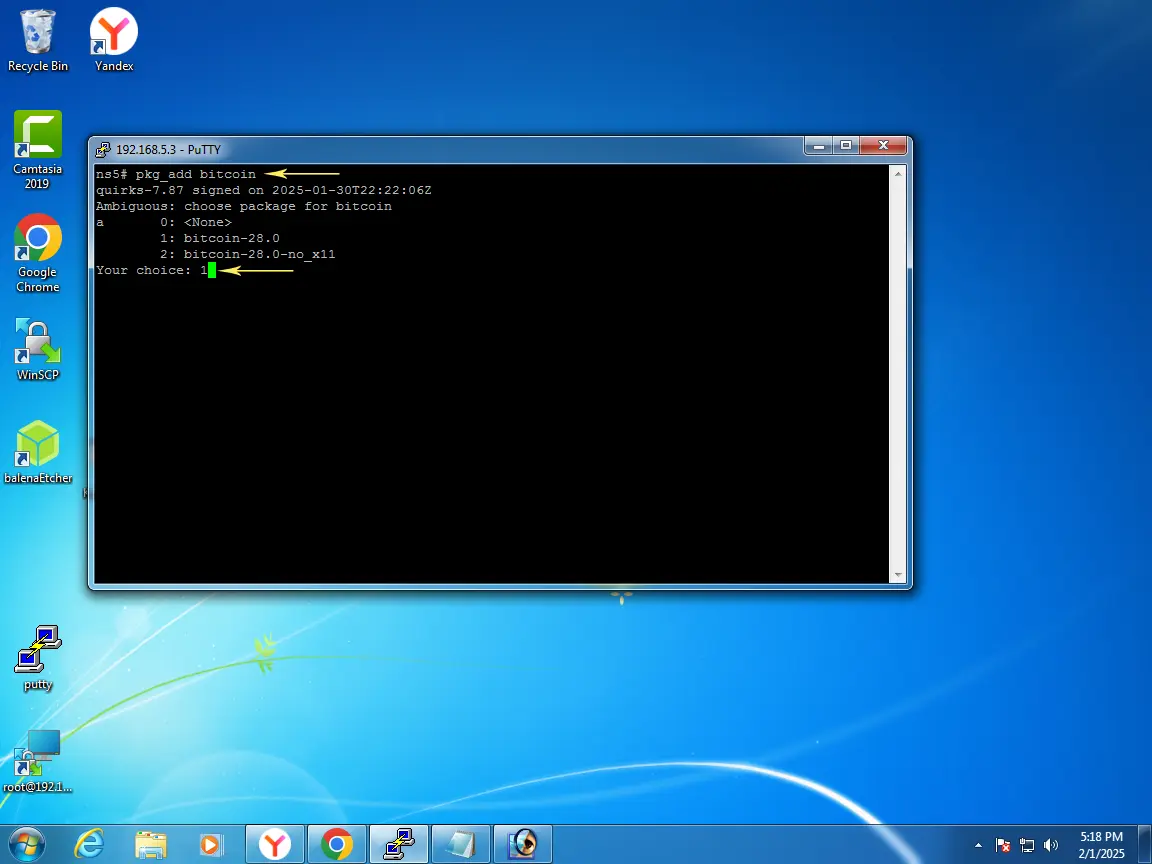
c. Create RPC user and password
ns5# /usr/local/share/bitcoin/rpcauth.py unixwinbsd
String to be appended to bitcoin.conf:
rpcauth=unixwinbsd:b9244910a0cb659232a78b33de85151b$41a310880daac6b7b354bc07f5f49c34858bb2c2aed25ab4d38316c31b3ca708
Your password:
rp1nSobUxe84hC1MTOeV_bg73olPWH_AYmNdBcYUjS8
d. Change /etc/bitcoin.conf File
Bitcoin's main configuration file is "bitcoin.conf". You need to change this file so that Bitcoin can run according to the script instructions contained in it. Open the file and enter the password and RPC user you created above.
port=8333
rpcport=8332
rpcuser=unixwinbsd
rpcpassword=rp1nSobUxe84hC1MTOeV_bg73olPWH_AYmNdBcYUjS8 rpcauth=unixwinbsd:b9244910a0cb659232a78b33de85151b$41a310880daac6b7b354bc07f5f49c34858bb2c2aed25ab4d38316c31b3ca708
prune=550
e. Copy the /etc/bitcoin.conf file to /root
ns5# mkdir -p /root/.bitcoin
ns5# cp -R /etc/bitcoin.conf /root/.bitcoin
f. Create a user and group named "_bitcoind"
ns5# chown -R _bitcoind:_bitcoind /root/.bitcoin
C. Run Bitcoin (bitcoind)
This step is the last step and the one you have been waiting for, because we will test whether bitcoind has run properly or not. Before you run bitcoind, first activate bitcoind on OpenBSD.
ns5# rcctl enable bitcoind
ns5# rcctl restart bitcoind
bitcoind(ok)
bitcoind(ok)
ns5#
After that you run the following command
ns5# bitcoind -daemon
Bitcoin Core starting
ns5#
Perform a synchronization result check
ns5# bitcoin-cli getblockchaininfo | grep verification
"verificationprogress": 8.553447505757082e-10,
Then you continue by checking the synchronization status.
ns5# bitcoin-cli getconnectioncount
10
ns5# bitcoin-cli getblockcount
152223
Done! You should now have a fully functional Bitcoin node!.

The FreeBSD Handbook - System Administrator
## Table Of Content ##
1. FreeBSD Getting Started Guide
2. PKG and Ports For Managing Software
3. Working with Files and Directories
4. Managing Users And Groups
5. Updating and Building the Kernel
6. Monitor Server Performance
Read Ebook
Author:
Linux BSD Blockchain - publish0x






