
If your looking to get into the Defi Space on BNBs smart chain here is a quick tutorial to get your metamask connected
to such Platforms as Pancake Swap, Sushi Swap,..etc.
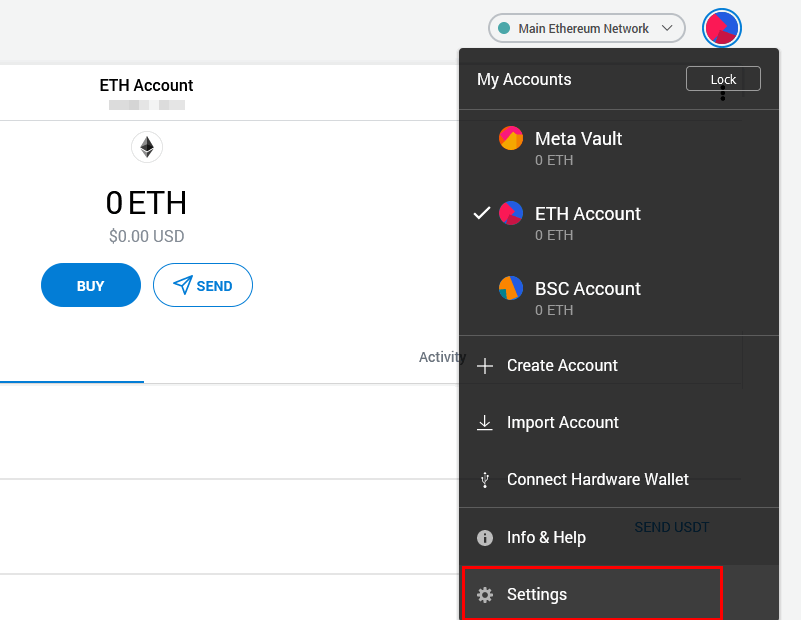
1. First Go to settings.
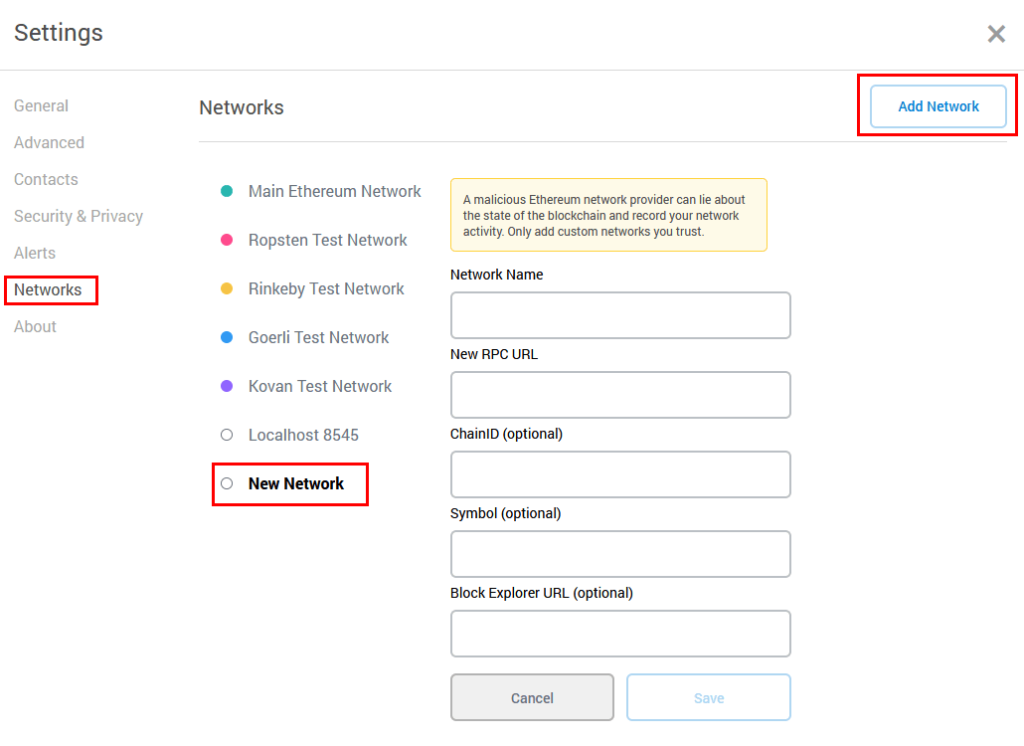
2. Choose network from the menu and click add new network.
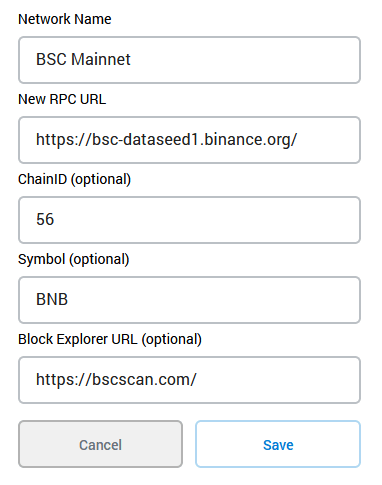
3. Now enter the details as follows.
Network Name: BSC Mainnet
New RPC URL: https://bsc-dataseed1.binance.org/
ChainID: 56
Symbol: BNB
Block Explorer URL: https://bscscan.com/
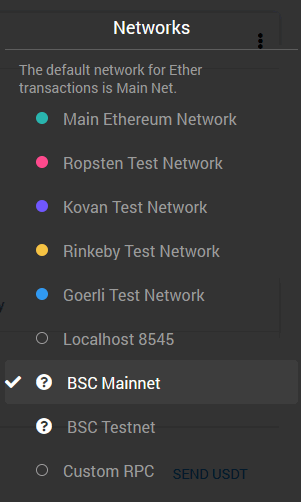
You now have a BSC configured MetaMask wallet. You can now store your BEP20 tokens and connect your MetaMask
wallet to DApps on the Binance chain. Drop down networks and choose BSC Mainnet. To connect to Dapp as you would with Metamask for ETH
Hoped this helped anyone looking to get into the Defi Space on BNBSC.






