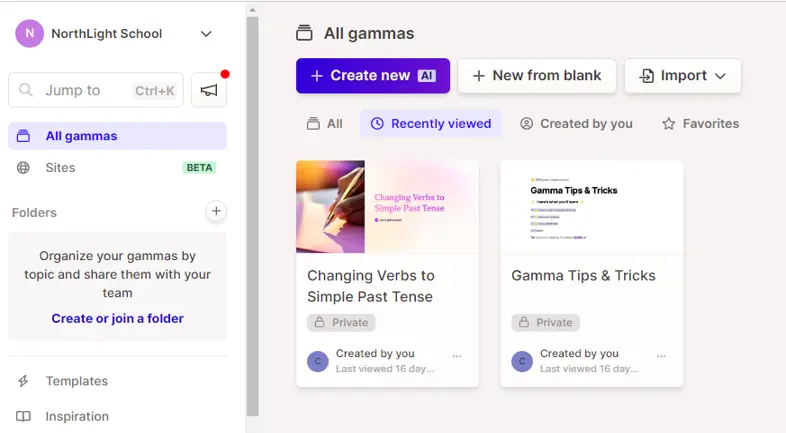
Step-by-Step Guide for Teachers to Use Gamma

Step-by-Step Guide for Teachers to Use Gamma

By cryotosensei | diaperfinancingfund | 24 Jun 2024


You have created the content but need to complement it with PPT slides. You are feeling exhausted, and spending hours on generating PPT slides is the least thing you want to do. Fret not! In this age of Gen AI, there is an app for every purpose. Gamma helps you churn out PPT slides within minutes.

1. Set up an account.
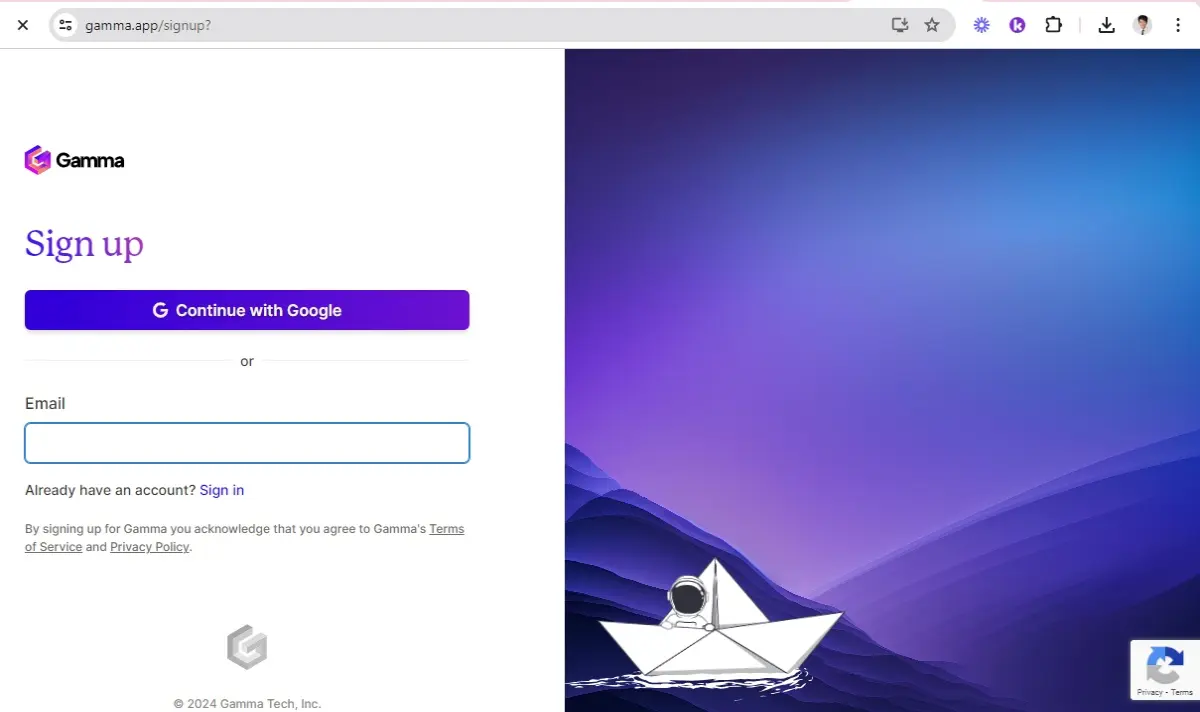
7caaea62bcf51ed8e6027a15e8aff6723b274cef3d299fe6c68ad05542d5acca.jpg

2. Click on "Create New".

bfd0a8d92c9f6e8d2d3be635e50444d19661dace0cd3747b6dbb16418a7120c6.png

3. Either convert your existing notes to slides or use a prompt.
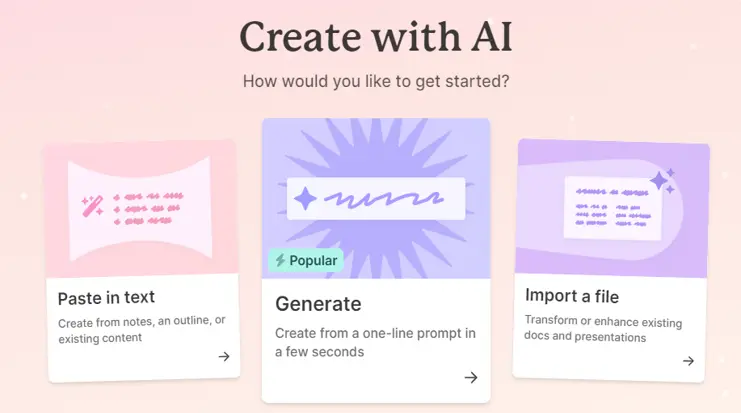
18f3d5f9274acab37399532515ce2e4ad294f9006ad10629edf0faaeaa0bced4.png

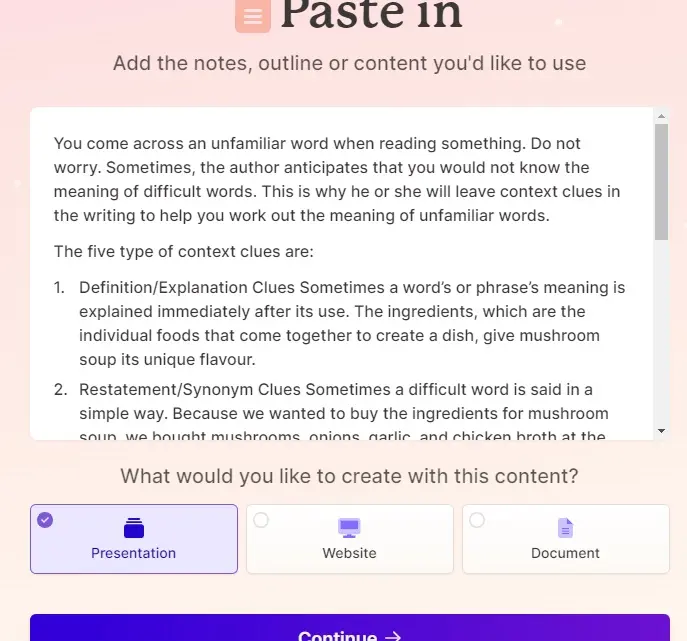
4. Click on "Paste in Text", followed by "Continue". Sit back and wait for slides to be generated.
347f6a9fe7ba4e2af694c864707ea701b3f809912d4c6b7e98e93d8fe80c72e1.jpg

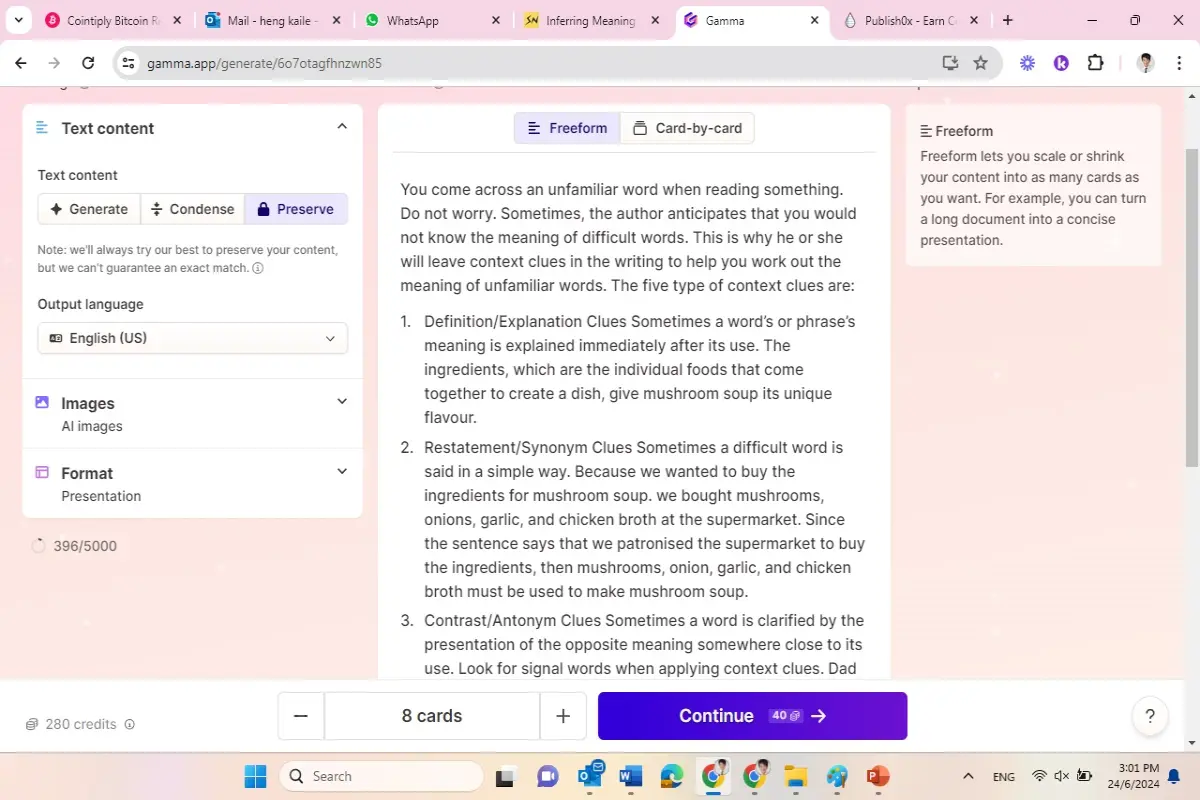
5. Click on "Preserve" if you don't want your content to be altered by AI.
82598a9bb574dd377d88e2889e07e3a07f02a2445cb6fd523a0b6d7876f23d9a.jpg

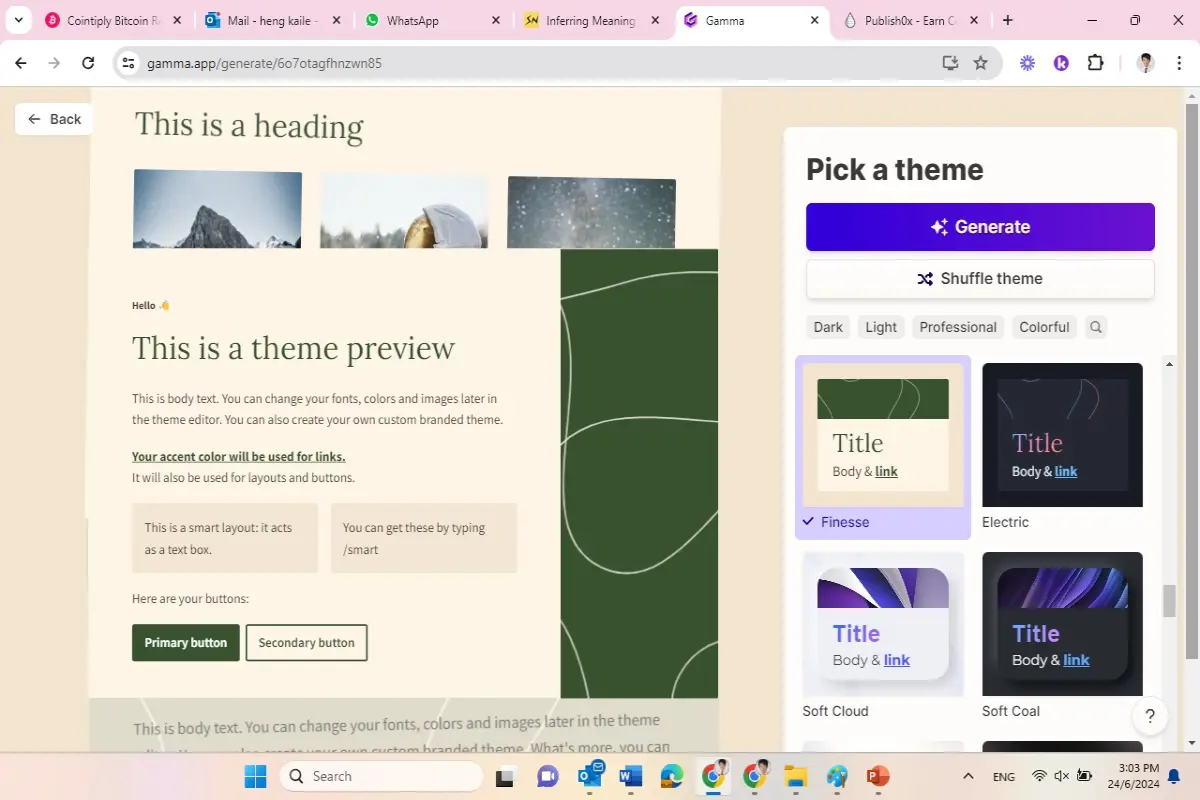
6. Choose the theme of the slides and click on "Generate".
58316b3300190b411042a038c16095fab0df3e77bbe462ba74b3a9af7eb993b2.jpg

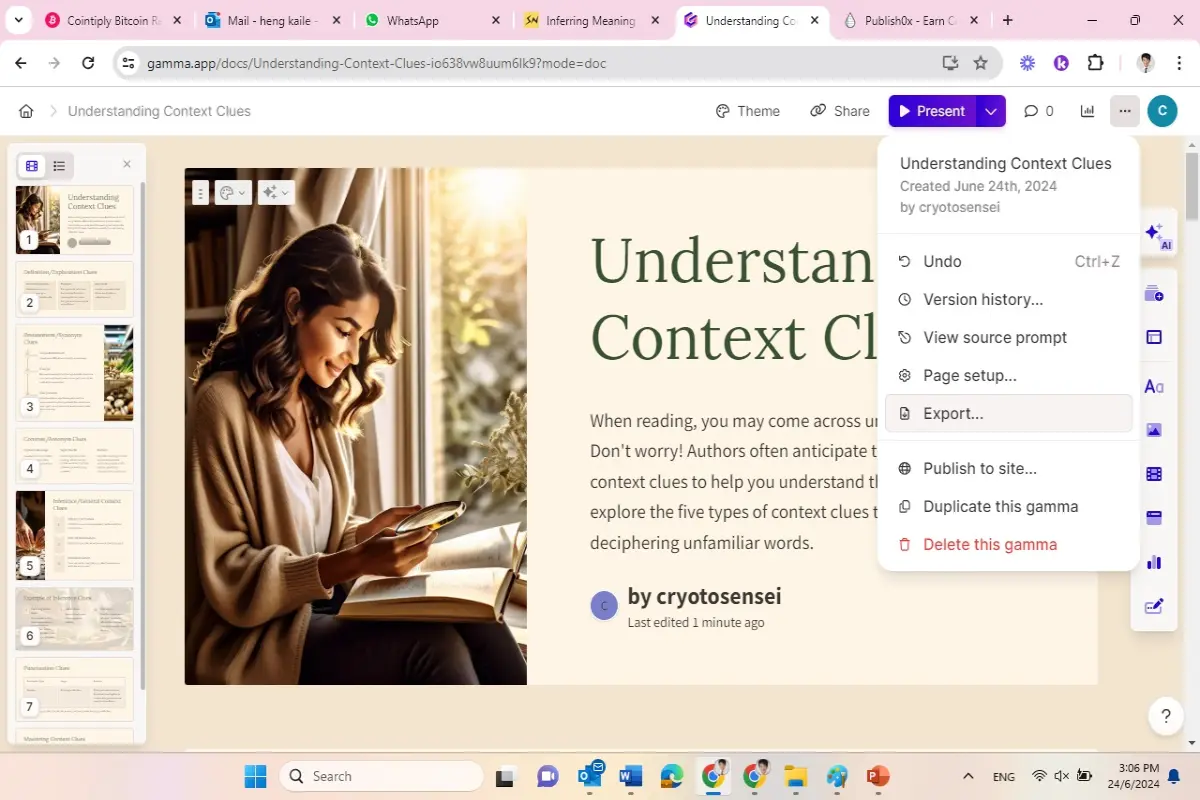
7. Awe at the slides before exporting them.
a9bcbaa3338068362ea107afc278c99233dec122d29ff6a96b18f636bb788e6f.jpg

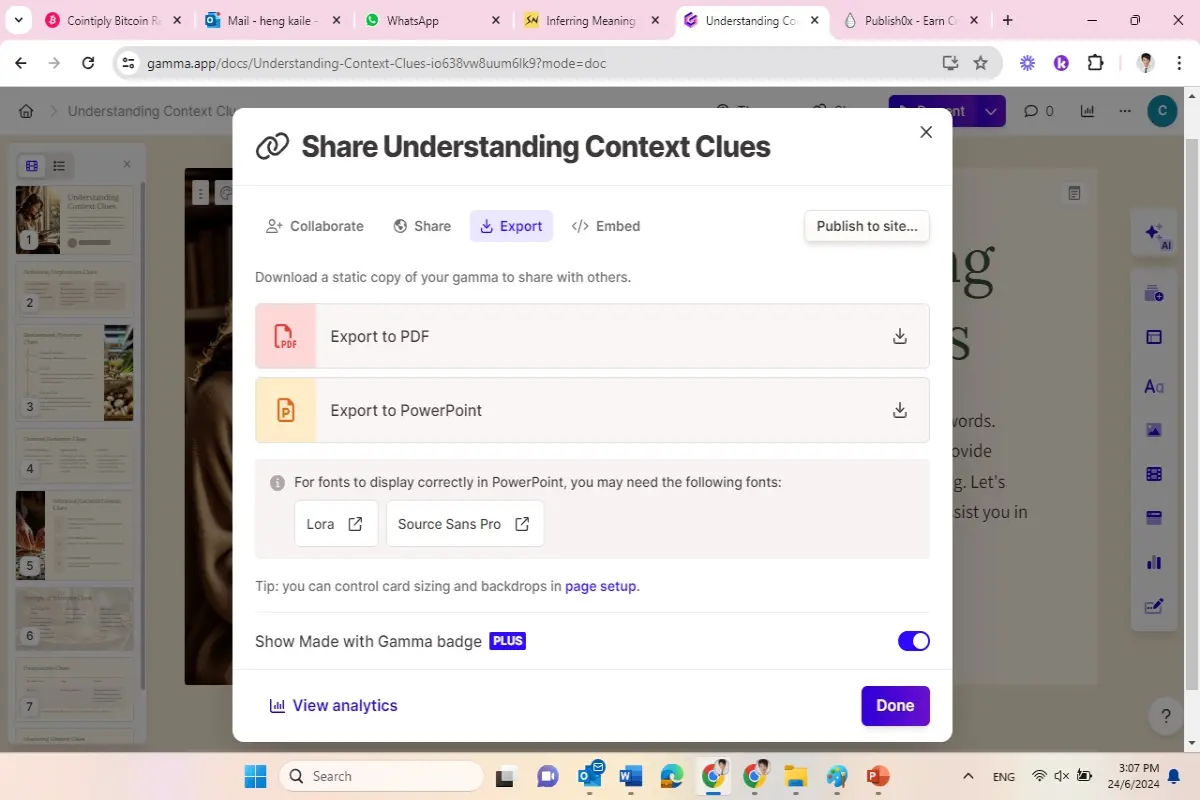
8. Choose either PDF or PPT format.

4a6b8445357e5710b3df963283e0784993ced75c7cc74a4216e924f6a5837b60.jpg

9. Wait for Gamma-generated PPT slides to appear in your 'Downloads' folder.

How do you rate this article?

6


cryotosensei
cryotosensei

budding investor


diaperfinancingfund
diaperfinancingfund

Blogging about crypto as I learn

Publish0x

Send a $0.01 microtip in crypto to the author, and earn yourself as you read!

20% to author / 80% to me.
We pay the tips from our rewards pool.