
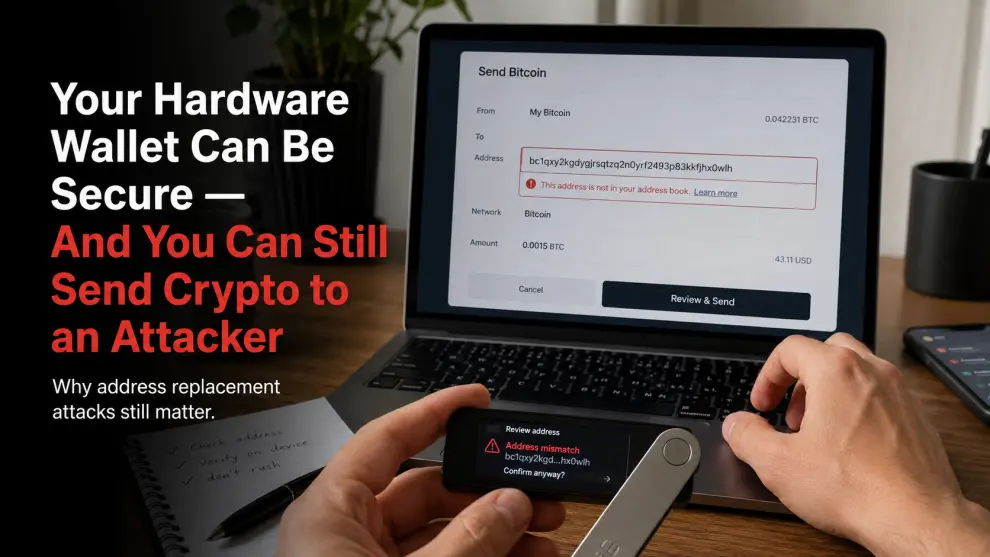
The recent Adform supply-chain attack exposes a security layer many hardware-wallet users barely think about: destination integrity
Imagine doing everything right.
Your private keys never leave your hardware wallet.
Your recovery phrase is offline.
You never photograph it.
You never type it into a website.
Your computer does not know your seed phrase.
Then you copy a cryptocurrency address, verify that the transaction looks normal, approve it on your hardware wallet—and send the funds directly to an attacker.
No seed phrase theft.
No private-key extraction.
No one physically touching your hardware wallet.
The problem happened somewhere else entirely:
the destination address changed before you signed the transaction.
That is what makes the recent Adform security incident worth paying attention to.
What Happened to Adform?
Adform is an advertising-technology provider whose scripts are embedded across many websites.
According to Adform's updated security notice, malicious activity began on July 26, 2026 at 23:49 CEST. Adform detected suspicious activity on July 27 and began investigating. The company says it had stopped further distribution of the malicious code by 19:16 CEST that day.
The malicious code was designed to interfere with cryptocurrency transactions involving:
- Bitcoin
- Ethereum
- Tron
Most importantly, it could attempt to replace a cryptocurrency wallet address that was displayed, entered, copied, or pasted while the affected webpage was open.
This was not a traditional hardware-wallet compromise.
The attacker did not need to extract the user's seed phrase.
The attack targeted something far more mundane:
the address the user believed they were sending to.
Why This Attack Is So Dangerous
Most crypto users have learned not to manually type a wallet address.
That is reasonable.
An Ethereum address alone is long enough that almost everyone uses copy and paste.
Bitcoin addresses are similarly inconvenient to enter manually.
So the usual workflow looks like this:
- Open the destination wallet or exchange.
- Copy the receiving address.
- Paste it into the sending wallet.
- Check the amount.
- Approve the transaction.
Clipboard malware has exploited that workflow for years.
The Adform incident demonstrates a more uncomfortable version of the same idea: the manipulation can occur through code delivered by a legitimate third-party web service embedded on a site the user otherwise trusts.
That changes the mental model.
You are no longer asking only:
“Is this website legitimate?”
You also have to consider:
“Can something loaded by this legitimate website alter what I am seeing?”
Your Hardware Wallet May Be Working Exactly as Designed
This is where hardware-wallet users sometimes develop a false sense of security.
A Ledger, Trezor, Coldcard, Bitkey, or other hardware wallet is primarily designed to protect cryptographic secrets and provide an independent signing environment.
But the device cannot know your intention.
Suppose you intend to send Bitcoin to:
Address A
Your browser silently changes the destination to:
Address B
The hardware wallet then displays:
Address B
If you approve it without carefully checking the destination, the hardware wallet has not failed.
It faithfully signed exactly what it was asked to sign.
The failure occurred between your intention and your verification.
That distinction is crucial.
This Problem Predates the Adform Incident
Researchers have demonstrated this class of attack before.
The EthClipper research project examined clipboard manipulation targeting hardware-wallet users and showed that attackers can generate visually similar addresses to make manual verification more difficult. The researchers tested their approach with Ledger, Trezor, and KeepKey devices and reported the issue to the manufacturers.
The problem is human behavior.
Crypto addresses are difficult to read.
Most people do not compare every character.
They check something like:
0x71A2...C84F
If the attacker generates another address with visually similar beginning and ending characters, superficial verification becomes much less useful.
The hardware wallet can display the correct transaction perfectly.
The user still has to read it.
Address Poisoning Makes the Same Problem Even Worse
Clipboard replacement is not the only way attackers exploit address confusion.
Address poisoning uses lookalike addresses to contaminate a user's transaction history.
The attacker creates an address resembling one the victim has previously used, then sends a small or otherwise misleading transaction so the fake address appears in recent activity.
Later, the victim copies the address from transaction history instead of using a trusted source.
A large academic analysis covering Ethereum and BNB Smart Chain identified hundreds of millions of address-poisoning attempts and thousands of successful loss incidents during the study period.
The lesson is similar:
A blockchain address is not trustworthy simply because you have seen it before.
What Did Adform Say Was Exposed?
Adform says its current investigation has not found evidence that the malicious script transmitted account credentials, ordinary form data, or complete webpage content.
According to the company's current assessment, the potentially transmitted information was limited to items such as the affected page hostname, path, and source/public IP address under the circumstances described in its notice.
That distinction matters.
This was not publicly described as a massive seed-phrase database leak.
The primary cryptocurrency risk was transaction manipulation.
And in some ways, that makes the incident more educational.
Users spend enormous effort protecting secrets while paying much less attention to protecting transaction intent.
The Four Things You Need to Verify Before Sending Crypto
I would reduce the lesson from this incident to four separate checks.
1. Verify the destination independently
Do not treat the address shown on your computer monitor as automatically trustworthy.
When using a hardware wallet, compare the destination presented by the signing device with the destination you independently expect.
For high-value transfers, obtain the address through a trusted channel rather than relying on browser history or a copied address from an old transaction.
2. Do not verify only the first and last few characters
This is convenient, but increasingly weak.
Lookalike-address attacks are specifically designed around the assumption that users inspect only a small portion of a long address. Research on clipboard manipulation has demonstrated how visual similarity can be used against this behavior.
For meaningful transfers, inspect more of the address and use trusted address-book or verification workflows where available.
3. Send a small test transaction when the destination is new
A small test transfer is not mathematically required by the blockchain.
It is an operational safety technique.
If you are moving a meaningful amount to a wallet or destination you have never used before, a test transaction can help verify that:
- The destination is correct
- The network is correct
- The receiving wallet is accessible
- Your intended workflow behaves as expected
After the test confirms, verify the destination again before sending the remainder.
4. Treat the hardware-wallet screen as part of the security boundary
The screen is not decorative.
If your computer says:
Send to Address A
but your hardware device says:
Send to Address B
stop.
Do not assume the computer is correct.
Do not assume you copied the address incorrectly.
Do not approve the transaction until you understand the discrepancy.
“But I Use Cold Storage”
Cold storage reduces a particular category of risk.
It does not remove every transaction risk.
A hardware wallet can keep keys offline while the computer connected to it displays manipulated information.
An air-gapped wallet can still sign the wrong destination if the user imports malicious or manipulated transaction data and approves it without verification.
A metal seed backup can survive physical deterioration while doing absolutely nothing to stop address substitution.
A Faraday bag can isolate a device from radio signals while doing nothing to determine whether a recipient address is legitimate.
Each security layer has a specific job.
This is why I dislike claims that a single product makes cryptocurrency “fully secure.”
Security is a system.
What I Would Do After an Incident Like This
If you visited a site that may have used affected Adform technology during the incident window, Adform recommends clearing your browser cache as a precaution. The company says the malicious distribution has been contained and that its services are currently safe to use.
More generally, I would review recent cryptocurrency transfers for anything unusual.
Look at:
- Destination addresses
- Transaction hashes
- Dates and times
- Amounts
- Whether the address matches the intended recipient
If you discover an unauthorized or misdirected transaction, preserve the transaction details immediately.
Do not respond to strangers offering to “recover” the cryptocurrency.
And never give anyone your recovery phrase because they claim they need it to investigate the transaction.
They do not.
Your Seed Phrase Is Still Critical—but It Is Not the Whole Story
Recent wallet security incidents have highlighted very different failure modes.
Coldcard demonstrated how problems during seed generation can undermine a wallet before the user makes the first deposit.
The Adform incident demonstrates almost the opposite problem:
The key can be perfectly good while the destination becomes untrustworthy.
That is why a serious self-custody model needs to think about at least three separate layers:
Secret integrity
Was the seed generated securely, and has it remained private?
Recovery integrity
Can the legitimate owner recover the wallet if the device disappears?
Transaction integrity
Is the transaction being signed actually the transaction the owner intended to authorize?
Most users spend nearly all their effort on the first two.
The Adform incident is a reminder not to ignore the third.
This Is How I Think About Crypto Security
At CryptoSafeKit, I tend to evaluate security tools by asking one question:
What specific failure does this product or practice actually reduce?
A hardware wallet helps isolate private keys.
A metal seed backup helps preserve recovery information offline.
Wallet separation can reduce the exposure of long-term holdings to frequent smart-contract interaction.
A trusted display helps verify what is being signed.
None of them replaces the others.
And none of them eliminates the need for the person holding the wallet to stop and verify.
That may be the least exciting part of crypto security.
It is also one of the most important.
The Ten-Second Habit That Matters
Before confirming a meaningful cryptocurrency transaction, stop for ten seconds.
Ignore the computer screen for a moment.
Look at the trusted signing display.
Ask:
Is this exactly where I intended the funds to go?
Check the destination.
Check the amount.
Check the network.
Then approve.
Those ten seconds may feel unnecessary 999 times.
Security exists for the thousandth.
The Adform incident did not require someone to steal a seed phrase or physically compromise a hardware wallet.
It targeted something simpler:
the moment between copying an address and trusting it.
And that exposes a broader truth about self-custody:
Protecting the private key is not enough.
You also have to protect the decision the key is being asked to authorize.
Do you verify the full destination on your hardware-wallet screen before every large transaction—or do you usually check only the first and last few characters?
I am genuinely curious how people handle this in practice.
Security disclaimer: This article is for educational purposes only. It does not constitute financial, investment, legal, or personalized cybersecurity advice. Never enter a recovery phrase, private key, wallet PIN, or passphrase into an unsolicited website, support form, cloud document, or messaging application.






